Freedom251 › Live TV streaming services
Meld Studio
What Meld Studio is
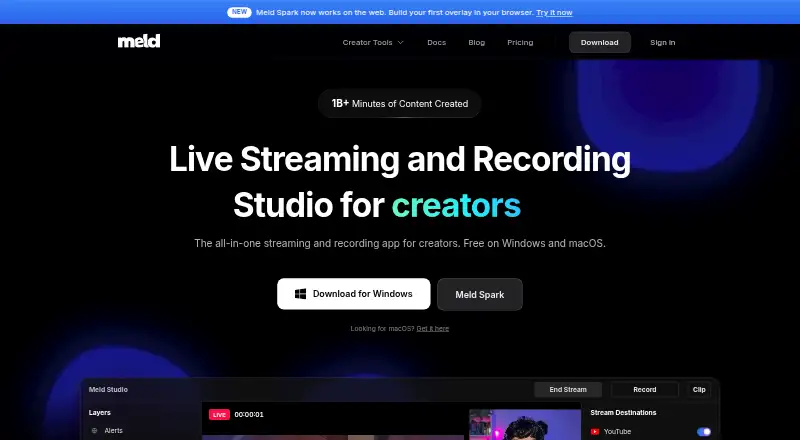
Meld Studio is a desktop app for creators who stream and record, with a free plan and paid plans starting at $20 a month. It supports simultaneous streaming to Twitch, YouTube, Kick, TikTok Live, Facebook Live, and custom RTMP destinations. Recording features include 4K video, multitrack audio, and instant replay. The audio mixer supports up to 32 input channels, built-in filters, real-time monitoring, and third-party audio plugins. Scenes can be mirrored to apps including Zoom, Google Meet, Teams, and Discord. Listed integrations include Stream Deck, VTube Studio, Spout2, VSeeFace, VNyan, Veadotube, Warudo, Elgato, Streamer.bot, Lumia Stream, and Mix It Up. Meld Studio runs on Windows 10 or later and macOS 12 or later, including Intel and Apple Silicon Macs; it is not browser-based. The maker says the free plan has no watermarks or time limits, but Spark requests for trying its building features are limited. Desktop content is stored locally, while the app sends crash reports and gathers usage telemetry.
Who it suits
It suits streamers, podcasters, educators, musicians, churches, YouTubers, and VTubers who want a desktop streaming and recording app. Users need Windows 10 or later or macOS 12 or later.
What it does well
- Simultaneous streaming to multiple services
- Supports 4K recording and multitrack audio
- Mixer supports up to 32 input channels
- Scenes can be mirrored to meeting apps
What to know first
- Not available as a browser-based studio
- Requires Windows 10+ or macOS 12+
- Free plan limits Spark requests
Limits
Meld Free has a limit on Spark requests to try building. Meld Pro extends Spark requests, while Meld Max provides 10x higher Spark requests; Meld Free otherwise has no watermarks or time limits.
Plans
| Plan | Billed and limits | Price |
|---|---|---|
| Meld Free | Free forever, no card · Multistreaming · 4K recording with multitrack audio · One click clipping · LUT Lab effects · Spark Elements gallery · Spark requests to try building your own | Free |
| Meld Pro | $200.00 per year (= $17.00/month, billed annually) · Extended Spark requests · More capable Spark models · Priority processing · Voice-reactive overlays · Collaborative Screen Draw | $200 a year |
| Meld Max | $600.00 per year (= $50.00/month, billed annually) · 10x higher Spark requests · Most capable Spark models · Highest priority processing · Early access to new Spark features · Direct support from the Spark team | $600 a year |
As meldstudio.co lists them, read 2 Oct 2026. The maker's own page has the final word.
Getting started
- Visit the Meld Studio website.
- Choose the Windows or macOS desktop app for your system.
- Install it on Windows 10 or later or macOS 12 or later.
- Start with Meld Free, or choose Meld Pro at $20 a month or Meld Max at $60 a month.
Meld Studio is a desktop production app for live streaming, recording and audio mixing. It is best suited to creators who need multistreaming, detailed sound control or VTuber and broadcast integrations on a Mac or Windows PC. The main decision is whether its desktop workflow and Spark-based paid features fit your setup.
Overview
Meld Studio combines live production and recording rather than splitting those jobs between separate tools. It can stream simultaneously to Twitch, YouTube, Kick, TikTok Live, Facebook Live and custom RTMP destinations, making it practical for creators who publish to several services at once. The app also works as a virtual camera, mirroring scenes into Zoom, Google Meet, Teams and Discord for meetings, teaching or remote appearances.
Recording reaches 4K and includes multitrack audio and instant replay. One-click clipping is included on the free plan, so short highlights do not require a separate editor. Scene configurations, media-source settings and stream outputs stay stored locally on the desktop. The app does send crash reports through Sentry and collects usage telemetry covering feature use and performance, which matters to users evaluating privacy.
Key features
The audio mixer is unusually substantial for a general streaming app. It accepts up to 32 input channels, provides built-in filters and real-time monitoring, and supports third-party audio plugins. That gives podcasters, musicians, churches and streamers room to manage complex source layouts; for a creator with one microphone and a game feed, it may be more control than necessary.
Meld Studio supports loop or replay streams, 4K capture and multitrack recording. Its integration list includes Stream Deck, VTube Studio, Spout2, VSeeFace, VNyan, Veadotube, Warudo, Elgato, Streamer.bot, Lumia Stream and Mix It Up. These connections make the app a stronger fit for interactive broadcasts, avatar-based channels and hardware-driven production than a basic single-camera setup.
Support comes through documentation, video tutorials, Discord and Reddit. Spark Elements, Spark requests and other Spark functions are part of the plan structure, so users interested in those tools should pay attention to request allowances.
Pricing
Meld Free costs nothing, billed Free forever with no card. It includes multistreaming, 4K recording with multitrack audio, one-click clipping, LUT Lab effects and the Spark Elements gallery. There are no watermarks or time limits, but Spark requests to try building your own are a stated free-plan limit. This is the sensible starting point for creators who need core streaming and recording without a subscription.
Meld Pro costs $20 a month, billed monthly. It adds extended Spark requests, smarter Spark models, priority processing, speech-to-text captioning and collaborative screen draw. Choose it when those AI-assisted and collaboration features justify recurring cost; basic broadcast capabilities are already present on Free.
Meld Max costs $60 a month, billed monthly. It raises Spark requests to 10 times higher, uses the most capable Spark models, gives highest-priority processing, first access to new Spark features and direct support from the Spark team. It is aimed at heavy Spark users rather than someone simply seeking more streaming destinations.
Platforms
Meld Studio is a desktop app for Windows 10 or later and macOS 12 or later, including Intel and Apple Silicon Macs. It is not browser-based, so production requires an installed application and a compatible computer.
Who it's for
Streamers, YouTubers, podcasters, educators, musicians, churches and VTubers are the clearest matches. Multistreaming helps audience expansion, while the mixer and integration list reward more elaborate productions. It is less suitable if you require a browser studio or prefer a lightweight, single-source workflow.
Pros and cons
- Pros: simultaneous output to major platforms and custom RTMP destinations; 4K recording with multitrack audio and instant replay; up to 32 audio inputs with plugins and monitoring; broad creator and hardware integrations; free tier without watermarks or time limits.
- Cons: desktop-only operation excludes browser workflows; Free has Spark request limits; Pro and Max subscriptions mainly expand Spark capabilities rather than core streaming; telemetry and crash reporting may concern privacy-focused users.
Alternatives
Pick OBS Studio if you want a fully free Windows, macOS or Linux option with no watermarks or usage limitations and commercial use permitted. Choose Restream if web and mobile access matter more than a desktop-only studio, accepting its Free plan's two-channel limit, branding and six recorded hours per stream. mimoLive suits Mac and iOS users seeking a broad feature set with an optional free tier that carries a watermark. PRISM Live Studio is a better fit for Android, iOS, macOS and Windows coverage, with PRISM Plus supporting up to six channels for $9.99 a month. XSplit Broadcaster is Windows-only and its free tier limits output to 720p, four scenes and no simultaneous multistreaming. OneStream Live is worth considering for web, extension and mobile scheduling, with its Free plan limited to two destinations and 720p. Agora Interactive Live Streaming is an alternative for app developers needing interactive live-stream infrastructure.
Verdict
Meld Studio is a strong choice for creators who want multistreaming, high-resolution recording and a serious audio mixer in one Windows or Mac desktop app. Start with Free for capable core production; move to Pro or Max only if Spark requests, models, captioning or priority support are central to your work. Look elsewhere if you need Linux, a browser studio or a simpler service without Spark-focused subscription tiers.
Verdict
Meld Studio provides streaming, recording, and audio tools in a desktop app. Check its operating-system requirements and Spark request limits before choosing a plan.
Questions
Does Meld Studio have a free plan?
Yes. Meld Free costs nothing, billed free forever, and does not require a card.
What are the paid plans?
Meld Pro costs $20 a month, billed monthly. Meld Max costs $60 a month, billed monthly.
Which platforms does Meld Studio support?
It runs on Windows 10 or later and macOS 12 or later, including Intel and Apple Silicon Macs. It is not browser-based.
Can it stream to multiple services?
Yes. It supports simultaneous streaming to Twitch, YouTube, Kick, TikTok Live, Facebook Live, and custom RTMP destinations.
What creator tools does it integrate with?
Listed integrations include Stream Deck, VTube Studio, Spout2, VSeeFace, VNyan, Veadotube, Warudo, Elgato, Streamer.bot, Lumia Stream, and Mix It Up.
Facts from Meld Studio's own pages
- Audio
- Its audio mixer supports up to 32 input channels, built-in filters, real-time monitoring, and third-party audio plugins. · meldstudio.co, 2 Oct 2026
- Browser-based studio
- No · meldstudio.co, 20 Sept 2026
- Desktop data
- The privacy policy says desktop app content such as scene configurations, media source settings, and stream outputs is stored locally and is not accessible to the company. · meldstudio.co, 2 Oct 2026
- Free limits
- The maker says Meld Studio is free with no watermarks or time limits; its pricing page lists Spark requests to try building as a Free plan limit. · meldstudio.co, 2 Oct 2026
- Free plan
- Yes · meldstudio.co, 20 Sept 2026
- Integrations
- The maker lists integrations including Stream Deck, VTube Studio, Spout2, VSeeFace, VNyan, Veadotube, Warudo, Elgato, Streamer.bot, Lumia Stream, and Mix It Up. · meldstudio.co, 2 Oct 2026
- Multistreaming
- The app supports simultaneous streaming to services including Twitch, YouTube, Kick, TikTok Live, Facebook Live, and custom RTMP destinations. · meldstudio.co, 2 Oct 2026
- Platform requirements
- Meld Studio is available for Windows 10 or later and macOS 12 or later, including Intel and Apple Silicon Macs. · meldstudio.co, 2 Oct 2026
- Privacy and telemetry
- The privacy policy says the desktop app sends crash reports through Sentry and collects usage telemetry, including feature usage and performance metrics. · meldstudio.co, 2 Oct 2026
- Product
- Meld Studio is a free streaming and recording app for creators. · meldstudio.co, 2 Oct 2026
- Recording
- Meld Studio supports 4K recording, multitrack audio, and instant replay. · meldstudio.co, 2 Oct 2026
- Paid from
- 20 · meldstudio.co, 20 Sept 2026
- Support
- The maker offers documentation, video tutorials, Discord, and Reddit as community and support resources. · meldstudio.co, 2 Oct 2026
- Virtual camera
- Meld Studio can mirror scenes to apps such as Zoom, Google Meet, Teams, and Discord. · meldstudio.co, 2 Oct 2026
- Who it serves
- The maker describes Meld Studio for creators including streamers, podcasters, educators, musicians, churches, YouTubers, and VTubers. · meldstudio.co, 2 Oct 2026
Where Meld Studio stands on Freedom251
- Live TV streaming services#18 of 169
- Live Streaming Software#21 of 137
- Live streaming software#21 of 134
- Live Streaming Encoders#14 of 69
- Video Podcast Software#15 of 39
- Game Streaming Software#19 of 45
- YouTube Live Streaming Tools#11 of 26
- Twitch Streaming Software#11 of 26
- Screen Recording Software#90 of 132