Freedom251 › Call & Contact Center Software
RingCX AI Workforce Management
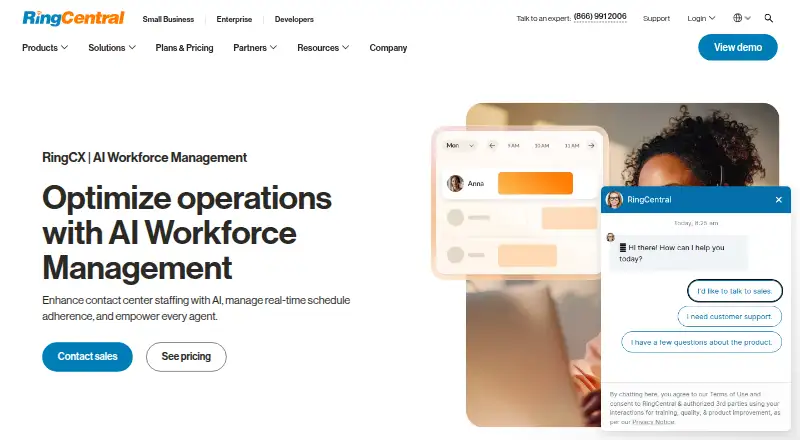
What RingCX AI Workforce Management is
RingCX AI Workforce Management helps contact centers plan staffing, monitor schedule adherence, and support agents. Its forecasting engines analyze historical data to predict demand, and users can create unlimited forecasts with what-if analysis. Teams can generate multiple schedules from a forecast and plan staffing changes as interaction volumes shift. Dashboards and real-time alerts track adherence, while automatic attendance tracking records clock-ins and breaks. Agents can view schedules, bid on shifts, accept adjustment offers, and manage time off in one interface. RingCentral says its mobile app lets agents and supervisors use workforce management on the go. The contact center offers over 500 pre-built integrations and APIs, including native connections to Salesforce, HubSpot, and Zendesk. The product is cloud-based and lists Android, iOS, web, and API platforms. Pricing is listed from 20 USD per user per month; the RingCX plan is listed at $65 a month. Annual payment can save up to 15%. Listed security certifications include ISO 27001, ISO 27017, ISO 27018, ISO 22301, C5, PCI, and SOC reports.
Who it suits
It is aimed at contact centers managing staffing across channels and supporting agents and supervisors. Its tools cover forecasting, schedule adherence, intraday staffing changes, and agent self-service.
What it does well
- Unlimited forecasts with what-if analysis
- Creates multiple schedules from forecasts
- Tracks adherence with dashboards and real-time alerts
- Agents can manage schedules and time off
- Over 500 pre-built integrations and APIs
What to know first
- Listed pricing starts at 20 USD per user per month
- WFM-specific price is not displayed in the opened pricing page text
- Annual payment is needed to save up to 15%
Plans
| Plan | Billed and limits | Price |
|---|---|---|
| RingCX | Unlimited minutes · core contact center features and AI tools | $65 a month |
As ringcentral.com lists them, read 30 Sept 2026. The maker's own page has the final word.
Getting started
- Open the RingCentral workforce management website
- Choose the RingCX offering
- Use the cloud-based service on Android, iOS, web, or API
- Contact RingCentral’s Support Center for product support
Verdict
RingCX AI Workforce Management combines demand forecasting, scheduling, adherence tracking, and agent self-service for contact centers. Check the WFM-specific price with RingCentral, since its listed starting price and RingCX plan price are not presented as a WFM-specific price.
Questions
How much does RingCX AI Workforce Management cost?
Pricing is listed from $20 per user per month. The RingCX plan is listed at $65 a month, and annual payment can save up to 15%.
Which platforms does it support?
The listed platforms are Android, iOS, web, and API. RingCentral says its mobile app lets agents and supervisors use workforce management on the go.
Can users create multiple forecasts?
Users can create unlimited forecasts with what-if analysis and generate multiple schedules from a forecast.
What integrations are named?
RingCentral says its contact center offers over 500 pre-built integrations and APIs, including native integrations with Salesforce, HubSpot, and Zendesk.
What can agents do in the interface?
Agents can view schedules, bid on shifts, accept shift adjustment offers, and manage time off.
Where can users get product support?
The WFM product page directs users seeking product support to RingCentral’s Support Center.
Facts from RingCX AI Workforce Management's own pages
- Adherence and attendance
- Dashboards and real-time alerts track adherence, and automatic attendance tracking records when agents clock in or take breaks. · ringcentral.com, 30 Sept 2026
- Agent tools
- Agents can view schedules, bid on shifts, accept shift adjustment offers, and manage time off in one interface. · ringcentral.com, 30 Sept 2026
- AI forecasts
- It uses multiple forecasting engines to analyze historical data and predict demand. · ringcentral.com, 30 Sept 2026
- Forecast scenarios
- The page says users can create unlimited forecasts with what-if analysis. · ringcentral.com, 30 Sept 2026
- Integrations
- RingCentral says its contact center offers over 500 pre-built integrations and APIs, including native integrations with Salesforce, HubSpot, and Zendesk. · ringcentral.com, 30 Sept 2026
- Intended users
- The product page describes the offering for contact centers seeking to manage staffing across channels and empower agents and supervisors. · ringcentral.com, 30 Sept 2026
- Intraday staffing
- Automated schedule adjustment planning helps teams create strategies to staff up or down as interaction volumes change. · ringcentral.com, 30 Sept 2026
- Mobile access
- RingCentral says its WFM mobile app lets agents and supervisors use workforce management on the go. · ringcentral.com, 30 Sept 2026
- Pricing detail
- The RingCX pricing page says annual payment can save up to 15%, but does not display a WFM-specific price in its opened page text. · ringcentral.com, 30 Sept 2026
- Purpose
- RingCX AI Workforce Management helps contact centers plan staffing, manage schedule adherence, and support agents. · ringcentral.com, 30 Sept 2026
- Scheduling
- Users can generate multiple schedules from a forecast with a few clicks. · ringcentral.com, 30 Sept 2026
- Security certifications
- RingCX is listed for ISO 27001, ISO 27017, ISO 27018, ISO 22301, C5, PCI, and SOC reports on RingCentral’s compliance site. · ringcentral.com, 30 Sept 2026
- Support
- The WFM product page directs users seeking product support to RingCentral’s Support Center. · ringcentral.com, 30 Sept 2026