
Percy
What Percy is
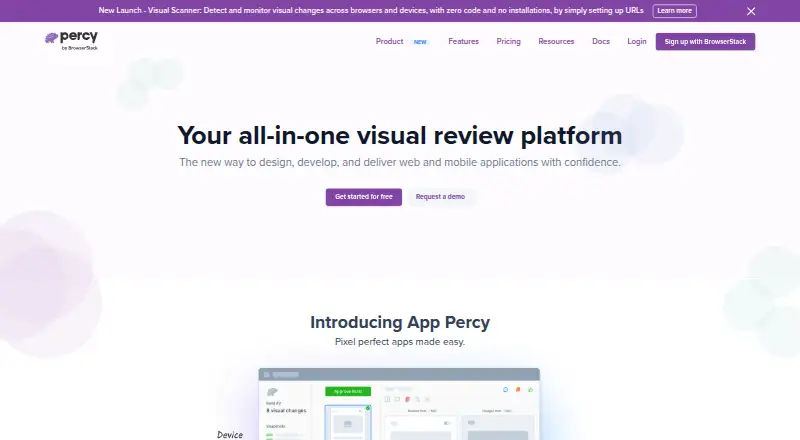
Percy automates visual testing by capturing DOM snapshots and assets, rendering them across browsers, and comparing results with earlier snapshots to identify visual differences. Teams can render pages at configurable responsive widths. Snapshot stabilization freezes animations and other dynamic elements to reduce false positives, and snapshots from separate processes or machines can be grouped into the same build. Its review workflow includes status updates, notifications, comments, comparisons, and automatic diff matching. Listed integrations include GitHub, GitLab, Slack, Storybook, WebdriverIO, and Jenkins; documented frameworks include Selenium, Playwright, Cypress, Puppeteer, Ember, Storybook, React Styleguidist, Gatsby, Jekyll, Appium, Tricentis Tosca, and Maestro. Percy documentation describes coverage across desktop and mobile browsers on real devices. The free plan includes 5,000 screenshots per month, unlimited users, and unlimited projects. Desktop costs $199 a month, billed annually, for 10,000 screenshots per month; Desktop & Mobile costs $599 a month, billed annually, for 25,000 screenshots per month. Paid plans charge for usage beyond their screenshot allowances.
Who it suits
Percy suits teams that need to spot and review visual changes across browsers and responsive widths. The free plan may suit projects within its 5,000-screenshot monthly allowance; teams needing real mobile browser coverage can consider Desktop & Mobile.
What it does well
- Free plan includes 5,000 screenshots monthly.
- Snapshots can be grouped across processes and machines.
- Review workflow includes comments and status updates.
- Integrates with GitHub, GitLab, Slack, and Jenkins.
What to know first
- Paid plans charge for usage beyond their screenshot allowance.
- Desktop costs $199 a month, billed annually.
- Desktop & Mobile costs $599 a month, billed annually.
Limits
The Free plan includes 5,000 screenshots per month. Desktop includes 10,000 screenshots per month, and Desktop & Mobile includes 25,000 screenshots per month; paid usage beyond the allowance is charged at the overage rate.
Plans
| Plan | Billed and limits | Price |
|---|---|---|
| Free | 5,000 screenshots/month · unlimited users · unlimited projects | Free |
| Desktop | billed annually · 10,000 screenshots/month · Chrome, Firefox, Edge, Safari | $199 a month |
| Desktop & Mobile | billed annually · 25,000 screenshots/month · real mobile browsers | $599 a month |
| Enterprise | Custom screenshots · contact sales for pricing | On request |
As percy.io lists them, read 2 Oct 2026. The maker's own page has the final word.
Getting started
- Visit https://percy.io/.
- Choose the Free, Desktop, Desktop & Mobile, or Enterprise plan.
- Use a documented framework such as Selenium, Playwright, Cypress, or Appium.
- Connect a listed integration such as GitHub, GitLab, Slack, or Jenkins.
- Capture snapshots across browsers and responsive widths for review.
Percy is a visual testing service for teams that want automated checks for interface changes across browsers and responsive layouts. It is strongest for teams that already run UI tests and need a shared review workflow; real mobile-browser coverage requires the higher-priced mobile plan.
Overview
Percy captures DOM snapshots and assets, renders them across browsers, and compares the results with earlier snapshots to flag visual changes. Configurable responsive widths let teams look for layout differences beyond a single viewport, while cross-browser capture helps when an interface must hold up across several browsers.
These comparisons are only as economical as the capture choices allow: each page or component rendering for one browser-and-width combination counts as a screenshot. Teams with many pages, browsers, or responsive widths should estimate that usage before settling on a plan.
Key features
Snapshot stabilization freezes animations and other dynamic elements, reducing false positives that can clutter review. Percy can also combine snapshots from tests running on separate processes or machines into one build, giving parallel runs a common review point.
Reviewers can compare snapshots, comment, update statuses, receive notifications, and use automatic diff matching. Integrations include GitHub, GitLab, Slack, Storybook, WebdriverIO, and Jenkins. Documented frameworks range from Selenium, Playwright, Cypress, and Puppeteer to Storybook, Gatsby, Appium, Tricentis Tosca, and Maestro. That breadth makes Percy relevant to varied testing setups, though teams should check that their particular stack fits.
Percy supports real-device testing and describes coverage for desktop and mobile browsers. Real mobile browsers are included in the Desktop & Mobile plan, not the Desktop plan, so teams needing that coverage should budget for the higher tier.
Pricing
The Free plan costs nothing and includes 5,000 screenshots/month, unlimited users, and unlimited projects. It is a useful starting point for a small or lower-volume workflow, but the monthly screenshot cap can become restrictive as browser and responsive-width combinations accumulate.
Desktop costs $199 a month, billed annually, and includes 10,000 screenshots/month plus Chrome, Firefox, Edge, and Safari. It suits teams that need paid-plan capacity and those four desktop browsers, but it does not include real mobile browsers.
Desktop & Mobile costs $599 a month, billed annually, with 25,000 screenshots/month and real mobile browsers. The larger allowance and mobile coverage fit teams with broader capture needs; it is a substantial step up in price from Desktop. Both paid plans include a fixed screenshot allowance, with usage beyond it charged at the overage rate, so exceeding the quota adds cost rather than simply stopping capture.
Enterprise has custom pricing, custom screenshots, and requires contacting sales.
Platforms
Percy is listed for web, Android, and iOS. Its documented mobile coverage includes real devices and mobile browsers, while plan details place real mobile-browser access in Desktop & Mobile.
Who it's for
Percy is a good fit for development teams that want browser-based visual comparisons tied to collaborative review, especially those already using its listed integrations or frameworks. Teams with modest capture volumes can begin on Free; teams requiring mobile-browser coverage should consider Desktop & Mobile. It is a poorer fit for buyers who cannot predict screenshot usage or want to avoid overage charges on paid plans.
Pros and cons
- Pro: Stabilization and automatic diff matching can reduce review noise from dynamic content and help reviewers pair changes.
- Pro: Comments, statuses, notifications, and snapshot comparisons bring review into a defined workflow, with integrations for common development tools.
- Pro: Free includes unlimited users and projects, avoiding seat and project caps at that tier.
- Con: Screenshot counts scale with browser and responsive-width combinations, making broad coverage consume quota quickly.
- Con: Real mobile browsers require the $599 a month plan billed annually; the $199 a month Desktop plan is desktop-browser coverage only.
- Con: Paid-plan overages are charged, so teams whose usage varies need to monitor their allowance.
Alternatives
For an open-source option, Loki is free under the MIT license and requires Node 16+; it is worth considering if those terms suit your setup. Roborazzi is another free, Apache-2.0-licensed option available on Maven Central.
Diffy may suit teams whose needs fit its free plan of 500 screenshots per month, two environments, team management, and one month of data retention. Happo offers a free plan with 5,000 snapshots per month, Chrome, and visual and accessibility testing, with no credit card or time limit; consider it if those specific inclusions matter.
SmartUI has a free lifetime allowance of 2,000 screenshots and one month of build history, with limited user seats. Frontend Regression Validator is a free, Apache-2.0-licensed open-source option that can run locally or with Docker. Galen Framework is free under Apache License 2.0 and requires Java 1.8 or greater. Screenster offers a free plan with per-tester monthly terms, one concurrent test, and capped local or cloud runs.
Browse more options in Visual Regression Testing Software or GUI Testing Software.
Verdict
Choose Percy if your team wants cross-browser visual comparisons paired with a collaborative review workflow and can keep capture volume within a known allowance. Its stabilization and parallel-build grouping address real review friction, but teams needing real mobile browsers must take the much more expensive annual-billed tier, and paid overages make usage forecasting important.
Verdict
Percy combines browser-based visual comparisons with a workflow for reviewing diffs and tracking status. Check the screenshot allowance and overage charges against expected usage, especially for paid plans.
Questions
Is there a free plan?
Yes. Free includes 5,000 screenshots per month, unlimited users, and unlimited projects.
What do the paid plans cost?
Desktop costs $199 a month, billed annually. Desktop & Mobile costs $599 a month, billed annually.
Which platforms does Percy support?
Percy is listed for Android, iOS, and web. Its mobile coverage includes real devices and desktop and mobile browsers.
Which tools does Percy integrate with?
Listed integrations include GitHub, GitLab, Slack, Storybook, WebdriverIO, and Jenkins.
How is screenshot usage counted?
A screenshot is one rendering of a page or component for an individual browser and responsive width combination. Paid plans charge an overage rate for usage beyond the included allowance.
Facts from Percy's own pages
- Founded
- 2011 · percy.io, 23 Sept 2026
- Frameworks
- Percy documentation lists Selenium, Playwright, Cypress, Puppeteer, Ember, Storybook, React Styleguidist, Gatsby, Jekyll, Appium, Tricentis Tosca, and Maestro. · browserstack.com, 2 Oct 2026
- Free trial
- BrowserStack pages display a Free Trial option. · browserstack.com, 2 Oct 2026
- Headquarters
- San Francisco, California, United States · percy.io, 23 Sept 2026
- Integrations
- The features page lists GitHub, GitLab, Slack, Storybook, WebdriverIO, and Jenkins integrations. · browserstack.com, 2 Oct 2026
- Mobile coverage
- Percy documentation describes testing across real devices and specifically refers to desktop and mobile browsers. · browserstack.com, 2 Oct 2026
- Overages
- Paid plans include a fixed screenshot allowance, and usage beyond that allowance is charged at the overage rate. · browserstack.com, 2 Oct 2026
- Parallel testing
- Percy groups snapshots into the same build when tests run in different processes or on different machines. · browserstack.com, 2 Oct 2026
- Privacy
- BrowserStack states its privacy policy complies with GDPR and covers account-related information and customer content. · browserstack.com, 2 Oct 2026
- Purpose
- Percy automates visual testing by capturing DOM snapshots and assets, rendering them across browsers, and comparing them with prior snapshots to detect visual changes. · browserstack.com, 2 Oct 2026
- Responsive testing
- Percy renders pages at configurable responsive widths and highlights visual differences. · browserstack.com, 2 Oct 2026
- Review workflow
- Percy supports visual reviews with status updates, notifications, comments, snapshot comparisons, and automatic diff matching. · browserstack.com, 2 Oct 2026
- Security
- BrowserStack states that it is SOC 2 Type 2 compliant and that this compliance extends to its data centers and platform. · browserstack.com, 2 Oct 2026
- Snapshot stabilization
- Percy's snapshot stabilization freezes animations and other dynamic elements to reduce false positives. · browserstack.com, 2 Oct 2026
- Usage limit
- Percy counts a screenshot as one rendering of a page or component for an individual browser and responsive width combination. · browserstack.com, 2 Oct 2026
Where Percy stands on Freedom251
- Testing And Qa#13 of 33
- GUI Testing Software#14 of 34
- Software Testing Tools#14 of 33
- Visual Regression Testing Software#12 of 26