Roborazzi
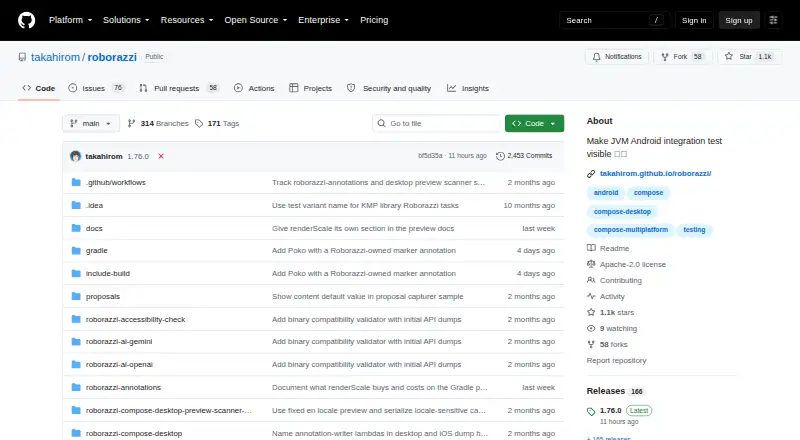
What Roborazzi is
Roborazzi is a free, open-source library for screenshot testing, primarily in JVM Android integration tests. It records screenshots, compares them with saved baselines, and can fail verification when images differ. Through Robolectric, Android screenshot tests can run as JVM tests without a device or emulator. Capture options cover Jetpack Compose nodes, Espresso views, Android Views, and Compose lambdas. The project can generate screenshot tests for Jetpack Compose previews and supports Compose Multiplatform common previews. It also documents Compose Desktop and JVM preview screenshot tests, with images rendered using the host's Skia; Compose Multiplatform iOS support is experimental. Gradle tasks record, compare, and verify images, and the project documents GitHub Actions workflows for CI. An IntelliJ IDEA and Android Studio plugin displays screenshots in the IDE. Optional tools include a machine-readable UI-tree JSON sidecar and accessibility checks. Roborazzi can capture GIFs and record animations as GIF or APNG. Video recording is experimental and is not recorded or verified in compare/verify mode. The project states there is no direct Bazel support.
Who it suits
Roborazzi may suit developers who want screenshot checks in JVM Android tests or Compose projects. Teams should account for experimental desktop and iOS support and platform-dependent rendering differences.
What it does well
- Robolectric enables JVM tests without a device or emulator
- Gradle tasks record, compare, and verify screenshots
- Documents GitHub Actions CI workflows
- Accessibility checks library integrates with Roborazzi
What to know first
- No direct support for Bazel
- iOS capture requires an explicit file path and PNG output
- Rendering may differ across operating systems
Plans
| Plan | Billed and limits | Price |
|---|---|---|
| Roborazzi | Available on Maven Central · Apache-2.0 licensed | Free |
As github.com lists them, read 8 Oct 2026. The maker's own page has the final word.
Getting started
- Open the Roborazzi project on GitHub.
- Add Roborazzi from Maven Central to a Gradle project.
- Use its Gradle tasks to record screenshots.
- Compare captured images with saved baselines and run verification.
- For CI, follow the documented GitHub Actions workflow.
Roborazzi is a free, open-source screenshot testing library for Android and Compose projects. It is best for teams that want visual checks in JVM and Gradle workflows, particularly alongside Robolectric. Its Android capture and verification tools are broad; experimental support beyond Android and rendering variation between operating systems require care.
Overview
Roborazzi records screenshots, compares them against saved images, and can fail verification when they differ. That makes visual changes part of a test result, rather than a separate manual review step. Its Robolectric integration lets Android screenshot tests run as JVM tests without a device or emulator, and tests can also use Hilt.
Gradle tasks cover recording, comparison, and verification, while documented GitHub Actions workflows support storing and checking screenshots in CI. Roborazzi is available on Maven Central under Apache License 2.0. A key trade-off is rendering consistency: graphics libraries can produce different results across operating systems, and identical output across environments is not guaranteed. Teams should account for that when setting up screenshot baselines and CI.
Key features
- Capture across Android UI types: Roborazzi can capture Jetpack Compose nodes, Espresso views, Android Views, and Compose lambdas. That breadth suits Android projects with mixed UI stacks.
- Compose previews: It can generate screenshot tests from Jetpack Compose previews and supports Compose Multiplatform common previews, extending visual checks beyond conventional test screens.
- Desktop and iOS workflows: Compose Desktop and JVM preview screenshots are rendered using the host's Skia. Compose Multiplatform iOS support covers recording, comparison, verification, and reports, but is experimental. iOS capture requires an explicit file path and outputs PNG only, with no WebP encoding.
- CI and IDE support: GitHub Actions workflows are documented for screenshot storage and verification. An IntelliJ IDEA and Android Studio plugin displays Roborazzi test screenshots in the IDE, which can help developers inspect changes in their usual environment.
- UI and accessibility checks: An optional machine-readable JSON UI-tree sidecar is documented for Android/Robolectric, Compose Desktop, and Compose iOS. A separate Roborazzi Accessibility Checks library integrates accessibility checks with screenshot testing.
- Animated captures: Roborazzi can capture GIFs and record animations as GIF or APNG. Video recording is experimental, and compare/verify mode does not record or verify video, so it is not a complete video-regression workflow.
- AI assertions: Experimental image assertions have Gemini and OpenAI modules; manual assertions can use local or other LLMs. The documentation advises passing API keys through environment variables rather than hard-coding them.
Pricing
Roborazzi has one free plan: free. It is available on Maven Central and is licensed under Apache License 2.0. There are no paid tiers or plan quotas stated, so teams can adopt the library without a subscription; they should still weigh its platform limitations and the work of maintaining screenshot baselines.
Platforms
Roborazzi is listed for Android, iOS, Linux, macOS, and Windows, but its documented platform coverage is more specific: Android support, experimental Compose Desktop support, and experimental Compose Multiplatform iOS support. Desktop screenshots use the host's Skia, and rendering may vary across operating systems. The project has no direct support for running with Bazel, so teams whose builds depend on Bazel should look elsewhere or account for that gap.
Who it's for
Roborazzi is a strong fit for Android teams using Robolectric and Gradle who want screenshot comparisons to run as JVM tests without a device or emulator. It also suits Compose teams that want preview-based checks, CI verification, IDE access to test screenshots, or accessibility checks integrated with visual testing. It is a less natural choice for Bazel-based builds, teams requiring identical rendering across different operating systems, or anyone relying on stable cross-platform support beyond Android.
Pros and cons
- Pro: Robolectric integration runs Android screenshot tests as JVM tests without a device or emulator, which suits device-free test workflows.
- Pro: Capture covers Compose, Espresso, Android Views, and Compose lambdas, making it useful for projects with mixed Android UI components.
- Pro: Gradle recording and verification tasks, GitHub Actions workflows, and IDE screenshot display connect image checks to development and CI.
- Con: Rendering can differ by operating system, so a baseline may not produce identical results in every environment.
- Con: Desktop and iOS support are experimental; iOS also requires explicit file paths and PNG output only.
- Con: There is no direct Bazel support, and experimental video capture cannot be compared or verified in the normal workflow.
Alternatives
Visual Regression Testing Software is a broader category to explore when comparing screenshot-testing options.
- Loki is another free, open-source option, with Android, iOS, Linux, macOS, self-hosted, web, and Windows platforms listed. Consider it when those platform choices matter more than Roborazzi's specific Robolectric and Gradle workflow.
- Diffy may suit teams wanting a hosted-style freemium allowance: its free plan includes 500 screenshots per month, two environments, team management, and one month of data retention.
- Happo is worth considering for a free plan with 5,000 snapshots per month, Chrome, visual and accessibility testing, and no credit card or time limit; it also lists Android, API, iOS, and web platforms.
- Percy offers a free plan with 5,000 screenshots per month, unlimited users, and unlimited projects, making it an alternative for teams prioritizing those stated allowances.
- SmartUI has a free plan with 2,000 screenshots valid for a lifetime, one month of build history, and limited user seats; it may fit teams for whom that allowance and history period are suitable.
- Frontend Regression Validator is an Apache-2.0 open-source option that runs locally or with Docker, for teams seeking that deployment model.
- Galen Framework is a free Apache License 2.0 alternative requiring Java 1.8 or greater.
- Screenster has a free tier with one user and one concurrent test, alongside monthly local or cloud run limits; consider it if those stated limits fit.
Verdict
Choose Roborazzi if you want free screenshot verification integrated with Android's Robolectric and Gradle test workflow, especially for mixed Compose and View-based projects. The ability to run checks without a device or emulator is its clearest advantage. Look elsewhere if direct Bazel support or dependable cross-operating-system rendering is essential, or if experimental desktop and iOS coverage is not sufficient for your needs.
Verdict
Roborazzi offers screenshot capture and verification across Android and several Compose environments, with some platform support marked experimental. Its lack of direct Bazel support and cross-platform rendering variation are worth considering.
Questions
How much does Roborazzi cost?
The listed plan is free.
Which platforms does it support?
The listed platforms are Android, iOS, Linux, macOS, and Windows. The project documents Android support, experimental Compose Desktop support, and experimental Compose Multiplatform iOS support.
Does it work with Bazel?
The project states that it has no direct support for running Roborazzi with Bazel.
What license does it use?
The repository identifies Roborazzi as licensed under Apache License 2.0.
Can it check screenshots in CI?
Yes. The project documents GitHub Actions workflows for storing, verifying, and comparing screenshots.
Can it record animated screenshots?
It can capture GIFs and record animations as GIF or APNG. Video recording is experimental, and compare or verify mode does not record or verify video.
Facts from Roborazzi's own pages
- Accessibility
- The project provides a Roborazzi Accessibility Checks library that integrates accessibility checks with Roborazzi. · github.com, 8 Oct 2026
- AI assertions
- An experimental AI-powered image assertion feature has modules for Gemini and OpenAI, and the project also describes manual assertions that can use local or other LLMs. · github.com, 8 Oct 2026
- Android testing
- Roborazzi integrates with Robolectric to run screenshot tests as JVM tests without requiring a device or emulator. · github.com, 8 Oct 2026
- Animated captures
- Roborazzi can capture GIFs and record UI animations as GIF or APNG; video recording is marked experimental and compare/verify mode does not record or verify it. · github.com, 8 Oct 2026
- Bazel support
- The FAQ states there is no direct support for running Roborazzi with Bazel. · github.com, 8 Oct 2026
- Capture APIs
- Screenshots can be captured from Jetpack Compose nodes, Espresso views, Android Views, and Compose lambdas. · github.com, 8 Oct 2026
- CI
- The documentation describes integrating Roborazzi with GitHub Actions to store, verify, and compare screenshots. · github.com, 8 Oct 2026
- CI integration
- The project documents GitHub Actions workflows for storing screenshots and verifying them in CI. · github.com, 8 Oct 2026
- Compose and Views
- Screenshot capture supports Jetpack Compose nodes, Espresso views, Android Views, and Compose lambdas. · github.com, 8 Oct 2026
- Compose previews
- It can generate screenshot tests for Jetpack Compose previews and supports Compose Multiplatform common previews. · github.com, 8 Oct 2026
- Desktop support
- Roborazzi supports Compose Desktop and JVM preview screenshot tests, with screenshots rendered using the host's Skia. · github.com, 8 Oct 2026
- IDE integration
- Its IntelliJ IDEA and Android Studio plugin displays screenshots from Roborazzi screenshot tests in the IDE. · github.com, 8 Oct 2026
- Integrations
- Roborazzi is available on Maven Central and provides Gradle tasks for recording, comparing, and verifying screenshots. · github.com, 8 Oct 2026
- iOS limitation
- On iOS, capture calls require an explicit file path and image output is PNG only, without WebP encoding. · github.com, 8 Oct 2026
- iOS support
- Experimental Compose Multiplatform iOS support includes screenshot recording, comparison, verification, and reports. · github.com, 8 Oct 2026
- Known platform variation
- The project says graphics libraries can render differently across operating systems and does not guarantee identical screenshot rendering across environments. · github.com, 8 Oct 2026
- License
- The repository identifies Roborazzi as licensed under Apache License 2.0. · github.com, 8 Oct 2026
- Limitations
- The project states that Roborazzi has no direct support for running with Bazel. · github.com, 8 Oct 2026
- Platform coverage
- The project documents Android, experimental Compose Desktop, and experimental Compose Multiplatform iOS support. · github.com, 8 Oct 2026
- Purpose
- Roborazzi is an open-source library for making JVM Android integration tests visible through screenshot testing. · github.com, 8 Oct 2026
- Robolectric
- Roborazzi integrates with Robolectric and supports using Hilt in tests. · github.com, 8 Oct 2026
- Screenshot testing
- It records screenshots, compares them with saved images, and can fail verification when images differ. · github.com, 8 Oct 2026
- Security
- The AI assertion documentation advises passing API keys through environment variables rather than hard-coding them in code. · github.com, 8 Oct 2026
- UI tree output
- An optional UI tree dump writes a machine-readable JSON sidecar alongside screenshots and is documented for Android/Robolectric, Compose Desktop, and Compose iOS. · github.com, 8 Oct 2026
Where Roborazzi stands on Freedom251
- Visual Testing#6 of 17
- Visual Regression Testing Software#10 of 26