Freedom251 › Visual Regression Testing Software
Frontend Regression Validator
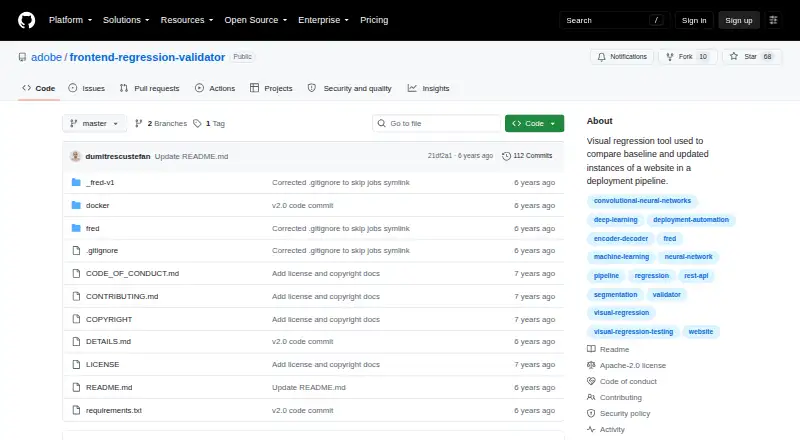
What Frontend Regression Validator is
Frontend Regression Validator, or FRED, is a free, open-source tool for comparing baseline and updated website instances. A comparison starts with two URLs; FRED crawls each to find pages to render and compare. It checks screenshots along with console and network logs, and can optionally apply machine-learning analysis to screenshots. Its image segmentation identifies broad text and image structures to reduce false positives from changing content. Results are saved locally with divergence scores and links to raw and analyzed images. Users can access FRED through a web UI or API, and the repository documents running it in Docker or as a local process. An internal queue allows parallel website processing according to available RAM, CPUs, or GPUs. The README recommends at least 8 GB of Docker memory, preferably 16 GB, especially with machine learning. The documented rule of thumb for machine-learning-enabled crawling is one minute or less per page, though site complexity affects duration. Version 2.x does not include model training or retraining code; the repository points to the v1 folder for that code. The software is under Apache License 2.0.
Who it suits
FRED suits teams or developers who need to compare website versions and review visual changes alongside console and network logs. Its API, web interface, and local or Docker deployment options fit workflows that can provide the documented computing resources.
What it does well
- Compares screenshots, console logs, and network logs
- Optional machine-learning screenshot analysis
- Web UI and API access
- Local results include divergence scores and image links
- Apache License 2.0
What to know first
- README recommends at least 8 GB Docker memory
- Machine-learning crawls depend on site complexity
- Version 2.x lacks model training and retraining code
Plans
| Plan | Billed and limits | Price |
|---|---|---|
| Open-source | Apache-2.0 licensed software · run locally or with Docker · no paid plans stated | Free |
As github.com lists them, read 4 Oct 2026. The maker's own page has the final word.
Getting started
- Open the FRED GitHub repository.
- Choose a documented deployment route: Docker or a local process.
- Provide the two URLs to compare.
- Use the web UI or API to work with FRED.
- Review the locally saved divergence scores and image links.
Frontend Regression Validator (FRED) is an open-source system for comparing two website versions, including their rendered pages and browser activity. It is aimed at engineering teams that can self-host testing infrastructure and want results kept locally. Its combination of visual, console, and network checks is compelling, provided your machines can meet its memory demands.
Overview
A comparison begins with two URLs. FRED crawls both sites to discover pages, renders them, and checks the resulting screenshots alongside console and network logs. Reports are stored locally with divergence scores and links to raw and analyzed images, giving developers evidence to investigate rather than a single pass-or-fail signal. Deployment is your responsibility: the project documents running FRED in Docker or as a local process, so it is better suited to teams comfortable maintaining their own test service than to buyers seeking a managed cloud product.
Key features
Visual and browser-activity checks
Screenshot comparison catches layout and styling changes, while console and network comparisons can expose errors or failed requests that a visual diff may miss. This broader view is useful when a page looks acceptable but its runtime behavior has changed.
AI-assisted image analysis
Optional machine-learning analysis segments images into high-level text and image structures. By treating those structures differently, it can reduce false positives from dynamic content and make review more practical on frequently changing pages. The benefit comes with a cost: machine-learning crawls need substantial memory, and version 2.x does not include code for training or retraining the model; that code is directed to the v1 folder.
Crawling and parallel processing
An internal queue allows websites to be processed in parallel. Actual throughput depends on available RAM, CPUs, and GPUs, so larger crawls scale with infrastructure rather than a fixed service quota. The documented rule of thumb is one minute or less per page for a machine-learning-enabled crawl, although site complexity changes the result.
Web UI, API, and automation
Teams can operate FRED through a web interface or API, and its CI/CD integration support makes it suitable for automated regression gates. Results remain local, which helps organizations control test artifacts but leaves storage, access, and operational upkeep to the deployer.
Pricing
| Plan | Price | What it includes |
|---|---|---|
| Open-source | free | Apache-2.0 licensed software, run locally or with Docker; no paid plans stated. |
There is no subscription charge or hosted allowance to compare. The Apache License 2.0 grants no-charge, royalty-free rights subject to its terms. In practice, the expense is your own compute and administration, particularly when AI analysis or parallel crawls require more memory and processing capacity.
Platforms
FRED supports API, Linux, macOS, self-hosted, and web use. Docker or a local process provides the documented deployment paths. The README recommends at least 8 GB of Docker memory and preferably 16 GB, especially with machine learning, making a resource-constrained workstation a poor target.
Who it's for
FRED fits development and QA teams that need website-wide crawling, local result retention, and API-driven or CI/CD workflows. It is particularly suitable where console and network evidence matters alongside screenshots, or where dynamic page content creates noisy pixel diffs. Teams without capacity to provision roughly the recommended memory, or those wanting a vendor-managed service with usage limits and support, should choose a hosted alternative.
Pros and cons
Pros
- Multiple regression signals: Screenshots, console logs, and network logs provide context beyond a pixel-only comparison.
- Lower-noise AI option: Image segmentation can reduce false positives from dynamic text and imagery.
- Local control: Reports and analysis images stay on the deployment, with web UI and API access.
- Parallel crawling: The internal queue can use available RAM, CPUs, and GPUs to increase throughput.
- No license fee: Apache-2.0 open-source software can be run locally or in Docker at 0.00 USD.
Cons
- High resource baseline: The recommended 8 GB minimum and 16 GB preference for Docker, especially with AI, exclude modest machines.
- Self-hosting burden: Deployment, compute, and result management remain with your team.
- Fixed model in version 2.x: Training and retraining code is not included in that version.
- Variable crawl time: The one-minute-per-page guideline applies to machine-learning crawls, while complex sites can take longer.
Alternatives
Browse the Visual Regression Testing Software directory for more options.
- Loki is a free, MIT-licensed open-source choice spanning mobile, desktop, web, and self-hosted platforms.
- Roborazzi is a free Apache-2.0 option for Android, iOS, Linux, macOS, and Windows, distributed through Maven Central.
- Diffy suits teams wanting a freemium service with 500 screenshots per month, two environments, team management, and one month of retention on its free plan.
- Happo is a hosted freemium alternative with 5,000 monthly snapshots, Chrome visual and accessibility testing, and no card or time limit on its free plan.
- Percy offers a free hosted tier with 5,000 screenshots per month, unlimited users, and unlimited projects.
- SmartUI provides a free tier with 2,000 lifetime screenshots, one month of build history, and limited seats.
- Galen Framework is a free Apache-2.0 framework for Linux, macOS, and Windows that requires Java 1.8 or newer.
- Screenster has a freemium plan with one concurrent test, one user, and monthly local or cloud run limits.
Verdict
Choose FRED if you want an open-source, self-hosted crawler that combines visual diffs with console and network evidence, and you can provide the recommended memory. Look elsewhere if you need managed hosting, predictable service quotas, or the ability to retrain the version 2.x model without maintaining older project code.
Verdict
FRED offers website comparisons through a web UI or API, with local results and optional machine-learning analysis. Users should account for its stated memory recommendations and the absence of model training code in version 2.x.
Questions
Is Frontend Regression Validator free?
Yes. The listed Open-source plan costs nothing, and the software is Apache-2.0 licensed.
What platforms does FRED support?
Its listed platforms are API, Linux, macOS, self-hosted, and web.
How does a comparison work?
You provide two URLs. FRED crawls them to find pages to render and compare.
Can FRED analyze screenshots with machine learning?
Yes. Screenshot analysis using machine learning is optional; its segmentation analysis identifies high-level text and image structures.
Can FRED run in Docker?
Yes. The project documents running FRED as a Docker container or as a local process.
Does FRED name third-party integrations?
No third-party integrations are named in the supplied facts. They describe API calls and Docker deployment.
Facts from Frontend Regression Validator's own pages
- Checks
- It compares console and network logs, screenshots, and optionally screenshots using machine-learning analysis. · github.com, 4 Oct 2026
- Deployment
- The repository documents running FRED as a Docker container or as a local process. · github.com, 4 Oct 2026
- Integrations
- The README describes API calls and Docker deployment but does not name third-party integrations. · github.com, 4 Oct 2026
- Interfaces
- Users interact with FRED through a web UI or API. · github.com, 4 Oct 2026
- License
- The repository includes an Apache License 2.0, which grants no-charge, royalty-free rights subject to its terms. · github.com, 4 Oct 2026
- Model training
- Version 2.x does not include code to train or retrain the machine-learning model; the repository points users to the v1 folder for that code. · github.com, 4 Oct 2026
- Purpose
- FRED is an open-source visual regression tool for automatically comparing baseline and updated website instances. · github.com, 4 Oct 2026
- Resource needs
- The README recommends at least 8 GB of Docker memory and preferably 16 GB, especially when using machine learning. · github.com, 4 Oct 2026
- Results
- Results are saved locally and include divergence scores and links to raw and analysis images. · github.com, 4 Oct 2026
- Runtime
- The documented rule of thumb for a machine-learning-enabled crawl is one minute or less per page, while crawl time varies with site complexity. · github.com, 4 Oct 2026
- Scalability
- FRED has an internal queue and can process websites in parallel depending on available RAM, CPUs, or GPUs. · github.com, 4 Oct 2026
- Visual AI
- Its image-segmentation analysis identifies high-level text and image structures to reduce false positives from dynamic content. · github.com, 4 Oct 2026
- Workflow
- A comparison starts with two URLs, which FRED crawls to find pages to render and compare. · github.com, 4 Oct 2026