Freedom251 › Visual Regression Testing Software

SmartUI
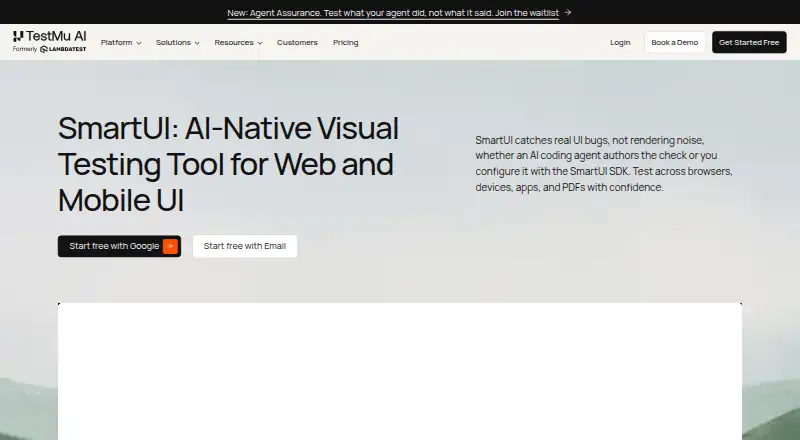
What SmartUI is
SmartUI captures application screenshots and compares them with baselines to identify visual regressions across browsers, devices, apps and PDFs. Its Visual AI filters rendering noise and explains meaningful changes, while Smart Ignore can mask dynamic regions and distinguish layout shifts from other visual differences. Root Cause Analysis compares screenshot differences with code changes and suggests fixes. The listed framework support includes Selenium, Playwright, Puppeteer, Cypress, Appium, Espresso, XCUITest and Jest. SmartUI can compare Figma designs with live interfaces and check PDFs for text, layout, font and graphic differences. Git branch-aware baselines align across branches and CI/CD pipelines; diffs and fix suggestions can be exported to Jira or Slack, and GitHub and GitLab integrations are listed. The product page describes coverage across 3,000+ browser combinations and 10,000+ real devices. The free plan provides 2,000 screenshots for lifetime use and one month of build history. The SmartUI Visual Regression plan costs $199 a month, billed annually, and includes one year of build history; screenshot volume is selected with the plan.
Who it suits
SmartUI suits software teams that need to check visual changes across interfaces, devices or PDFs. Its listed framework support and branch-aware baselines may fit teams incorporating visual checks into CI/CD.
What it does well
- Supports eight listed testing frameworks.
- Can compare Figma designs with live interfaces.
- Branch-aware baselines align across branches and CI/CD.
- Free plan includes 2,000 lifetime screenshots.
What to know first
- Free plan has one month of build history.
- Paid visual regression is $199 a month, billed annually.
- No free trial is listed.
Limits
The Free plan includes 2,000 screenshots for lifetime use, one month of build history, and limited user seats. The paid SmartUI Visual Regression plan includes one year of build history, with screenshot volume selected with the plan.
Plans
| Plan | Billed and limits | Price |
|---|---|---|
| Free | 2,000 screenshots valid for lifetime · 1 month of build history · limited user seats | Free |
| SmartUI Visual Regression | billed annually · Unlimited visual regression testing minutes · 1 year of build history · screenshot volume selected with plan · unlimited user seats | $199 a month |
| Enterprise | Contact sales · Everything in SmartUI Visual Regression · premium support options · advanced access controls · SSO · IP whitelisting · custom data retention · dedicated device cloud | On request |
As testmuai.com lists them, read 30 Sept 2026. The maker's own page has the final word.
Getting started
- Visit the SmartUI visual testing tool website.
- Choose the Free plan or review the paid Visual Regression plan.
- Use one of the listed frameworks: Selenium, Playwright, Puppeteer, Cypress, Appium, Espresso, XCUITest, or Jest.
- Connect testing with CI/CD pipelines and use branch-aware visual baselines.
- Export diffs and fix suggestions to Jira or Slack, or use the listed GitHub and GitLab integrations.
SmartUI is a visual-regression service for teams that need screenshot baselines across browsers, devices, apps, and PDFs. It is best suited to development and QA groups already working with automated tests and CI/CD, particularly when noisy diffs and root-cause investigation consume time. The main trade-off is between its unusually broad workflow and the free tier’s finite lifetime screenshot allowance.
Overview
SmartUI captures application screens and compares them with approved baselines to identify visual regressions. Its Visual AI filters anti-aliasing and rendering noise and explains important changes in plain English, so reviewers can concentrate on changes likely to affect users rather than every pixel variation.
Smart Ignore separates layout-position shifts from other visual changes and can mask dynamic regions. That is useful for pages containing changing content, although teams still need to decide which regions should be excluded from review. Smart Root Cause Analysis relates a visual difference to code changes, identifies why the interface may have broken, and suggests fixes.
Key features
Capture, frameworks, and coverage
SmartUI supports Selenium, Playwright, Puppeteer, Cypress, Appium, Espresso, XCUITest, and Jest. The product describes visual testing across more than 3,000 browser combinations and more than 10,000 real devices, giving cross-browser and mobile teams a broad target matrix. It also supports Figma-to-live-UI comparison and PDF checks for text, layout, fonts, and graphics, extending it beyond ordinary web screenshots.
Workflow and delivery
Git branch-aware baselines align visual expectations across branches and CI/CD pipelines. Diffs and fix suggestions can be exported to Jira or Slack, while integrations shown for GitHub and GitLab connect review with source-control workflows. AI-assisted diff modes and approval workflow support are most relevant to teams that need a formal sign-off process rather than an isolated comparison utility.
Security and enterprise controls
TestMu AI states that its platform is SOC 2 Type 2 compliant and GDPR and CCPA compliant. It says test virtual machines are reset and user data is wiped after sessions. Enterprise adds premium support, advanced access controls, SSO, IP whitelisting, custom data-retention rules, and a dedicated device cloud.
Pricing
| Plan | Price | What it means |
|---|---|---|
| Free | free | 2,000 screenshots for lifetime use, 1 month of build history, and limited user seats. |
| SmartUI Visual Regression | $199 a month, billed annually | Unlimited visual-regression testing minutes, 1 year of build history, screenshot volume selected with the plan, and unlimited user seats. |
| Enterprise | Custom pricing; billed Contact sales | Everything in SmartUI Visual Regression plus enterprise support, controls, retention options, and a dedicated device cloud. |
The Free plan is suitable for evaluation or small projects whose total lifetime capture volume stays below 2,000 screenshots. Its one-month history and limited seats constrain longer-term trend review and larger teams. The paid Automation plans also include 2,000 SmartUI screenshots, while the Visual Regression plan’s screenshot volume is selected with the plan; confirm the required allowance before committing to the annual term. The $199 monthly price is an annual-billing commitment, not a month-to-month term, and there is no free trial.
Platforms
SmartUI supports Android, iOS, web, and API workflows. Its listed framework integrations cover browser automation, native mobile testing, and Jest-based projects, while PDF and Figma comparisons broaden the kinds of artifacts teams can review.
Who it's for
Choose SmartUI when visual checks must span many browser and real-device combinations, connect to branches and CI/CD, or provide structured triage for dynamic interfaces. It is a stronger fit for teams that need code-linked investigation and approval workflows than for a developer seeking a small, local screenshot diff tool. The free tier works for a limited pilot; sustained or high-volume programs should budget for annual billing and plan-selected screenshot capacity.
Pros and cons
- Pros: Visual AI filters rendering noise and explains meaningful changes, reducing unproductive diff review.
- Pros: Smart Ignore and root-cause analysis address dynamic content and investigation, not just detection.
- Pros: Browser, device, app, PDF, and Figma coverage supports varied release pipelines.
- Pros: Branch-aware baselines, CI/CD support, Jira and Slack exports, and GitHub/GitLab integrations fit team delivery workflows.
- Cons: The free tier allows only 2,000 screenshots for its lifetime and one month of history, limiting ongoing use.
- Cons: The $199/month plan is billed annually and ties screenshot volume to the selected plan.
- Cons: Enterprise pricing requires contacting sales, so larger deployments cannot be costed from the published plan.
Alternatives
For a broader directory of comparable tools, see Visual Regression Testing Software.
- Loki is the better choice for MIT-licensed, open-source visual testing that runs across Android, iOS, desktop, web, and self-hosted environments with Node 16+.
- Roborazzi suits Android-focused teams wanting an Apache-2.0 project available through Maven Central.
- Diffy fits teams wanting a freemium service with 500 screenshots per month, two environments, team management, and one month of retention.
- Happo is an alternative for a free allowance of 5,000 snapshots per month, Chrome coverage, and visual plus accessibility testing.
- Percy is worth considering when its free 5,000-screenshot monthly allowance, unlimited users, and unlimited projects better match the team’s scale.
- Frontend Regression Validator is a free Apache-2.0 option that runs locally or with Docker.
- Galen Framework is a free Apache-licensed choice for teams using Java 1.8 or greater.
- Screenster is a freemium alternative with local or cloud run limits set per tester and concurrent-test allowances.
Verdict
SmartUI is a strong choice for product and QA teams that need broad visual coverage plus AI-assisted filtering, code-linked diagnosis, and CI/CD governance. Choose it when those review and investigation capabilities justify an annual $199-per-month commitment; look elsewhere if you need a generous ongoing free quota, local open-source execution, or pricing that does not depend on selected screenshot volume.
Verdict
SmartUI combines baseline comparisons with tools for reducing noisy diffs and investigating changes. The free tier has limited build history, while the paid plan is billed annually and sets screenshot volume with the plan.
Questions
Is there a free plan?
Yes. The Free plan costs nothing and includes 2,000 screenshots for lifetime use, one month of build history, and limited user seats.
How much does the paid Visual Regression plan cost?
SmartUI Visual Regression costs $199 a month, billed annually. It includes unlimited visual regression testing minutes, one year of build history, screenshot volume selected with the plan, and unlimited user seats.
Which platforms are listed?
The listed platforms are Android, API, iOS, and web.
Which testing frameworks does SmartUI support?
The page lists Selenium, Playwright, Puppeteer, Cypress, Appium, Espresso, XCUITest, and Jest.
Who makes SmartUI?
TestMu AI says it is LambdaTest renamed and was incorporated as LambdaTest, Inc.
What does the Enterprise plan include?
The Enterprise plan lists premium support options, advanced access controls, SSO, IP whitelisting, custom data-retention rules, and a dedicated device cloud. Its price is available through contact sales.
Facts from SmartUI's own pages
- CI/CD and baselines
- SmartUI supports Git branch-aware visual baselines that align across branches and CI/CD pipelines. · testmuai.com, 30 Sept 2026
- Enterprise support
- The Enterprise plan lists premium support options, advanced access controls, SSO, IP whitelisting, and custom data-retention rules. · testmuai.com, 30 Sept 2026
- File and design coverage
- SmartUI supports Figma-to-live-UI comparison and PDF visual testing for text, layout, font, and graphic differences. · testmuai.com, 30 Sept 2026
- Founded
- 2017 · testmuai.com, 28 Sept 2026
- Frameworks
- The page lists Selenium, Playwright, Puppeteer, Cypress, Appium, Espresso, XCUITest, and Jest support. · testmuai.com, 30 Sept 2026
- Free-plan limit
- The free tier provides 2,000 screenshots for lifetime use and 1 month of build history; the pricing FAQ says paid Automation plans also include 2,000 SmartUI screenshots. · testmuai.com, 30 Sept 2026
- Headquarters
- The company lists its headquarters at 1 Sutter Street, Suite 500, San Francisco, California 94104. · testmuai.com, 30 Sept 2026
- Integrations
- The product page says SmartUI can export diffs and fix suggestions to Jira or Slack and shows integrations including GitHub and GitLab. · testmuai.com, 30 Sept 2026
- Maker history
- TestMu AI says it is LambdaTest renamed, founded in 2017, and incorporated as LambdaTest, Inc. · testmuai.com, 30 Sept 2026
- Purpose
- SmartUI captures and compares application UI screenshots against baselines to identify visual regressions across browsers, devices, apps, and PDFs. · testmuai.com, 30 Sept 2026
- Root cause analysis
- Smart Root Cause Analysis compares diffs with code changes, identifies why the UI broke, and suggests fixes. · testmuai.com, 30 Sept 2026
- Security
- TestMu AI states its platform is SOC 2 Type 2 compliant and GDPR and CCPA compliant; it says test virtual machines are reset and user data is wiped after sessions. · testmuai.com, 30 Sept 2026
- Smart Ignore
- Smart Ignore distinguishes layout position shifts from real visual changes and can mask dynamic regions. · testmuai.com, 30 Sept 2026
- Test coverage
- The product page describes visual testing across 3,000+ browser combinations and 10,000+ real devices. · testmuai.com, 30 Sept 2026
- Visual AI
- Its Visual AI filters anti-aliasing and rendering noise and explains meaningful visual changes in plain English. · testmuai.com, 30 Sept 2026
Where SmartUI stands on Freedom251
- Visual Regression Testing Software#15 of 26