Freedom251 › Visual Regression Testing Software
Needle
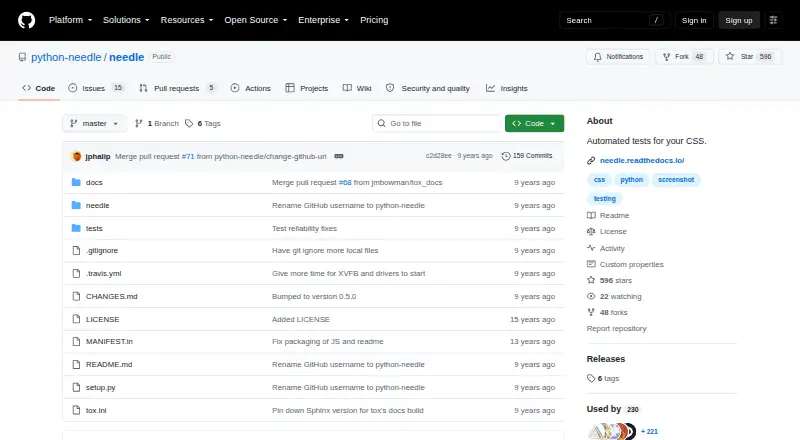
What Needle is
Needle is an open-source Python testing library for developers who want to check how websites render. It captures selected page areas and compares them with saved baseline screenshots, so tests can flag visual changes. It can also check rendered CSS, fonts, images, SVGs, calculated CSS values, and HTML element positions. Needle is designed to work with Selenium and nose; its documentation describes installing it with pip after Selenium. The documented WebDriver choices include remote, Firefox, PhantomJS, Chrome, IE, Opera, and Safari, with NeedleFirefox as the default. PIL is the default screenshot engine, while PerceptualDiff and ImageMagick are alternatives that can generate a diff PNG when a test fails. Tests can set browser viewport dimensions, including for responsive-site checks. Screenshot cleanup after successful tests is optional and disabled by default; screenshots from failed comparisons remain available for inspection. The package metadata identifies Needle as intended for developers and as operating-system independent, while the listed platform is Linux. The repository includes a BSD license, and the plan is free. PyPI lists version 0.5.0, released April 2, 2017, as the latest release.
Who it suits
Needle suits developers writing Python tests who want to compare website screenshots against baselines or check CSS values and element positions. It is designed to work with Selenium and nose, and its documented drivers cover several browsers.
What it does well
- Compares captured page areas with saved screenshot baselines.
- Checks calculated CSS values and HTML element positions.
- Works with Selenium and nose.
- Offers Firefox, Chrome, Safari, and other documented drivers.
- PerceptualDiff and ImageMagick can create failure diff PNGs.
- Repository includes a BSD license.
What to know first
- Listed platform is Linux.
- Screenshot cleanup after successful tests is disabled by default.
- Latest listed release is version 0.5.0 from April 2, 2017.
Limits
Screenshots are kept after successful tests by default, though cleanup can be enabled. Screenshots from failed comparisons remain available for inspection.
Plans
| Plan | Billed and limits | Price |
|---|---|---|
| Needle | Open-source Python package · BSD license | Free |
As github.com lists them, read 10 Oct 2026. The maker's own page has the final word.
Getting started
- Install Selenium first.
- Install Needle with pip.
- Use Needle with Selenium and nose.
- Select a documented WebDriver; NeedleFirefox is the default.
- Set browser viewport dimensions if you need responsive-site checks.
Verdict
Choose Needle if you are a developer building Python tests around visual baselines, rendered styles, or element positions. Look elsewhere if you need a platform beyond the listed Linux environment or want screenshots automatically deleted after successful tests.
Questions
Is Needle free?
Yes. Its Needle plan costs nothing, and the package is open source.
What license does Needle use?
The repository includes a BSD license.
Which platform is listed for Needle?
Linux is the listed platform. Package metadata describes it as operating-system independent.
Which browser drivers are documented?
The documentation lists remote, Firefox, PhantomJS, Chrome, IE, Opera, and Safari drivers. NeedleFirefox is the default.
Does Needle work with Selenium?
Yes. Needle is designed to work with Selenium and nose, and installation instructions put Selenium before installing Needle with pip.
What image comparison engines are available?
PIL is the default screenshot engine, with PerceptualDiff and ImageMagick also available. PerceptualDiff and ImageMagick can generate a diff PNG when a test fails.
Facts from Needle's own pages
- Additional checks
- It also provides tools for testing calculated CSS values and HTML element positions. · github.com, 5 Oct 2026
- Baseline workflow
- Tests can save an initial screenshot as a baseline and compare later captures against it to detect regressions. · needle.readthedocs.io, 10 Oct 2026
- Browser automation
- Needle works with Selenium and nose. · needle.readthedocs.io, 10 Oct 2026
- Browser drivers
- The documentation lists NeedleRemote, NeedlePhantomJS, NeedleFirefox, NeedleChrome, NeedleIe, NeedleOpera, and NeedleSafari drivers. · needle.readthedocs.io, 5 Oct 2026
- Cleanup
- Screenshot cleanup after successful tests is optional and disabled by default. · needle.readthedocs.io, 5 Oct 2026
- Cleanup behavior
- Screenshot files are kept by default after successful tests, with an option to delete them; screenshots from failing comparisons remain available for inspection. · needle.readthedocs.io, 10 Oct 2026
- Comparison engines
- The documented screenshot engines are PIL, PerceptualDiff, and ImageMagick; PerceptualDiff and ImageMagick can produce diff images when tests fail. · needle.readthedocs.io, 10 Oct 2026
- Default driver
- The documentation says Needle uses NeedleFirefox by default. · needle.readthedocs.io, 5 Oct 2026
- Difference output
- The documentation says PerceptualDiff and ImageMagick generate a diff PNG when a test fails. · needle.readthedocs.io, 5 Oct 2026
- Image engines
- The default screenshot engine is PIL, with PerceptualDiff and ImageMagick also available. · needle.readthedocs.io, 5 Oct 2026
- Installation
- The documentation installs Needle with pip and lists Selenium as a dependency to install. · needle.readthedocs.io, 10 Oct 2026
- Integrations
- The README demonstrates a nose test case using Selenium to open a web page and check an element screenshot. · github.com, 10 Oct 2026
- Intended users
- The package metadata classifies Needle for developers and as a Python testing library. · github.com, 5 Oct 2026
- License
- The package metadata classifies Needle under the OSI-approved BSD License. · github.com, 10 Oct 2026
- Purpose
- Needle tests CSS and other web visuals by comparing screenshots with known good screenshots. · github.com, 10 Oct 2026
- Release
- PyPI lists version 0.5.0, released April 2, 2017, as the latest release. · pypi.org, 5 Oct 2026
- Security
- GitHub reports that the project has no SECURITY.md policy and no published security advisories. · github.com, 5 Oct 2026
- Supported environments
- Package metadata describes Needle as operating-system independent and intended for developers. · github.com, 10 Oct 2026
- Viewport
- Tests can set browser viewport dimensions, which the documentation describes as useful for responsive-site testing. · needle.readthedocs.io, 5 Oct 2026
- Viewport testing
- Needle lets tests set browser viewport dimensions, including for responsive site testing. · needle.readthedocs.io, 10 Oct 2026
- Visual checks
- It can test rendered CSS, fonts, images, SVGs, calculated CSS values, and HTML element positions. · github.com, 10 Oct 2026
- WebDrivers
- The documentation lists Firefox, remote, PhantomJS, Chrome, IE, Opera, and Safari WebDriver options. · needle.readthedocs.io, 10 Oct 2026
Where Needle stands on Freedom251
- Visual Regression Testing Software#17 of 26
- Mod managers#67 of 78
- Game Mod Managers#71 of 79