Freedom251 › Visual Regression Testing Software
BackstopJS
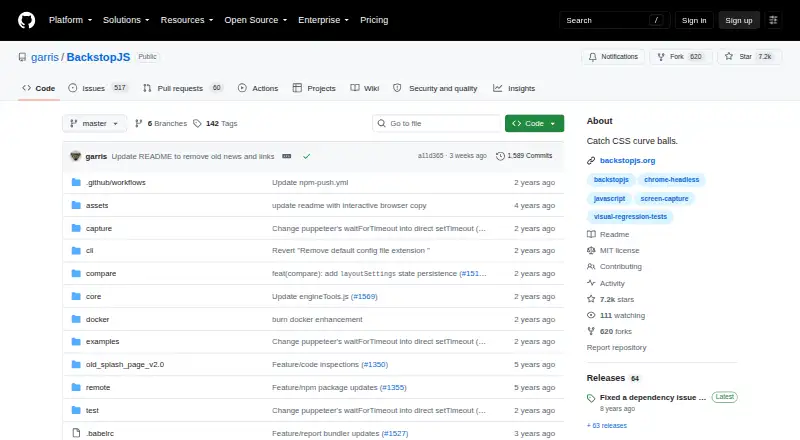
What BackstopJS is
BackstopJS automates visual regression testing for web apps by capturing screenshots and comparing them with reference images over time. Its in-browser report lets you inspect the reference, test capture, and visual difference; CLI and JUnit reports are also available. It works with Puppeteer and Playwright, which can use Chromium, Firefox, or WebKit. Test scenarios can script actions such as clicks, scrolling, hovering, key presses, and cookie state. Captures can cover a full document, viewport, or selected DOM elements at configured viewport sizes. The documented workflow uses `backstop init` to set up tests, `backstop test` to compare captures, and `backstop approve` to update reference images. You can install it globally or locally through npm, use it as a CLI, or require it from a Node.js app. CI reporting and integrations with Jenkins, Travis, and gulp are described. A Docker option aims to reduce rendering differences, but Chrome Headless in Docker may time out without substantial memory. The project is MIT licensed and its README says it needs a new maintainer or owner.
Who it suits
BackstopJS suits developers who want screenshot-based visual checks for web apps and need browser, CLI, or JUnit reporting. Its documented workflow and CI integrations may also suit teams that update reference images as part of a build process.
What it does well
- Free, MIT-licensed project.
- Supports Puppeteer and Playwright browser engines.
- Captures full documents, viewports, or selected elements.
- Provides browser, CLI, and JUnit reports.
- Integrates with Jenkins, Travis, and gulp.
What to know first
- Chrome Headless in Docker needs substantial memory.
- The README says the project needs a new maintainer or owner.
Plans
| Plan | Billed and limits | Price |
|---|---|---|
| BackstopJS | Open-source MIT-licensed project · install with npm | Free |
As github.com lists them, read 3 Oct 2026. The maker's own page has the final word.
Getting started
- Install BackstopJS globally or locally with npm.
- Use it as a standalone CLI or require it from a Node.js app.
- Run `backstop init` to configure tests.
- Run `backstop test` to compare screenshots.
- Run `backstop approve` to update reference images.
Verdict
BackstopJS combines configurable screenshot comparisons with a reference-approval workflow and several reporting options. Keep its Docker memory warning and stated need for a maintainer in mind.
Questions
How much does BackstopJS cost?
The listed plan is BackstopJS at no cost. The pricing model is free.
Is BackstopJS open source?
Yes. GitHub identifies the project as MIT licensed.
Which browsers does it support?
It supports Puppeteer and Playwright. Playwright supports Chromium, Firefox, or WebKit.
How can I install BackstopJS?
It can be installed globally or locally with npm. It can run as a standalone CLI or be required from a Node.js app.
Can BackstopJS report results in CI?
It provides JUnit reports, and its README describes integrations with Jenkins, Travis, and gulp.
Does BackstopJS use Docker?
A Docker option runs tests in a BackstopJS container to reduce rendering differences across environments. Chrome Headless in Docker needs substantial memory and may otherwise time out.
Facts from BackstopJS's own pages
- Browser engines
- It supports Puppeteer and Playwright, with Playwright supporting Chromium, Firefox, or WebKit. · github.com, 3 Oct 2026
- Capture targeting
- It can capture the full document, viewport, or selected DOM elements at configured viewport sizes. · github.com, 3 Oct 2026
- Installation
- It can be installed globally or locally with npm, used as a standalone CLI, or required from a Node.js app. · github.com, 3 Oct 2026
- Integrations
- The README describes CI reporting in JUnit format and integration with build systems such as Jenkins, Travis, and gulp. · github.com, 3 Oct 2026
- Interactions
- Scenarios can simulate actions such as clicks, scrolling, hovering, key presses, and cookie state through scripts. · github.com, 3 Oct 2026
- License
- GitHub identifies the project as MIT licensed. · github.com, 3 Oct 2026
- Limit
- The README notes that Chrome Headless in Docker needs substantial memory and may otherwise produce timeout errors. · github.com, 3 Oct 2026
- Maintenance
- The repository README says BackstopJS needs a new maintainer or owner. · github.com, 3 Oct 2026
- Purpose
- BackstopJS automates visual regression testing of web apps by comparing screenshots over time. · github.com, 3 Oct 2026
- Rendering consistency
- A Docker option runs tests in a BackstopJS container to reduce rendering differences across environments. · github.com, 3 Oct 2026
- Reports
- It provides an in-browser report with reference, test, and visual-difference inspection, plus CLI and JUnit reports. · github.com, 3 Oct 2026
- Security
- The README recommends matching the Docker container user to the local environment to improve security and avoid file ownership problems. · github.com, 3 Oct 2026
- Workflow
- Its documented workflow uses `backstop init`, `backstop test`, and `backstop approve` to configure tests, compare screenshots, and update reference images. · github.com, 3 Oct 2026
Where BackstopJS stands on Freedom251
- Visual Regression Testing Software#1 of 26
- Browser Testing Software#5 of 34