
Postman
by Postman
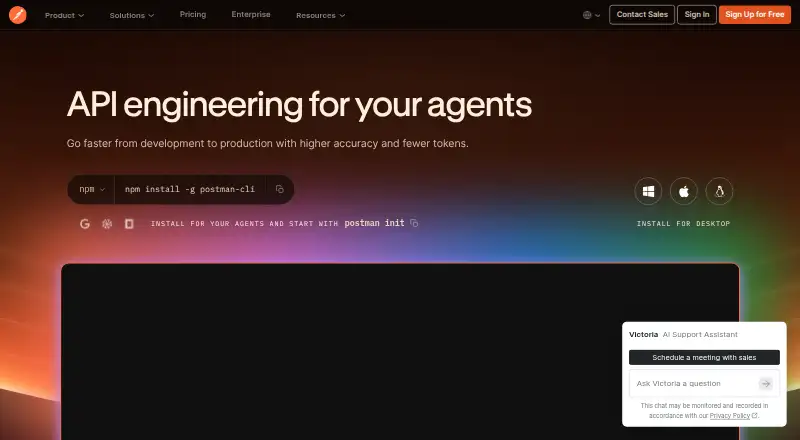
What Postman is
Postman is a platform for designing, testing, documenting, distributing, and monitoring APIs. Its API client handles multiple protocols and includes authentication, response inspection, variables, environments, and request history. For API design, it supports specifications, mock servers, imported definitions, and integrations with other tools. Testing options include collection runs, automated and integration testing, performance and regression testing, end-to-end testing, and the Postman CLI. The service also offers secret-protection features, including local protection, cloud detection, and runtime resolution. It lists integrations such as Jira, Slack, GitHub, GitLab, Microsoft Teams, and VS Code. Postman says customer data is not used to train its models, and Enterprise teams control AI access and usage. A free plan is available; Solo costs $9 a month billed annually. Basic and Professional plans are no longer open to new customers, though existing Professional customers keep their current plan and pricing.
Who it suits
Postman suits developers and teams that need to work across API design, testing, and monitoring. Its collaboration, governance, and security tools also suit larger organizations evaluating Enterprise features.
What it does well
- API client supports multiple protocols and built-in authentication.
- Mock servers and API specification support are included.
- Testing covers performance, regression, and end-to-end workflows.
- Integrates with Jira, GitHub, Slack, and other tools.
What to know first
- Basic and Professional plans are unavailable to new customers.
- Solo is $9 a month, billed annually.
- Premium Support is an Enterprise-only add-on.
Limits
The Free plan includes 50 AI credits and core API tools. Solo costs $9 a month billed annually; the listed plan includes 400 AI credits per month and expanded API monitoring.
Plans
| Plan | Billed and limits | Price |
|---|---|---|
| Free | 50 AI credits · API client and core tools · specs and mock servers · Native Git · Collection Runner and performance testing runs · Manual Flows | Free |
| Solo | billed annually · 400 AI credits/month · data-driven testing with exports · unlimited private NPM packages and library · custom-branded documentation · unlimited custom domains · expanded API monitoring | $9 a month |
| Team | per user, billed annually · 400 AI credits/user/month · team collaboration · unlimited workspace and collection viewers · basic RBAC · SDK generation and distribution · Simple Security add-on | $19 a month |
| Enterprise | 800 pooled AI credits/user/month · API Catalog · unlimited private and Partner workspaces · Private API Network · advanced RBAC and organization controls · governance, audit logs and reporting · private test and Flows runners | On request |
As postman.com lists them, read 29 Sept 2026. The maker's own page has the final word.
Getting started
- Visit the Postman website.
- Choose the Free plan or a paid plan that fits your needs.
- Use Postman on the web, or select the Linux, macOS, or Windows platform.
- Start with the API client, specifications, mock servers, or collection testing tools.
Postman is an API platform for developers and teams working across design, testing, documentation, distribution, and monitoring. It suits people who want those jobs in one workspace, while solo users and larger teams can choose different plans.
Overview
Postman’s breadth is its clearest advantage: the API client sits alongside design tools, testing workflows, and monitoring rather than requiring a separate tool for every stage. It supports multiple protocols, including GraphQL and SOAP, with built-in authentication, response inspection, variables, environments, and request history. That makes it a strong fit for teams managing APIs through development and delivery; it may be more platform than needed for someone who only wants to send occasional requests.
Design work can start from API specifications, imported definitions in multiple formats, or mock servers. Testing ranges from collection runs to automated, integration, performance, regression, and end-to-end testing, with a CLI, scheduled runs, CI/CD integration, and contract testing also supported. Postman began as a side project to simplify API testing, was founded in Bangalore in 2014, and is headquartered in San Francisco.
Key features
One workspace for API work
The client’s variables and environments help reuse request settings, while request history and response visualization make it easier to inspect and revisit work. Specifications, mocks, and definition imports extend the workflow into design. Native Git is included even on Free, a useful inclusion for developers who want version control without starting on a paid tier.
Testing, integrations, and safeguards
Collection runs and performance testing are available on Free, while the wider testing options address more involved workflows. Integrations include Jira, Slack, 1Password Vault, Amazon API Gateway, AWS Secrets Manager, GitHub, GitLab, Microsoft Teams, and VS Code. Security credentials include SOC 2 Type II, PCI DSS, HIPAA, GDPR, CCPA/CPRA, CSA STAR, TX-RAMP, ISO 27001, and ISO 42001. Secret protections include local protection, cloud detection, and runtime resolution, with integrations such as HashiCorp, AWS Secrets Manager, Azure Key Vault, and 1Password. Postman says customer data is not used to train its models; Enterprise teams control AI access and usage.
Pricing
Postman uses a freemium model. Free costs nothing and includes 50 AI credits, the API client and core tools, specs and mock servers, Native Git, Collection Runner and performance testing runs, and Manual Flows. It is a capable starting point, though it does not include the expanded testing, monitoring, and collaboration entitlements of paid plans.
Solo costs $9 a month, billed annually. It adds 400 AI credits/month, data-driven testing with exports, unlimited private NPM packages and library, custom-branded documentation, unlimited custom domains, and expanded API monitoring. This is the relevant upgrade for an individual who needs those publishing and monitoring capabilities.
Team costs $19 a month per user, billed annually. It includes 400 AI credits/user/month, team collaboration, unlimited workspace and collection viewers, basic RBAC, SDK generation and distribution, and the Simple Security add-on. Per-user annual billing makes seat count an important part of the decision; the collaboration controls make this tier more appropriate than Solo for teams.
Enterprise has custom pricing and adds an API Catalog, Private API Network, advanced RBAC and organization controls, governance, audit logs and reporting, and private test and Flows runners. Teams can trial Enterprise features before upgrading. Premium Support is an Enterprise-only add-on, with contractual SLAs, 24/7 global coverage, priority handling, and phone, screen-sharing, and chat channels. Basic and Professional are no longer open to new customers; existing Professional customers keep their current plan and pricing.
Platforms
Postman is available as an extension and on Linux, macOS, the web, and Windows. That range accommodates desktop and browser-based workflows.
Who it's for
Choose Postman if API work spans request building, design, testing, documentation, and monitoring, or if a team needs collaboration and governance in the same platform. Free covers core tools and basic runs; Solo targets individual needs for richer testing and monitoring; Team and Enterprise serve increasingly structured collaboration and control. For a narrow, occasional API client use case, a smaller focused tool may be a better fit.
Pros and cons
- Broad lifecycle coverage: design, testing, documentation, distribution, and monitoring share one platform, reducing the need to assemble separate tools.
- Useful free starting point: specs, mocks, Native Git, and collection and performance runs are included, but the plan has 50 AI credits.
- Clear paid progression: Solo adds individual testing and monitoring capabilities, while Team brings collaboration and basic RBAC; Team is billed per user annually.
- Advanced enterprise controls: governance, audit logs, reporting, and private runners are available on Enterprise, but the price is custom.
- Plan availability caveat: Basic and Professional cannot be newly purchased, limiting the published tier choices for new customers.
Alternatives
Consider Apidog if its time-unlimited free plan for four users better matches a small team’s budget or seat needs. SoapUI is a focused option when REST, SOAP, and GraphQL testing, mocking, and command-line automation matter more than Postman’s broader lifecycle platform. Choose Insomnia if its Essentials plan’s three-user Git Sync projects and 1,000 monthly mock requests fit the workflow. Bruno is worth considering for an open-source plan with two workspaces and five OpenAPI syncs per month. Hoppscotch may suit a web-oriented user seeking REST, GraphQL, and realtime API testing on a free plan. HTTPie, Testfully, and Hurl are other options to compare.
For a category-focused comparison, browse API clients, API Marketplace Software, API Testing Tools, API Governance Software, API Monitoring Tools, and API Design Tools.
Verdict
Postman is a strong choice for developers and teams that want API design, testing, and operational workflows together, with a free entry point and plans that add individual or organizational capabilities. Look elsewhere if you need only a lightweight request client, or if annual per-user pricing and custom Enterprise pricing do not suit your budget.
Verdict
Postman combines API creation, testing, documentation, and monitoring in one platform, with a free plan and paid options. Check plan availability and the annual billing terms before choosing a tier.
Questions
Does Postman have a free plan?
Yes. The Free plan costs nothing and includes 50 AI credits, the API client and core tools, specifications and mock servers, Native Git, Collection Runner and performance testing runs, and Manual Flows.
How much does Solo cost?
Solo costs $9 a month, billed annually.
Which platforms does Postman support?
Listed platforms are extension, Linux, macOS, web, and Windows.
Does Postman support GraphQL and SOAP?
Yes. GraphQL support and SOAP support are listed.
Can teams try Enterprise?
Yes. Teams can trial Enterprise features to evaluate advanced collaboration, security, and governance before upgrading.
Are Basic and Professional plans available to new customers?
No. Basic and Professional are no longer available to new customers. Existing Professional customers continue on their current plan and pricing.
Facts from Postman's own pages
- AI privacy
- Postman states that customer data does not train its models and that Enterprise teams control AI access and usage. · postman.com, 29 Sept 2026
- API client
- The API client includes multi-protocol support, built-in authentication, response visualization and inspection, variables, environments, and request history. · postman.com, 29 Sept 2026
- API design
- Postman supports API specifications, mock servers, definition import, multiple definition formats, and third-party integrations. · postman.com, 29 Sept 2026
- Company history
- Postman says the product began as a side project to simplify API testing and that it is headquartered in San Francisco, with Bangalore identified as the place where the company was founded. · postman.com, 29 Sept 2026
- Enterprise trial
- The pricing FAQ says teams can trial Enterprise features to evaluate advanced collaboration, security, and governance before upgrading. · postman.com, 29 Sept 2026
- Founded
- 2014 · postman.com, 23 Sept 2026
- Free plan
- Yes · postman.com, 21 Sept 2026
- GraphQL support
- Yes · postman.com, 21 Sept 2026
- Headquarters
- San Francisco, California, United States · postman.com, 23 Sept 2026
- Integrations
- Listed integrations include Jira, Slack, 1Password Vault, Amazon API Gateway, AWS Secrets Manager, GitHub, GitLab, Microsoft Teams, and VS Code. · postman.com, 29 Sept 2026
- Plan availability
- Basic and Professional plans are no longer available to new customers; existing Professional customers continue on their current plan and pricing. · postman.com, 29 Sept 2026
- Platforms
- Postman offers a web version and desktop downloads for Windows, macOS, and Linux, plus a VS Code extension and browser extensions for Chrome, Safari, Edge, and Firefox. · postman.com, 29 Sept 2026
- Secret protection
- Postman describes local secret protection, cloud secret detection, runtime secret resolution, and integrations with HashiCorp, AWS Secrets Manager, Azure Key Vault, and 1Password. · postman.com, 29 Sept 2026
- Security and compliance
- Postman lists SOC 2 Type II, PCI DSS, HIPAA, GDPR, CCPA/CPRA, CSA STAR, TX-RAMP, ISO 27001, and ISO 42001 among its compliance credentials. · postman.com, 29 Sept 2026
- Support
- Premium Support is an Enterprise-only add-on with contractual SLAs, 24/7 global coverage, a priority queue, and premium phone, screen-sharing, and chat channels. · postman.com, 29 Sept 2026
- Testing
- Postman offers collection runs, automated testing, Postman CLI, integration testing, performance testing, regression testing, and end-to-end testing. · postman.com, 29 Sept 2026
- What it does
- Postman is a unified platform for designing, testing, distributing, documenting, and monitoring APIs. · postman.com, 29 Sept 2026
Where Postman stands on Freedom251
- API clients#5 of 38
- API Catalog Tools#3 of 14
- API Marketplace Software#8 of 36
- API Monitoring Tools#8 of 27
- Rest Apis#9 of 28
- API Governance Software#9 of 25
- Testing And Qa#12 of 33
- Software Testing Tools#13 of 33
- Regression Testing Software#12 of 29
- API Development Tools#14 of 32
- Api 1#11 of 25
- API Design Tools#12 of 26
- Apis#12 of 26
- API Testing Tools#18 of 34
- Developer Tools#19 of 33