
Pelayar AI Spreadsheet Agent
What Pelayar AI Spreadsheet Agent is
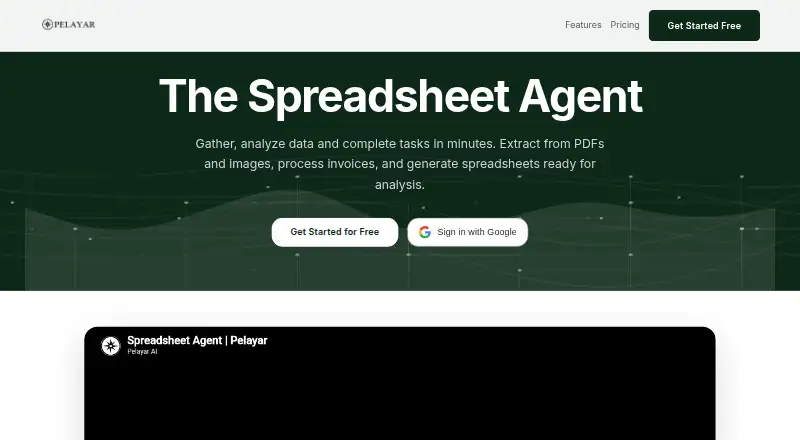
Pelayar AI Spreadsheet Agent is a web and API tool for spreadsheet work, document extraction and online research. Give it documents such as PDFs, invoices, images or receipts, and it can extract their information into structured spreadsheets. It also works with spreadsheet uploads in XLS, XLSX and CSV formats, and documents in PDF, DOC, DOCX, PPT and PPTX formats. For Excel tasks, it can clean data, create pivot tables, write formulas including SUMIF, VLOOKUP and INDEX MATCH, and build charts. Pelayar can research topics online using financial markets, public databases and multiple sources. Its spreadsheet workflow gives users natural-language access to Pandas, Matplotlib, Plotly, NumPy, SciPy and StatsModels. The Starter plan is free and begins with 15,000 credits; the site says no credit card is required. Paid plans start at $8/mo, and API access is included in subscribed tiers. Pelayar describes encryption at rest and in transit, with enterprise options including private VPC deployment, zero data retention, SSO/SAML, SCIM, role-based access and audit logs. Its privacy policy says user content is not used to train its general or third-party AI models. Generated data comes with citations, and Pelayar recommends checking results for accuracy, especially for critical business decisions.
Who it suits
Pelayar suits people who want to automate spreadsheet work or turn documents into structured data using natural-language instructions. It may also suit teams that need API access or enterprise security controls, as well as researchers gathering information from online sources.
What it does well
- Extracts data from PDFs, invoices, images and receipts.
- Cleans spreadsheets, creates pivot tables, formulas and charts.
- Researches topics across financial markets and public databases.
- Provides natural-language access to data science libraries.
- API access is included in subscribed tiers.
- Free Starter plan includes 15,000 credits without a credit card.
What to know first
- Starter includes 50 MB storage and one project.
- Starter allows 12 regular Agent Chat requests.
- Paid plans start at $8/mo.
Limits
Starter has 15,000 credits, 60 light Agent Chat requests, 12 regular Agent Chat requests, less than one deep research request, one project and 50 MB storage. Paid plans start at $8/mo; the Basic plan has 100,000 monthly credits, two deep research requests, unlimited projects and 2 GB storage.
Plans
| Plan | Billed and limits | Price |
|---|---|---|
| Starter | $ 0 · 15,000 credits · 60 light Agent Chat requests · 12 regular Agent Chat requests · less than 1 deep research request · 8 video minutes · 20 transcription minutes · 1 project · 50 MB storage | Free |
| Basic | $ 8 /month · 100,000 monthly credits · 400 light Agent Chat requests · 80 regular Agent Chat requests · 2 deep research requests · 57 video minutes · 133 transcription minutes · API access · unlimited projects · 2 GB storage | $8 a month |
| Pro | $ 19 /month · 350,000 monthly credits · 1,400 light Agent Chat requests · 280 regular Agent Chat requests · 7 deep research requests · 200 video minutes · 467 transcription minutes · API access · unlimited projects · 10 GB storage | $19 a month |
| Ultimate | $ 49 /month · 900,000 monthly credits · 3,600 light Agent Chat requests · 720 regular Agent Chat requests · 18 deep research requests · 514 video minutes · 1,200 transcription minutes · API access · unlimited projects · 50 GB storage · full features | $49 a month |
| Business | $ 199 /month · 3,600,000 monthly credits · 14,400 light Agent Chat requests · 2,880 regular Agent Chat requests · 72 deep research requests · 2,057 video minutes · 4,800 transcription minutes · API access · unlimited projects · 100 GB storage · recommended for 10-25 team members | $199 a month |
| Business Pro | $ 499 /month · 9,150,000 monthly credits · 36,600 light Agent Chat requests · 7,320 regular Agent Chat requests · 183 deep research requests · 5,229 video minutes · 12,200 transcription minutes · API access · unlimited projects · 250 GB storage · full features · recommended for 25-50 team members | $499 a month |
| Enterprise | Contact us · custom solutions · custom business model · priority support · custom integrations · SLA guarantees · API access · custom projects · custom storage · enterprise features | On request |
As pelayar.ai lists them, read 1 Oct 2026. The maker's own page has the final word.
Getting started
- Visit https://pelayar.ai/ai-excel/.
- Start with the free Starter plan, which requires no credit card.
- Upload a supported spreadsheet or document.
- Use natural-language instructions for spreadsheet work or research.
- Choose a subscribed tier for API access.
Pelayar AI Spreadsheet Agent combines spreadsheet automation with document extraction, online research, and data-science workflows. It suits analysts, operations teams, and developers who want one agent to move information from source files into usable spreadsheets. The breadth is its central advantage, while usage quotas and storage limits determine whether a plan works for a particular workload.
Overview
Pelayar works through web and API access as a standalone service. It accepts XLS, XLSX, and CSV spreadsheets, along with PDF, DOC, DOCX, PPT, and PPTX documents. The agent can turn invoices, receipts, images, PDFs, and other documents into structured spreadsheet data, then continue with cleanup, analysis, and automation.
It is a broad workflow tool rather than a narrowly focused formula generator. Pelayar says more than 300 companies use its spreadsheet agent, and it provides citations for generated data. Those citations help with checking outputs, but the service itself recommends reviewing results before relying on them for critical business decisions.
Key features
For spreadsheet work, Pelayar cleans data, transforms tables, writes formulas such as SUMIF, VLOOKUP, and INDEX MATCH, generates pivot tables, and builds charts. Formula generation and table transformation are useful for repetitive preparation; pivot tables and charts extend the service into reporting. Workflow automation and API access make it suitable when spreadsheet tasks need to be incorporated into a wider process rather than handled as one-off chat requests.
Online research can gather information from financial markets, public databases, and multiple sources. Natural-language access to Pandas, Matplotlib, Plotly, NumPy, SciPy, and StatsModels provides a path to more advanced analysis without requiring every step to be written as code. That combination is valuable for mixed document-and-data workflows, although each activity consumes plan allowances.
Security controls described for enterprise customers include encryption at rest and in transit, private VPC deployment, zero-data-retention options, SSO/SAML, SCIM, role-based access, and audit logs. The privacy policy says user content is not used to train Pelayar's general AI models or third-party AI models.
Pricing
Pelayar is freemium. The Starter plan is free, with 15,000 credits, 60 light Agent Chat requests, 12 regular requests, less than one deep-research request, 8 video minutes, 20 transcription minutes, one project, and 50 MB of storage. No credit card is required, making it useful for trying the workflow, but the single project and small storage allowance constrain ongoing work.
Basic costs $8 per month and raises the allowance to 100,000 credits, 400 light requests, 80 regular requests, two deep-research requests, 57 video minutes, 133 transcription minutes, unlimited projects, 2 GB of storage, and API access. It is the entry point for regular individual use, though research and media quotas remain modest.
Pro is $19 per month for 350,000 credits, 1,400 light requests, 280 regular requests, seven deep-research requests, 200 video minutes, 467 transcription minutes, unlimited projects, and 10 GB of storage, with API access. It better fits heavier analysis and document processing. Ultimate costs $49 per month and provides 900,000 credits, 3,600 light requests, 720 regular requests, 18 deep-research requests, 514 video minutes, 1,200 transcription minutes, 50 GB of storage, API access, unlimited projects, and full features.
Business is $199 per month for 3,600,000 credits, 14,400 light requests, 2,880 regular requests, 72 deep-research requests, 2,057 video minutes, 4,800 transcription minutes, 100 GB of storage, and unlimited projects; it is recommended for 10–25 team members. Business Pro costs $499 per month and expands those allowances to 9,150,000 credits, 36,600 light requests, 7,320 regular requests, 183 deep-research requests, 5,229 video minutes, 12,200 transcription minutes, and 250 GB, with full features. Enterprise has custom pricing, custom projects, custom storage, and enterprise features.
Platforms
Pelayar is available on the web and through an API. API access is included in every paid tier, so Basic is the lowest-cost route for integrating it into an application or automated process.
Who it's for
Choose Pelayar for document-heavy spreadsheet operations, recurring cleanup and reporting, online research, or analysis that benefits from Python data-science libraries. It is less suitable when you need a conventional spreadsheet application, very high storage on a low budget, or predictable usage without request and credit ceilings.
Pros and cons
Pros
- Combines spreadsheet automation, document extraction, research, and advanced analysis in one workflow.
- Handles common spreadsheet formats and several office-document formats.
- Offers API access on every paid tier.
- Enterprise controls include VPC deployment, retention options, SSO/SAML, SCIM, roles, and audit logs.
- Free Starter access requires no credit card.
Cons
- Starter has one project, 50 MB of storage, and very small research and request allowances.
- Every tier is governed by credits and separate chat, research, video, and transcription quotas.
- Generated results require human checking before critical decisions.
- Meaningful team capacity and storage begin at substantially higher monthly prices.
Alternatives
Quadratic is a better fit if you want a broader native-platform choice, including desktop, mobile, web, API, and self-hosted options; its Personal plan has limited AI usage and sharing. Rows suits users who prefer a free plan with five AI tasks per month and a free trial. GPTExcel is worth considering for a simpler free-to-try route with up to 90 credits per month via daily check-in. Grist fits document-centric users needing unlimited free documents, up to 5,000 records per document, and 100 lifetime AI credits. ChatGPT for Excel is an alternative for users seeking a web-based spreadsheet assistant with access tiers. Formula Bot (now Better Analyst) is another freemium web option focused on formula and chat workflows. Bricks suits users prioritizing AI dashboards, reports, visualization, and analysis in a web workspace. ExcelAI is a desktop macOS and Windows alternative with a free tier of 20 requests per five hours.
Verdict
Pelayar is a strong choice for users who want one agent to connect spreadsheets with document extraction, research, automation, and analytical libraries. Its main reason to choose it is breadth plus API access; its main reason to look elsewhere is the cumulative effect of credit, request, storage, and research limits, especially on the free and lower-cost plans.
Verdict
Choose Pelayar if you want one agent for spreadsheet automation, document extraction and online research. The free Starter plan offers a way to begin, while larger credit and storage allowances require paid plans. Check cited results for accuracy before relying on them for critical business decisions.
Questions
Is Pelayar AI Spreadsheet Agent free?
Yes. Starter is free and includes 15,000 credits; the site says no credit card is required.
How much do paid plans cost?
Paid plans start at $8/mo. Basic is $8/month, Pro is $19/month, Ultimate is $49/month, Business is $199/month and Business Pro is $499/month. Enterprise pricing is listed as Contact us.
Which file types can I upload?
Spreadsheet uploads include XLS, XLSX and CSV. Supported documents include PDF, DOC, DOCX, PPT and PPTX.
Does it provide API access?
Yes. API access is included in all subscribed tiers.
What security and privacy provisions does Pelayar describe?
It describes encryption at rest and in transit, and enterprise options including private VPC deployment, zero data retention, SSO/SAML, SCIM, role-based access and audit logs. Its privacy policy says user content is not used to train its general or third-party AI models.
Should generated data be reviewed?
Pelayar provides citations for generated data and recommends reviewing results for accuracy, especially for critical business decisions.
Facts from Pelayar AI Spreadsheet Agent's own pages
- AI training privacy
- The privacy policy states that user content is never used to train Pelayar's general AI models or third-party AI models. · pelayar.ai, 1 Oct 2026
- API access
- Yes · pelayar.ai, 20 Sept 2026
- API availability
- API access is included in all subscribed tiers. · pelayar.ai, 1 Oct 2026
- Customer adoption
- The spreadsheet-agent page says Pelayar is used by over 300 companies. · pelayar.ai, 1 Oct 2026
- Spreadsheet analysis
- Yes · pelayar.ai, 20 Sept 2026
- Data science libraries
- The spreadsheet workflow provides natural-language access to Pandas, Matplotlib, Plotly, NumPy, SciPy, and StatsModels. · pelayar.ai, 1 Oct 2026
- Document extraction
- The agent extracts data from PDFs, invoices, images, receipts, and other documents and converts it into structured spreadsheets. · pelayar.ai, 1 Oct 2026
- Excel automation
- The agent cleans data, generates pivot tables, writes formulas such as SUMIF, VLOOKUP, and INDEX MATCH, and builds charts. · pelayar.ai, 1 Oct 2026
- Formula generation
- Yes · pelayar.ai, 20 Sept 2026
- Free access
- The site says users can start free with 15,000 credits and no credit card required. · pelayar.ai, 1 Oct 2026
- Free plan
- Yes · pelayar.ai, 20 Sept 2026
- Human review
- Pelayar provides citations for generated data but recommends reviewing results for accuracy, especially for critical business decisions. · pelayar.ai, 1 Oct 2026
- Online research
- Pelayar can research topics online and gather information from financial markets, public databases, and multiple sources. · pelayar.ai, 1 Oct 2026
- Primary platform
- standalone · pelayar.ai, 20 Sept 2026
- Security controls
- Pelayar describes encryption at rest and in transit, private VPC deployment availability, zero data retention options, SSO/SAML, SCIM, role-based access, and audit logs for enterprise customers. · pelayar.ai, 1 Oct 2026
- Spreadsheet analysis
- Users can upload Excel or CSV files for analysis, insights, visualizations, formulas, and formatting enhancements. · pelayar.ai, 1 Oct 2026
- Support contact
- The site lists [email protected] as its contact email. · pelayar.ai, 1 Oct 2026
- Supported formats
- Supported spreadsheet uploads include XLS, XLSX, and CSV, while supported documents include PDF, DOC, DOCX, PPT, and PPTX. · pelayar.ai, 1 Oct 2026
- Table transformation
- Yes · pelayar.ai, 20 Sept 2026
- Workflow automation
- Yes · pelayar.ai, 20 Sept 2026
Where Pelayar AI Spreadsheet Agent stands on Freedom251
- Spreadsheet apps#7 of 31
- AI Spreadsheet Tools#19 of 31