Freedom251 › AI Spreadsheet Tools
ChatGPT for Excel
What ChatGPT for Excel is
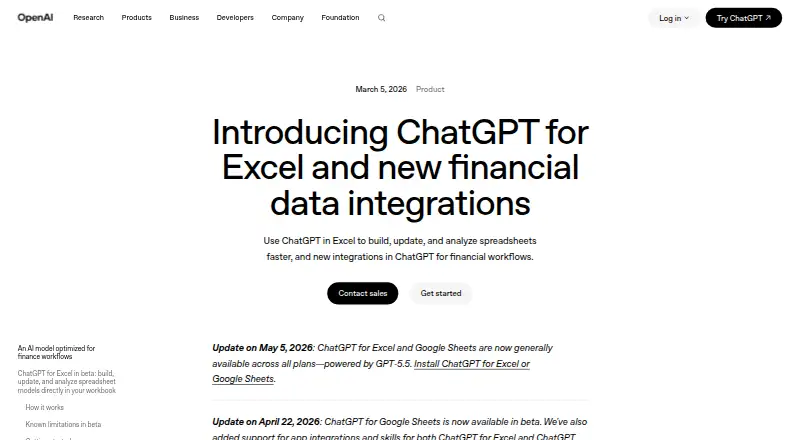
ChatGPT for Excel brings AI assistance to spreadsheet work in Microsoft Excel. Its listed capabilities include generating formulas, transforming tables, analyzing spreadsheets, and automating workflows. The product also lists desktop app control, browser control, and screen understanding, as well as human approval controls. Deployment is described as hybrid, and API access is supported. While Microsoft Excel is the primary platform, supported platforms also include web, Windows, macOS, and Linux.
The product has a Free plan with limited access. Other listed plans include Go, also with limited access; Plus, with expanded usage; and Pro, with maximum usage. Business Standard and Business Premium both require a minimum of two seats per workspace. Enterprise includes enterprise workspace controls and is billed through a sales contact. The pricing model is freemium, but plan prices are not provided. The maker is ChatGPT for Excel, founded in 2015 and headquartered in San Francisco, California, United States. The product page is at https://openai.com/index/chatgpt-for-excel/.
Who it suits
ChatGPT for Excel suits people who work in Microsoft Excel and want help with formulas, table transformations, spreadsheet analysis, or workflow automation. Its browser and desktop controls, human approval controls, and API access may also suit teams with broader tool workflows; business plans have a two-seat minimum per workspace.
What it does well
- Generates formulas and transforms tables.
- Supports spreadsheet analysis and workflow automation.
- Lists web, Windows, macOS, Linux, and API access.
- Includes browser control, desktop app control, and screen understanding.
- Human approval controls are listed.
What to know first
- Free access is limited.
- Go also has limited access.
- Business Standard and Business Premium require at least two seats per workspace.
- Enterprise requires contacting sales.
Limits
The Free and Go plans provide limited access. Plus offers expanded usage, Pro offers maximum usage, and Business Standard and Business Premium require a two-seat minimum per workspace.
Plans
| Plan | Billed and limits | Price |
|---|---|---|
| Free | Limited access | On request |
| Go | US price displayed; pricing is localized in some markets · Limited access | On request |
| Plus | Expanded usage | On request |
| Pro | Maximum usage | On request |
| Business Standard | 2 seat minimum per workspace · 2 seat minimum | On request |
| Business Premium | 2 seat minimum per workspace · 2 seat minimum | On request |
| Enterprise | Contact sales · Enterprise workspace controls | On request |
As openai.com lists them, read 20 Sept 2026. The maker's own page has the final word.
Getting started
- Visit https://openai.com/index/chatgpt-for-excel/.
- Choose a listed plan, such as Free, Go, Plus, or Pro.
- Use the product with Microsoft Excel on a supported platform.
- For Enterprise, contact sales.
ChatGPT for Excel brings formula generation, table transformation, analysis, and workflow automation to Microsoft Excel. It is best suited to people who want spreadsheet help alongside broader browser and desktop controls. Its range is a strength, but limited access on some plans and a two-seat minimum for business workspaces narrow the fit.
Overview
This freemium tool pairs Excel-focused assistance with computer-use capabilities such as browser and desktop app control, screen understanding, human approval controls, and API access. That makes it relevant to users whose work extends beyond writing formulas, though someone seeking only occasional spreadsheet help may not need the wider toolset. Deployment is hybrid.
Key features
- Formula generation: Useful for building or revising formulas without composing each one manually.
- Table transformation: Helps reshape spreadsheet tables, a practical step before reporting or analysis.
- Spreadsheet analysis: Extends the product beyond editing cells to working with spreadsheet data.
- Workflow automation: Suits recurring spreadsheet processes rather than only one-off questions.
- Computer-use controls: Browser and desktop app control, screen understanding, and human approval controls support work that crosses beyond spreadsheet functions. API access also gives it a route for programmatic use.
Pricing
ChatGPT for Excel uses a freemium model, but each plan has custom pricing. The Free plan offers limited access, making it the entry point for users who want to try the tool without a paid commitment; its limited allowance may not suit frequent work.
- Go: Limited access. Its billed US price is localized in some markets, so the amount can vary by market.
- Plus: Expanded usage, a better fit for users whose needs exceed limited access.
- Pro: Maximum usage, aimed at people who need the broadest allowance among the individual plans.
- Business Standard: Billed with a two-seat minimum per workspace, so it is not a single-seat team option.
- Business Premium: Also requires a two-seat minimum per workspace, making the same minimum commitment relevant to smaller teams.
- Enterprise: Contact sales for pricing and includes enterprise workspace controls, making it the organizational tier for buyers who need those controls.
With no published plan prices, buyers comparing paid tiers cannot weigh their costs in advance. Free and Go retain limited access; Plus and Pro raise usage allowances, while business buyers must account for at least two seats.
Platforms
Supported platforms include web, Windows, macOS, Linux, and API. The primary platform is Microsoft Excel, while browser and desktop app control broaden the supported work beyond the spreadsheet itself. That breadth suits users moving between web and desktop environments, although the platform list alone does not establish a particular Excel version or device requirement.
Who it's for
Choose ChatGPT for Excel if formula work, table changes, spreadsheet analysis, or recurring automation are central to your workflow and you also value browser or desktop controls. It is less compelling for a casual user who needs only occasional help, or for a small business that requires a one-seat workspace. Enterprise buyers seeking workspace controls may find the Enterprise tier more relevant, with sales contact required for pricing.
Pros and cons
- Pro: Covers formula generation, table transformation, analysis, and workflow automation, addressing several distinct stages of spreadsheet work.
- Pro: Browser and desktop control, screen understanding, human approval controls, and API access make it broader than a formula-only tool.
- Con: Free and Go have limited access, which may restrict users who rely on it frequently.
- Con: Paid plan prices are custom, making direct budget comparisons harder.
- Con: Business Standard and Business Premium both start at two seats per workspace, excluding buyers who need only one business seat.
Alternatives
Spreadsheet apps and AI Spreadsheet Tools are useful starting points for comparing products by category. For a broader computer-use focus, browse AI Computer Use Agents.
- Quadratic is another freemium spreadsheet option, with a free plan and support across web, desktop, mobile, API, and self-hosted platforms.
- Rows is worth considering if a free plan and trial matter; it is freemium, offers both, and lists API as its platform.
- GPTExcel is a freemium alternative with web and API support and a free plan capped at 90 credits per month via daily check-in.
- Grist may fit users who want a free spreadsheet with broad platform support; its free plan includes unlimited documents, up to 5,000 records per document, and 30-day snapshot history.
- Formula Bot (now Better Analyst) is another freemium option with a free plan and a paid Starter tier at $20 a month.
- Pelayar AI Spreadsheet Agent offers a free Starter plan with specified credits and request allowances, alongside web and API support.
- Bricks is a web-based freemium alternative whose free plan includes 20 AI messages per month, dashboards, reports, visualization, analysis, and chat with data.
- ExcelAI is a freemium option for Windows and macOS; its free plan allows 20 requests per five hours.
Verdict
ChatGPT for Excel is a strong fit for Excel users who want help across formulas, data transformation, analysis, and automation, with computer-use capabilities beyond the spreadsheet. Its main advantage is that breadth; look elsewhere if you need published plan prices or a single-seat Business Standard or Business Premium workspace.
Verdict
Choose ChatGPT for Excel if you want formula generation, spreadsheet analysis, and workflow automation for Microsoft Excel, with supported access across web and desktop platforms. The Free plan offers limited access, while higher plans describe expanded or maximum usage. Look elsewhere if you need published plan prices or a single-seat Business Standard or Business Premium workspace.
Questions
Is ChatGPT for Excel free?
Yes. The Free plan is listed with limited access.
What capabilities does it offer?
Listed capabilities include formula generation, table transformation, spreadsheet analysis, and workflow automation.
Which platforms are supported?
Supported platforms include web, Windows, macOS, Linux, and API. Microsoft Excel is the primary platform.
What plans are available?
The listed plans are Free, Go, Plus, Pro, Business Standard, Business Premium, and Enterprise.
Are plan prices published?
No plan prices are provided in the listed facts. Enterprise is billed through a sales contact.
Who makes ChatGPT for Excel?
The maker is listed as ChatGPT for Excel. The maker was founded in 2015 and is headquartered in San Francisco, California, United States.
Facts from ChatGPT for Excel's own pages
- Spreadsheet analysis
- Yes · help.openai.com, 20 Sept 2026
- Formula generation
- Yes · help.openai.com, 20 Sept 2026
- Founded
- 2015 · openai.com, 28 Sept 2026
- Free plan
- Yes · help.openai.com, 20 Sept 2026
- Headquarters
- San Francisco, California, United States · openai.com, 28 Sept 2026
- Primary platform
- microsoft_excel · help.openai.com, 20 Sept 2026
- Table transformation
- Yes · help.openai.com, 20 Sept 2026
- Workflow automation
- Yes · help.openai.com, 20 Sept 2026
Where ChatGPT for Excel stands on Freedom251
- AI Spreadsheet Tools#5 of 31
- Spreadsheet apps#10 of 31