Freedom251 › Accessibility Testing Software

PDFix Desktop
What PDFix Desktop is
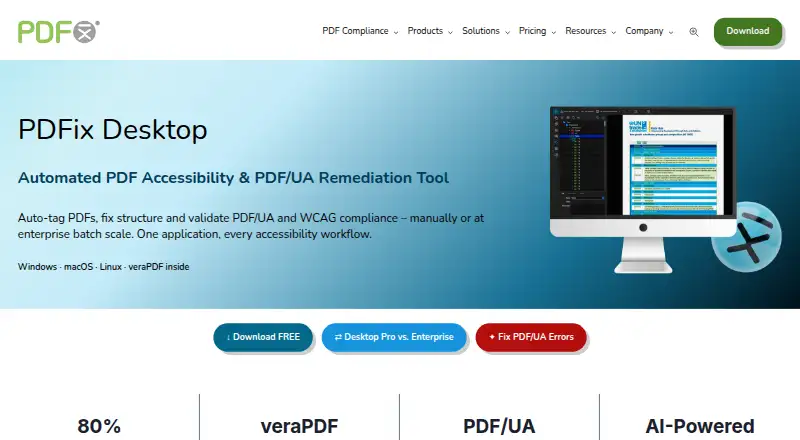
PDFix Desktop is a desktop tool for PDF accessibility remediation, auto-tagging, and PDF/UA and WCAG validation. It runs on Windows, macOS, and Linux, with automated scans and manual review tools. Four auto-tagging methods are available: basic tagging, templates generated from preflight checks, AI-generated templates, and predefined layout templates. A visual Accessibility Panel lets users refine tables, headings, and alternative text. Its built-in veraPDF engine checks PDF/UA-1 and PDF/UA-2, WCAG 2.1 and 2.2, Section 508, and the European Accessibility Act; audit reports can be exported as HTML, XML, or JSON. The free download includes all features, but saved PDFs may have redacted content and a watermark. Desktop Pro costs $599 a year, while Enterprise costs €1,000 a year and adds batch processing. Marketplace actions include IBM Docling, Amazon Textract, and OpenAI actions; external actions require Docker. PDFix says validation is local and documents are not uploaded to a server. It also says human checks and intervention are needed for full compliance.
Who it suits
It suits accessibility specialists, compliance teams, document teams, enterprises, and public-sector organizations working with PDF remediation or validation. It is also relevant to teams that need audit reports or recurring batch workflows.
What it does well
- Runs on Windows, macOS, and Linux
- Offers four auto-tagging methods
- Exports audit reports as HTML, XML, or JSON
- Free download includes all features
What to know first
- Saved PDFs in the free download may have redacted content and a watermark
- Full compliance requires human checks and intervention
- External marketplace actions require Docker
Limits
The free download provides access to all features, but saved PDFs may contain redacted content and a watermark. Desktop Pro is listed at $599 per year; Enterprise adds batch processing with layout templates.
Plans
| Plan | Billed and limits | Price |
|---|---|---|
| Desktop Enterprise | €1,000/yr · Per user · all Pro features · batch processing | €1,000 a year |
| Desktop Lite | PDF/UA, WCAG 2.1/2.2, Section 508 and EAA validation · Windows, macOS and Linux | Free |
| PDFix Desktop Lite | free forever · Full feature access · saved PDFs may contain redacted content and watermark | Free |
| PDFix Desktop Enterprise | per user per year · High-volume batch processing · automated remediation · recurring workflows | €1,000 a year |
| Desktop Pro | $599 USD/year · Per user · remediation · AI auto-tagging · custom actions · layout templates · PDF conversion | $599 a year |
| PDFix Desktop Pro | per user per year · Manual remediation · AI auto-tagging · layout templates · validation · XML/HTML reports | $599 a year |
As pdfix.net lists them, read 30 Sept 2026. The maker's own page has the final word.
Getting started
- Visit the PDFix Desktop product page.
- Download the desktop application for Windows, macOS, or Linux.
- Use the free download to access the features; saved PDFs may contain redacted content and a watermark.
- Choose Desktop Pro for remediation features, AI-powered auto-tagging, custom actions, layout templates, and PDF conversion.
- Use Docker if you plan to run external marketplace actions.
PDFix Desktop is a desktop PDF remediation and validation tool for teams responsible for accessible documents.
Overview
PDFix combines tagging, manual remediation and accessibility validation in a single desktop workflow. That breadth is useful for accessibility specialists and document teams that need to work on document structure as well as check compliance, rather than relying on a checker alone.
Validation runs through veraPDF and covers PDF/UA-1, PDF/UA-2, WCAG 2.1 and 2.2, Section 508 and the European Accessibility Act. Audit reports can be exported in HTML, XML or JSON, giving teams formats suited to different reporting workflows. PDFix says validation is fully local and documents are not uploaded to a server, which suits organizations handling sensitive files. It also cautions that automated checks cannot establish full accessibility on their own: human checks and intervention remain necessary.
Key features
Four auto-tagging approaches—basic tagging, preflight-generated templates, AI-generated templates and predefined layout templates—give users several starting points for structuring PDFs. Templates can help with recurring layouts, while the visual Accessibility Panel lets users refine tables, headings and alternative text. This mix is more useful than automation alone for teams prepared to review and correct the result.
For repeated document workflows, the Enterprise plan adds batch processing with layout templates. Marketplace actions integrate with IBM Docling, Amazon Textract and OpenAI; external actions require Docker, so they bring an infrastructure requirement as well as additional integration options.
Remediation guidance helps users address accessibility issues, but it does not replace judgment. PDFix’s own compliance caveat is important for teams working toward formal obligations: passing validation is not a guarantee that every document is fully accessible.
Pricing
PDFix uses a freemium model, with a free download and paid plans from $599/user/yr. The free download provides access to all features, but saved PDFs may contain redacted content and a watermark. That makes it suitable for trying the workflow, not for delivering clean production documents.
- Desktop Lite: custom pricing. It includes PDF/UA validation, WCAG 2.1 and 2.2 checks, Section 508 and European Accessibility Act checks, veraPDF-powered validation, and Windows, macOS and Linux support. It is the lower-scope option for teams focused on checking documents rather than the remediation and conversion features in Pro.
- Desktop Pro: $599 a year, annual license, with US customer pricing billed in USD. It adds PDF remediation and accessibility fixes, AI-powered auto-tagging, custom actions, layout templates and PDF conversion. This is the clearest fit for teams that need to produce and correct accessible PDFs, not just validate them.
- Desktop Enterprise: €1,000 a year, per user. It includes all Pro features plus batch processing, making it the relevant tier for recurring, higher-volume workflows. The per-user price matters when equipping a larger team.
The paid plans are a more practical route than the free download for organizations that need saved PDFs without its redaction and watermark limitation.
Platforms
PDFix Desktop supports Linux, macOS and Windows. That cross-platform coverage suits teams with mixed desktop environments, while the product remains a desktop tool rather than a web-only workflow.
Who it's for
Accessibility specialists, compliance teams and document groups are the natural audience, particularly those that need to remediate PDFs as well as validate them. Enterprises and public-sector organizations may benefit from local validation and the Enterprise batch-processing workflow. It is less suited to readers seeking a simple, fully automated guarantee of compliance or a production-ready free editor.
Pros and cons
- Pro: Four tagging methods plus manual editing give teams several ways to establish and refine document structure.
- Pro: Validation spans PDF/UA, WCAG, Section 508 and EAA, with reports exportable in three formats.
- Pro: Local validation keeps documents off a server, according to PDFix.
- Con: Free-download exports may be redacted and watermarked, so the free access is not a clean production option.
- Con: Full compliance still requires human checks and intervention; automated validation is not a substitute for review.
- Con: External marketplace actions require Docker, adding a deployment dependency for teams that want those integrations.
Alternatives
PDF Accessibility Software and Accessibility Testing Software are useful starting points for comparing tools across those categories.
- Grackle GO is worth considering for a free, cross-platform option; its free plan has a 25 MB maximum file size and allows 10 validations per hour for unauthenticated users.
- DocAccessible is an alternative for web and API workflows, with its free plan capped at three documents per month, two active Exchange cases, one website, 20 monitored PDFs and 10 MB files.
- Fruition PDF Accessibility is another web and API option; its free plan covers 10 pages per month and basic structural remediation.
- PDFAccessibility.ai may suit users seeking a web or API converter with a free tier offering 10 accessible PDF exports and unlimited accessibility checks, subject to 10 MB uploads and seven-day file retention.
- Adobe PDF Services API is an alternative for web-based document transactions, with a free tier of 500 transactions per month and paid plans priced by quote.
- Nutrient DWS Accessibility API is a web-service alternative with API and self-hosted options; its free plan allows 20 auto-tagged pages and 100 validations per month.
- PAC (PDF Accessibility Checker) is a free Windows desktop checker for PDF/UA and WCAG, including quality and AI-assisted checks, if validation rather than remediation is the priority.
- Adobe Scan is a mobile alternative for Android and iOS.
Verdict
Choose PDFix Desktop if your team needs a cross-platform desktop workflow that joins PDF remediation, flexible auto-tagging and broad standards validation, especially when local processing matters. Look elsewhere if you need clean saved PDFs at no cost, a web-first service or compliance without human review.
Verdict
PDFix Desktop combines automated validation with manual remediation tools and multiple tagging methods. The free download has a saved-PDF limitation, and PDFix says human review remains necessary for full compliance.
Questions
What platforms does PDFix Desktop support?
It supports Windows, macOS, and Linux.
Is there a free plan or trial?
Yes. PDFix lists a free plan and a free trial. The free download provides access to all features, but saved PDFs may contain redacted content and a watermark.
How much does Desktop Pro cost?
Desktop Pro is listed at $599 per year. The pricing note gives paid plans from $599/user/yr.
Which standards can it validate?
Its built-in veraPDF engine validates PDF/UA-1, PDF/UA-2, WCAG 2.1 and 2.2, Section 508, and the European Accessibility Act.
Does validation upload documents to a server?
PDFix states that validation is 100% local and documents are not uploaded to a server.
Are marketplace actions available?
Marketplace actions include IBM Docling, Amazon Textract, and OpenAI actions. External actions require Docker.
Facts from PDFix Desktop's own pages
- AI actions
- The Actions Marketplace lists integrations including IBM Docling, Amazon Textract, OpenAI, Paddle and Tesseract-based actions. · pdfix.net, 15 Oct 2026
- AI integrations
- Marketplace actions integrate with PDFix Desktop and include IBM Docling, Amazon Textract, and OpenAI actions; external actions require Docker. · pdfix.net, 30 Sept 2026
- Automated scans
- Yes · pdfix.net, 21 Sept 2026
- Auto-tagging
- It provides four auto-tagging methods: basic tagging, preflight-generated templates, AI-generated templates and predefined JSON templates. · pdfix.net, 15 Oct 2026
- Batch processing
- Enterprise workflows can apply layout templates and validation across hundreds or thousands of files. · pdfix.net, 15 Oct 2026
- Changelog
- Release 3.3.0 dated 2026-08-31 fixed tag editing, PDF/UA metadata, PDF/A saving and tagging-action issues, and updated the SDK to 9.3.0. · pdfix.net, 15 Oct 2026
- Company background
- PDFix says it was founded in 2016 and is headquartered in Slovakia. · pdfix.net, 30 Sept 2026
- Company founded
- PDFix states that it was founded in 2016. · pdfix.net, 15 Oct 2026
- Company headquarters
- The maker identifies PDFix, s.r.o. at Jilemnickeho 3, Stupava, 90031, Slovakia as its European headquarters. · pdfix.net, 15 Oct 2026
- Company membership
- The PDF Association lists PDFix as a full member headquartered in Slovakia and says it joined in April 2016. · pdfa.org, 15 Oct 2026
- Company size
- Crunchbase lists PDFix as a private Slovak company with a 1–10 employee range. · crunchbase.com, 15 Oct 2026
- Compliance disclaimer
- PDFix says it does not guarantee full document accessibility and that human checks and intervention are required for full compliance. · pdfix.net, 30 Sept 2026
- Current desktop version
- The download page lists PDFix Desktop version 3.3.0. · pdfix.net, 15 Oct 2026
- Custom AI extensibility
- Marketplace actions link to open-source Docker implementations that can be adapted to integrate a customer-trained AI model. · pdfix.net, 15 Oct 2026
- Developer API
- PDFix SDK exposes automation APIs for Python, .NET/C#, Java, C++, and Node.js, with command-line binaries. · pdfix.net, 15 Oct 2026
- Documentation
- The maker links to SDK and Desktop documentation, user guides, validation guides, batch-action references, layout-template material and language-specific code examples. · pdfix.net, 15 Oct 2026
- Free plan
- Yes · pdfix.net, 21 Sept 2026
- Free use limitation
- The free download provides access to all features, but saved PDFs may contain redacted content and a watermark. · pdfix.net, 30 Sept 2026
- Headquarters
- Stupava, Slovakia · pdfix.net, 28 Sept 2026
- Integrations
- PDFix announced PDF/UA validation and remediation actions becoming available in the Enfocus Switch App Store in 2026. · pdfa.org, 15 Oct 2026
- Intended users
- PDFix Desktop is presented for accessibility specialists, compliance teams, document teams, enterprises, and public-sector organizations. · pdfix.net, 30 Sept 2026
- Layout templates
- JSON layout templates encode reusable tagging rules for recurring document families such as invoices, reports and bank statements. · pdfix.net, 15 Oct 2026
- Licence
- An independent product directory describes Desktop licensing as a proprietary commercial EULA rather than open source, with SDK Lite under Apache 2.0. · dialegein.com, 15 Oct 2026
- Limit: human review
- PDFix says it does not guarantee 100% accessibility and that achieving full compliance requires human checks and intervention. · pdfix.net, 15 Oct 2026
Where PDFix Desktop stands on Freedom251
- Accessibility Testing Software#24 of 169
- PDF Accessibility Software#7 of 26