Freedom251 › E-signature tools

Adobe Scan
by Adobe Scan
What Adobe Scan is
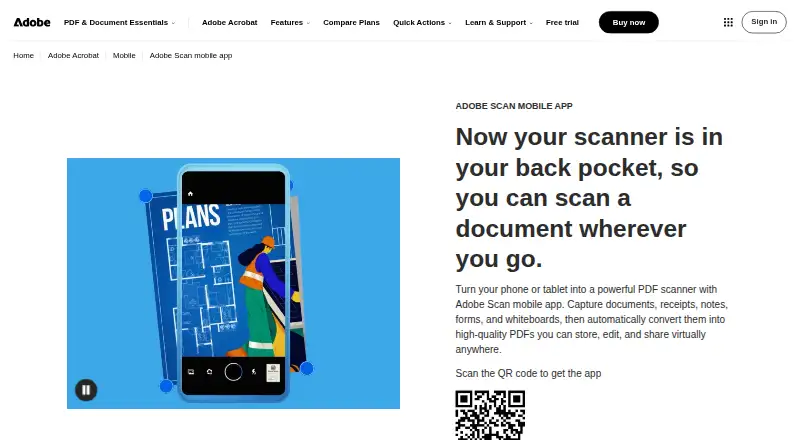
Adobe Scan is a mobile app for turning paper documents into digital files on iOS and Android. Capture modes and automatic boundary detection help frame scans, while AI enhancement adjusts perspective, sharpens text, and removes glare and shadows. OCR converts scans into editable, searchable PDFs and supports text extraction. Users can add drawings or shapes and export scans as PDF, JPEG, or Word files. Files can be shared by link or email, uploaded to cloud apps, or organized in custom folders with recommended filenames and dates. Adobe storage and connected services such as Dropbox and Google Drive are available for saving files. Markup changes sync across devices, and saved scans can be accessed through Acrobat desktop, web, and mobile apps. Acrobat workflows include forms, signatures, notes, comments, and review with others. The app is free to download, and users can create and share PDFs at no cost. A free Acrobat Pro trial adds file combining, format conversion, password protection, and advanced editing. Supported versions are iOS 15 or later and Android 8.0 or later. Files are encrypted in transit and at rest, and stored scans are accessible only to the user unless shared.
Who it suits
Adobe Scan suits people who need to capture documents on an iOS or Android device and turn them into searchable PDFs. It also fits users who want to mark up, organize, share, or access scans through Acrobat and connected cloud services.
What it does well
- OCR creates searchable, editable PDFs.
- AI enhancement corrects perspective and removes glare.
- PDFs can be shared for free.
- Exports include PDF, JPEG, and Word.
- Files are encrypted in transit and at rest.
What to know first
- Requires iOS 15 or later or Android 8.0 or later.
- File combining and advanced editing require a Pro trial.
Limits
Adobe Scan lets users create scans and share PDFs for free. File combining, format conversion, password protection, and advanced editing are listed as additions in the free Acrobat Pro trial.
Plans
| Plan | Billed and limits | Price |
|---|---|---|
| Adobe Scan | — | On request |
| Adobe Acrobat Pro Free Trial | — | On request |
As adobe.com lists them, read 27 Sept 2026. The maker's own page has the final word.
Getting started
- Visit the Adobe Scan website.
- Download Adobe Scan for iOS 15 or later or Android 8.0 or later.
- Create scans and share PDFs using the free app.
- Use OCR to make scans editable and searchable.
- Save or share scans through Adobe storage, Dropbox, Google Drive, link, or email.
- Start the free Acrobat Pro trial for file combining, conversion, password protection, and advanced editing.
Verdict
Adobe Scan covers document capture, OCR, markup, organization, and sharing in a free mobile app. The Acrobat Pro trial adds file combining, conversion, password protection, and advanced editing.
Questions
Can I use Adobe Scan for free?
Yes. It is free to download, and users can create scans and share PDFs for free.
Which devices does it support?
It supports iOS 15 or later and Android 8.0 or later.
Can it create searchable PDFs?
Yes. OCR converts scans into editable, searchable PDFs and supports text extraction.
Which formats can scans be exported to?
Scanned files can be exported as PDF, JPEG, or Word.
What does the Acrobat Pro free trial add?
It adds file combining, format conversion, password protection, and advanced editing.
Where are scans stored and how are they protected?
Scans are stored in Adobe Document Cloud. Files are encrypted in transit and at rest, and are accessible only to the user unless shared.
Facts from Adobe Scan's own pages
- Acrobat Access
- Saved scans are accessible through Acrobat desktop, web, and mobile applications. · adobe.com, 27 Sept 2026
- Acrobat Workflows
- Acrobat supports forms, signatures, notes, comments, and review with others. · adobe.com, 27 Sept 2026
- AI Enhancement
- AI corrects perspective, sharpens text, and removes glares and shadows. · adobe.com, 27 Sept 2026
- Android app
- Yes · adobe.com, 23 Sept 2026
- Auto capture
- Yes · adobe.com, 23 Sept 2026
- Capture Modes
- Different capture modes and automatic boundary detection help produce scans. · adobe.com, 27 Sept 2026
- Cloud Integrations
- Files can be saved to Adobe storage or connected services such as Dropbox and Google Drive. · adobe.com, 27 Sept 2026
- Copyright Holder
- The page identifies Adobe as the copyright holder in 2026. · adobe.com, 27 Sept 2026
- Cross-Device Sync
- Markup changes sync automatically across devices. · adobe.com, 27 Sept 2026
- File Encryption
- Files are encrypted in transit and at rest. · adobe.com, 27 Sept 2026
- Export Formats
- Scanned files can be exported as PDF, JPEG, or Word. · adobe.com, 27 Sept 2026
- File Organization
- Files can use recommended filenames and dates and be organized into custom folders. · adobe.com, 27 Sept 2026
- Founded
- 1982 · adobe.com, 28 Sept 2026
- Free Download
- Adobe Scan is free to download. · adobe.com, 27 Sept 2026
- Free plan
- Yes · adobe.com, 23 Sept 2026
- Free Tier
- The app lets users create scans and share PDFs for free. · adobe.com, 27 Sept 2026
- Headquarters
- San Jose, California, USA · adobe.com, 28 Sept 2026
- iOS app
- Yes · adobe.com, 23 Sept 2026
- JPEG Export
- Scans can be saved as JPEG files. · adobe.com, 27 Sept 2026
- Markup Tools
- Users can add drawings or shapes to scans in the app. · adobe.com, 27 Sept 2026
- Multipage PDF
- Yes · adobe.com, 23 Sept 2026
- OCR included
- Yes · adobe.com, 23 Sept 2026
- OCR Editing
- OCR converts scans into editable, searchable PDFs and supports text extraction. · adobe.com, 27 Sept 2026
- Pro Trial
- A free Acrobat Pro trial adds file combining, format conversion, password protection, and advanced editing. · adobe.com, 27 Sept 2026
Where Adobe Scan stands on Freedom251
- E-signature tools#57 of 68
- Mobile Scanning Apps#69 of 76
- Scanner apps#69 of 76