Freedom251 › Accessibility Testing Software

Accessibility Insights for Web
What Accessibility Insights for Web is
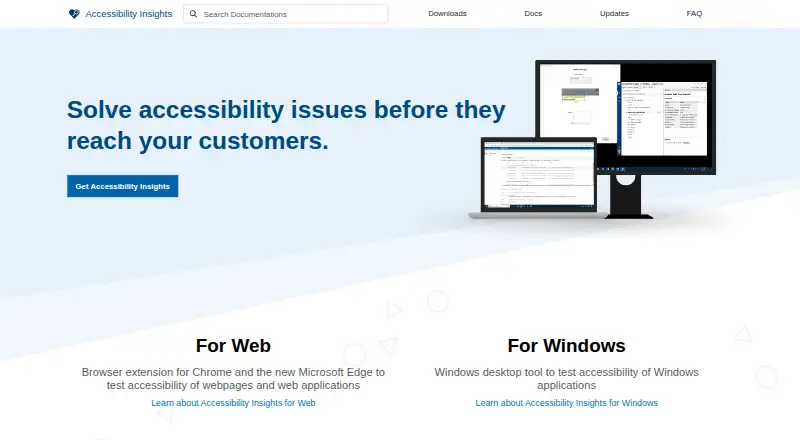
Accessibility Insights for Web is a free, open-source extension for finding and addressing accessibility issues in websites and web apps. Its FastPass workflow is designed to surface common, high-impact issues in under five minutes and automatically checks approximately 50 accessibility requirements. It also helps review keyboard access with instructions, partial automation, and a visual aid for issues such as missing tab stops, keyboard traps, and incorrect tab order. Assessment supports people with HTML skills in checking whether a site or app meets WCAG 2.1 Level AA. It offers guidance, examples, and fix information for approximately 20 manual tests, many assisted by the tool. The extension is for Chrome and the new Microsoft Edge, on Windows, macOS, and Linux computers, and it supports CI/CD integration with page-level scans. With consent, it collects anonymized usage and crash-report information; users can opt out in settings. The maker points users to Web help documentation for further assistance. Accessibility Insights for Android is no longer available for download, and existing installations no longer receive updates, including security updates.
Who it suits
It suits developers assessing web pages for accessibility, including people with HTML skills who need to work through manual checks. It is intended for Chrome or the new Microsoft Edge on Windows, macOS, or Linux.
What it does well
- FastPass checks approximately 50 requirements.
- Assessment guides approximately 20 manual tests.
- Supports Chrome and the new Microsoft Edge.
- Runs on Windows, macOS, and Linux.
- Offers CI/CD integration.
What to know first
- The extension supports Chrome and the new Microsoft Edge only.
- Assessment targets WCAG 2.1 Level AA.
- Android downloads and updates have ended.
Plans
| Plan | Billed and limits | Price |
|---|---|---|
| Free | Free and open source · Chrome and Microsoft Edge extension | Free |
As accessibilityinsights.io lists them, read 11 Oct 2026. The maker's own page has the final word.
Getting started
- Visit https://accessibilityinsights.io/.
- Install the extension for Chrome or the new Microsoft Edge.
- Use FastPass for a page-level scan and review its automated and keyboard checks.
- Use Assessment for guided manual tests if you have HTML skills.
- Find additional help in the Web help documentation.
Accessibility Insights for Web is a free, open-source browser extension for developers who need both rapid automated checks and a guided route through keyboard and manual accessibility review. It is strongest as a page-level starting point for web apps and sites; teams needing whole-site coverage or reviewers without HTML skills should choose a different approach.
Overview
Accessibility Insights for Web is made by a Redmond, Washington-based organization founded in 1975. The tool focuses on finding and fixing accessibility problems in web apps and sites, with checks aligned to WCAG 2.2 and an Assessment workflow aimed at WCAG 2.1 Level AA. Its scan scope is a page, which keeps feedback focused but means it is not a one-click audit of an entire site.
The project is open source on GitHub and can be used without a paid plan or trial. With consent, it collects anonymized usage and crash-report data; users can opt out in settings. Help is provided through Web documentation, including routes for questions and issue reports.
Key features
FastPass and keyboard review
FastPass is a two-step workflow intended to surface common, high-impact issues in under five minutes. It automatically checks approximately 50 accessibility requirements, making it a useful first pass during development or before a focused review. Automation does not cover every user experience, so the accompanying keyboard work matters: instructions, partial automation, and a visual helper identify missing tab stops, keyboard traps, and incorrect tab order. Developers get quick machine-generated findings plus a structured way to inspect keyboard behavior themselves.
Guided Assessment
Assessment is designed for people with HTML skills who need to verify a web app or site against WCAG 2.1 Level AA. It supplies instructions, examples, and fix guidance for approximately 20 manual tests, many assisted by the tool. This is a practical bridge between a scan and a more complete review, but it puts responsibility on a technically capable reviewer; it is not a fully automated compliance decision.
Development fit
CI/CD integration lets teams bring accessibility checks into development pipelines rather than waiting for a final audit. The page-focused workflow suits debugging a specific route or component. Open-source code also makes the project a fit for teams that prefer inspectable tooling, while the consent-based telemetry controls are relevant to organizations with stricter data preferences.
Pricing
Free — free. The plan is free and open source and provides the Chrome and Microsoft Edge extension. There is no paid tier or free trial to weigh, so developers and teams can use the same core workflow without a subscription decision. The trade-off is scope rather than price: scans are page-level, and manual Assessment still requires HTML knowledge and reviewer time.
Platforms
Accessibility Insights for Web is delivered as a browser extension and web tool. The extension supports Chrome and the new Microsoft Edge, and the Web extension runs on Windows, macOS, and Linux computers. CI/CD integration supports pipeline use. Android is not a current option: Accessibility Insights for Android is no longer available for download, and existing installations no longer receive updates, including security updates.
Who it's for
This is a good fit for web developers who want a fast, repeatable check while building or fixing a page, especially when keyboard behavior needs explicit attention. Teams can use FastPass for an initial signal and Assessment to work through manual WCAG checks with concrete guidance. It is less suitable for organizations that need a whole-site crawl in one operation, a nontechnical assessment experience, or continued Android support.
Pros and cons
- Pro: Free and open source. There is no subscription cost, and the codebase is open source for teams that value transparency.
- Pro: Fast automated starting point. FastPass checks approximately 50 requirements in a workflow designed to take less than five minutes.
- Pro: Specific keyboard support. Visual and guided assistance addresses tab stops, traps, and tab order, areas that need more than a basic automated scan.
- Pro: Manual review guidance. Approximately 20 Assessment tests include examples and fix guidance, with many assisted by the tool.
- Con: Page-level scope. A site-wide inventory requires reviewing pages separately or using another product.
- Con: Technical manual workflow. Assessment is intended for people with HTML skills and cannot replace human verification.
- Con: Limited browser and mobile coverage. The extension targets Chrome and new Edge, while Android availability has ended and old installations receive no updates.
Alternatives
For a broader directory of options, see Website Accessibility Tools and Accessibility Testing Software.
WAVE is the better choice when you want freemium access across API, extension, Linux, macOS, web, and Windows, with a subscription API starting at $10 a month for 250 credits.
Choose Octopus Scanner (formerly A11y Scanner) if you prefer free software for macOS and Windows with optional support payments.
IBM Equal Access Accessibility Checker suits teams seeking a free, open-source option spanning API, extension, and web use, including CI/CD and automated-testing packages.
Oobee is a free, open-source GovTech Singapore tool that can scan a page or a whole site.
Pick Pa11y for free and open-source tools across API, Linux, macOS, self-hosted, web, and Windows environments.
Axe DevTools is an alternative when a free one-page-at-a-time extension or paid Pro features are preferable.
axe-core is a free, open-source accessibility testing engine under the MPL-2.0 license.
Pope Tech fits teams wanting a hosted free tier with 25 pages, two users, one website, and one group.
Verdict
Choose Accessibility Insights for Web if you are a web developer who wants a no-cost, open-source page check that combines fast automated findings with concrete keyboard and manual-review guidance. Look elsewhere when your priority is whole-site scanning, broader platform coverage, or an assessment process that does not depend on HTML expertise.
Verdict
Accessibility Insights for Web pairs automated checks with guided manual assessment and keyboard-accessibility support. Note the supported browsers and the end of Android availability.
Questions
How much does Accessibility Insights for Web cost?
The Free plan costs nothing.
Is it open source?
Yes. Accessibility Insights for Web is open source on GitHub.
Which browsers and computers does it support?
The extension is for Chrome and the new Microsoft Edge. It runs on Windows, macOS, and Linux computers.
What does FastPass check?
It automatically checks approximately 50 accessibility requirements and provides help for keyboard access review.
What does Assessment cover?
Assessment helps people with HTML skills check web apps and sites against WCAG 2.1 Level AA. It guides approximately 20 manual tests.
Is Accessibility Insights for Android available?
It is no longer available for download, and existing installations no longer receive updates, including security updates.
Facts from Accessibility Insights for Web's own pages
- Android availability
- Accessibility Insights for Android is no longer available for download, and existing installations no longer receive updates, including security updates. · accessibilityinsights.io, 11 Oct 2026
- Assessment
- Assessment helps people with HTML skills verify whether a web app or site meets WCAG 2.1 Level AA. · accessibilityinsights.io, 11 Oct 2026
- Automated checks
- FastPass automatically checks approximately 50 accessibility requirements. · accessibilityinsights.io, 11 Oct 2026
- Browser extension
- Yes · accessibilityinsights.io, 21 Sept 2026
- Browser support
- The extension is for Chrome and the new Microsoft Edge. · accessibilityinsights.io, 11 Oct 2026
- CI/CD integration
- Yes · accessibilityinsights.io, 21 Sept 2026
- Desktop systems
- The Web extension runs on Windows, MacOS, and Linux computers. · accessibilityinsights.io, 11 Oct 2026
- FastPass
- FastPass is a two-step process designed to identify common, high-impact accessibility issues in less than five minutes. · accessibilityinsights.io, 11 Oct 2026
- Founded
- 1975 · accessibilityinsights.io, 19 Oct 2026
- Free plan
- Yes · accessibilityinsights.io, 21 Sept 2026
- Headquarters
- Redmond, Washington, USA · accessibilityinsights.io, 19 Oct 2026
- Keyboard access
- FastPass provides instructions, partial automation, and a visual helper to identify keyboard access issues such as missing tab stops, keyboard traps, and incorrect tab order. · accessibilityinsights.io, 11 Oct 2026
- Manual tests
- Assessment provides instructions, examples, and fix guidance for approximately 20 manual tests, many of which are assisted by the tool. · accessibilityinsights.io, 11 Oct 2026
- Open source
- Accessibility Insights for Web is open source on GitHub. · accessibilityinsights.io, 11 Oct 2026
- Purpose
- Accessibility Insights for Web helps developers find and fix accessibility issues in web apps and sites. · accessibilityinsights.io, 11 Oct 2026
- Scan scope
- page · accessibilityinsights.io, 21 Sept 2026
- Support
- The maker directs users to the Web help documentation for additional help, including reporting issues and asking questions. · accessibilityinsights.io, 11 Oct 2026
- Telemetry
- With user consent, the tool collects anonymized usage data and crash report information, and users can opt out in settings. · accessibilityinsights.io, 11 Oct 2026
- WCAG version
- wcag 2.2 · accessibilityinsights.io, 21 Sept 2026
Where Accessibility Insights for Web stands on Freedom251
- Accessibility Testing Software#20 of 169
- Website Accessibility Tools#16 of 133
- Web Accessibility Software#5 of 21