Freedom251 › Accessibility Testing Software

Axe DevTools
by Axe DevTools
What Axe DevTools is
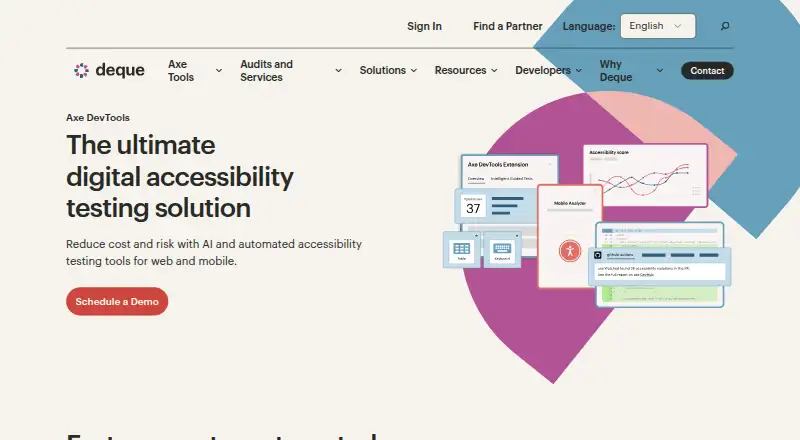
Axe DevTools is an accessibility testing product from Axe DevTools, a maker founded in 1999 and headquartered in Herndon, Virginia, United States. It combines automated scans with manual review tools and remediation guidance, with stated coverage for WCAG 2.2. The free browser extension checks one page at a time. The Pro extension adds AI-enhanced features, Intelligent Guided Testing, user flow analysis, Jira integration, and advanced reporting and sharing. The Axe DevTools for Web Bundle is aimed at broader development and reporting workflows: its listed components include a browser extension, CI/CD integration, API integrations, linting, business intelligence reporting and monitoring, and on-premises and private-cloud options. API access, CI/CD integration, mobile testing, and automated scans are also listed for the product. The pricing model is freemium, with the free extension offered at no cost and separate Pro and Bundle plans. The product is listed on the API platform, and the extension offers a browser-based way to scan pages. The available plan descriptions distinguish a single-page free check, guided and flow-oriented testing in Pro, and integrations and monitoring in the Bundle.
Who it suits
Axe DevTools suits teams that need accessibility checks against WCAG 2.2, using automated scans, manual review, and remediation guidance. The free extension fits page-by-page checks, while Pro and the Web Bundle add guided testing, workflow integrations, reporting, and monitoring capabilities.
What it does well
- Covers WCAG 2.2 with automated scans and manual review tools.
- Remediation guidance is available.
- Free browser extension scans a page at a time.
- Pro includes user flow analysis and Jira integration.
- Web Bundle includes CI/CD and API integrations, linting, and reporting.
What to know first
- The free extension scans only one page at a time.
- User flow analysis and Jira integration are listed in Pro.
- Business intelligence reporting and monitoring are listed in the Web Bundle.
Limits
The free Axe DevTools Extension scans one page at a time. The Pro extension and Web Bundle list additional capabilities beyond the free extension.
Plans
| Plan | Billed and limits | Price |
|---|---|---|
| Axe DevTools Extension (Free) | basic Axe-core automation · one page at a time | Free |
| Axe DevTools Extension (Pro) | per user · AI-enhanced automation · Intelligent Guided Testing · user-flow analysis · Jira integration · advanced reporting | $40 a month |
| Axe DevTools for Web (Bundle) | browser extension · MCP connections · linting · CI/CD and API integrations · business-intelligence reporting · on-premises/private-cloud/offline options | On request |
| Axe DevTools Enterprise | enterprise deployment and support | On request |
As deque.com lists them, read 14 Oct 2026. The maker's own page has the final word.
Getting started
- Open the Axe DevTools website.
- Choose the free browser extension, Pro extension, or Web Bundle.
- Use the browser extension to scan a page.
- For broader development workflows, use the Bundle's listed CI/CD and API integrations.
Axe DevTools is a WCAG 2.2 accessibility testing suite from Deque, combining automated scans with manual review and remediation guidance. It is best suited to developers, QA teams, and accessibility specialists who need to investigate issues as well as detect them. The free browser extension is useful for focused page checks, while broader workflow and reporting needs point toward paid editions.
Overview
Axe DevTools brings automated and manual accessibility work into one product. Automated page scans can identify many common WCAG 2.2 issues quickly, while manual review tools address problems that automated rules cannot establish reliably. Remediation guidance gives findings a practical next step instead of leaving reviewers to interpret every result themselves.
Its scope is still important: the free extension checks one page at a time. That makes it a sensible starting point for developers debugging a particular screen or reviewers investigating a small number of pages, but a poor fit for anyone expecting a free, site-wide crawl. Mobile testing is supported, extending its usefulness beyond desktop web checks.
Key features
- Automated scans: Page-level automation provides a repeatable first pass against WCAG 2.2. It is efficient for finding detectable issues, but it does not replace human judgment.
- Manual review tools: Manual checks cover accessibility questions that rules alone cannot settle, making the product more suitable for professional audits than an automation-only extension.
- Remediation guidance: Guidance helps teams understand how to address detected problems, reducing the gap between a failing check and a useful fix.
- Testing and delivery integrations: The Web Bundle adds CI/CD integration, API integrations, linting, and business-intelligence reporting and monitoring. Those capabilities support teams that want accessibility checks in development pipelines and management reporting rather than in an isolated browser session.
- Guided and flow-oriented work: The Pro extension adds AI-enhanced features, Intelligent Guided Testing, user-flow analysis, Jira integration, and advanced reporting and sharing. These additions matter when testing spans journeys or when findings must move into a team workflow.
Pricing
Axe DevTools Extension (Free)
This plan costs free and checks one page at a time. It is appropriate for individual developers and occasional reviews. The one-page limit makes it unsuitable as the sole tool for larger regression programs.
Axe DevTools Extension (Pro)
Pro has custom pricing. It adds AI-enhanced features, Intelligent Guided Testing, user-flow analysis, Jira integration, and advanced reporting and sharing. Choose it when the free extension's page-by-page focus cannot represent real user journeys or when teams need collaboration and issue-tracking features.
Axe DevTools for Web (Bundle)
The Web Bundle also has custom pricing. It includes the browser extension plus CI/CD and API integrations, linting, business-intelligence reporting and monitoring, and on-premises and private-cloud options. It is the strongest fit for organizations standardizing accessibility across engineering, analytics, and controlled deployment environments.
Platforms
Axe DevTools is offered through an API and a browser extension, with CI/CD integration. Mobile testing is supported, so teams can include mobile checks alongside web accessibility work.
Who it's for
Choose Axe DevTools if accessibility work needs both automated detection and manual investigation, or if remediation guidance will help developers act on findings. The free extension suits one-page debugging and small reviews. Pro is aimed at teams testing journeys and sharing or routing findings, while the Web Bundle suits organizations embedding checks in CI/CD and reporting systems. It is less suitable when a completely free, open-source engine or unrestricted site-wide scanning is the primary requirement.
Pros and cons
Pros
- Automation plus manual review: Combines fast rule-based checks with human-led assessment.
- WCAG 2.2 coverage: Uses a current stated accessibility standard.
- Actionable workflow: Remediation guidance and, on higher plans, Jira and reporting features support follow-through.
- Deployment flexibility: The Web Bundle offers CI/CD, API, monitoring, and private-cloud options.
Cons
- Free-plan cap: One-page-at-a-time scanning limits broad coverage.
- Paid tiers are necessary for scale: Flow analysis, integrations, and advanced reporting sit in custom-priced plans.
- Automation is not sufficient alone: Teams still need manual review for issues automated rules cannot verify.
Alternatives
WAVE is a better fit when you want a freemium option with browser, web, desktop, and API coverage, plus a subscription API beginning at $10 a month.
IBM Equal Access Accessibility Checker suits readers seeking a free and open-source option with browser extensions and CI/CD packages.
Alfa is the choice for an MIT-licensed open-source tool distributed as separate npm packages.
Axe Developer Hub fits solo developers or open-source projects needing a free plan with one API key, with paid Web subscription options beyond that.
axe-core is preferable when you need the underlying free, open-source accessibility testing engine rather than a broader commercial suite.
Accessibility Insights for Web offers a free, open-source browser-based alternative.
Gamyata is aimed at web checking with a free allowance of five pages per month and larger paid tiers.
Total Validator is worth considering for a free one-page summary or a low-cost desktop and web validation workflow.
For broader discovery, see Accessibility Testing Software and Website Accessibility Tools.
Verdict
Axe DevTools is a strong choice for teams that want automated WCAG 2.2 scans, manual review, and remediation support in one workflow. Its main reason to choose it is the path from detection to guided, integrated remediation; its main reason to look elsewhere is the free extension's one-page limit and the custom-priced upgrades required for flow analysis, pipeline integration, and organizational reporting.
Verdict
Choose Axe DevTools for accessibility work that needs automated scans alongside manual review and remediation guidance. The free extension is suited to one-page-at-a-time checks; look to Pro for guided testing and flow analysis, or the Web Bundle for integrations and monitoring.
Questions
Is Axe DevTools free?
Yes. The Axe DevTools Extension (Free) costs nothing and scans one page at a time.
What accessibility standard does it cover?
Its stated coverage is WCAG 2.2.
What does the Pro extension add?
Pro includes AI-enhanced features, Intelligent Guided Testing, user flow analysis, Jira integration, and advanced reporting and sharing.
What is included in the Web Bundle?
It includes a browser extension, CI/CD integration, API integrations, linting, business intelligence reporting and monitoring, and on-premises and private-cloud options.
Does Axe DevTools support manual accessibility review?
Yes. Manual review tools and remediation guidance are listed, alongside automated scans.
Who makes Axe DevTools?
The maker is Axe DevTools, founded in 1999 and headquartered in Herndon, Virginia, United States.
Facts from Axe DevTools's own pages
- AI features
- The extension includes AI-enhanced automation, reasoning and remediation guidance, with monthly AI-credit allocations on paid plans. · deque.com, 14 Oct 2026
- API access
- Yes · deque.com, 21 Sept 2026
- API languages
- Deque documents Web API bindings for Node.js/JavaScript, C#, Java, Python and Ruby. · docs.deque.com, 14 Oct 2026
- API use
- The APIs are intended for automated test runs and continuous-integration builds, with GitHub example projects. · docs.deque.com, 14 Oct 2026
- Automated scanning
- The browser extension runs page-level automated checks powered by the open-source axe-core engine. · deque.com, 14 Oct 2026
- Axe-core coverage limit
- Deque reports axe-core finds about 57% of WCAG issues automatically and marks uncertain results for manual review. · github.com, 14 Oct 2026
- Browser extension
- Yes · deque.com, 21 Sept 2026
- Browser support
- The extension is offered for Google Chrome, Microsoft Edge and Mozilla Firefox. · deque.com, 14 Oct 2026
- Chrome Web Store listing
- The Chrome extension is rated 3.3 out of 5 from 130 ratings. · chromewebstore.google.com, 14 Oct 2026
- CI/CD and linting
- The Web Bundle adds static linting, CI/CD integration and automated test-integration APIs. · deque.com, 14 Oct 2026
- CI/CD integration
- Yes · deque.com, 21 Sept 2026
- Company founded
- Deque founder and CEO Preety Kumar started the company in 1999. · deque.com, 14 Oct 2026
- Company headquarters
- Deque Systems, Inc. is headquartered in Herndon, Virginia, United States. · linkedin.com, 14 Oct 2026
- Company legal name
- The maker is Deque Systems, Inc., a privately held software company. · linkedin.com, 14 Oct 2026
- Company size
- LinkedIn lists Deque Systems at 201–500 employees and shows 262 employees. · linkedin.com, 14 Oct 2026
- Component testing
- Paid extension plans can scan selected components or page sections. · deque.com, 14 Oct 2026
- Default ruleset
- Unless changed, the Web APIs test against WCAG 2.1 Level AA using the wcag2.1 ruleset. · docs.deque.com, 14 Oct 2026
- Deployment options
- The Web Bundle lists on-premises, private-cloud and offline deployment options. · deque.com, 14 Oct 2026
- Documentation depth
- Deque Docs includes browser-extension, CLI, Web API, Axe Watcher, release-note and integration documentation, plus a help center. · docs.deque.com, 14 Oct 2026
- Founded
- 1999 · deque.com, 28 Sept 2026
- Framework integrations
- Official examples cover Puppeteer, Jest, Chrome debugging protocol, Jasmine, Mocha, Selenium WebDriverJS, RSpec, QUnit and Playwright. · deque.com, 14 Oct 2026
- Free plan
- Yes · deque.com, 21 Sept 2026
- Headquarters
- Herndon, Virginia, USA · deque.com, 28 Sept 2026
- Intelligent Guided Testing
- Pro adds Intelligent Guided Tests that guide users through semi-automated checks for issues automation alone may miss. · deque.com, 14 Oct 2026
Where Axe DevTools stands on Freedom251
- Accessibility Testing Software#2 of 169
- Website Accessibility Tools#2 of 133
- Web Accessibility Software#1 of 21