Freedom251 › Accessibility Testing Software

Axe Developer Hub
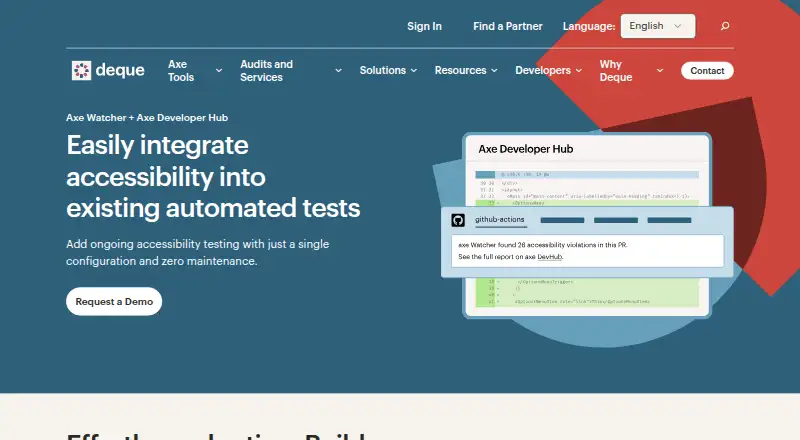
What Axe Developer Hub is
Axe Developer Hub adds automated accessibility checks to end-to-end tests and provides reports with deduplicated results, remediation guidance, and progress tracking. It covers WCAG 2.2 and supports Selenium-based Java tests, along with JavaScript and TypeScript frameworks including Cypress, Playwright, Puppeteer, and WebdriverIO. Teams can set shared accessibility rules, enable or pause checks, and connect them to CI/CD pipelines. The Hub can identify new issues and block pull requests when they arise. Listed CI integrations include GitHub Actions, GitLab, CircleCI, Jenkins, and Bitbucket. It is available as a SaaS or on-premise deployment; the latter keeps data on customer servers. However, the Hub website, user management, and Axe Watcher are not supported on-premises. Projects have member and admin roles, and Deque lists expert support, training, and guidance. The product is part of the Axe DevTools for Web bundle and is not sold separately. The free plan costs nothing and includes one API key; paid bundle pricing is available on request, with unlimited API keys per licensed subscriber.
Who it suits
It suits developers, QA engineers, and accessibility team leaders who want accessibility checks in end-to-end tests and CI/CD. Teams considering on-premise deployment should account for the components that remain unsupported there.
What it does well
- Supports WCAG 2.2 coverage.
- Integrates with named test frameworks and CI tools.
- Can block pull requests when issues arise.
- Offers remediation guidance and progress tracking.
What to know first
- Cannot be purchased as a standalone offering.
- Pricing for the paid bundle is on request.
- The website, user management, and Axe Watcher lack on-premise support.
Limits
The Free plan includes one API key and is intended for open-source projects or solo developers. The paid plan is sold only as part of the Axe DevTools for Web bundle, with unlimited API keys for each licensed subscriber; the website, user management, and Axe Watcher are not supported on premises.
Plans
| Plan | Billed and limits | Price |
|---|---|---|
| Free | 1 API key · for open-source projects or solo developers | Free |
| Paid (Axe DevTools for Web subscription) | Contact sales · Unlimited API keys for each licensed subscriber · includes Axe Developer Hub as part of the bundle | On request |
As deque.com lists them, read 12 Oct 2026. The maker's own page has the final word.
Getting started
- Visit the Axe Developer Hub website.
- Start with the free plan or request the paid Axe DevTools for Web bundle.
- Use the 30-day paid-plan trial, then the account downgrades to the free plan.
- Choose SaaS or on-premises deployment.
- Connect an end-to-end testing framework and a CI integration.
Axe Developer Hub adds automated accessibility checks to end-to-end testing, with reports that help teams track and address issues. It is best suited to development, QA, and accessibility teams already using its supported test frameworks. Its main drawback is a bundle-only paid route: it cannot be bought on its own.
Overview
Teams can introduce checks into end-to-end tests through a configuration change, then standardize rules and selectively enable or pause checks. That flexibility suits teams trying to make accessibility testing consistent without running every check in every workflow. Results are deduplicated, include remediation guidance, and can be tracked over time, giving teams a way to follow issues beyond a single test run.
Developer Hub can detect new accessibility issues and block pull requests when issues arise. That makes it a stronger fit for teams willing to put accessibility checks into their code-review and release process; teams seeking only occasional, standalone scans may find the workflow-oriented design less suitable. Projects separate member access, for running tests and viewing results, from admin access to settings and permissions.
Key features
- Test-framework support: Works with Selenium-based Java tests and JavaScript or TypeScript frameworks including Cypress, Playwright, Puppeteer, and WebdriverIO. Teams using those stacks can add checks to existing end-to-end workflows; the supported set may not suit teams built around other frameworks.
- CI/CD integration: Integrations include GitHub Actions, GitLab, CircleCI, Jenkins, and Bitbucket. Combined with pull-request blocking, this can surface unresolved accessibility issues before code moves forward.
- Reporting and remediation: Deduplicated results, guidance for remediation, and progress tracking help teams distinguish recurring work from new findings and monitor progress over time.
- Deployment options: SaaS and on-premise deployments are offered, with on-premise keeping data on the customer's servers. However, the Developer Hub website, user management, and Axe Watcher are not currently supported on-premises, so organizations considering self-hosting should weigh those gaps against their requirements.
- Support and security: Deque says users can access expert support, training, and guidance. Its Trust Center lists ISO/IEC 27001 compliance and provides security documentation, including penetration-test reports and a security whitepaper.
Pricing
The Free plan costs nothing and provides one API key for open-source projects or solo developers. That is a narrow entry point for individual or open-source use, not an equivalent to the paid team's unlimited API keys.
Paid access comes through the Axe DevTools for Web subscription, at custom pricing billed through sales. The bundle includes Developer Hub and unlimited API keys for each licensed subscriber; there is no standalone purchase. Deque describes a 30-day trial of the paid plan, after which the account is downgraded to the free plan. Teams should account for the bundle requirement when comparing costs, rather than treating Developer Hub as an independently priced add-on.
Platforms
Developer Hub is available on web and through API, with self-hosted deployment also offered. Its stated WCAG coverage is WCAG 2.2, and the product supports automated scans, mobile testing, CI/CD integration, and remediation guidance. On-premise buyers should note that the website, user management, and Axe Watcher are not supported in that deployment.
Who it's for
Developers and QA engineers using supported frameworks are the clearest fit, particularly when they want automated checks in CI/CD and a mechanism to block pull requests with unresolved accessibility issues. Central accessibility team leaders may also benefit from standardized rules, project roles, and progress tracking across work. The product is less compelling for solo users who need more than one API key but do not need the paid bundle, or for teams whose preferred test framework is outside the supported set.
Pros and cons
- Pros: Adds checks to established end-to-end tests, with integrations across five named frameworks and five CI systems.
- Pros: Deduplicated findings, remediation guidance, and progress tracking make results more actionable than a stream of unorganized scan output.
- Pros: Pull-request blocking can make accessibility issues part of release decisions rather than leaving them to a later review.
- Cons: Paid access requires the Axe DevTools for Web bundle, so buyers cannot purchase Developer Hub alone.
- Cons: The free plan has one API key, limiting its fit for teams that need shared access without a paid subscription.
- Cons: On-premise deployment omits the Developer Hub website, user management, and Axe Watcher.
Alternatives
Accessibility Testing Software is a useful place to compare the wider category. For a free and open-source CI/CD option, IBM Equal Access Accessibility Checker provides browser extensions and CI/CD and automated-testing packages. Alfa is a free, MIT-licensed open-source option distributed as separate npm packages, while axe-core is a free, open-source accessibility testing engine under MPL-2.0.
Choose WAVE if its freemium model or browser-extension and desktop platform coverage is a better fit; its Subscription API starts at $10 a month, with a 250-credit minimum purchase. Axe DevTools offers a free extension that checks one page at a time, making it a more limited option for page-by-page work. Accessibility Insights for Web is a free, open-source Chrome extension. Gamyata has a free plan capped at five pages per month, plus email support. Total Validator offers a free download with a one-page summary for a single web page.
Verdict
Axe Developer Hub is a sound choice for development and QA teams that want accessibility checks embedded in supported end-to-end tests, with findings carried into CI and pull-request decisions. Its reporting and workflow controls are the strongest reasons to choose it. Look elsewhere if you need a standalone paid product, broader framework coverage, or on-premise access to the website, user management, and Axe Watcher.
Verdict
Axe Developer Hub connects accessibility testing with development workflows and offers both SaaS and on-premise deployment. Buyers need the Axe DevTools for Web bundle for paid access, and should check which features are supported by their deployment choice.
Questions
Does Axe Developer Hub have a free plan?
Yes. The Free plan costs nothing and includes one API key for open-source projects or solo developers.
Is there a trial?
Yes. The paid plan has a 30-day trial, after which the account is downgraded to the free plan.
How is the paid plan purchased?
Axe Developer Hub is included in the Axe DevTools for Web bundle and cannot be bought on its own. Pricing is on request.
Which testing frameworks and CI tools does it support?
Testing integrations include Selenium, Cypress, Playwright, Puppeteer, and WebdriverIO. CI integrations include GitHub Actions, GitLab, CircleCI, Jenkins, and Bitbucket.
Can it be deployed on premises?
Yes. On-premises deployment keeps data on customer servers, but the website, user management, and Axe Watcher are not supported there.
What standards coverage does it provide?
Its listed WCAG coverage is WCAG 2.2.
Facts from Axe Developer Hub's own pages
- Audience
- Deque describes the product as relevant to developers, QA engineers, and central accessibility team leaders. · deque.com, 12 Oct 2026
- Automated scans
- Yes · deque.com, 19 Sept 2026
- Automated testing
- Teams can add accessibility testing to end-to-end test workflows with a configuration change, then review actionable, deduplicated results. · deque.com, 12 Oct 2026
- CI/CD
- Teams can integrate accessibility checks into CI/CD pipelines and use them to block code with unresolved accessibility issues. · docs.deque.com, 12 Oct 2026
- CI/CD integration
- Yes · deque.com, 19 Sept 2026
- Company
- Deque Systems is headquartered at 13800 Coppermine Road, Herndon, Virginia 20171, and its founder says he started the company in 1999. · deque.com, 12 Oct 2026
- Configuration
- Teams can standardize accessibility rules and selectively enable or pause automated checks in end-to-end tests. · deque.com, 12 Oct 2026
- Deployment
- It is available in SaaS and on-premise deployments; the on-premise option keeps data on the customer’s own servers. · deque.com, 12 Oct 2026
- Deployment caveat
- Deque's hosting matrix says the Developer Hub website, user management, and Axe Watcher are not currently supported on-premises. · docs.deque.com, 12 Oct 2026
- Founded
- 1999 · deque.com, 19 Oct 2026
- Frameworks
- It supports Selenium-based Java tests and JavaScript or TypeScript frameworks including Cypress, Playwright, Puppeteer, and WebdriverIO. · deque.com, 12 Oct 2026
- Free plan
- No · deque.com, 19 Sept 2026
- Headquarters
- Herndon, Virginia, United States · deque.com, 19 Oct 2026
- Integrations
- Deque lists Cypress, Playwright, Puppeteer, WebdriverIO, and Selenium among its testing framework integrations, and GitHub Actions, GitLab, CircleCI, Jenkins, and Bitbucket among CI integrations. · deque.com, 12 Oct 2026
- Mobile testing
- Yes · deque.com, 19 Sept 2026
- Project access
- Projects support member and admin roles, with project members able to run tests and view results and project admins able to manage settings and access. · docs.deque.com, 12 Oct 2026
- Pull requests
- It can detect new accessibility issues and block pull requests when issues arise. · deque.com, 12 Oct 2026
- Purchase
- Axe Developer Hub is included in the Axe DevTools for Web bundle and cannot be purchased as a standalone offering. · deque.com, 12 Oct 2026
- Purpose
- Axe Developer Hub collects and reports accessibility test results from websites and apps so teams can review issues and track results over time. · docs.deque.com, 12 Oct 2026
- Remediation guidance
- Yes · deque.com, 19 Sept 2026
- Reporting
- The Hub displays issue counts and severity, links web project errors to Git commits, and lets teams compare results across test runs. · docs.deque.com, 12 Oct 2026
- Security
- Deque’s Trust Center lists ISO/IEC 27001 compliance and provides security documentation, including penetration test reports and a security whitepaper. · trust.deque.com, 12 Oct 2026
- Standalone availability
- Axe Developer Hub is available as part of the Axe DevTools for Web bundle and cannot be purchased as a standalone offering. · deque.com, 12 Oct 2026
- Support
- Deque directs users to its support site for knowledge base articles, SaaS status reports, and product support. · docs.deque.com, 12 Oct 2026
Where Axe Developer Hub stands on Freedom251
- Accessibility Testing Software#6 of 169