Freedom251 › Accessibility Testing Software

IBM Equal Access Accessibility Checker
Visit IBM Equal Access Accessibility Checker Alternatives Pricing
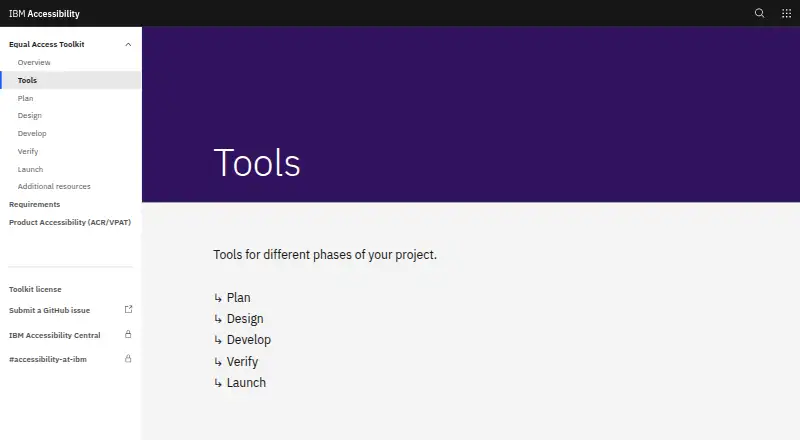
What IBM Equal Access Accessibility Checker is
IBM Equal Access Accessibility Checker helps web developers and accessibility auditors find accessibility issues in web pages and applications. Its rule engine checks content against accessibility standards, including WCAG 2.2, and scans at the page level. Results can show the issue type, applicable WCAG success criteria, affected element, XPath, progression level, and a help link. Browser extensions are available for Chrome, Firefox, and Edge. They integrate with browser DevTools and include a keyboard checker mode visualization. For automated workflows, packages are available for Node, Cypress, and Java, with a Karma plugin also listed. The project names Selenium, Puppeteer, Playwright, and Zombie as engines used with CI/CD packages. The extension can combine up to 50 saved scans in a Microsoft Excel report. The project says its rules and engine run locally and web data is not sent to servers or third parties. IBM cautions that automated checking covers only some accessibility requirements, so manual and screen reader testing should also be done. The tool is free, listed as free.
Who it suits
It suits web developers and accessibility auditors who need page-level automated checks or CI/CD packages. Teams should also plan for manual and screen reader testing.
What it does well
- Checks against accessibility standards including WCAG 2.2
- Available for Chrome, Firefox, and Edge
- Offers Node, Cypress, and Java CI/CD packages
- Combines up to 50 scans in an Excel report
What to know first
- Automated checks cover only a subset of requirements
- Manual and screen reader testing should follow
Plans
| Plan | Billed and limits | Price |
|---|---|---|
| Free and open source | Browser extensions · CI/CD and automated testing packages | Free |
| Free/open-source toolkit | browser extensions · Node/Cypress automation · accessibility rules engine | Free |
As ibm.com lists them, read 11 Oct 2026. The maker's own page has the final word.
Getting started
- Visit https://www.ibm.com/able/toolkit/tools/.
- Install the browser extension for Chrome, Firefox, or Edge, or use a listed CI/CD package.
- Run a page scan through the extension or your development workflow.
- Review issue details, including the relevant WCAG success criteria and affected element.
- Use manual and screen reader testing to follow up on automated checks.
IBM Equal Access Accessibility Checker brings accessibility scans into browsers and automated test workflows. It is best suited to web developers and accessibility auditors who want standards-linked findings alongside their existing work. Its main limitation is that automated checks cover only part of accessibility requirements.
Overview
The checker maps its rules to accessibility standards, including WCAG 2.2, and scans individual pages. Results can identify the issue type, affected element and XPath, relevant success criteria, progression level, and a help link. That context can help a developer locate and interpret a finding rather than merely see a pass-or-fail outcome.
The project Wiki says the rules and engine run locally, web data stays on the user's device, and web data is not sent to servers or transferred to third parties. That makes the tool a practical option for teams that want local scanning. Its scope remains a first check, not a complete accessibility assessment: IBM says automated checks cover only a subset of its accessibility requirements and should be followed by manual and screen reader testing.
Key features
- Browser extensions: Chrome, Firefox, and Edge extensions integrate with browser DevTools. A keyboard checker mode visualization adds a way to examine keyboard behavior alongside scan results, which is useful for developers and auditors working directly on a page.
- Automated testing: Packages are available for Node, Cypress, and Java, and the project Wiki also names a Karma plugin. It identifies Selenium, Puppeteer, Playwright, and Zombie as testing or parsing engines for CI/CD packages. This gives teams several routes to include checks in development and test workflows, although it does not replace manual review.
- Scan reports: The extension can combine up to 50 stored scans into a Microsoft Excel report. That is useful for consolidating a modest batch of browser scans; the stated cap makes it less suited to compiling larger scan sets in one report.
- API access: API support adds another integration option for developers, alongside the browser extension and CI/CD packages.
- Project support: The project Wiki directs users to GitHub issues for bugs, questions, and suggestions. Users should be comfortable turning to that channel for project support.
Pricing
The Free and open source plan costs nothing and includes browser extensions and CI/CD and automated testing packages. There is no paid tier or free trial stated for this product; the free plan is the offering. It fits individual developers, auditors, and teams that want to add automated scans without a software charge. There is no published seat or scan quota beyond the extension's limit of 50 stored scans per Excel report.
Platforms
The checker is available as an API, browser extension, and web tool. Extensions are named for Chrome, Firefox, and Edge, while CI/CD options include packages for Node, Cypress, and Java plus a Karma plugin named in the project Wiki. The range favors web teams choosing between browser-based review and automated testing rather than users seeking a standalone desktop application.
Who it's for
IBM describes the tools as intended for web developers and accessibility auditors. Developers can use page-level findings to locate issues and bring scans into automated workflows; auditors can use the browser tools and stored-scan reports as part of an assessment. Neither audience should rely on the automated results alone: manual and screen reader testing remain necessary.
Pros and cons
- Pro — Findings include locating detail: Element and XPath information, success criteria, issue type, and a help link can make it easier to act on scan results.
- Pro — Multiple workflow options: Browser extensions, API access, and CI/CD packages support both page review and automated testing.
- Pro — Local processing: The project Wiki says web data stays local and is not sent to servers or third parties.
- Con — Automation has limited coverage: IBM says the checks cover only a subset of its accessibility requirements, so a scan cannot stand in for manual and screen reader testing.
- Con — Page-level scan scope: The stated scope is a page, so this is not a single scan of an entire site.
- Con — Report aggregation is capped: An Excel report can combine up to 50 stored scans, which may constrain larger reporting batches.
Alternatives
Compare other options in Accessibility Testing Software or Website Accessibility Tools. Choose WAVE if its freemium model and API, extension, Linux, macOS, web, and Windows platforms better match your setup; its subscription API starts at a 250-credit minimum purchase for $10 a month.
Alfa is another free, open-source option, distributed as separate npm packages under the MIT license, with API, Linux, macOS, self-hosted, web, and Windows platforms.
axe-core is a free, open-source accessibility testing engine under the MPL-2.0 license, with API, extension, and web platforms. Accessibility Insights for Web is a free, open-source alternative for Chrome and Microsoft browser users.
Gamyata may be a better fit for a small monthly page allowance: its free plan covers 5 pages per month and includes a document allowance and email support. Total Validator has a free download with a one-page summary for a single web page, plus a paid Basic plan at $10, paid once; consider it if those terms suit your needs.
pour is another free option, with all tools and no accounts, subscriptions, or paid tiers.
Verdict
IBM Equal Access Accessibility Checker is a strong fit for developers and accessibility auditors who want a free way to run standards-mapped page checks in a browser or CI/CD workflow, with findings detailed enough to guide follow-up. Choose it for that workflow flexibility and local processing; look elsewhere if you need automated results to stand in for a complete accessibility evaluation, or need scans beyond individual pages.
Verdict
The checker offers browser-based and CI/CD options for identifying accessibility issues, with scan details that can help locate them. Its automated results are not a substitute for manual and screen reader testing.
Questions
Is IBM Equal Access Accessibility Checker free?
Yes. The listed Free and open source plan costs nothing and includes browser extensions and CI/CD and automated testing packages.
Which browsers have extensions?
The extensions are listed for Chrome, Firefox, and Edge.
Which accessibility standard does it check?
Its rule engine maps checks to accessibility standards, including WCAG 2.2.
Can it run in CI/CD workflows?
Yes. Packages are available for Node, Cypress, and Java, and the Wiki also lists a Karma plugin. The Wiki names Selenium, Puppeteer, Playwright, and Zombie as testing or parsing engines for CI/CD packages.
Does it send web data to a server?
The project Wiki says the rules and engine run locally and web data is not sent to servers or transferred to third parties.
Does an automated scan cover all accessibility requirements?
No. IBM says automated checks cover only a subset of its accessibility requirements and should be followed by manual and screen reader testing.
Facts from IBM Equal Access Accessibility Checker's own pages
- API access
- Yes · ibm.com, 21 Sept 2026
- Audience
- IBM describes the tools as intended for web developers and accessibility auditors. · github.com, 11 Oct 2026
- Baseline testing
- Results can be compared with baseline files and tests can fail according to configured violation levels. · github.com, 19 Oct 2026
- Browser extension
- The Chrome extension runs inside Developer Tools and helps locate accessibility problems and possible fixes. · chromewebstore.google.com, 19 Oct 2026
- Browser tools
- Browser extensions are listed for Chrome, Firefox, and Edge. · ibm.com, 11 Oct 2026
- Build requirement
- Building the repository requires Node version 22. · github.com, 19 Oct 2026
- Chrome usage
- The Chrome listing reports 40,000 users and version 4.0.33.9999 updated September 3, 2026. · chromewebstore.google.com, 19 Oct 2026
- CI/CD integration
- Yes · ibm.com, 21 Sept 2026
- CI/CD integrations
- Packages are available for Node, Cypress, and Java, and the Wiki also lists a Karma plugin. · ibm.com, 11 Oct 2026
- Command line
- The command-line utility scans files, directories and URL lists supplied through a text file. · github.com, 19 Oct 2026
- Company headquarters and size
- LinkedIn lists IBM headquarters in Armonk, New York, and company size above 10,001 employees. · linkedin.com, 19 Oct 2026
- Cypress integration
- A separate Cypress wrapper package is provided. · github.com, 19 Oct 2026
- Developer tools
- The extension integrates into browser DevTools and provides scanning and keyboard checker mode visualization. · github.com, 11 Oct 2026
- Firefox users
- The Firefox listing reports 2,140 users and Apache License 2.0. · addons.mozilla.org, 19 Oct 2026
- Free plan
- Yes · ibm.com, 21 Sept 2026
- Installation
- The Node module installs with npm install --save-dev accessibility-checker and can also be installed globally for the achecker command. · github.com, 19 Oct 2026
- Issue details
- Scan results can include issue type, WCAG success criteria, element, XPath, progression level, and a help link. · github.com, 11 Oct 2026
- Keyboard visualization
- The extension includes a keyboard-checker visualization mode. · github.com, 19 Oct 2026
- Licence
- The source repository is published under Apache-2.0; separate Toolkit copyright content is generally CC BY unless marked otherwise. · github.com, 19 Oct 2026
- Limits
- IBM says automated checks cover only a subset of its accessibility requirements and should be followed by manual and screen reader testing. · ibm.com, 11 Oct 2026
- Limit: speed
- The same study reported WAVE scanned pages faster than IBM Checker. · researchportal.tuni.fi, 19 Oct 2026
- Limit: stability
- ExtWise reports occasional rendering errors, Chrome breakage after updates and questions about exported-report calculations. · extwise.com, 19 Oct 2026
- Limit: technical difficulty
- A Texas accessibility-audit guide classifies IBM Checker as free, focused on technical standards and high difficulty, aimed at developers, QA and auditors. · dir.texas.gov, 19 Oct 2026
- Maker company
- IBM’s legal name is International Business Machines Corporation, incorporated in New York in 1911 as Computing-Tabulating-Recording Co. · ibm.com, 19 Oct 2026
Where IBM Equal Access Accessibility Checker stands on Freedom251
- Accessibility Testing Software#1 of 169
- Website Accessibility Tools#1 of 133
- Web Accessibility Software#2 of 21