Freedom251 › Accessibility Testing Software

Accessibility Insights for Windows
Visit Accessibility Insights for Windows Alternatives Pricing
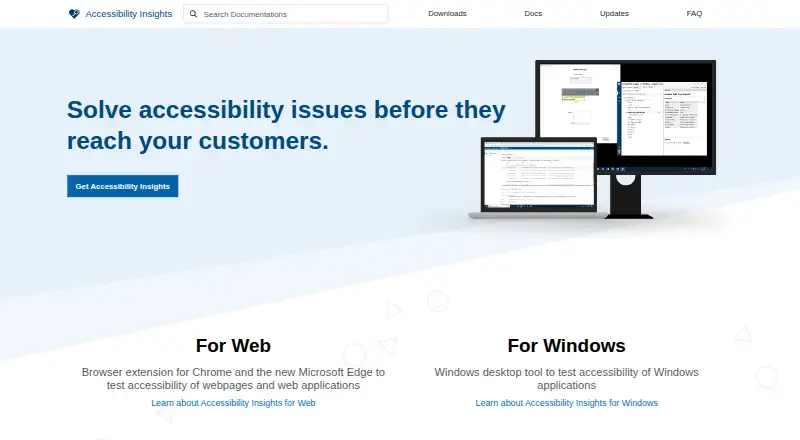
What Accessibility Insights for Windows is
Accessibility Insights for Windows helps developers find and fix accessibility issues in Windows applications. It combines automated scans, manual review tools, and remediation guidance, with WCAG 2.2 listed as its standard. FastPass uses two steps to identify common, high-impact issues in less than five minutes, while automated checks assess Windows apps against more than 60 accessibility requirements. Live Inspect shows UI Automation properties when an element is hovered over or focused with the keyboard. The Tab stops test highlights missing tab stops, keyboard traps, and incorrect tab order. Other tools inspect control patterns, record application events, and check color contrast. Findings can be filed to Azure Boards or GitHub, and results can be saved as .a11ytest files for sharing. The free, open-source app supports CI/CD integration and can be installed with a setup wizard or quiet command-line mode. Mobile testing and a browser extension are not included.
Who it suits
It suits developers working on Windows application accessibility, including teams that need automated checks, manual review, remediation guidance, or CI/CD integration. It is also relevant to users who want open-source software with sharing and issue-tracking options.
What it does well
- Free plan and open-source code
- Checks more than 60 accessibility requirements
- FastPass takes less than five minutes
- Results can be filed to Azure Boards or GitHub
- Supports WCAG 2.2 and CI/CD integration
What to know first
- No mobile testing
- No browser extension
- Administrative apps need extra access configuration
Plans
| Plan | Billed and limits | Price |
|---|---|---|
| Free and open source | Windows desktop app · Windows computers | Free |
As accessibilityinsights.io lists them, read 11 Oct 2026. The maker's own page has the final word.
Verdict
Accessibility Insights for Windows covers automated and manual accessibility work with focused keyboard, inspection, and troubleshooting tools. Its free plan, open-source code, and integrations are useful, while the lack of mobile testing limits its scope.
Facts from Accessibility Insights for Windows's own pages
- Access limitation
- By default, the app cannot access applications running with administrative privileges; the maker documents running the target or tool as administrator or enabling UIAccess as options. · accessibilityinsights.io, 11 Oct 2026
- Automated checks
- Automated checks check Windows apps against more than 60 accessibility requirements. · accessibilityinsights.io, 11 Oct 2026
- Automated scans
- Yes · accessibilityinsights.io, 23 Sept 2026
- Browser extension
- No · accessibilityinsights.io, 23 Sept 2026
- FastPass
- FastPass is a two-step process designed to identify common, high-impact accessibility issues in less than five minutes. · accessibilityinsights.io, 11 Oct 2026
- Founded
- 1975 · accessibilityinsights.io, 28 Sept 2026
- Free plan
- Yes · accessibilityinsights.io, 23 Sept 2026
- Headquarters
- Redmond, Washington, USA · accessibilityinsights.io, 28 Sept 2026
- Installation
- The Windows app can be installed using a setup wizard or from a command prompt in quiet mode. · accessibilityinsights.io, 11 Oct 2026
- Integrations
- Users can file issues from automated check failures to Azure Boards or GitHub. · accessibilityinsights.io, 11 Oct 2026
- Keyboard testing
- The Tab stops test helps identify keyboard access issues such as missing tab stops, keyboard traps, and incorrect tab order. · accessibilityinsights.io, 11 Oct 2026
- Live Inspect
- Live Inspect lets developers inspect UI Automation properties by hovering over an element or focusing it with the keyboard. · accessibilityinsights.io, 11 Oct 2026
- Manual review tools
- Yes · accessibilityinsights.io, 23 Sept 2026
- Mobile testing
- No · accessibilityinsights.io, 23 Sept 2026
- Open source
- Accessibility Insights for Windows is open source on GitHub. · accessibilityinsights.io, 11 Oct 2026
- Purpose
- Accessibility Insights for Windows helps developers find and fix accessibility issues in Windows apps. · accessibilityinsights.io, 11 Oct 2026
- Remediation guidance
- Yes · accessibilityinsights.io, 23 Sept 2026
- Results sharing
- Automated check results can be saved as .a11ytest files for sharing, and users with the app can open those files to view the results. · accessibilityinsights.io, 11 Oct 2026
- Support
- The maker directs users to the Windows help documentation for reporting issues and asking questions. · accessibilityinsights.io, 11 Oct 2026
- Telemetry and privacy
- With user consent, the app collects anonymized usage data and crash report information, and telemetry can be disabled in settings. · accessibilityinsights.io, 11 Oct 2026
- Troubleshooting tools
- Troubleshooting features include inspecting control patterns, recording application events, and checking color contrast. · accessibilityinsights.io, 11 Oct 2026
Where Accessibility Insights for Windows stands on Freedom251
- Accessibility Testing Software#25 of 169
- Website Accessibility Tools#55 of 133