Freedom251 › Hardware Diagnostic Software
PC-Doctor Toolbox
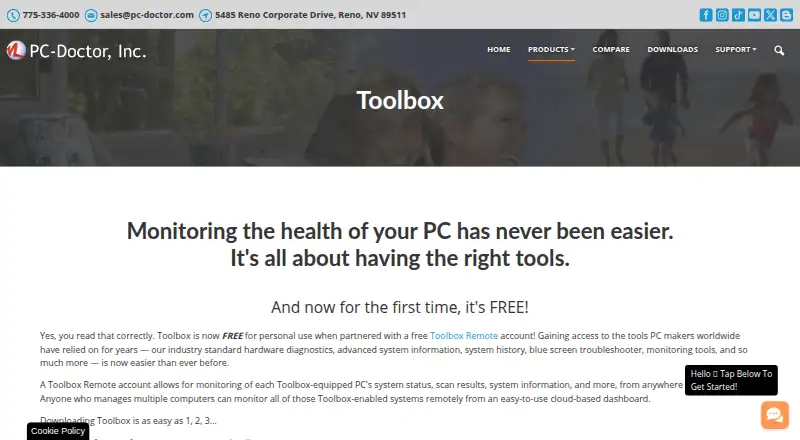
What PC-Doctor Toolbox is
PC-Doctor Toolbox monitors Windows PC health and provides hardware diagnostics, system information, history, troubleshooting, and monitoring tools. Its library includes more than 300 tests covering storage, audio, graphics, networking, memory, CPU, systemboard, and peripherals. The My Device Dashboard displays overall system health, alerts, and real-time metrics; Quick and Full Scans and a Blue Screen Troubleshooter support troubleshooting. System History tracks hardware scans, system changes, unexpected shutdowns, restore points, and application crashes. Toolbox Remote provides a cloud dashboard for viewing test results, blue screens, application crash events, and system information for equipped PCs. The Security area monitors antivirus status, while Windows monitoring includes update settings, the last check time, and recently installed updates. The product page lists support for Windows 10 and Windows 11 64-bit. Free personal use covers up to five systems, but requires a Toolbox Remote account and opting in to technical and interaction data sharing with PC-Doctor.
Who it suits
PC-Doctor Toolbox suits people who need to monitor and diagnose Windows PCs, including hardware and system history. Its remote dashboard may also suit users overseeing multiple equipped systems.
What it does well
- Includes more than 300 hardware tests.
- Tracks system changes and unexpected shutdowns.
- Provides remote viewing of test results and system details.
- Monitors antivirus status and Windows Update settings.
- Supports Windows 10 and Windows 11 64-bit.
What to know first
- Supports Windows 10 and Windows 11 64-bit only.
- Free personal use covers up to five systems.
- Free use requires an account and opt-in to data sharing.
Limits
The free personal-use plan covers up to five systems. It requires a Toolbox Remote account and an opt-in to sharing technical and interaction data with PC-Doctor.
Plans
| Plan | Billed and limits | Price |
|---|---|---|
| Free personal use | Free for personal use · Up to 5 personal systems · Toolbox Remote account required · Opt-in to technical and interaction data sharing | Free |
| Volume/bulk licensing | Contact sales · Volume/bulk licensing | On request |
As pc-doctor.com lists them, read 1 Oct 2026. The maker's own page has the final word.
Getting started
- Visit the PC-Doctor Toolbox website.
- Choose the free personal-use plan, which covers up to five systems.
- Create or use a Toolbox Remote account.
- Opt in to technical and interaction data sharing with PC-Doctor to use the free plan.
- Use the software on a supported Windows 10 or Windows 11 64-bit system.
PC-Doctor Toolbox is a Windows utility for broad hardware diagnosis, troubleshooting and continuing PC-health monitoring. It is best suited to people responsible for several Windows machines or who want a history of failures on a personal computer. Its coverage is substantial, but the free personal tier trades convenience for a five-system limit, an account and data-sharing consent.
Overview
Toolbox brings more than 300 tests into one utility, covering storage, audio, graphics, networking, memory, CPU, systemboard and peripherals. That breadth is valuable when the failing component is not obvious and includes stress, memory, disk-health and GPU checks. Quick and Full Scans let users choose between a faster check and a more extensive pass. The Blue Screen Troubleshooter gives Windows crash investigations a dedicated route, although a diagnostic result is not the same as a repair.
The My Device Dashboard summarizes system health, alerts and real-time metrics. System History records hardware scans, system changes, unexpected shutdowns, restore points and application crashes, creating useful context when symptoms recur. Toolbox is therefore a stronger fit for ongoing diagnosis than for someone seeking a one-off test of a single drive or memory module.
Key features
Toolbox Remote supplies a free cloud dashboard for Toolbox-equipped PCs. From anywhere, users can review test results, blue screens, application-crash events and detailed system information. This is practical for remote oversight, family computers or a small group of machines, but it also makes the account requirement central to the free experience.
The Security area checks whether antivirus protection is enabled and up to date. Windows monitoring reports update settings, including the last check and recently installed updates. Together with the event history, these checks provide useful maintenance signals rather than just component benchmarks.
Support answers questions and provides feedback for actively supported products; guidance on how to make failed tests pass is generally outside its scope. That boundary matters if you expect the vendor to diagnose and fix every underlying fault. English, Dutch, French, German, Italian, Japanese, Portuguese, Spanish, Simplified Chinese and Traditional Chinese are supported.
Pricing
| Plan | Price and terms | Best for |
|---|---|---|
| Free personal use | free; up to 5 personal systems. Toolbox Remote account required, with opt-in to technical and interaction data sharing. | Individuals monitoring a small number of Windows PCs who accept the account and sharing conditions. |
| Volume/bulk licensing | Custom pricing; contact sales. | Organizations needing licensing beyond the personal allowance. |
The free tier is generous in test coverage, but the five-system ceiling rules out larger fleets and the required opt-in may not suit privacy-sensitive users. No published paid seat quota or renewal term is provided; businesses should obtain those terms before committing.
Platforms
The current supported systems are Windows 10 and Windows 11, both 64-bit. The product is offered as a Windows application with web access for the remote dashboard; it is not positioned as a Linux or macOS diagnostic tool.
Who it's for
Choose Toolbox if you need one place to inspect many hardware categories, watch Windows security and updates, and retain a timeline of crashes and system changes. It is particularly suitable for households, technicians and small operators staying within five personal systems. Look elsewhere if you need a platform-neutral utility, unlimited personal coverage, or vendor help resolving failed tests.
Pros and cons
Pros
- More than 300 tests cover major components and peripherals, supporting broad fault isolation.
- System History, dashboards and remote viewing turn one-time diagnostics into ongoing monitoring.
- Security and Windows Update checks add practical maintenance context.
- Ten language options improve accessibility for international users.
Cons
- Free personal use stops at five systems, limiting larger households and businesses.
- A Toolbox Remote account and technical/interaction data-sharing opt-in are mandatory for the free plan.
- Support generally does not explain how to make failed tests pass.
- Windows 10/11 64-bit support excludes other desktop platforms.
Alternatives
For focused drive health inspection on Linux, macOS or Windows, choose GSmartControl, a free GPLv3 desktop utility. MemTest86 is the better choice when dedicated memory testing matters, with a no-restrictions free edition and a $116.00 one-time Pro Download. For command-line SMART monitoring, smartmontools provides free smartctl and smartd utilities across Linux, macOS and Windows.
stress-ng suits users seeking a permanently free stress-testing tool, while Hard Disk Sentinel focuses on drive monitoring with trial options for Linux and Windows. For a standalone open-source memory tester, consider MemTest86+. Prime95 is another free option for processor stress workloads. If the task is secure drive wiping rather than diagnosis, Blackwire Drive Eraser & Sanitizer offers a Windows free tier for personal, noncommercial use.
Browse more choices in Hardware Diagnostic Software.
Verdict
PC-Doctor Toolbox is a strong pick for Windows users who want unusually broad diagnostics combined with health history, alerts and remote monitoring. Its main reason to choose it is the unified coverage across hardware and recurring Windows events. Its main reason to look elsewhere is the free plan's five-system cap and mandatory account and data-sharing consent, especially for larger or privacy-conscious deployments.
Verdict
PC-Doctor Toolbox combines hardware testing, system history, and monitoring for supported Windows PCs. Before choosing the free personal-use option, consider its five-system cap and required account and data-sharing opt-in.
Questions
What does PC-Doctor Toolbox cost?
The free personal-use plan costs nothing. Volume or bulk licensing is listed as Contact sales, with no price listed.
What does the free plan include or require?
It covers up to five personal systems and requires a Toolbox Remote account plus an opt-in to technical and interaction data sharing.
Which Windows versions are supported?
The current product page lists Windows 10 and Windows 11 64-bit.
What does Toolbox Remote show?
It displays test results, blue screens, application crash events, and detailed system information for Toolbox-equipped PCs.
What languages does it support?
The listed languages are English, Dutch, French, German, Italian, Japanese, Portuguese, Spanish, Simplified Chinese, and Traditional Chinese.
Who makes PC-Doctor Toolbox?
PC-Doctor, Inc. was established in 1993 and is headquartered in Reno, Nevada.
Facts from PC-Doctor Toolbox's own pages
- Company
- PC-Doctor, Inc. was established in 1993 and is headquartered in Reno, Nevada. · pc-doctor.com, 1 Oct 2026
- Dashboard
- The My Device Dashboard shows overall system health, alerts and real-time system metrics. · pc-doctor.com, 1 Oct 2026
- Data sharing condition
- Free Toolbox requires a Toolbox Remote account and opt-in to technical and interaction data sharing with PC-Doctor. · pc-doctor.com, 1 Oct 2026
- Founded
- 1993 · pc-doctor.com, 28 Sept 2026
- Hardware diagnostics
- Toolbox includes more than 300 hardware tests covering storage, audio, graphics, networking, memory, CPU, systemboard and peripherals. · pc-doctor.com, 1 Oct 2026
- Headquarters
- Reno, Nevada, USA · pc-doctor.com, 28 Sept 2026
- Languages
- The product supports English, Dutch, French, German, Italian, Japanese, Portuguese, Spanish, Simplified Chinese and Traditional Chinese. · pc-doctor.com, 1 Oct 2026
- Privacy handling
- PC-Doctor says financial information collected through its order form is used for billing and is not stored on public servers. · pc-doctor.com, 1 Oct 2026
- Purpose
- PC-Doctor Toolbox monitors the health of Windows PCs and provides hardware diagnostics, system information, history, troubleshooting and monitoring tools. · pc-doctor.com, 1 Oct 2026
- Remote details
- Toolbox Remote displays test results, blue screens, application crash events and detailed system information. · pc-doctor.com, 1 Oct 2026
- Remote monitoring
- Toolbox Remote provides a free cloud-based dashboard for monitoring Toolbox-equipped PCs from anywhere in the world. · pc-doctor.com, 1 Oct 2026
- Security monitoring
- The Security area monitors antivirus solutions and whether they are enabled and up to date. · pc-doctor.com, 1 Oct 2026
- Supported systems
- The current product page states support for Windows 10 and Windows 11 64-bit. · pc-doctor.com, 1 Oct 2026
- Support scope
- PC-Doctor technical support answers questions and provides feedback about actively supported products; advice on steps to make failed tests pass is generally outside support scope. · pc-doctor.com, 1 Oct 2026
- System history
- System History tracks hardware scans, system changes, unexpected shutdowns, restore points and application crashes. · pc-doctor.com, 1 Oct 2026
- Troubleshooting
- Toolbox includes a Blue Screen Troubleshooter and supports Quick or Full Scans. · pc-doctor.com, 1 Oct 2026
- Windows monitoring
- Toolbox monitors Windows Update settings, including the last check time and recently installed updates. · pc-doctor.com, 1 Oct 2026
Where PC-Doctor Toolbox stands on Freedom251
- Hardware Diagnostic Software#13 of 26