Freedom251 › Data Destruction Software

Blackwire Drive Eraser & Sanitizer
Visit Blackwire Drive Eraser & Sanitizer Alternatives Pricing
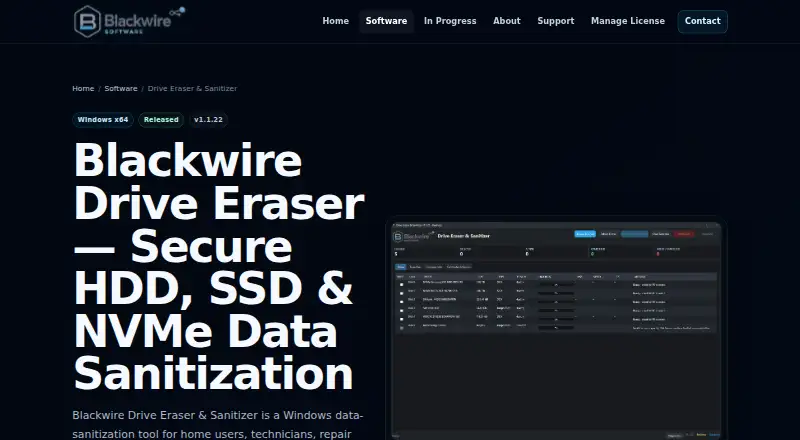
What Blackwire Drive Eraser & Sanitizer is
Blackwire Drive Eraser & Sanitizer is a Windows tool for sanitizing supported drives, with software overwrite and supported firmware-based methods. It offers native NVMe Block Erase on approved connections, while NVMe Cryptographic Erase is only a candidate when the available evidence supports it. Its Clear, Purge, and Destroy workflows align with NIST SP 800-88 Rev.2, but the product is not certified or endorsed by NIST. Verification may use sampled or full read-back and report coverage, mismatches, errors, and status for each pass. Supported interrupted overwrite jobs can resume from authenticated checkpoints after drive identity is checked again; verification restarts from the beginning. Before raw drive access, the app requires typed confirmation, checks drive identity, and blocks the running Windows system disk and the app or Toolbox host disk. USB adapters, RAID controllers, virtual disks, and unsupported connections can limit direct firmware commands. The Free plan is for personal, noncommercial use, handles up to two drives at once, and has no certificates or evidence reports. Home Pro is $9.99, paid once; Business is $39.99, paid once.
Who it suits
The product may suit Windows home users, technicians, repair shops, IT teams, and businesses needing to sanitize supported drives. Business includes commercial use and reporting features; personal users can choose between the free option and Home Pro.
What it does well
- Supports software overwrite and selected firmware methods.
- Reports read-back coverage, mismatches, and errors.
- Blocks the running Windows system disk.
- Business includes PDF certificates and evidence JSON.
- Free plan handles up to two drives at once.
What to know first
- Free plan is for personal, noncommercial use.
- Free plan has no certificates or evidence reports.
- Direct firmware commands depend on drive connections.
- Physical destruction is documented, not performed.
Limits
Free is $0 for personal, noncommercial use, allows up to two drives at once, runs software overwrite at approximately 50% speed, and includes no certificates or evidence reports. Home Pro costs $9.99 once, is for personal, noncommercial use, allows up to two active computers and three drives at once, and also excludes certificates and evidence reports. Business costs $39.99 once for commercial use; supported parallel drive capacity depends on hardware and connection.
Plans
| Plan | Billed and limits | Price |
|---|---|---|
| Free | $0 · Personal/noncommercial use · no activation · up to 2 drives at once · approximately 50% software-overwrite speed · no certificates or evidence reports | Free |
| Business | $39.99 · Commercial use · up to 2 active computers · unlimited supported parallel drives · hardware and connection dependent | $39.99, paid once |
| Home Pro | $9.99 · Personal/noncommercial use · up to 2 active computers · up to 3 drives at once · no certificates or evidence reports | $9.99, paid once |
As blackwiresoftware.com lists them, read 3 Oct 2026. The maker's own page has the final word.
Getting started
- Download the Windows x64 installer or portable standalone application.
- Run the application with administrator privileges for direct physical-drive access.
- Choose a supported drive and review its identity.
- Type the required confirmation before raw drive access.
- Select an available sanitization workflow and verification option.
- Choose Free for personal, noncommercial use, Home Pro for personal use with higher drive limits, or Business for commercial use.
Verdict
Blackwire Drive Eraser & Sanitizer offers several sanitization workflows and verification reporting, with limits based on drive support and connection type. Consider the plan restrictions and note that the software documents physical destruction rather than carrying it out.
Questions
How much does it cost?
Free is $0. Home Pro costs $9.99 once, and Business costs $39.99 once.
What does the free plan include?
Free is for personal, noncommercial use, supports up to two drives at once, and runs software overwrite at approximately 50% speed. It does not include certificates or evidence reports.
Which operating system does it support?
The product is available as a Windows x64 installer and a portable standalone application.
Does it provide erasure reports?
Business includes PDF certificates with an HTML fallback, evidence and verification JSON, and batch reports. Free and Home Pro do not include certificates or evidence reports.
Is it certified by NIST?
No. Its Clear, Purge, and Destroy workflows align with NIST SP 800-88 Rev.2, but the product is not certified or endorsed by NIST.
What support comes with each plan?
Business includes priority support. Free and Home Pro include standard support.
Facts from Blackwire Drive Eraser & Sanitizer's own pages
- Business reports
- Business includes PDF certificates with HTML fallback, evidence and verification JSON, batch reports, company branding, optional PFX signing, and offline QR evidence binding. · blackwiresoftware.com, 3 Oct 2026
- Company background
- Blackwire says its products grew from internal tools built by computer technicians and IT professionals for repair, diagnostics, setup, migration, and support work. · blackwiresoftware.com, 3 Oct 2026
- Connection limits
- USB adapters, RAID controllers, virtual disks, and unsupported connections may limit direct firmware commands, while host software overwrite may remain available where appropriate. · blackwiresoftware.com, 3 Oct 2026
- Drive methods
- It offers software overwrite, supported firmware sanitization, native NVMe Block Erase on approved connections, and evidence-dependent NVMe Cryptographic Erase candidacy. · blackwiresoftware.com, 3 Oct 2026
- Formats and permissions
- The product is available as a Windows x64 installer and portable standalone application, and both require administrator privileges for direct physical-drive access. · blackwiresoftware.com, 3 Oct 2026
- NIST workflows
- The product uses NIST SP 800-88 Rev.2-aligned Clear, Purge, and Destroy workflows and says it is not certified or endorsed by NIST. · blackwiresoftware.com, 3 Oct 2026
- Physical destruction
- The software can document an external physical-destruction process but does not physically destroy hardware. · blackwiresoftware.com, 3 Oct 2026
- Privacy and security
- Blackwire says it does not sell personal information and uses reasonable administrative and technical practices to protect information, while noting that complete security cannot be guaranteed. · blackwiresoftware.com, 3 Oct 2026
- Purpose
- The product sanitizes supported drives for home users, technicians, repair shops, IT teams, and businesses. · blackwiresoftware.com, 3 Oct 2026
- Recovery
- Supported interrupted software-overwrite jobs use authenticated checkpoints, revalidate drive identity before resuming, and restart verification from the beginning. · blackwiresoftware.com, 3 Oct 2026
- Safety
- Before raw drive access, the app requires typed confirmation, rechecks drive identity, and blocks the running Windows system disk and the app or Toolbox host disk. · blackwiresoftware.com, 3 Oct 2026
- Support
- The Business edition includes priority support, while Free and Home Pro have standard support. · blackwiresoftware.com, 3 Oct 2026
- Verification
- Verification can include sampled or full read-back where offered, with coverage, mismatches, errors, and per-pass status reported. · blackwiresoftware.com, 3 Oct 2026
Where Blackwire Drive Eraser & Sanitizer stands on Freedom251
- Data Destruction Software#3 of 19
- Disk Wiping Software#6 of 28