Freedom251 › Kiosk Management Software
OpenKiosk
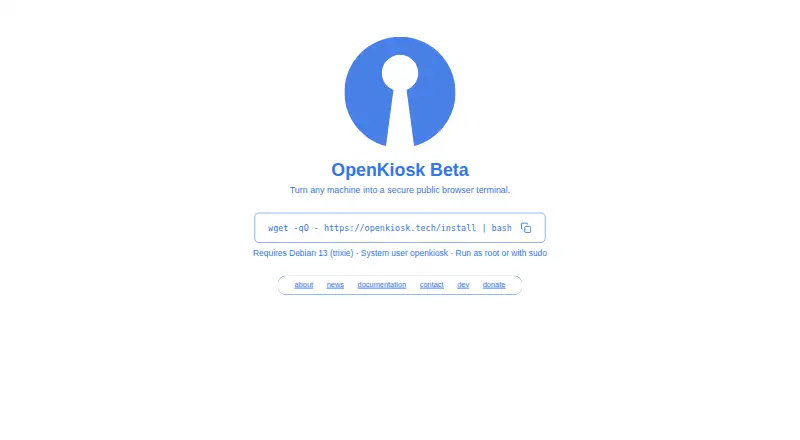
What OpenKiosk is
OpenKiosk is an open-source browser for turning a machine into a public web terminal. The maker describes it as a system-integrated standalone public browser based on Mozilla Firefox, with system-level controls intended to keep public users focused on browsing. It is free under the Mozilla Public License and self-hosted. Administrators can configure devices remotely through a web interface after registering them with a token; settings can be managed for one or all listed devices. The token is removed from a device after successful registration, so the maker says to save a backup token.
Kiosk settings cover fullscreen display, toolbar and address-bar visibility, an on-screen keyboard, and whether bookmarks remain between sessions. Administrators can set session timers and ending countdowns, choose whether cache, history, and cookies persist, and apply URL allowlists or blocklists. Strict filtering also checks page resources, though rules that omit required resources may disrupt pages. The software can disable local terminal access and start with a clean browser profile. The documentation labels downloads and uploads insecure when enabled. Current beta installation instructions require Debian 13 on x86_64 or aarch64 hardware; Raspberry Pi 5 instructions are included. The maker labels the software beta and invites bug reports by email.
Who it suits
OpenKiosk suits organizations setting up self-hosted public browsing terminals in venues such as libraries, schools, museums, hospitals, or businesses. It is a fit for administrators who need remote configuration, URL controls, and session settings on supported Linux hardware.
What it does well
- Free and open source under the Mozilla Public License.
- Manage device settings remotely through a web interface.
- Supports URL allowlists and blocklists, with optional strict filtering.
- Session timers and persistence controls cover cache, history, and cookies.
- On-screen keyboard and optional text-to-speech narration are available.
What to know first
- Current beta installation instructions require Debian 13.
- The maker labels the software beta.
- Strict URL filtering may break pages when resource rules are incomplete.
- Downloads and uploads are labeled insecure when enabled.
Limits
The free OpenKiosk plan is open source under the MPL. Current beta installation instructions require Debian 13 on x86_64 or aarch64 hardware; the documentation says support for other Linux distributions is planned.
Plans
| Plan | Billed and limits | Price |
|---|---|---|
| OpenKiosk | Open source under MPL; donations accepted | Free |
As openkiosk.tech lists them, read 8 Oct 2026. The maker's own page has the final word.
Getting started
- Visit https://openkiosk.tech/ for the product and documentation.
- Prepare Debian 13 on supported x86_64 or aarch64 hardware, with a system user named openkiosk.
- Follow the current installation instructions; Raspberry Pi 5 instructions are included.
- Register devices for remote management with a token, and save a backup token before registration.
OpenKiosk turns a computer into a public browser terminal, with remote management and controls for browsing and session behavior. It is best suited to organizations that can deploy and administer Linux devices. The controls are unusually detailed for free software, though the current beta’s Debian 13 requirement limits where it fits.
Overview
OpenKiosk is a standalone public browser based on Mozilla Firefox, with system-level controls intended to restrict public users to web browsing. The maker says it has been deployed in venues and businesses since 2005, including libraries, schools, museums, hospitals, airports, hotels, and government offices. That breadth of use gives it a long deployment history, while the current release remains explicitly beta; organizations should weigh both when deciding whether it is ready for their own terminals.
The current release is version 151.0.4 Beta. Its installation instructions require Debian 13 (trixie) and an existing system user named openkiosk. The documentation covers x86_64 and aarch64 devices, including Raspberry Pi 5, and says other Linux distributions are planned for future support. That makes it a practical candidate for teams able to standardize on the required setup, but a poor fit for deployments that need a current installer across varied Linux systems.
Key features
A token registers a device for remote management through a web interface, where administrators can access settings for individual devices or all listed devices. Registration automatically removes the token from the device, so administrators need to save a backup token for managing devices. This supports centralized configuration, but token handling adds a small operational step to deployment.
Administrators can set fullscreen mode, hide or show the toolbar and URL bar, enable an on-screen keyboard, and decide whether bookmarks survive between sessions. Session controls include a timer and an ending countdown, plus choices about retaining cache, history, and cookies. Together, these give public-computing operators practical control over how long visitors browse and what carries over to the next person.
URL rules can allow or block sites. Strict mode also checks page resources, which can enforce tighter boundaries but may break pages when rules omit resources they need. Settings can disable local terminal access and start with a clean browser profile. Downloads and file uploads are labeled insecure options; enabling uploads gives web pages access to the terminal filesystem, so these controls call for careful configuration.
Custom branding can use custom.svg and splash.png files placed in /etc as root. The installer also offers optional Piper text-to-speech for website narration. The package is 555M and ships Danish, German, US English, Spanish, French, and Italian voices; it may suit touchscreen or accessibility needs, but adds a substantial download.
Pricing
OpenKiosk costs nothing. The plan is open source under the Mozilla Public License, self-hosted, and accepts donations. There are no paid tiers to unlock; the tradeoff is that organizations handle deployment and device management themselves, and the current beta’s Debian 13 requirement applies.
Platforms
The product is categorized for Linux, macOS, and Windows, and a separate download page lists packages for all three platforms at version 115.20.0, dated 2025-02-16. The current beta installation documentation is narrower: it targets Debian 13 on x86_64 or aarch64 hardware, with Raspberry Pi 5 instructions. Teams choosing a platform should distinguish those legacy desktop downloads from the current beta deployment path.
Who it's for
OpenKiosk is a strong fit for libraries, schools, museums, and other organizations operating shared public terminals that can standardize on Debian 13 and want control over device settings, browser sessions, and permitted URLs. Its session reset options and remote configuration are useful where computers serve many visitors. It is less suitable for teams that need a stable release, broad current Linux compatibility, or a managed service rather than self-hosted deployment.
Pros and cons
Pros
- Free and open source under the MPL, with no paid plan required for its kiosk controls.
- Remote settings for individual devices or all listed devices make it possible to manage registered terminals through a web interface.
- Session timers, clean-profile options, URL rules, and controls for browser interface elements address common needs on shared public computers.
- Documented x86_64 and aarch64 support includes Raspberry Pi 5 installation instructions.
Cons
- The current release is beta, so organizations seeking a stable release may prefer to wait.
- Current installation requires Debian 13 and a pre-existing openkiosk system user, limiting deployment flexibility.
- Strict URL filtering can break pages if required resources are omitted from the rules.
- Downloads and uploads are treated as insecure options, and uploads can expose the terminal filesystem to web pages.
- The optional text-to-speech package is 555M, a meaningful addition where storage or download size matters.
Alternatives
Choose Linutop Kiosk if you want a Linux and self-hosted option with a documented one-time installation price: its Linutop OS Pro installation with Linutop Kiosk costs €79, paid once for one PC or Raspberry Pi installation. For a hosted or mobile approach, FreeKiosk offers an Android app and cloud service, including a first-device cloud plan at 0.00 EUR billed forever.
KioskFrame is an iOS alternative with a free core kiosk browser and a paid fullscreen kiosk plan at $4.99 a month, billed monthly, with a 14-day free trial. UniKiosk is aimed at Android and web screens, with a free plan that includes unlimited screens and full kiosk lockdown. For a free Android and iOS option with paid monthly and yearly subscriptions, consider Kiosker.
If the need is asset lifecycle management and hardware and software license tracking rather than a public browser, SureAsset has a free plan with API access and automation. Kiosk is a free, open-source PDF reader. LimaxLock Secure Browser is an Android secure browser with a 14-day free trial and per-device pricing. The Kiosk Browsers and Kiosk Management Software lists can help compare more options.
Verdict
Choose OpenKiosk for a self-hosted public terminal where Linux deployment, remote device settings, and browser session controls are useful. Its current beta installation instructions target Debian 13, and the maker labels the product beta, so deployments should account for that status and requirement. Its strongest case is the depth of its free, open-source controls; organizations that need a stable release or broader current platform support should look elsewhere.
Verdict
Choose OpenKiosk for a self-hosted public terminal where Linux deployment, remote device settings, and browser session controls are useful. Its current beta installation instructions target Debian 13, and the maker labels the product beta, so deployments should account for that status and requirement.
Questions
How much does OpenKiosk cost?
The OpenKiosk plan is free and open source under the MPL. Donations are accepted.
Is OpenKiosk open source?
Yes. The maker releases it under the Mozilla Public License.
Which platforms does it support?
The current beta installation instructions require Debian 13 on x86_64 or aarch64 hardware. The documentation includes Raspberry Pi 5 instructions.
Can administrators manage devices remotely?
Yes. A registration token lets administrators manage settings through a web interface. The token is removed from the device after successful registration, and the maker says to save a backup token.
What controls are available for browsing sessions?
Settings include URL allowlists and blocklists, session timers, and controls for whether cache, history, cookies, and bookmarks persist across sessions.
Is OpenKiosk still in beta?
Yes. The maker describes the current product as beta and invites bug reports by email.
Facts from OpenKiosk's own pages
- Beta status and support
- The maker labels the product Beta and asks users to test it and email bugs or issues. · openkiosk.tech, 8 Oct 2026
- Browser basis
- The maker describes OpenKiosk as a web browser based on Mozilla Firefox, designed for public terminals. · openkiosk.tech, 8 Oct 2026
- Content filtering
- URL filtering supports whitelist and blacklist modes; strict mode checks URLs for resources within a page and the documentation says it may break pages when rules omit resources. · openkiosk.tech, 8 Oct 2026
- Current beta
- The maker’s current homepage describes OpenKiosk as a beta that turns a machine into a secure public browser. · openkiosk.tech, 8 Oct 2026
- Current installation requirement
- The current beta documentation requires Debian 13 on x86_64 or aarch64 hardware and says other Linux distributions are planned for future support. · openkiosk.tech, 8 Oct 2026
- Current release
- The documentation lists version 151.0.4 Beta as the latest release. · openkiosk.tech, 8 Oct 2026
- Custom branding
- A custom boot screen can use custom.svg and splash.png files placed in /etc as root. · openkiosk.tech, 8 Oct 2026
- Deployment history
- The maker says OpenKiosk has been deployed since 2005 in museums, schools, universities, libraries, hospitals, airports, hotels, governments, and businesses. · openkiosk.tech, 8 Oct 2026
- Kiosk controls
- Settings include fullscreen mode, toolbar and URL bar visibility, an on-screen keyboard, and options to retain bookmarks across sessions. · openkiosk.tech, 8 Oct 2026
- Legacy desktop downloads
- A separate download page lists Windows, macOS, and Linux packages for release 115.20.0 dated 2025-02-16. · openkiosk.tech, 8 Oct 2026
- License
- The maker says the software is open source and released under the Mozilla Public License. · openkiosk.tech, 8 Oct 2026
- License and deployment
- The software is open source under the MPL and the maker says it has been deployed since 2005 in public venues and businesses. · openkiosk.tech, 8 Oct 2026
- Purpose
- OpenKiosk is a remotely configurable secure public browser terminal. · openkiosk.tech, 8 Oct 2026
- Remote management
- A token can register devices for management through a web interface, where settings for one or all listed devices can be accessed. · openkiosk.tech, 8 Oct 2026
- Security controls
- Settings can disable local terminal access, enable a clean browser profile at startup, and restrict downloads and file uploads, which the maker labels insecure when enabled. · openkiosk.tech, 8 Oct 2026
- Security-related limits
- The settings documentation labels downloads and file uploads as insecure options, with uploads allowing web pages access to the terminal filesystem. · openkiosk.tech, 8 Oct 2026
- Session controls
- Administrators can set a session timer, show an ending countdown, and control whether cache, history, and cookies persist across sessions. · openkiosk.tech, 8 Oct 2026
- Support contact
- The contact page lists [email protected] for inquiries and [email protected] for bug reports. · openkiosk.tech, 8 Oct 2026
- Supported hardware
- The documentation specifies x86_64 and aarch64 devices and includes installation instructions for Raspberry Pi 5. · openkiosk.tech, 8 Oct 2026
- System integration
- The maker describes the current version as a system-integrated standalone public browser, with system-level controls intended to restrict public users to web browsing. · openkiosk.tech, 8 Oct 2026
- System requirement
- The current installation instructions require Debian 13 (trixie) and an existing system user named openkiosk. · openkiosk.tech, 8 Oct 2026
- Text to speech
- The installer offers an optional 555M PiperTTS package for website narration, with shipped languages da, de, en-US, es-ES, fr, and it. · openkiosk.tech, 8 Oct 2026
- Token handling
- After a device successfully registers for remote management, its token is automatically removed from the device; the maker instructs users to save a backup token for managing devices. · openkiosk.tech, 8 Oct 2026
- Touchscreen and accessibility
- Settings include an on-screen keyboard, and the documentation describes optional Piper text-to-speech narration with Danish, German, US English, Spanish, French, and Italian. · openkiosk.tech, 8 Oct 2026
Where OpenKiosk stands on Freedom251
- Kiosk Management Software#7 of 27
- Kiosk Browsers#6 of 20