Freedom251 › Kiosk Management Software
FrontFace
by FrontFace
What FrontFace is
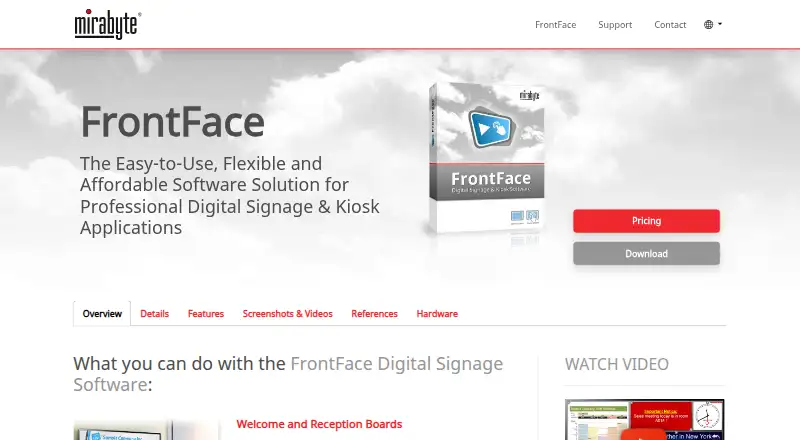
FrontFace is digital signage and kiosk software for Android and Windows. Its Player app displays material on screens, while an Assistant app is used to prepare and schedule content. The maker describes applications including reception and welcome boards, digital bulletin boards, interactive terminals, dashboards, menu boards and video walls. Content can include common image, video and audio formats, PDF and XPS documents, web pages, and live audio or video streams. Publishing routes include a local network, FrontFace Publishing Cloud or other cloud storage, a web server, and USB transfer for offline use. Calendar data can come from Exchange, Exchange Online, SharePoint, Lotus Notes/Domino, iCalendar or Excel; optional plugins include Power BI and RSS. The software runs on-premises and can operate offline. Windows includes touchscreen menus, a kiosk browser and accessible interfaces with SSML-compatible speech output. Android has fewer features, with Calendar and Newsboard the listed compatible plugins. A fully functional trial lasts 14 days and can be upgraded without losing its configuration. Plans cover one player, and offers are for business customers; displayed prices are net, with taxes potentially applying based on country.
Who it suits
FrontFace suits businesses that need to display and schedule content across signage screens, kiosks, dashboards, or video walls. It can fit organisations that need local or offline publishing, while Windows is the better fit when interactive touchscreen menus, kiosk browsing, or the listed accessibility features are needed.
What it does well
- Supports images, video, audio, documents, web pages, and live streams.
- Offers local network, cloud, web server, and USB publishing routes.
- Can run on-premises and operate offline.
- Windows includes touchscreen menus and a kiosk browser.
- The 14-day trial is fully functional and retains configuration when upgraded.
What to know first
- The trial lasts 14 days.
- Android has fewer features than Windows.
- Plans cover one player.
- Offers are restricted to business customers.
Limits
The trial is fully functional for 14 days. Plans are for one player, and Android has fewer features than Windows; only Calendar and Newsboard plugins are listed as compatible with Android.
Plans
| Plan | Billed and limits | Price |
|---|---|---|
| Subscription | One player · Windows or Android · Updates, support, and cloud publishing included | On request |
| On-Premises for Android | Perpetual license for one Android player device · Reduced feature set · One year of updates and support included for new customers | On request |
| On-Premises for Windows | Perpetual license for one Windows player PC · One year of updates and support included for new customers | On request |
As mirabyte.com lists them, read 3 Oct 2026. The maker's own page has the final word.
Getting started
- Visit the FrontFace website.
- Download the 14-day trial for Windows or Android.
- Use the Assistant app to prepare and schedule content.
- Display content with the Player app on one Windows or Android player.
- Publish through a local network, cloud storage, web server, or USB drive.
- Upgrade the trial to the full version without losing its configuration.
Verdict
Choose FrontFace if your business needs on-premises signage or kiosk software with several content publishing routes, including offline USB transfer. Its Windows version is the stronger fit for interactive menus and kiosk browsing. Consider another option if you need broader Android features or a plan for more than one player.
Questions
Is there a free plan or trial?
There is no free plan, but a fully functional trial is available for 14 days.
What platforms does FrontFace support?
FrontFace supports Windows and Android. Its feature set is smaller on Android.
Can FrontFace work offline?
Yes. It runs on-premises and can operate offline, including content updates by USB drive.
What integrations are available?
Calendar data can come from Exchange, Exchange Online, SharePoint, Lotus Notes/Domino, iCalendar, or Excel. Optional plugins include Power BI and RSS.
Who makes FrontFace?
The maker is mirabyte, an independent software vendor based in Hamm, Germany.
Facts from FrontFace's own pages
- Accessibility
- The feature matrix lists accessible menus and interfaces, including SSML-compatible speech output, for the Windows Player App. · mirabyte.com, 3 Oct 2026
- Buyer eligibility
- The pricing page says offers are available exclusively to business customers and prices shown are net, with taxes potentially applying depending on country. · mirabyte.com, 3 Oct 2026
- Company
- mirabyte describes itself as an independent software vendor based in Hamm, Germany, developing software for digital signage, kiosks, and graphical interfaces. · mirabyte.com, 3 Oct 2026
- Content
- FrontFace supports common image, video, and audio formats, PDF and XPS documents, web pages, and live audio and video streams. · mirabyte.com, 3 Oct 2026
- Feature differences
- Interactive touchscreen menus and kiosk browser are listed for Windows; Android supports fewer features, and only Calendar and Newsboard plugins are listed as Android-compatible. · mirabyte.com, 3 Oct 2026
- Founded
- 2005 · mirabyte.com, 28 Sept 2026
- Free plan
- No · mirabyte.com, 20 Sept 2026
- Headquarters
- Hamm, Germany · mirabyte.com, 28 Sept 2026
- Integrations
- Calendar data can come from Exchange, Exchange Online, SharePoint, Lotus Notes/Domino, iCalendar, or Excel; the maker also lists optional Power BI and RSS plugins. · mirabyte.com, 3 Oct 2026
- On-premises operation
- The maker says FrontFace runs on-premises and can operate offline, including content updates by USB drive. · mirabyte.com, 3 Oct 2026
- Product
- FrontFace is digital signage and kiosk software with a player app for screens and an Assistant app for preparing and scheduling content. · mirabyte.com, 3 Oct 2026
- Publishing
- Content can be published over a local network, through FrontFace Publishing Cloud or other cloud storage, through a web server, or offline using a USB drive. · mirabyte.com, 3 Oct 2026
- Security
- The Player App protects the underlying operating system from unauthorized access, and the included Lockdown Tool provisions and secures Windows player and kiosk PCs. · mirabyte.com, 3 Oct 2026
- Support
- The maker offers documentation, an FAQ and AI-based support agent, and email support for technical and sales questions. · mirabyte.com, 3 Oct 2026
- Trial
- The downloadable trial is fully functional for 14 days and can be upgraded to the full version without losing the configuration. · mirabyte.com, 3 Oct 2026
- Use cases
- The maker describes uses including welcome and reception boards, digital bulletin boards, interactive terminals, dashboards, digital menu boards, and video walls. · mirabyte.com, 3 Oct 2026
Where FrontFace stands on Freedom251
- Kiosk Management Software#9 of 27
- Digital Signage Software#98 of 207