Freedom251 › iPad Kiosk Software

Kiosker
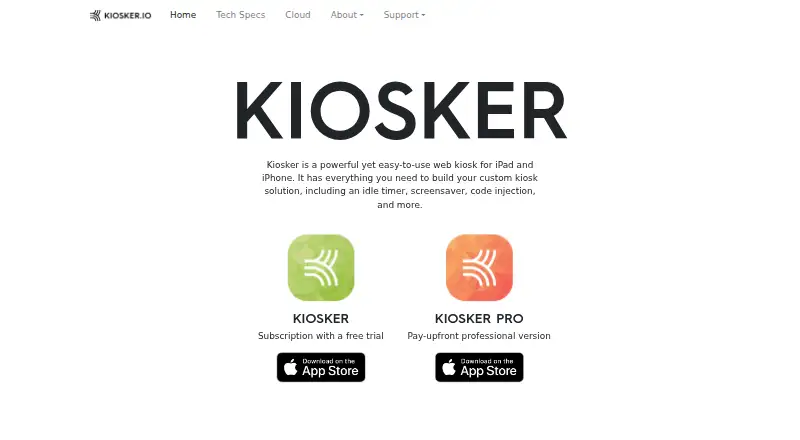
What Kiosker is
Kiosker is a full-screen kiosk browser for iPhone and iPad that can display websites, local HTML files, PDFs, images, videos, and documents. It supports HTML5, CSS WebKit, and native JavaScript. Hosts can be allowed or blocked, and interactions such as scrolling, zooming, and text selection can be disabled. For scheduled display use, weekly screensaver plans can run unlimited events featuring clocks, slideshows, blank screens, or websites. Users can add custom CSS and JavaScript through a built-in syntax-highlighting editor. Remote MDM configuration is compatible with Simple MDM, Microsoft Intune, IBM MaaS360, Hexnode, and Jamf Pro. The app can also pair with Flic Bluetooth buttons and pass button IDs to websites through JavaScript. Security settings include permission controls, certificate handling, tracking, device protection, and event logs; a REST API includes TLS certificate support, IP filtering, and access tokens. Requirements are iOS 15 or iPadOS 15 or later, iPhone 6s or newer, or iPad Air 2 or newer. Monthly access costs $6.99 a month; yearly access is $24.99 a year, and Pro is $39.99, paid once.
Who it suits
Kiosker suits organizations using iPhones or iPads as controlled web kiosks or displays. Its MDM compatibility and configurable navigation may suit centrally managed deployments.
What it does well
- Displays websites, local files, PDFs, images, videos, and documents.
- Host restrictions and disabled interactions limit browsing.
- Screensavers support weekly schedules and unlimited events.
- Remote MDM configuration supports five listed management products.
- REST API includes IP filtering and access tokens.
What to know first
- Requires iOS 15 or iPadOS 15 or later.
- Does not support Android, Windows, or Linux platforms.
- Monthly subscription costs $6.99 a month.
- Apple listing says some usage and diagnostic data may be collected.
Plans
| Plan | Billed and limits | Price |
|---|---|---|
| Kiosker yearly | subscription version · 7-day free trial | $24.99 a year |
| Kiosker Pro | pay-upfront version · MDM configuration · single app mode | $39.99, paid once |
| Kiosker monthly | subscription version · 7-day free trial | $6.99 a month |
As kiosker.io lists them, read 1 Oct 2026. The maker's own page has the final word.
Getting started
- Open the Kiosker website.
- Use an iPhone or iPad that meets the stated OS and device requirements.
- Choose the free option, a subscription, or Kiosker Pro.
- For a subscription, use the 7-day free trial if desired.
- Configure displayed content, navigation restrictions, and screensaver schedules.
- For remote configuration, use a compatible MDM service.
Overview
Kiosker is a full-screen web kiosk browser for iPhone and iPad, best suited to organizations running public displays or guided sessions on Apple devices. Its combination of varied content support, granular browsing restrictions, and remote configuration makes it a capable choice for those deployments, but its Apple-only device requirements rule it out for mixed or Android fleets.
Alongside websites, Kiosker can display local HTML, PDFs, images, videos, and documents. WebKit support for HTML5 and CSS, plus native JavaScript, accommodates interactive pages as well as static signage. That flexibility is useful when a kiosk needs to present more than a single website, though it does not broaden the device range.
Deployment is self-hosted. Remote MDM configuration is compatible with Simple MDM, Microsoft Intune, IBM MaaS360, Hexnode, and Jamf Pro. The Kiosker app family has passed 100,000 downloads since its initial release in 2019. For privacy-sensitive deployments, Apple says the app may link purchase history and crash data to the user and may collect unlinked identifiers, usage data, and diagnostics.
Key features
Administrators can whitelist or blacklist hosts and disable scrolling, zooming, and text selection. Those controls help keep shared devices focused on an intended task, but may get in the way when visitors need to browse or interact freely.
Weekly screensaver schedules allow unlimited events, with clocks, slideshows, blank screens, or websites as the display. That gives signage operators options for idle periods without requiring a single static standby screen.
Custom CSS and JavaScript can be injected into websites and edited in a built-in syntax-highlighting editor. This is useful for teams tailoring web content to a kiosk, but it assumes someone can manage code rather than relying only on app settings.
Security settings cover camera and microphone permissions, insecure certificate handling, cross-site tracking, passcode or Face ID/Touch ID protection, and event-log controls. A REST API adds TLS certificate support, IP filtering, and access tokens. Kiosker can also pair Flic Bluetooth buttons and pass a button ID to a website through JavaScript, enabling button-driven interactions.
Remote MDM configuration and session reset support centralized deployment and repeatable kiosk sessions. The app also supports URL allowlisting and digital signage use, making it more suited to managed installations than an unrestricted browser.
Pricing
Kiosker offers a 7-day free trial on its subscription versions. Kiosker monthly costs $6.99 a month, a flexible option for short deployments or teams that prefer monthly billing. Kiosker yearly costs $24.99 a year and lowers the stated cost for a longer commitment. Both are subscription versions with a 7-day trial.
Kiosker Pro costs $39.99, paid once as a pay-upfront version and includes MDM configuration and single app mode. It suits buyers who want those capabilities without a recurring subscription; those choosing a subscription should compare the included features against that Pro package before deciding. The free-plan note does not establish a feature set or usage cap, so it is best treated as a way to assess the app rather than a basis for a particular deployment.
Platforms
Kiosker is supported on iOS and iPadOS, requiring iOS 15/iPadOS 15 or later, an iPhone 6s or newer, or an iPad Air 2 or newer. These requirements make older Apple hardware and Android devices unsuitable. The maker provides a contact form and asks users to consult its documentation and FAQ before sending questions.
Who it's for
Kiosker is a strong fit for organizations turning compatible iPhones or iPads into controlled web kiosks, interactive displays, or signage screens, especially when they already use a compatible MDM service. Its content range, scheduled screensavers, and browser restrictions suit deployments that need both presentation and controlled interaction. It is a poor fit for Android-first operations or anyone needing to standardize across platforms.
Pros and cons
- Pro: Supports websites and several local file types, so a kiosk can combine interactive pages with documents and media.
- Pro: Host restrictions and disabled browser interactions help constrain shared devices to a defined purpose.
- Pro: Unlimited weekly screensaver events and compatible MDM configuration support scheduled, centrally managed deployments.
- Con: Requires iOS/iPadOS 15 or later and specified minimum Apple hardware, excluding Android and older Apple devices.
- Con: CSS and JavaScript customization depends on code skills, which may be unnecessary overhead for simple display setups.
- Con: Apple indicates some purchase and crash data may be linked to users, while other usage and diagnostic data may be collected.
Alternatives
For a wider range of device platforms and a free asset-management tool, consider SureAsset, which offers hardware and software license tracking plus API access and automation. If you want to compare browser-focused options, browse Kiosk Browsers or Kiosk Management Software.
Kiosk, FreeKiosk, Linutop Kiosk, and UniKiosk are free or freemium alternatives; choose among them if you want to compare another option in those pricing categories.
Hexnode Kiosk Browser is a paid alternative with a free trial and Android, iOS, and Windows support; its Pro plan is $2.20 a month, billed with a 15-device start and two technicians. It is worth considering when cross-platform support and a stated device-and-technician package matter more than Kiosker's Apple-focused setup.
KioskFrame is another freemium iOS option. KioWare is a paid alternative with a free trial and support for Android, Linux, Windows, API, and self-hosted deployments; consider it when those platform or deployment options are a better match.
Verdict
Choose Kiosker if you need a configurable, remotely manageable kiosk on compatible iPhones or iPads: its broad content support, restrictions, and scheduled screensavers make that combination compelling. Look elsewhere if your fleet includes Android or needs broader device coverage; Kiosker's hardware and platform limits are decisive.
Verdict
Kiosker combines display options, navigation controls, screensavers, and remote MDM configuration for iPhone and iPad. Check the device requirements and choose between the subscription plans and the one-time Pro option.
Questions
What does Kiosker cost?
Kiosker monthly is $6.99 a month, and Kiosker yearly is $24.99 a year. Kiosker Pro is $39.99, paid once.
Is there a free plan or trial?
Kiosker has a free plan and a 7-day trial for the subscription versions.
Which devices can run Kiosker?
It requires iOS 15 or iPadOS 15 or later, an iPhone 6s or newer, or an iPad Air 2 or newer.
Which MDM services are compatible?
Remote MDM configuration is confirmed compatible with Simple MDM, Microsoft Intune, IBM MaaS360, Hexnode, and Jamf Pro.
What is included with Kiosker Pro?
The $39.99, paid once Pro version includes MDM configuration and single app mode.
What data may the app collect?
Apple's listing says the app may link purchase history and crash data to the user, and may collect unlinked identifiers, usage data, and diagnostics.
Facts from Kiosker's own pages
- Browser engine
- Kiosker supports full HTML5 and CSS WebKit plus native JavaScript. · kiosker.io, 1 Oct 2026
- Code injection
- Users can inject custom CSS and JavaScript into websites and edit code in a built-in syntax-highlighting editor. · kiosker.io, 1 Oct 2026
- Content support
- It can display websites, local HTML files, PDF files, images, videos, and documents. · apps.apple.com, 1 Oct 2026
- Flic support
- Kiosker can pair external Flic Bluetooth buttons and send a button ID to the website through JavaScript. · kiosker.io, 1 Oct 2026
- Hardware limits
- The technical requirements are iOS 15/iPadOS 15 or later, iPhone 6s or newer, and iPad Air 2 or newer. · kiosker.io, 1 Oct 2026
- Headquarters
- Gislaved, Sweden · kiosker.io, 28 Sept 2026
- Integrations
- Remote MDM configuration is confirmed compatible with Simple MDM, Microsoft Intune, IBM MaaS360, Hexnode, and Jamf Pro. · kiosker.io, 1 Oct 2026
- Privacy
- Apple's listing says the app may link purchase history and crash data to the user and may collect unlinked identifiers, usage data, and diagnostics. · apps.apple.com, 1 Oct 2026
- Product
- Kiosker is a configurable full-screen web kiosk browser for iPad and iPhone. · kiosker.io, 1 Oct 2026
- REST API
- The app provides a REST API with TLS certificate support, IP filtering, and API access tokens. · kiosker.io, 1 Oct 2026
- Restrictions
- Navigation can be restricted by host using whitelisting or blacklisting, and user interactions such as scrolling, zooming, and text selection can be disabled. · kiosker.io, 1 Oct 2026
- Screensaver
- The app supports weekly screensaver schedules with unlimited events, clocks, slideshows, blank screens, or websites. · kiosker.io, 1 Oct 2026
- Security controls
- Security settings include camera and microphone permissions, insecure certificate handling, cross-site tracking, passcode or Face ID/Touch ID protection, and event-log controls. · kiosker.io, 1 Oct 2026
- Support
- The maker provides a contact form and asks users to review its documentation and FAQ before sending questions. · kiosker.io, 1 Oct 2026
- Usage
- The Kiosker app family has been downloaded over 100,000 times since its initial release in 2019. · kiosker.io, 1 Oct 2026
Where Kiosker stands on Freedom251
- iPad Kiosk Software#2 of 13
- Kiosk Management Software#5 of 27
- Kiosk Browsers#4 of 20