Freedom251 › Android Kiosk Software
UniKiosk
What UniKiosk is
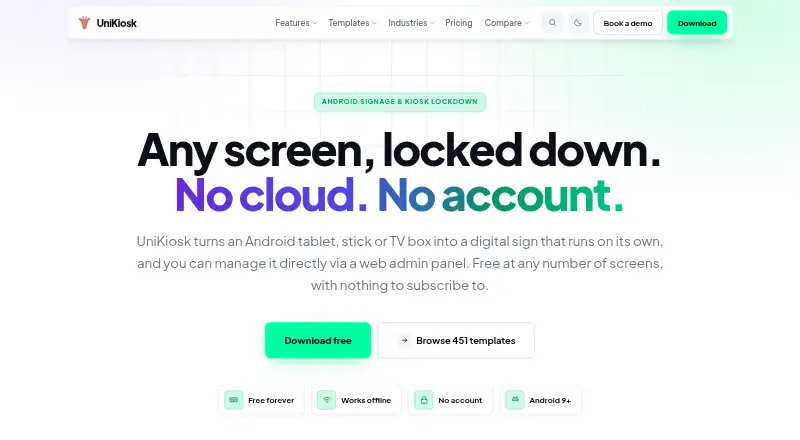
UniKiosk turns Android tablets, sticks, and TV boxes into digital signage displays, with kiosk lockdown and an admin panel served on the local network. It is free, supports Android 9.0 and later, and is designed to keep content, schedules, and its console on the device, so it can operate without internet access. Its layout designer uses a proportional grid, lets users edit drafts and publish them, and keeps the last twenty published versions. The maker offers 451 downloadable templates covering 44 industries, including landscape, portrait, square, and right-to-left formats. Boards can draw on configurable RSS feeds, calendar URLs, weather lookups, and web pages shown in a frame; requests for those sources go from the device to the destinations users choose. UniKiosk has no account system, telemetry, or analytics, and stores layouts, media, and settings in the device's app storage without uploading or syncing them to the maker's servers. Installation is by sideloading an APK from the maker's website. Its lockdown is not device-owner mode, and the power button, safe mode, or enabled USB debugging can bypass it. The local admin console uses plain HTTP on port 8080; the maker recommends changing its default password and never forwarding that port.
Who it suits
UniKiosk suits organizations that want to display scheduled content on Android devices and manage layouts locally. It may also suit users who need boards to keep running without internet access and can sideload an APK onto Android 9.0 or later.
What it does well
- Free plan includes unlimited screens and all 26 widgets.
- Runs content, schedules, and console on the device.
- Keeps the last twenty published layout versions.
- Offers 451 templates across 44 industries.
- Supports RSS, calendar, weather, and web-frame sources.
- Stores layouts and media locally without maker-server syncing.
What to know first
- Requires Android 9.0 or later.
- Installation requires sideloading the maker's APK.
- Lockdown can be bypassed through specified device controls.
- Local admin console uses plain HTTP on port 8080.
Limits
The Free plan is listed as free per month, billed free forever, with unlimited screens, all 26 widgets, full kiosk lockdown, the on-device admin console, and 451 templates. The lockdown is not device-owner mode and can be bypassed using the power button, safe mode, or enabled USB debugging.
Plans
| Plan | Billed and limits | Price |
|---|---|---|
| Free | Free per screen, per month, forever · Unlimited screens · all 26 widgets · full kiosk lockdown · on-device admin console · 451 templates across 44 trades | Free |
| Support | Quoted per engagement · Signed builds · named contact and response times · rollout and hardware advice · custom widgets | On request |
As unikiosk.io lists them, read 8 Oct 2026. The maker's own page has the final word.
Getting started
- Open the UniKiosk website.
- Download the APK from the maker's website.
- Install it on an Android 9.0 or later device.
- Use the on-device layout designer to edit a draft and publish it.
- Configure any RSS, calendar, weather, or web-page sources your board needs.
- Change the local admin console's default password and do not forward port 8080.
UniKiosk converts Android tablets, sticks, and TV boxes into digital signage managed from the device itself. It is best suited to operators who want local, offline-capable boards without accounts or recurring licence fees. The trade-off is a sideloaded installation, no remote management, and lockdown that does not provide Android’s strongest device-owner controls.
Overview
Boards, schedules, and the administration console run on the Android device, and the software is designed to keep working without an internet connection. Layouts, media, and settings remain in the app’s storage rather than being uploaded or synchronised to UniCore Technologies LTD. That is a sensible fit for sites that prefer local control or cannot depend on a cloud service, but it leaves no central remote-management layer for a dispersed screen estate.
UniKiosk is self-hosted and digital-signage focused. Installation is by APK sideload from the maker’s website; the maker’s Play Store listing is still planned rather than an installation option today. The local console is served over plain HTTP on port 8080. Changing its default password and keeping the port off the public internet are essential precautions, particularly on networks shared with other users.
Key features
Design, publishing, and templates
The proportional-grid designer supports draft changes and publishing, while retaining the last 20 published versions. That gives a local operator a practical rollback history when a board update needs to be undone. A library of 451 downloadable templates spans 44 industries and includes landscape, portrait, square, and right-to-left layouts, reducing the amount of design work for different screen shapes and audiences.
Content sources and offline behavior
Boards can use configurable RSS feeds, calendar URLs, weather lookups, and web pages displayed in a frame. Requests for those external sources go directly from the device to the destinations selected by the user, so their availability depends on those destinations and on network access when live data is required. Core content and schedules remain on-device, allowing the sign itself to continue operating without internet access.
Lockdown and privacy
The kiosk mode is not Android device-owner mode. The power button, safe mode, or enabled USB debugging can bypass it, so UniKiosk is a poor choice where a screen must be hardened against a determined local user. Conversely, the absence of an account system, telemetry, and analytics keeps the product’s own data footprint small. Paid support can be arranged separately for deployments needing signed builds, rollout guidance, hardware advice, named contacts, response times, or custom widgets.
Pricing
Free
The Free plan costs nothing per month, billed Free forever. It includes unlimited screens, all 26 widgets, full kiosk lockdown, the on-device admin console, and the complete set of 451 templates across 44 trades. There is no free trial because the product is already available as a permanent free plan. The value is strongest for organisations that can install and maintain each device locally and do not need remote administration.
Support
Support has custom pricing, quoted per engagement rather than sold as a required licence. It suits a rollout that needs signed builds, a named contact with agreed response times, deployment and hardware advice, or custom widgets. Smaller operators can stay on Free, while larger or more specialised installations should budget for the separate service arrangement.
Platforms
UniKiosk supports Android 9 and later on arm64-v8a, armeabi-v7a, and x86_64 hardware. The maker describes support for Android and web, with the web component serving administration; the signage runtime itself is an Android APK. There is no remote-management service, and distribution currently relies on sideloading from the maker’s website.
Who it's for
Choose UniKiosk for permanent or temporary Android signs where offline operation, local data storage, and zero licence cost matter more than cloud control. The template range and multiple layout orientations help retailers, venues, offices, and other organisations deploying varied screens. Look elsewhere if a fleet needs central remote management, an official store installation, or device-owner-grade protection against physical bypass.
Pros and cons
- Pro: The Free plan covers unlimited screens and all 26 widgets without a recurring charge, making multi-screen deployments inexpensive.
- Pro: On-device content, schedules, and storage support operation without internet access and avoid account-based synchronisation.
- Pro: 451 templates across 44 industries and four layout orientations can shorten initial board creation.
- Con: No remote management means every operational change remains a local-device task.
- Con: Sideloading is the current installation route, rather than a Play Store listing.
- Con: Plain HTTP administration and bypassable, non-device-owner lockdown require careful network and physical-security controls.
Alternatives
SureAsset is the better fit for asset lifecycle management, hardware and software licence tracking, and API automation across Android, macOS, Linux, web, Windows, and iOS.
Kiosk is a free, open-source PDF reader available across Android, browser extensions, iOS, Linux, macOS, web, and Windows.
OpenKiosk is a free MPL-licensed open-source option for Linux, macOS, and Windows.
FreeKiosk is worth considering when Android and web deployment include a forever-free first cloud device and a free trial.
KioskFrame suits iOS users seeking a core kiosk browser with a no-time-limit free tier and optional paid features.
Kiosker is an Android and iOS alternative with subscription plans and seven-day trials.
LimaxLock Secure Browser is an Android-focused paid option with per-device pricing and a 14-day trial.
Linutop Kiosk targets Linux and self-hosted deployments through a 79.00 EUR one-time Linutop OS Pro installation.
For a broader comparison of kiosk software, see Kiosk Browsers.
Verdict
UniKiosk is a strong choice for cost-conscious operators who want offline Android signage, local privacy, extensive templates, and no licence bill. Its decisive weaknesses are the absence of remote management, APK-only distribution, and lockdown that can be bypassed through Android controls, so security-critical or centrally managed fleets should choose a different platform.
Verdict
Choose UniKiosk if you need free digital signage with on-device content and scheduling, a large template library, and configurable content sources. Look elsewhere if your setup requires device-owner lockdown or an installation route other than sideloading.
Questions
How much does UniKiosk cost?
The Free plan costs nothing per month, billed free forever. Paid support is quoted per engagement.
Is there a free plan or trial?
Yes. The Free plan includes unlimited screens and all 26 widgets. There is no free trial.
Which platforms does it support?
UniKiosk supports Android and web. Its APK requires Android 9.0 or later.
Does it work without internet access?
Yes. Content, schedules, and the console run on the device. Configured RSS, calendar, weather, and web-frame requests go directly from the device to the destinations users specify.
Does UniKiosk require an account or upload content to its servers?
It has no account system, telemetry, or analytics. Layouts, media, and settings stay in the device's app storage without uploading or syncing to the maker's servers.
How is UniKiosk installed?
The app is sideloaded from the maker's website. The APK supports Android 9.0 or later.
Facts from UniKiosk's own pages
- Company
- The pricing page identifies the maker as UniCore Technologies LTD and says UniKiosk is built alongside client work. · unikiosk.io, 8 Oct 2026
- Designer
- The layout designer uses a proportional grid, supports draft edits and publishing, and retains the last twenty published versions. · unikiosk.io, 8 Oct 2026
- Device requirement
- The APK requires Android 9.0 or later and supports arm64-v8a, armeabi-v7a, and x86_64 architectures. · unikiosk.io, 8 Oct 2026
- Distribution
- The app is sideloaded from the maker's website; the maker says its own Play Store listing is still on the roadmap. · unikiosk.io, 8 Oct 2026
- External data
- RSS, calendar, weather, and web-frame requests configured by users go directly from the device to the destinations they specify. · unikiosk.io, 8 Oct 2026
- Integrations
- The maker describes configurable RSS feeds, calendar URLs, weather lookups, and web pages in a frame as sources used by boards. · unikiosk.io, 8 Oct 2026
- Lockdown limitation
- The maker says kiosk lockdown is not device-owner mode, so the power button, safe mode, or enabled USB debugging can bypass it. · unikiosk.io, 8 Oct 2026
- Network admin
- The on-device admin console is served over plain HTTP on port 8080 on the local network, and the maker recommends changing its default password and never port-forwarding the port. · unikiosk.io, 8 Oct 2026
- Offline operation
- Content, schedules, and the console run on the device, and the product is described as working without internet access. · unikiosk.io, 8 Oct 2026
- Privacy
- The app has no account system, telemetry, or analytics, and stores layouts, media, and settings in the device's app storage without uploading or syncing them to the maker's servers. · unikiosk.io, 8 Oct 2026
- Product
- UniKiosk turns Android tablets, sticks, or TV boxes into digital signs and includes kiosk lockdown and a web admin panel. · unikiosk.io, 8 Oct 2026
- Support
- Paid support is offered as a service arrangement scoped by contacting the maker, not as a licence required to use the software. · unikiosk.io, 8 Oct 2026
- Templates
- The maker lists 451 downloadable templates across 44 industries, including landscape, portrait, square, and right-to-left layouts. · unikiosk.io, 8 Oct 2026
Where UniKiosk stands on Freedom251
- Android Kiosk Software#2 of 17
- Kiosk Browsers#8 of 20