Freedom251 › Android Kiosk Software
FreeKiosk
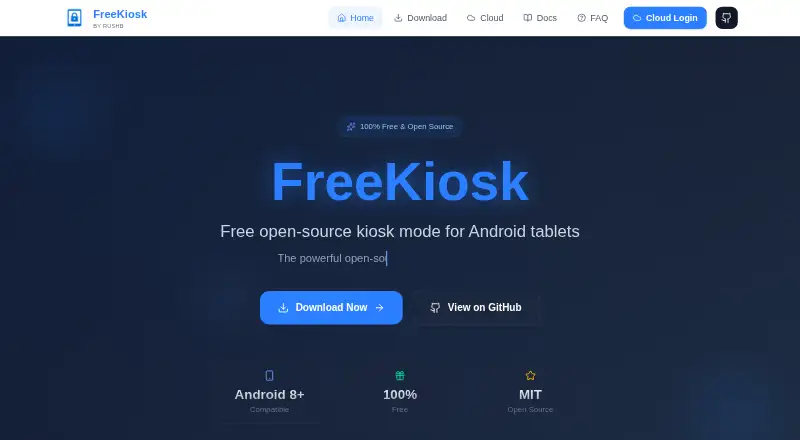
What FreeKiosk is
FreeKiosk turns Android tablets into fullscreen kiosks for websites, web apps, and external Android apps. Its Device Owner mode can hide system controls and prevent kiosk users from leaving the assigned experience. For digital signage, the app supports video playback and image slideshows; URL Rotation & Planner can cycle through URLs or schedule them by date and time. FreeKiosk also offers more than 40 REST API endpoints for Home Assistant control and native MQTT with Home Assistant auto-discovery. The optional Cloud dashboard adds live device monitoring, remote commands, device groups, configuration profiles, alerts, and screenshots. The Android app is free and open source under the MIT license. Cloud pricing includes a first device at no cost, billed forever, with no card required. Rates for larger fleets are billed per device per month, with the first device free in the listed ranges. FreeKiosk requires Android 8.0 or later; Device Owner setup requires ADB and a factory-reset device. The maker says app settings remain on the device unless enrolled in Cloud. Cloud fleet data is hosted in France, and the maker says it is not sold, rented, or shared for advertising.
Who it suits
FreeKiosk suits people and teams turning Android tablets into locked-down web or app kiosks, or using them for digital signage. Its optional Cloud dashboard is described for teams managing dozens or hundreds of kiosks across multiple locations.
What it does well
- Device Owner mode can hide controls and prevent users from exiting.
- Video playback and image slideshows support digital signage.
- URL Rotation & Planner can cycle or schedule URLs.
- More than 40 REST API endpoints support Home Assistant control.
- Native MQTT includes Home Assistant auto-discovery.
- The Android app is open source under the MIT license.
What to know first
- Requires Android 8.0 or later.
- Device Owner setup requires ADB and a factory-reset device.
- Cloud platform source code is not published.
- The 500+ device Cloud plan has no listed price.
Limits
The Android app is free. Cloud includes one device at no cost, billed forever; the 1–99 device plan is €1 per device per month, excl. VAT, with the first device free. The 100–499 device plan is €0.80 per device per month for the whole fleet, excl. VAT, with the first device free; the 500+ rate is below the 499-device rate but has no listed amount.
Plans
| Plan | Billed and limits | Price |
|---|---|---|
| FreeKiosk Android app | Android 8.0+ | Free |
| FreeKiosk Cloud — first device | forever · 1 device · no card required | Free |
| FreeKiosk Cloud — 100–499 devices | per device / month, whole fleet, excl. VAT · 100–499 devices · first device free | €0.80 a month |
| FreeKiosk Cloud — 1–99 devices | per device / month, excl. VAT · 1–99 devices · first device free | €1 a month |
| FreeKiosk Cloud — 500+ devices | always below the 499-device rate · 500+ devices | On request |
As freekiosk.app lists them, read 7 Oct 2026. The maker's own page has the final word.
Getting started
- Visit https://freekiosk.app/.
- Use an Android device running Android 8.0 or later.
- Install the free Android app to turn the tablet into a kiosk.
- For Device Owner mode, use ADB with a factory-reset device.
- Enroll devices in the optional Cloud dashboard for remote management.
- Choose a Cloud device plan for the fleet size you need.
Overview
FreeKiosk turns Android tablets into fullscreen kiosks for websites, web apps, and Android apps. It suits operators who need device lockdown, digital signage, or Home Assistant control, with optional tools for managing a distributed fleet. Its strongest case is combining those jobs in one Android app; the main trade-offs are the demanding Device Owner setup and a Cloud service whose source code is not published.
Key features
In Device Owner mode, FreeKiosk can hide system controls and prevent users from leaving the kiosk. That is useful for dedicated public-facing or operational tablets, but setup requires ADB and a factory-reset device, making it a poor fit for devices that must stay in service during rollout.
Video playback and image slideshows support digital signage, while URL Rotation & Planner can cycle through pages or schedule them by date and time. That blend is practical for displays that mix web content and media. Operators who only need a kiosk browser may not need the extra signage features.
More than 40 REST API endpoints and native MQTT with Home Assistant auto-discovery give automation-focused operators options for controlling kiosks. The optional Cloud dashboard adds live monitoring, remote commands, groups, configuration profiles, alerts, and screenshots. Those controls are especially relevant to teams overseeing devices across locations.
The Android app is open source under the MIT license. The maker says it has no analytics or crash-reporting SDK and stores settings on the device unless it is enrolled in Cloud. Cloud data is hosted by OVH in France, and the maker says it is not sold, rented, or shared for advertising. FreeKiosk Cloud uses TOTP two-factor authentication, a unique SHA-256 hashed API key per device, and per-organization data isolation. The Cloud platform source code is not published, so the app's open-source license does not extend to the fleet-management service.
Pricing
The FreeKiosk Android app costs nothing for Android 8.0 or later. The free app makes kiosk lockdown, signage, URL scheduling, and automation accessible without an app fee, but remote fleet management is an optional Cloud service.
FreeKiosk Cloud's first device costs nothing, billed forever, with no card required. It covers one device. For larger fleets, the 1–99-device plan is €1 a month per device, and the 100–499-device plan is €0.80 a month per device; both include the first device free and are billed for the whole fleet, excluding VAT. The lower per-device rate for 100–499 devices can suit larger rollouts, while small deployments pay the higher rate. For 500 or more devices, pricing is always below the 499-device rate, but the price is custom pricing.
Cloud is a separate cost from the free Android app, so teams that need centralized oversight should budget for it. The free Cloud tier is limited to one device; operators managing more than one need a paid fleet tier.
Platforms
FreeKiosk runs on Android 8.0 or later. Its deployment mode is hybrid, with remote management and digital signage support. It is not a cross-platform kiosk choice, and Device Owner deployment requires ADB plus a factory reset.
Who it's for
FreeKiosk is a strong fit for teams running Android kiosks that need lockdown, scheduled web content, or signage, especially when Home Assistant integration matters. Its Cloud dashboard is aimed at teams managing dozens or hundreds of devices across multiple locations. For a single kiosk, the free app and first Cloud device can cover the entry point; fleets beyond that should weigh per-device charges against the value of remote commands and monitoring.
Support is available at [email protected], and the documentation directs users to the FAQ or GitHub Issues for help.
Pros and cons
- Pros: The Android app is free and MIT-licensed, with kiosk lockdown, video and image signage, and URL scheduling in the same product.
- Pros: REST API access and native MQTT with Home Assistant auto-discovery suit operators automating kiosk behavior.
- Pros: Cloud adds monitoring, remote commands, groups, configuration profiles, alerts, and screenshots for distributed fleets.
- Cons: Device Owner setup requires ADB and a factory reset, adding friction to deployment and excluding tablets that cannot be reset.
- Cons: The platform is Android-only, and Cloud fleet management is separate from the open-source app.
- Cons: Cloud's free tier covers one device; managing larger fleets incurs per-device charges, excluding VAT where stated.
Alternatives
For a broader kiosk-browser comparison, see Kiosk Browsers.
SureAsset is a better fit for asset lifecycle management and hardware or software license tracking, with API access and automation on its free plan.
Kiosk is a free, open-source PDF reader if PDF reading is the need rather than Android kiosk lockdown and signage.
OpenKiosk is another free, open-source option for Linux, macOS, or Windows deployments.
KioskFrame is an iOS alternative, with a free core kiosk browser and a $4.99 a month plan for the full-screen kiosk experience.
UniKiosk may suit teams seeking a free Android and web option with unlimited screens, full kiosk lockdown, an on-device admin console, and 26 widgets.
Kiosker offers an Android and iOS alternative with monthly and yearly subscription plans and a 7-day free trial.
LimaxLock Secure Browser is an Android alternative with per-device pricing and a 14-day free trial.
Linutop Kiosk is a Linux and self-hosted option, with a 79.00 EUR one-time installation license for a PC or Raspberry Pi.
Verdict
Choose FreeKiosk for Android kiosk lockdown, signage, and URL scheduling, particularly if Home Assistant control or centralized management across locations is important. Its free, MIT-licensed Android app gives operators a capable starting point, while Cloud adds practical remote controls for growing fleets. Look elsewhere if you need a cross-platform product, Cloud platform source code, or a setup that avoids ADB and factory reset.
Verdict
Choose FreeKiosk for Android kiosk lockdown, signage, and URL scheduling, with optional remote fleet management. It is a particularly good fit when Home Assistant control or managing kiosks across locations matters. Look elsewhere if you need Cloud platform source code or cannot meet the Android and Device Owner setup requirements.
Questions
Is FreeKiosk free?
The Android app is free. The first Cloud device is free, billed forever, and does not require a card.
What does Cloud cost for multiple devices?
For 1–99 devices, the rate is €1 per device per month, excl. VAT, with the first device free. For 100–499 devices, it is €0.80 per device per month for the whole fleet, excl. VAT, with the first device free.
Which devices and platforms does it support?
The app runs on Android 8.0 or later. The listed platforms are Android, API, and web.
Can I manage kiosks remotely?
Yes. The optional Cloud dashboard offers live device monitoring, remote commands, groups, configuration profiles, alerts, and screenshots.
Is FreeKiosk open source?
The Android app is open source under the MIT license. The Cloud platform source code is not published.
Does it work with Home Assistant?
FreeKiosk provides more than 40 REST API endpoints for Home Assistant control and supports native MQTT with Home Assistant auto-discovery.
Facts from FreeKiosk's own pages
- API
- FreeKiosk provides more than 40 REST API endpoints for Home Assistant control. · freekiosk.app, 7 Oct 2026
- App privacy
- The maker says the Android app has no analytics or crash-reporting SDK and keeps its settings on the device unless the user enrolls it in Cloud. · freekiosk.app, 7 Oct 2026
- Cloud hosting
- The maker says Cloud fleet data is hosted by OVH in France and is not sold, rented, or shared for advertising. · freekiosk.app, 7 Oct 2026
- Cloud management
- The optional Cloud dashboard provides live device monitoring, remote commands, groups, configuration profiles, alerts, and screenshots. · freekiosk.app, 7 Oct 2026
- Cloud security
- FreeKiosk Cloud states that it uses TOTP two-factor authentication, a unique SHA-256 hashed API key per device, and per-organization data isolation. · freekiosk.app, 7 Oct 2026
- Integrations
- The app supports native MQTT with Home Assistant auto-discovery. · freekiosk.app, 7 Oct 2026
- Intended users
- The maker describes FreeKiosk Cloud as built for teams managing dozens or hundreds of kiosks across multiple locations. · freekiosk.app, 7 Oct 2026
- License and limit
- The Android app is open source under the MIT license, while the Cloud platform source code is not published. · freekiosk.app, 7 Oct 2026
- Lockdown
- Device Owner mode can hide system controls and prevent users from exiting the kiosk. · freekiosk.app, 7 Oct 2026
- Media signage
- The app includes video playback and image slideshow features for digital signage. · freekiosk.app, 7 Oct 2026
- Purpose
- FreeKiosk turns Android tablets into fullscreen kiosks for websites, web apps, or external Android apps. · freekiosk.app, 7 Oct 2026
- Requirements
- FreeKiosk requires Android 8.0 or later; Device Owner setup requires ADB and a factory-reset device. · freekiosk.app, 7 Oct 2026
- Scheduling
- URL Rotation & Planner can cycle through URLs or schedule them by time and date. · freekiosk.app, 7 Oct 2026
- Support
- Product support is available at [email protected], and the documentation directs users to the FAQ or GitHub Issues for help. · freekiosk.app, 7 Oct 2026
Where FreeKiosk stands on Freedom251
- Android Kiosk Software#1 of 17
- Kiosk Browsers#2 of 20