Freedom251 › Kiosk Management Software
Kiosk Browser
What Kiosk Browser is
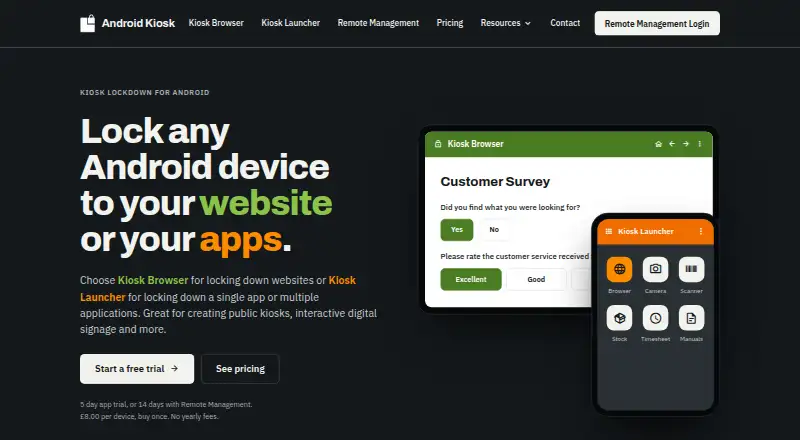
Kiosk Browser turns an Android device into a full-screen kiosk for a website or web app. Its companion app, Kiosk Launcher, restricts a device to selected Android apps. The maker lists check-in and booking kiosks, surveys, digital signage, and web-based ordering among the intended uses. Kiosk Browser offers a JavaScript interface for connecting a web app, plus barcode and NFC input; supported scanner hardware includes Zebra TC series and M3 Mobile devices.
Both apps support bulk JSON configuration. Devices can be provisioned by QR code, NFC, or ADB, and the web console supports shared configurations, app installs and updates, remote actions and wipes, email alerts, and device location history. It can also provide requested screenshots for Kiosk Browser. Kiosk Remote Management has a REST API for managing device fleets from other systems. A single-device licence costs $10.60 USD once, and Remote Management starts at $1.60 per device per month; prices exclude VAT. The standalone app trial lasts five days, while Remote Management has a 14-day trial without payment details. QR provisioning requires Android 7 or later, with Android 9 or later recommended. Setup requires a new or factory-reset device.
Who it suits
Kiosk Browser suits organizations setting up Android devices for public-facing websites, web apps, signage, check-in, surveys, or ordering. It also fits teams that need to configure and manage multiple devices through a web console or REST API.
What it does well
- Full-screen website and web app kiosk mode on Android
- JavaScript interface supports web app integration
- Barcode and NFC input, including specified scanner hardware
- Bulk JSON configuration across both apps
- Remote actions, updates, wipes, alerts, and location history
- REST API for fleet management from other systems
What to know first
- No free plan; standalone app trial lasts five days
- Provisioning requires a new or factory-reset device
- Android 4 versions are no longer supported or updated
- Prices exclude VAT
Limits
The standalone app trial unlocks all features for five days. The single-device licence is for one device; Remote Management starts at $1.60 per device per month, with tiered rates by fleet size. Prices exclude VAT.
Plans
| Plan | Billed and limits | Price |
|---|---|---|
| Single Device Licence (Kiosk Browser or Kiosk Launcher) | £8.00 / $10.60 USD per licence, per device; buy once · Free upgrades for product lifetime · 65% discount at 250+ licences · 80% discount at 500+ licences · prices exclude VAT | $10.60, paid once |
| Single Device Licence | £8.00 / $10.60 USD per licence, per device; buy once · Free lifetime upgrades · no yearly or maintenance fees · 65% discount at 250+ licences · 80% discount at 500+ licences | $10.60, paid once |
| Remote Management | £1.00 / $1.60 USD per device per month; 15% annual discount with five-device minimum · 1–199 devices £1.00/$1.60 · 200–499 £0.90/$1.45 · 500–999 £0.80/$1.25 · 1000+ £0.65/$1.00 · all app features included | $1.60 a month |
As android-kiosk.com lists them, read 3 Oct 2026. The maker's own page has the final word.
Getting started
- Visit https://www.android-kiosk.com/
- Choose the standalone app licence or Remote Management plan
- Use the standalone app's five-day trial, or connect devices to start the 14-day Remote Management trial without payment details
- Start with a new or factory-reset Android device
- Provision by QR code, NFC, or ADB; QR setup requires Android 7 or later, and Android 9 or later is recommended
- Configure devices individually or use bulk JSON configuration
Verdict
Choose Kiosk Browser for Android deployments that need a locked-down web experience, hardware input, or remote fleet management. Kiosk Launcher provides a separate option for restricting devices to selected Android apps. The one-time licence is per device, while ongoing Remote Management is charged per device each month.
Questions
Is there a free plan?
No. The standalone app has a five-day trial that unlocks all features.
How much does it cost?
A Single Device Licence costs $10.60 USD once per device. Remote Management starts at $1.60 per device per month; prices exclude VAT.
Which platforms does it support?
The listed platforms are Android, API, and web. The supported deployment environment includes Android and a web console.
How can devices be provisioned?
Devices can be provisioned by QR code, NFC, or ADB. Provisioning requires a new or factory-reset device.
Which Android versions can use QR provisioning?
QR provisioning requires Android 7 or later, and Android 9 or later is recommended. Android 6 can use NFC or ADB; Android 4 versions are no longer supported or updated.
What does Remote Management include?
The web console supports shared configurations, app installs and updates, remote actions and wipes, email alerts, and device location history. Kiosk Browser devices can also provide requested screenshots, and fleet management has a REST API.
Facts from Kiosk Browser's own pages
- Allow and deny lists
- Administrators can restrict navigation with URL allow lists and deny lists. · android-kiosk.com, 15 Oct 2026
- Android support
- The QR provisioning method requires Android 7 or later, with Android 9 or later recommended; Android 6 can use NFC or ADB, and Android 4 versions are no longer supported or updated. · android-kiosk.com, 3 Oct 2026
- API
- Kiosk Remote Management provides a REST API for managing device fleets from other systems. · android-kiosk.com, 3 Oct 2026
- App deployment
- Provisioning or JSON can install and update APK applications on managed devices. · android-kiosk.com, 15 Oct 2026
- Barcode and NFC
- Kiosk Browser supports NFC readers, built-in barcode scanning and compatible hardware scanners. · android-kiosk.com, 15 Oct 2026
- Bulk configuration
- Devices can receive settings through JSON configuration files and a configuration builder. · help.android-kiosk.com, 15 Oct 2026
- Company legal name
- Companies House identifies PROCO-STS LIMITED as an active UK private limited company incorporated on 24 February 2004. · find-and-update.company-information.service.gov.uk, 15 Oct 2026
- Company profile
- LinkedIn describes ProCo IT as a 2–10-person UK software and Android consultancy founded in 2011. · uk.linkedin.com, 15 Oct 2026
- Configuration
- Both apps support bulk configuration through JSON, and devices can be provisioned using a QR code, NFC, or ADB. · android-kiosk.com, 3 Oct 2026
- Data retention
- The security page states 30-day retention for device events, sessions and locations, 10-day backups and 10-day logs. · android-kiosk.com, 15 Oct 2026
- Documentation
- The help centre contains feature guides, installation, licensing, troubleshooting, JavaScript, REST API, releases and incident categories. · help.android-kiosk.com, 15 Oct 2026
- Hardware input
- Kiosk Browser supports barcode and NFC input, including hardware barcode scanner integration for Zebra TC series and M3 Mobile devices. · android-kiosk.com, 3 Oct 2026
- Headquarters
- Unit 3 Castle Road, Chelston Business Park, Wellington, Somerset, TA21 9JQ, UK · android-kiosk.com, 28 Sept 2026
- Hosting
- Remote Management is hosted in Microsoft Azure North Europe with multi-region replication described by the maker. · android-kiosk.com, 15 Oct 2026
- JavaScript interface
- The app exposes JavaScript functions for browser, hardware and device-information control. · help.android-kiosk.com, 15 Oct 2026
- Licence
- The EULA grants a limited proprietary licence and prohibits copying, resale, sublicensing, reverse engineering and decompilation. · android-kiosk.com, 15 Oct 2026
- Limit: lockout and uninstall
- Independent app-review summaries report users getting stuck in kiosk mode, losing or not knowing the exit password and experiencing uninstall failures. · chrome-stats.com, 15 Oct 2026
- Limit: missing management features
- Capterra's feature analysis says Kiosk Browser supports mobile-device management and browsing restrictions but lacks application-management and content-management features. · capterra.com, 15 Oct 2026
- Limit: stability
- Independent review summaries mention pointer or touch problems, blank screens, swipe issues, lag and unreliable website loading. · chrome-stats.com, 15 Oct 2026
- Notable outage
- A 20 May 2026 Remote Management incident caused heartbeat and console data problems on older app versions until they were updated. · help.android-kiosk.com, 15 Oct 2026
- Praise: extensibility
- A Google Play reviewer praised the JavaScript API for displaying technical information, launching apps or services and sending data. · play.google.com, 15 Oct 2026
- Praise: interface
- The sole Capterra and Software Advice reviewers praised the fluid, easy-to-use interface and reported no shortcomings. · capterra.com, 15 Oct 2026
- Praise: lockdown and support
- Google Play reviewers repeatedly praised strong device lockdown, extensive configuration, responsive support and usefulness with Zebra devices. · play.google.com, 15 Oct 2026
- Printing
- The Android app listing states support for Google Cloud Print and ESC/POS Bluetooth printing. · play.google.com, 15 Oct 2026
Where Kiosk Browser stands on Freedom251
- Kiosk Management Software#3 of 27
- Kiosk Browsers#3 of 20