Freedom251 › AI Noise Cancellation Software
NoNoise Mac
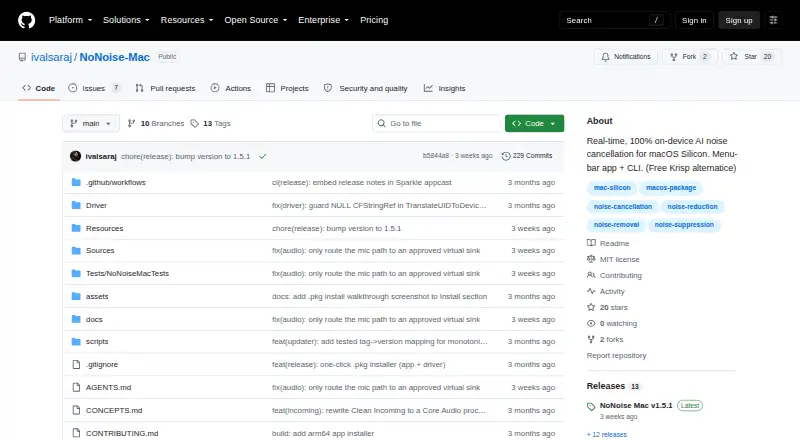
What NoNoise Mac is
NoNoise Mac is a free macOS menu-bar app that reduces microphone background noise and room echo in real time. It uses DeepFilterNet3 compiled to CoreML, with audio processed on Apple Neural Engine and Metal. Meeting, Podcast, Tutorial and Custom modes pair suppression with voice-polish controls. Optional Broadcast Voice adds presence and de-essing, while Mouth Noise offers plosive and click suppression. Clean Incoming / Guest can denoise system audio, but requires macOS 14.4 or later. The app routes cleaned microphone audio through its NoNoise Mic virtual microphone for use with apps including Zoom, Meet, Discord, OBS, Slack and QuickTime. It supports built-in, USB and XLR microphones through an interface, plus configurable global hotkeys, a URL scheme and a bundled command-line tool. The CLI can clean audio files locally. The project says audio stays on the Mac, with no telemetry or account. NoNoise Mac is open source under the MIT License and requires an Apple Silicon Mac such as M1 or newer; Intel Macs are not supported. Its installer is not notarized and may require allowing it in macOS Privacy & Security settings.
Who it suits
NoNoise Mac suits people using Apple Silicon Macs who want to reduce microphone noise for calls, recordings or streams. It also offers a local CLI for cleaning audio files.
What it does well
- Processes audio locally on Apple Neural Engine and Metal.
- No account or telemetry, according to the project.
- Routes cleaned audio to apps through a virtual microphone.
- CLI can clean audio files locally.
What to know first
- Requires an Apple Silicon Mac; Intel is unsupported.
- Incoming system audio cleanup requires macOS 14.4 or later.
- Installer is not notarized and may require manual approval.
Plans
| Plan | Billed and limits | Price |
|---|---|---|
| Free | Free · open source · MIT licensed | Free |
As github.com lists them, read 30 Sept 2026. The maker's own page has the final word.
Getting started
- Download the installer package from the project website.
- Install the app and NoNoise Mic virtual microphone driver together.
- If macOS requires it, choose Open Anyway in Privacy & Security settings.
- Select NoNoise Mic as the microphone in an app such as Zoom, Meet, Discord, OBS, Slack, or QuickTime.
- Choose a mode and adjust its suppression or voice-polish controls.
NoNoise Mac is a menu-bar utility for cleaning microphone sound during calls, recordings, and streams. It suits Apple Silicon Mac users who want local processing and more speech controls than a basic noise gate. Its strongest case is a free, open-source tool with broad routing options; its narrower case is anyone on Intel hardware or a non-Mac platform.
Overview
NoNoise Mac removes background noise and room echo in real time. DeepFilterNet3 is compiled to CoreML, with processing handled by the Apple Neural Engine and Metal. The project says audio stays on the Mac, without telemetry or an account, so it is a sensible choice for users who do not want voice audio sent to a cloud service.
The app requires an Apple Silicon Mac, such as an M1 or newer, and does not support Intel Macs. It is a macOS application rather than a cross-platform service. Installation uses a package that installs both the app and its virtual microphone driver. Because the installer is not notarized, macOS may require choosing Open Anyway in Privacy & Security before setup can continue.
Key features
Modes and voice shaping
Meeting, Podcast, Tutorial, and Custom modes provide useful starting points, while suppression and voice-polish controls allow adjustment. Broadcast Voice can add presence and de-essing, and Mouth Noise applies de-plosive and de-click suppression. These controls make NoNoise Mac better suited to spoken-word calls and recordings than a single on/off filter, although they remain focused on voice cleanup rather than full audio production.
Microphone routing
Processed microphone audio is exposed through the NoNoise Mic virtual microphone for selection in Zoom, Meet, Discord, OBS, Slack, and QuickTime. Input support covers built-in and USB microphones, plus XLR microphones connected through an interface. That combination fits remote meetings, podcasting, streaming, and screen recording without tying the app to one conferencing platform.
Incoming audio and automation
Clean Incoming / Guest denoises system audio in real time, including incoming speech, but requires macOS 14.4 or later. Configurable global hotkeys, a nonoisemac:// URL scheme for Stream Deck or shell actions, and a bundled CLI make it more practical for repeatable workflows than a menu-bar control alone.
Offline file cleanup and updates
The CLI can clean audio files locally. Video-container support is planned separately, so the current file workflow should be treated as audio-focused. Sparkle checks for stable releases at launch and daily and can prompt for updates, reducing the need to track releases manually.
Pricing
The Free plan costs free. It is open source under the MIT license and includes the application without a paid tier, trial period, renewal, seat charge, or usage quota stated. That makes it an unusually straightforward option for individual Mac users and small production setups. The trade-off is that eligibility is defined by hardware and operating-system requirements rather than by a cheaper feature tier: Intel Macs cannot use it, and Clean Incoming / Guest needs macOS 14.4 or later.
Platforms
NoNoise Mac supports macOS on Apple Silicon Macs, including M1 and newer systems. Intel Macs are excluded. The downloadable package installs the virtual microphone driver alongside the app, and the non-notarized installer can require manual approval in macOS Privacy & Security.
Who it's for
Choose NoNoise Mac if you make calls, streams, tutorials, podcasts, or recordings on an Apple Silicon Mac and want real-time noise and echo reduction without an account or cloud processing. Its voice modes, mouth-noise controls, virtual microphone, incoming-audio cleanup, and automation hooks suit users who move between several audio applications.
Look elsewhere if you need Windows or Linux support, Intel compatibility, or a notarized installer with no security prompt. Users seeking broad multitrack editing will also need a separate audio tool; NoNoise Mac is principally a live cleanup and routing utility.
Pros and cons
Pros
- Local processing: The project says audio remains on the Mac, with no telemetry or account.
- Flexible speech controls: Four modes, voice polish, Broadcast Voice, and Mouth Noise target different speaking situations.
- Wide app routing: A virtual microphone works with major meeting, streaming, recording, and collaboration apps.
- Automation support: Hotkeys, Stream Deck or shell URL actions, and a bundled CLI support repeatable setups.
- No purchase barrier: The free, MIT-licensed plan has no stated trial, renewal, seat, or quota limits.
Cons
- Apple Silicon only: Intel Mac owners cannot run it.
- macOS-only: It offers no Windows or Linux version.
- Installer friction: The package is not notarized and may require an Open Anyway approval.
- Incoming-audio requirement: Clean Incoming / Guest needs macOS 14.4 or later.
- Audio-file scope: Video-container cleanup is planned separately rather than included in the current CLI workflow.
Alternatives
DeepFilterNet is the better fit if you want the underlying free, open-source noise-reduction project across Linux, macOS, and Windows rather than a Mac menu-bar package.
Kleervox suits users who need Linux, Windows, or web access and can work within a free plan capped at one hour of cleaning per day, with a paid Pro option.
DeskBroadcast is worth choosing for a macOS broadcasting workflow where a one-time Pro purchase covers three Macs; its free edition carries a video watermark.
Noise Blocker is a Windows alternative with a 30-day business trial for up to 20 employees or computers, subject to request and approval.
Noise Gator is a free, MIT-licensed standalone choice for both macOS and Windows.
NoiseTorch-ng is the Linux-focused option, supporting PulseAudio or PipeWire.
NVIDIA ShadowPlay fits Windows users with a supported GeForce setup and the required driver.
RNNoise is a free Linux-oriented project under the BSD-3-Clause license.
Browse more AI noise-cancellation software for a wider shortlist.
Verdict
NoNoise Mac is a strong recommendation for Apple Silicon users who want free, local microphone cleanup with practical voice shaping, virtual-microphone routing, and automation. Choose it for privacy-conscious calls, streams, and recordings; look elsewhere if you need Windows, Linux, Intel Mac support, or a notarized installation experience.
Verdict
NoNoise Mac offers real-time microphone cleanup and several voice controls for Apple Silicon users, with the project stating that audio remains local. Check its OS requirement and installer approval steps before using it.
Questions
How much does NoNoise Mac cost?
It is free, with a Free plan listed as free. The project is open source under the MIT license.
Which Macs can run it?
It requires an Apple Silicon Mac such as M1 or newer. Intel Macs are not supported.
Does it denoise incoming system audio?
Clean Incoming / Guest denoises system audio in real time and requires macOS 14.4 or later.
Which apps can use its cleaned microphone audio?
It routes audio through the NoNoise Mic virtual microphone for use in apps including Zoom, Meet, Discord, OBS, Slack, and QuickTime.
Does it require an account, and where is audio processed?
The project says there is no account or telemetry and that audio stays on the Mac.
How is the app installed?
The project provides a downloadable installer package that installs the app and virtual microphone driver together. The installer is not notarized and may require choosing Open Anyway in macOS Privacy & Security settings.
Facts from NoNoise Mac's own pages
- Incoming audio
- Clean Incoming / Guest can denoise system audio in real time and requires macOS 14.4 or later. · github.com, 30 Sept 2026
- Input support
- The README says it works with built-in, USB, and XLR microphone inputs via an interface. · github.com, 30 Sept 2026
- Installation
- The project provides a downloadable installer package that installs the app and virtual microphone driver together. · github.com, 30 Sept 2026
- Integrations
- The app routes cleaned microphone audio through its NoNoise Mic virtual microphone for use in apps including Zoom, Meet, Discord, OBS, Slack, and QuickTime. · github.com, 30 Sept 2026
- Modes
- It offers Meeting, Podcast, Tutorial, and Custom modes, with suppression and voice-polish controls. · github.com, 30 Sept 2026
- Notarization
- The README says the installer is not notarized and may require the user to choose Open Anyway in macOS Privacy & Security settings. · github.com, 30 Sept 2026
- Offline file cleanup
- The CLI can clean audio files locally; the README says video-container support is planned separately. · github.com, 30 Sept 2026
- Platform requirement
- It requires an Apple Silicon Mac such as M1 or newer and does not support Intel Macs. · github.com, 30 Sept 2026
- Privacy
- The project says audio stays on the Mac, with no telemetry and no account. · github.com, 30 Sept 2026
- Processing
- It uses DeepFilterNet3 compiled to CoreML and processes audio on the Apple Neural Engine and Metal. · github.com, 30 Sept 2026
- Purpose
- NoNoise Mac is a menu-bar app that removes microphone background noise and room echo in real time. · github.com, 30 Sept 2026
- Stream Deck and CLI
- It supports configurable global hotkeys, a nonoisemac:// URL scheme for Stream Deck or shell actions, and a bundled CLI. · github.com, 30 Sept 2026
- Updates
- The app uses Sparkle to check for stable releases at launch and daily and can prompt users to update. · github.com, 30 Sept 2026
- Voice controls
- Optional Broadcast Voice adds presence and de-essing, while Mouth Noise offers de-plosive and de-click suppression. · github.com, 30 Sept 2026
Where NoNoise Mac stands on Freedom251
- AI Noise Cancellation Software#11 of 24