Freedom251 › Noise Cancellation Software
NoiseTorch-ng
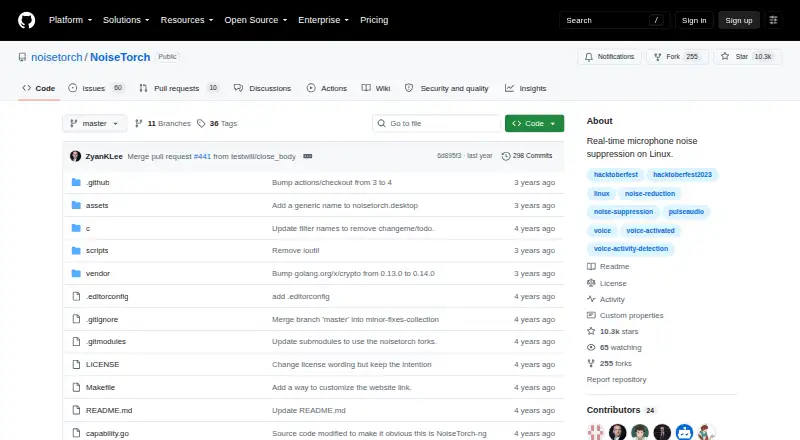
What NoiseTorch-ng is
NoiseTorch-ng is a free, open-source Linux application that filters microphone noise in real time. It uses RNNoise and supports PulseAudio or PipeWire, creating a virtual “Filtered Microphone” for compatible applications. The project describes the microphone setup as a two-click process and distributes the application as a small, self-contained statically linked binary. OBS, Mumble, and Discord are named as applications where users can select the filtered microphone. Its Voice Activation Threshold can reach 95%, or be set to 0% to dampen noise while keeping the microphone active. Users can also route application audio through a virtual “Filtered Headphones” output. Microphone filtering adds 10 ms of inherent latency; output filtering takes approximately 100 ms with PulseAudio. The project reports a suspected update-server and repository breach, says no malicious code was found, and says updates are retrieved from GitHub releases. GitHub lists no SECURITY.md file or published security advisories. The latest listed release is v0.12.2, released June 17.
Who it suits
NoiseTorch-ng suits Linux users who want real-time microphone noise suppression with PulseAudio or PipeWire, including users of OBS, Mumble, or Discord.
What it does well
- Free and open source.
- Works with PulseAudio or PipeWire.
- Creates a virtual filtered microphone.
- Voice threshold can be set to 0% or 95%.
- Wiki includes troubleshooting and debug-log guidance.
What to know first
- Linux only.
- Output filtering adds approximately 100 ms with PulseAudio.
- GitHub lists no SECURITY.md file.
- No published security advisories are listed.
Limits
The free plan is for Linux with PulseAudio or PipeWire. Microphone filtering adds 10 ms of inherent latency, and output filtering takes approximately 100 ms with PulseAudio.
Plans
| Plan | Billed and limits | Price |
|---|---|---|
| Free | Linux · PulseAudio or PipeWire | Free |
As github.com lists them, read 1 Oct 2026. The maker's own page has the final word.
Getting started
- Open the NoiseTorch-ng project website on GitHub.
- Use the project's described two-click setup for the virtual denoising microphone.
- Select “Filtered Microphone” in an application such as OBS, Mumble, or Discord.
- Adjust the Voice Activation Threshold as needed.
- For troubleshooting, consult the project wiki and its debug-log guidance.
Overview
NoiseTorch-ng is a free, open-source Linux utility that suppresses microphone noise in real time with RNNoise. It is aimed at people who need a clean voice feed for calls, recording, or streaming and prefer a small, focused tool over a broader audio suite. The microphone path is responsive and inexpensive, while output filtering and the project’s security history deserve caution.
Key features
The app creates a virtual device named “Filtered Microphone,” which you select in compatible software instead of the physical input. The project specifically cites OBS, Mumble, and Discord, making it a sensible fit for common broadcasting and voice-chat setups. PulseAudio and PipeWire support covers the two principal Linux audio systems.
RNNoise performs the suppression. Its Voice Activation Threshold ranges up to 95% for aggressive gating, while 0% keeps the microphone active and simply dampens noise. That control is useful when you need to choose between preventing background sound from opening the channel and preserving quieter speech. NoiseTorch-ng provides voice isolation, recording, and streaming support, but no echo cancellation, so it will not solve feedback caused by speakers or room acoustics.
A second virtual device, “Filtered Headphones,” lets applications receive filtered output audio. This broadens the tool beyond microphone cleanup, but PulseAudio output filtering introduces approximately 100 ms of latency. That delay can be distracting for synchronized media, music, games, or any workflow where immediate playback matters. Microphone filtering adds 10 ms of inherent latency, a much smaller compromise for conversation and most streams.
The project describes a two-click setup for the virtual denoising microphone. Distribution as a small, statically linked, self-contained binary reduces installation dependencies and suits users who want a portable utility rather than a large desktop package.
Pricing
NoiseTorch-ng has one plan: Free at no cost on Linux with PulseAudio or PipeWire. It includes real-time cancellation, recording and streaming support, and voice isolation. There are no paid tiers, seat limits, usage quotas, trial periods, or renewal terms to weigh, making it appropriate for individual users and small community setups that need the same feature set without a subscription.
Platforms
NoiseTorch-ng runs on Linux. PulseAudio and PipeWire are supported audio systems; Windows and macOS users need a different solution. The self-contained binary and the named application integrations make it most practical on a Linux desktop where you can choose virtual audio devices per application.
Who it's for
Choose NoiseTorch-ng if you use Linux and want a free virtual microphone for meetings, voice chat, recording, or livestreaming. It is particularly well suited to users who value RNNoise-based suppression, configurable gating, and a quick setup over a long list of effects. It is a weaker choice when echo cancellation is essential, when you require macOS or Windows support, or when filtered output must remain tightly synchronized under PulseAudio.
Pros and cons
Pros
- Free and open source: the full feature set is available without subscriptions or paid upgrades.
- Low microphone delay: the inherent 10 ms latency is suitable for interactive speech.
- Flexible Linux audio support: PulseAudio and PipeWire compatibility avoids committing to one system.
- Useful threshold range: settings from 0% to 95% let you balance noise damping against voice gating.
- Simple deployment: a two-click microphone setup and self-contained binary reduce setup overhead.
Cons
- No echo cancellation: speaker bleed and room feedback require another remedy.
- High output latency: approximately 100 ms with PulseAudio can undermine timing-sensitive playback.
- Linux only: it cannot serve households or teams using Windows or macOS.
- Security concerns: the project reports a suspected update-server and repository breach, although it says no malicious code was found and that updates now come from GitHub releases. The repository has no SECURITY.md file and no published security advisories.
Alternatives
For another free, open-source option on Linux, macOS, or Windows, DeepFilterNet is the broader platform choice and uses a free plan under an MIT or Apache-2.0 license.
Kleervox suits users who need Linux, web, or Windows access, a one-hour-per-day free cleaning allowance, neural noise cancellation, acoustic echo cancellation, and a virtual microphone; its Pro tier is for heavier use.
Mac users wanting a one-time purchase can consider DeskBroadcast, whose Pro plan costs 79.00 USD once for three Macs; its free edition is fully functional forever but adds a video watermark.
Noise Blocker is a Windows alternative with a free version and a 30-day business trial for up to 20 employees or computers, subject to request and approval.
Noise Gator is a free, MIT-licensed standalone app for macOS and Windows.
NoNoise Mac is a free, open-source, MIT-licensed choice specifically for macOS.
NVIDIA ShadowPlay is relevant to Windows users who have a supported GeForce GPU and driver 551.52 or later.
RNNoise is a free Linux project under the BSD-3-Clause license for users who want the underlying suppression technology rather than NoiseTorch-ng’s virtual-device interface.
Browse AI Noise Cancellation Software or AI Speech Enhancement Software for more options.
Verdict
NoiseTorch-ng is a strong pick for Linux users who want free, real-time microphone cleanup with a virtual device, adjustable voice gating, and minimal microphone delay. Choose it when straightforward RNNoise suppression is the priority; look elsewhere if you need echo cancellation, cross-platform support, low-latency filtered output, or a more formal security program.
Verdict
NoiseTorch-ng provides configurable live microphone filtering for Linux and optional output filtering. Its project-reported breach and the absence of a published security policy or advisories are worth considering.
Questions
How much does NoiseTorch-ng cost?
NoiseTorch-ng is free; its listed plan is free.
Which platforms and audio systems does it support?
It is listed for Linux and supports PulseAudio or PipeWire.
How does it reduce microphone noise?
It uses RNNoise and creates a virtual “Filtered Microphone” device for other applications to select.
Can it filter output audio too?
Yes. Applications can be routed through the virtual “Filtered Headphones” output.
Which applications can use its filtered microphone?
The project names OBS, Mumble, and Discord.
What security information does the project report?
The project reports a suspected update-server and repository breach, says no malicious code was found, and says updates are retrieved from GitHub releases. GitHub reports no SECURITY.md file and no published security advisories.
Facts from NoiseTorch-ng's own pages
- Audio systems
- It supports PulseAudio or PipeWire. · github.com, 1 Oct 2026
- Binary
- NoiseTorch-ng is distributed as a small, statically linked, self-contained binary. · github.com, 1 Oct 2026
- Integrations
- The README names OBS, Mumble, and Discord as applications where the filtered microphone can be selected. · github.com, 1 Oct 2026
- Latency
- Microphone filtering introduces 10 ms of inherent latency, while output filtering is approximately 100 ms with PulseAudio. · github.com, 1 Oct 2026
- Noise reduction
- It uses RNNoise for noise suppression. · github.com, 1 Oct 2026
- Output filtering
- Applications can be routed through a virtual “Filtered Headphones” output. · github.com, 1 Oct 2026
- Purpose
- NoiseTorch-ng is an easy-to-use open-source application for Linux that suppresses microphone noise in real time. · github.com, 1 Oct 2026
- Release
- The latest listed release is v0.12.2, released June 17. · github.com, 1 Oct 2026
- Security incident
- The project reports a suspected update-server and repository breach, says no malicious code was found, and says updates are retrieved from GitHub releases. · github.com, 1 Oct 2026
- Security policy
- GitHub reports that the repository has no SECURITY.md file and no published security advisories. · github.com, 1 Oct 2026
- Setup
- The project describes a two-click setup for its virtual denoising microphone. · github.com, 1 Oct 2026
- Support
- Troubleshooting guidance is provided in the project wiki, including instructions for collecting debug logs. · github.com, 1 Oct 2026
- Virtual microphone
- The application creates a virtual microphone called “Filtered Microphone.” · github.com, 1 Oct 2026
- Voice threshold
- Its Voice Activation Threshold can be set as high as 95%, or to 0% to dampen noise without deactivating the microphone. · github.com, 1 Oct 2026
Where NoiseTorch-ng stands on Freedom251
- Noise Cancellation Software#6 of 19
- AI Noise Cancellation Software#9 of 24
- AI Speech Enhancement Software#16 of 35