Freedom251 › AI Noise Cancellation Software

DeskBroadcast
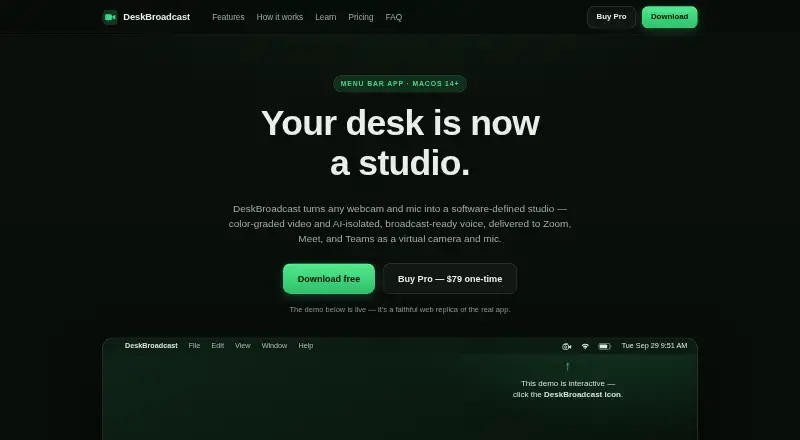
What DeskBroadcast is
DeskBroadcast turns a Mac’s webcam and microphone into virtual camera and microphone devices that deliver processed video and voice to other apps. Its Look pipeline offers controls for warmth, tint, exposure, brightness, contrast, saturation, vibrance, sharpness and background blur. The microphone chain combines AI voice isolation with hum filtering, gating, four-band EQ, compression and auto-leveling. Apps including Zoom, Google Meet, Microsoft Teams, Slack, FaceTime, OBS and browsers can select the virtual devices. Video, audio and the learned room-noise profile stay on the Mac; the app has no account or media telemetry pipeline and works offline. The software Look pipeline and background blur work with any camera, while hardware controls require a UVC-compliant USB webcam. DeskBroadcast requires macOS 14 Sonoma or later and supports Apple Silicon and Intel Macs. The free edition is fully functional but puts a “deskbroadcast.com” watermark on video output. Pro costs $79, paid once for 3 Macs. AI voice isolation adds about 40 ms of latency.
Who it suits
It suits Mac users who want to route processed webcam video and microphone audio into meeting, streaming or recording apps. The app requires macOS 14 Sonoma or later; hardware camera controls require a UVC-compliant USB webcam.
What it does well
- Video controls include background blur and image adjustments.
- Mic chain includes AI isolation, EQ and auto-leveling.
- Video, audio and room-noise profile remain on the Mac.
- Works offline without an account or media telemetry pipeline.
What to know first
- Requires macOS 14 Sonoma or later.
- Free edition adds a video watermark.
- AI voice isolation adds about 40 ms of latency.
Limits
The free plan is fully functional but adds a “deskbroadcast.com” watermark to video output. Pro is a one-time US$79 payment covering 3 Macs.
Plans
| Plan | Billed and limits | Price |
|---|---|---|
| Free | forever · fully functional · video watermark “deskbroadcast.com” | Free |
| Pro | one-time · removes watermark · no subscription · license on all your own Macs · 14-day refund | $79, paid once |
As deskbroadcast.com lists them, read 15 Oct 2026. The maker's own page has the final word.
Getting started
- Use a Mac running macOS 14 Sonoma or later.
- Download DeskBroadcast from its website.
- Start with the free plan or purchase Pro for a one-time US$79 payment covering 3 Macs.
- Select DeskBroadcast Camera and DeskBroadcast Mic in an app such as Zoom, Teams, OBS or a browser.
- Adjust video and microphone processing, then save settings as presets if useful.
Overview
DeskBroadcast is a Mac app that processes webcam video and microphone audio, then makes the results available to other apps as virtual camera and microphone devices. It best suits Mac users who want to shape both picture and voice for calls, recording or streaming without sending media off-device. Its broad live controls and offline operation are compelling; the watermark on the free edition and macOS-only support narrow its appeal.
Key features
Camera adjustments
The Look pipeline provides live controls for warmth, tint, exposure, brightness, contrast, saturation, vibrance and sharpness, plus background blur. Those software adjustments work with any camera, including the built-in Mac camera. Hardware controls, by contrast, require a UVC-compliant USB webcam, so built-in-camera users still get the image processing but not those hardware adjustments.
Microphone processing
The mic chain combines AI voice isolation with hum filtering, gating, four-band voice EQ, compression and automatic level adjustment. Isolation adds about 40 ms of latency and uses under a tenth of one CPU core, a modest processing cost for users who want voice cleanup during calls or recording. A live RTA spectrum analyzer helps guide physical gain adjustment, while an eight-second mic check plays raw and processed voice for comparison.
Virtual devices, presets and privacy
Zoom, Google Meet, Microsoft Teams, Slack, FaceTime, OBS and browsers can select DeskBroadcast Camera and DeskBroadcast Mic. The app supports recording and streaming, and saved camera looks and mic chains can be reused as presets for settings such as a podcast, pitch or stand-up.
Video, audio and the learned room-noise profile stay on the Mac; the app works offline and has no account or media telemetry pipeline. Its embedded DeepFilterNet 3 model is licensed under MIT/Apache-2.0. The camera device runs as a signed, notarized, user-approved CoreMediaIO Camera Extension in a sandboxed process. That local design will suit privacy-conscious users, though it does not make DeskBroadcast a cross-platform option.
Pricing
The Free plan costs nothing and is described as fully functional forever, but puts a “deskbroadcast.com” watermark on video output. It is a way to use the processing without paying, but the watermark makes it a poor fit for polished streams, recordings or professional calls where clean video matters.
Pro costs $79, paid once as a single one-time payment and covers 3 Macs. It removes the free edition's principal stated limitation for users who need unmarked video, with no recurring renewal implied by the one-time term. Pro purchases qualify for a full refund if requested within 14 days. There is no free trial; users can instead begin with the permanently free, watermarked edition. The listed cancellation support is real-time.
Platforms
DeskBroadcast requires macOS 14 Sonoma or later and supports both Apple Silicon and Intel Macs. The camera Look pipeline and background blur work with any camera, while hardware controls need a UVC-compliant USB webcam. Windows and Linux users will need another tool.
Who it's for
DeskBroadcast is a strong fit for Mac users who want one place to adjust webcam appearance and clean up microphone audio before sending both to meeting, recording or streaming apps. It is particularly suitable for users who value offline, on-device processing, reusable presets and a one-time Pro purchase. It is less suitable for anyone who needs a watermark-free free edition, uses an older macOS version, or needs software for Windows or Linux.
Pros and cons
Pros
- Broad live control over both video and audio: color and blur adjustments sit alongside voice isolation, filtering, EQ, compression and auto-leveling.
- Local and offline processing: media and the learned room-noise profile remain on the Mac, with no account or media telemetry pipeline.
- One-time Pro payment: $79, paid once covers 3 Macs, rather than requiring a stated recurring subscription.
- Works with built-in cameras: software image adjustments and blur are not limited to external webcams.
Cons
- Free video carries a watermark: the permanent free plan is less useful for clean, public-facing output.
- Mac-only and recent-system requirement: the app needs macOS 14 Sonoma or later, ruling out Windows and Linux users and older Macs.
- Hardware controls need a compatible webcam: UVC-compliant USB hardware is required for those controls, even though software looks work with any camera.
- No free trial: Pro buyers cannot try a separate trial before paying, though the Free edition provides a starting point.
Alternatives
For focused noise cleanup rather than a combined camera-and-microphone studio, DeepFilterNet is a free, open-source option for Linux, macOS and Windows; DeskBroadcast itself embeds DeepFilterNet 3 but adds video processing and virtual devices.
Kleervox may suit readers looking for a noise-cancellation tool with a free plan capped at 1h 0m of cleaning per day, neural noise cancellation, acoustic echo cancellation and a virtual microphone for call apps; it also offers a free trial and supports Linux, web and Windows.
Noise Blocker is a Windows alternative with a 30-day business trial for up to 20 employees or computers, subject to request and approval, and a free version.
Noise Gator is a free, MIT-licensed standalone app for Windows and macOS.
NoiseTorch-ng is a free Linux option for PulseAudio or PipeWire users.
NoNoise Mac is a free, open-source, MIT-licensed option for macOS.
NVIDIA ShadowPlay is a free Windows option requiring Windows 10 or 11, GeForce driver 551.52 or later, and a supported GPU.
RNNoise is a free Linux option under the BSD-3-Clause license.
For broader browsing, see AI Noise Cancellation Software, Virtual Camera Software and Webcam Software.
Verdict
DeskBroadcast is best for Mac users who want integrated webcam and microphone processing, local operation and reusable setups across calls, recording and streaming. Its extensive controls and 3-Mac one-time Pro license make a clear case for the upgrade when the video watermark is unacceptable. Choose another tool if you need a free watermark-free output, a trial of Pro, or support beyond macOS.
Verdict
DeskBroadcast provides virtual camera and microphone devices with local video and audio processing. The free edition carries a watermark, while Pro costs $79, paid once for 3 Macs.
Questions
What does DeskBroadcast cost?
The Free plan costs nothing. Pro costs US$79 as a one-time payment for 3 Macs.
Does DeskBroadcast have a free trial?
No free trial is listed. The Free plan is described as fully functional and available forever.
Which operating systems does it support?
DeskBroadcast requires macOS 14 Sonoma or later and supports Apple Silicon and Intel Macs.
Does the free plan have a limit?
The Free plan places a “deskbroadcast.com” watermark on video output.
Does DeskBroadcast work offline?
Yes. It works offline, and video, audio and the learned room-noise profile remain on the Mac.
Which apps can use its virtual devices?
Apps including Zoom, Google Meet, Microsoft Teams, Slack, FaceTime, OBS and browsers can select DeskBroadcast Camera and DeskBroadcast Mic.
Facts from DeskBroadcast's own pages
- AI denoiser
- The app embeds DeepFilterNet 3 for neural voice isolation running locally on the Mac. · deskbroadcast.com, 15 Oct 2026
- AI model
- DeskBroadcast embeds DeepFilterNet 3 directly in the app binary under MIT/Apache-2.0 licensing. · deskbroadcast.com, 30 Sept 2026
- API availability
- The opened official pages describe system virtual devices rather than a public web API or SDK. · deskbroadcast.com, 15 Oct 2026
- Audio chain
- The microphone chain combines AI isolation, spectral reduction, hum filtering, gating, four-band EQ, compression and automatic leveling. · deskbroadcast.com, 15 Oct 2026
- Audio processing
- The studio mic chain includes AI voice isolation, hum filtering, gating, four-band voice EQ, compression and auto-leveling. · deskbroadcast.com, 30 Sept 2026
- Background blur
- The video pipeline includes adjustable blur and bokeh effects. · deskbroadcast.com, 15 Oct 2026
- Calibration
- A live RTA spectrum analyzer helps users set physical microphone gain. · deskbroadcast.com, 15 Oct 2026
- Calibration tools
- A live RTA spectrum analyzer guides physical gain adjustment and an eight-second mic check replays raw versus processed voice. · deskbroadcast.com, 30 Sept 2026
- Camera architecture
- DeskBroadcast Camera is implemented as a signed, notarized, user-approved CoreMediaIO Camera Extension running in a sandboxed process. · deskbroadcast.com, 15 Oct 2026
- Camera grading
- Its Look pipeline provides live warmth, tint, exposure, brightness, contrast, saturation, vibrance and sharpness controls. · deskbroadcast.com, 15 Oct 2026
- CPU use
- The maker says AI isolation uses less than one tenth of one CPU core. · deskbroadcast.com, 15 Oct 2026
- Developer documentation
- The public Learn section explains audio, video and virtual-device concepts but no public DeskBroadcast API or SDK is listed. · deskbroadcast.com, 15 Oct 2026
- Integrations
- Apps including Zoom, Google Meet, Microsoft Teams, Slack, FaceTime, OBS and browsers can select DeskBroadcast Camera and DeskBroadcast Mic. · deskbroadcast.com, 30 Sept 2026
- Latency
- DeepFilterNet 3 adds approximately 40 milliseconds of end-to-end voice latency. · deskbroadcast.com, 15 Oct 2026
- Local processing
- Video, audio and the learned room-noise profile remain on the Mac and are not sent to a cloud service. · deskbroadcast.com, 15 Oct 2026
- Maker legal name
- The website footer identifies Glu IO Pty. Ltd. as the publisher. · deskbroadcast.com, 15 Oct 2026
- Meeting integrations
- Zoom, Google Meet and Microsoft Teams can select the DeskBroadcast virtual camera and microphone. · deskbroadcast.com, 15 Oct 2026
- Mic check
- An eight-second recording can be replayed in raw and processed forms for comparison. · deskbroadcast.com, 15 Oct 2026
- Microphone architecture
- DeskBroadcast Mic is a Core Audio HAL driver installed under /Library/Audio/Plug-Ins/HAL. · deskbroadcast.com, 15 Oct 2026
- Model license
- The upstream DeepFilterNet repository offers the model under either Apache License 2.0 or MIT licensing. · github.com, 15 Oct 2026
- Noise reduction result
- The maker reports broadband noise reduction of roughly 45 to 49 dB in measured speech tests. · deskbroadcast.com, 15 Oct 2026
- Offline use
- The product works offline without an account or media telemetry pipeline. · deskbroadcast.com, 15 Oct 2026
- On-demand capture
- The microphone pipeline runs only while another application is capturing from the virtual microphone. · deskbroadcast.com, 15 Oct 2026
- On-device privacy
- Video, audio and the learned room-noise profile remain on the Mac; the app has no account, no media telemetry pipeline and works offline. · deskbroadcast.com, 30 Sept 2026
Where DeskBroadcast stands on Freedom251
- AI Noise Cancellation Software#5 of 24
- Webcam Software#17 of 41
- Virtual Camera Software#17 of 34