Freedom251 › Noise Cancellation Software

Noise Blocker
What Noise Blocker is
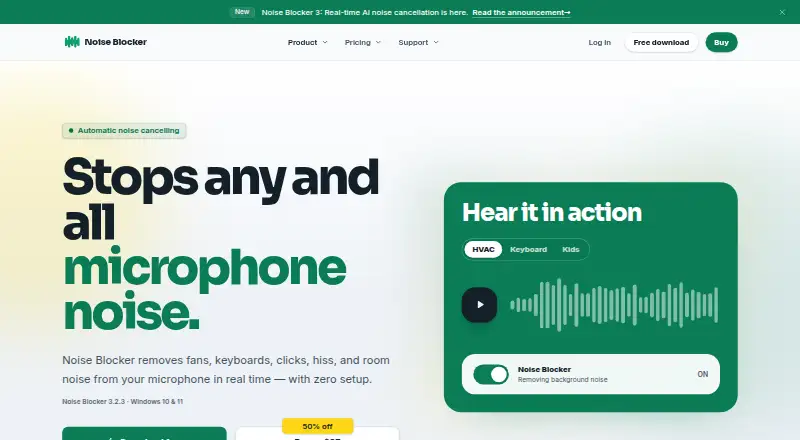
Noise Blocker is a Windows app that reduces unwanted microphone sounds in real time, including fans, keyboard typing, clicks, hiss, and room noise. Version 3 uses AI to separate a speaker's voice from background noise and is designed for everyday laptops. The maker says the app works without tuning or complicated setup. It is listed as compatible with Zoom, Google Meet, Discord, Slack, Teams, and OBS, and supports microphone audio for recording and streaming. Noise Blocker runs on Windows 10 and Windows 11; other operating systems are not currently supported. Processing adds about 80 milliseconds of latency, which can vary by system. The free version provides 30 minutes of noise blocking each week without requiring an email address. A Personal license costs $50 as a one-time payment for one person using up to three PCs, with 12 months of updates and priority support, indefinite use of covered versions, and a 14-day money-back guarantee. Business license pricing is graduated and excludes VAT: $70 each for 1–9 licenses, $60 each for 10–39, and $50 each for 40 or more.
Who it suits
Noise Blocker suits Windows users who want to reduce background noise from microphone audio during calls, recordings, or streams. Its personal license covers one person using up to three PCs.
What it does well
- Filters microphone noise in real time.
- Compatible with Zoom, Google Meet, Discord, Slack, Teams, and OBS.
- Free version provides 30 minutes weekly.
- Personal license includes 12 months of updates and priority support.
- Personal license allows use on up to three PCs.
What to know first
- Only supports Windows 10 and Windows 11.
- Audio processing adds about 80 milliseconds of latency.
- Free version is limited to 30 minutes per week.
Limits
The free version is limited to 30 minutes of noise blocking per week. A business trial is for up to 20 employees or computers and requires a request and approval; its 30-day period begins when the first trial device connects.
Plans
| Plan | Billed and limits | Price |
|---|---|---|
| Business trial | 30-day trial; no card required · Up to 20 employees or computers · request and approval required | Free |
| Free version | 30 minutes of noise blocking per week · no email required | Free |
| Personal license renewal | One-time payment for another 12 months · Existing license key · 12 months of updates and priority support | $30, paid once |
| Personal license | One-time payment · One person · up to 3 PCs · 12 months of updates and priority support · indefinite use of covered versions · 14-day money-back guarantee | $50, paid once |
| Business license | Graduated one-time pricing, excluding VAT: $70 each for 1–9 licenses, $60 each for 10–39, and $50 each for 40+ · Per employee: one person on up to 2 computers · Per computer: one shared computer for any number of users · More than 200 licenses: custom quote | On request |
As closedlooplabs.com lists them, read 5 Oct 2026. The maker's own page has the final word.
Getting started
- Open the Closed Loop Labs website.
- Use a Windows 10 or Windows 11 computer.
- Try the free version, which requires no email address, or choose a license.
- For a business trial, submit a request and wait for approval.
Noise Blocker applies AI noise cancellation to microphone audio for calls, recordings, and streams. It is most compelling for Windows users who want live cleanup without adjusting filters; the personal license covers up to three computers, but audio latency and the limited free allowance deserve consideration.
Overview
Version 3 separates speech from sounds such as fans, keyboards, clicks, hiss, and room noise. The maker says it works without tuning and is designed for everyday laptops, a useful combination for people who want a simple way to reduce common background distractions. Noise Blocker is not a general audio-processing suite: it focuses on microphone input.
Processing adds about 80 milliseconds of latency, with the amount varying by system. That may be acceptable for meetings or recordings, but could be a drawback when immediate microphone response matters. Real-time cancellation, recording, and streaming support broaden its use beyond video calls.
Key features
- AI microphone cleanup: Noise Blocker targets unwanted sounds while separating them from the speaker’s voice. Its focus on everyday noise makes it relevant to calls from busy or noisy rooms.
- Compatible apps: The maker lists Zoom, Google Meet, Discord, Slack, Teams, and OBS. That spans meetings, team chat, and recording or streaming workflows, so users can consider it alongside familiar apps.
- Privacy and payments: Website analytics are cookieless and are not used to build individual visitor profiles, advertise, or track users across sites. License validation may process activation history, app version, activation dates, and a hashed or pseudonymised device identifier. Stripe handles card payments, and the maker says it does not see or store payment details.
- Support: Personal licenses include 12 months of priority support; questions can be sent to email support.
Pricing
The free version costs nothing and provides 30 minutes of noise blocking per week, with no email required. It is enough to try the basic workflow, but the weekly cap makes it unsuitable for regular use beyond a short allowance.
The Personal license costs $50, paid once. It is a one-time payment for one person on up to three PCs, with 12 months of updates and priority support, indefinite use of covered versions, and a 14-day money-back guarantee. Household family members may share the license. This suits an individual who wants ongoing use without a recurring payment, though updates and priority support are limited to the first 12 months.
Existing license holders can pay $30, paid once for another 12 months of updates and priority support using their existing key. That renewal is optional support and update coverage rather than a new license purchase.
The Business trial costs nothing for a billed 30-day trial, covering up to 20 employees or computers. A request must be reviewed and approved; the period begins when the first trial device connects. No card is required and there is no automatic charge.
Business licenses use graduated one-time pricing, excluding VAT: $70 each for 1–9 licenses, $60 each for 10–39, and $50 each for 40 or more. Per-employee licensing covers one person on up to two computers; per-computer licensing covers one shared computer for any number of users. The page supports up to 200 licenses, with a custom quote for larger rollouts. This model gives organizations a choice between assigning seats to people or shared machines, but smaller teams should compare the per-license cost with the personal option.
Platforms
Noise Blocker supports Windows 10 and Windows 11. Other operating systems are not currently supported, so it is not an option for Mac or Linux users. The roughly 80-millisecond processing delay also makes it less suitable for workflows sensitive to audio timing.
Who it's for
Noise Blocker fits Windows users who want to reduce microphone noise across common meeting, chat, recording, or streaming apps without configuring filters. Its personal license is especially practical for one person using several PCs or sharing within a household. It is a weaker fit for users who need another operating system, unrestricted free use, or minimal processing latency.
Pros and cons
Pros
- Broad everyday app compatibility: Zoom, Google Meet, Discord, Slack, Teams, and OBS cover common communication and recording workflows.
- Flexible personal coverage: One personal license covers up to three computers and may be shared with household family members.
- No recurring personal fee: The $50 as a one-time license includes indefinite use of covered versions, with a 14-day money-back guarantee.
- Low-friction trial options: The free version requires no email, and the business trial requires no card and carries no automatic charge.
Cons
- Windows-only: Users on macOS or Linux must choose another tool.
- Weekly free cap: Thirty minutes per week is too limited for routine use.
- Added latency: About 80 milliseconds of processing delay may interfere with timing-sensitive audio workflows.
- Updates and priority support are time-limited: Personal coverage lasts 12 months, after which another one-time payment is needed for a further year.
Alternatives
DeepFilterNet is a free, open-source option for readers who want software available on Linux, macOS, and Windows rather than a Windows-only paid license.
Kleervox is worth considering for Linux or web users, or for anyone who values a daily free allowance and acoustic echo cancellation alongside neural noise cancellation.
DeskBroadcast is a macOS alternative, with a free version and a $79, paid once Pro plan for three Macs.
Noise Gator is a free, standalone, MIT-licensed option for Windows and macOS.
NoiseTorch-ng is a free Linux option for PulseAudio or PipeWire users.
NoNoise Mac is a free, open-source, MIT-licensed choice for macOS users.
NVIDIA ShadowPlay is a free Windows option for users with a supported GPU and GeForce driver 551.52 or later.
RNNoise is a free Linux option under the BSD-3-Clause license.
Browse the AI Noise Cancellation Software category for more options.
Verdict
Choose Noise Blocker if you use Windows, want straightforward real-time microphone cleanup across common apps, and value a one-time personal license for up to three PCs. Look elsewhere if you need macOS or Linux support, more than 30 free minutes a week, or lower audio latency.
Verdict
Noise Blocker focuses on real-time microphone noise reduction, with a free weekly allowance and a paid personal license. Its Windows-only support and added audio latency are important limits to weigh.
Questions
Is Noise Blocker free?
Yes. The free version provides 30 minutes of noise blocking per week and does not require an email address.
How much does a Personal license cost?
It costs $50 as a one-time payment. It covers one person on up to three PCs.
What does the Personal license include?
It includes 12 months of updates and priority support, indefinite use of covered versions, and a 14-day money-back guarantee.
Which operating systems does it support?
Noise Blocker supports Windows 10 and Windows 11. The FAQ says other operating systems are not currently supported.
Which calling and recording apps are compatible?
The site lists Zoom, Google Meet, Discord, Slack, Teams, and OBS.
How is business pricing structured?
Business licenses are one-time purchases, excluding VAT: $70 each for 1–9 licenses, $60 each for 10–39, and $50 each for 40 or more. The page supports up to 200 licenses, with custom quotes for larger rollouts.
Facts from Noise Blocker's own pages
- AI noise cancellation
- Version 3 uses AI to separate the user's voice from unwanted background noise and is designed to run on everyday laptops. · closedlooplabs.com, 5 Oct 2026
- Automatic setup
- The maker says the app works without tuning or complicated setup. · closedlooplabs.com, 5 Oct 2026
- Business license limit
- Business pricing supports up to 200 licenses on the page; the maker offers a custom quote for larger rollouts. · closedlooplabs.com, 5 Oct 2026
- Business trial
- Business trial requests are reviewed, and the 30-day period starts when the first trial device connects; no card is required and there is no automatic charge. · closedlooplabs.com, 5 Oct 2026
- Headquarters
- Netherlands · closedlooplabs.com, 28 Sept 2026
- Integrations
- The site lists Zoom, Google Meet, Discord, Slack, Teams, and OBS as compatible calling or recording apps. · closedlooplabs.com, 5 Oct 2026
- Latency
- The FAQ says audio processing adds about 80 milliseconds of latency, varying by system. · closedlooplabs.com, 5 Oct 2026
- License activation data
- For license validation, the maker may process activation history, app version, activation dates, and a hashed or pseudonymised device identifier. · closedlooplabs.com, 5 Oct 2026
- Payment security
- The purchase page says card payments are processed by Stripe, a PCI Service Provider Level 1 processor, and the maker does not see or store payment details. · closedlooplabs.com, 5 Oct 2026
- Personal license limit
- A personal license can be used on up to three computers at once and may be shared with family members in the household. · closedlooplabs.com, 5 Oct 2026
- Privacy
- The privacy policy says website analytics are cookieless, do not create individual visitor profiles, and are not used for advertising or cross-site tracking. · closedlooplabs.com, 5 Oct 2026
- Purpose
- Noise Blocker removes microphone background sounds such as fans, keyboards, clicks, hiss, and room noise in real time. · closedlooplabs.com, 5 Oct 2026
- Support
- Personal licenses include 12 months of priority support, and the FAQ directs users with questions to email support. · closedlooplabs.com, 5 Oct 2026
- Supported OS
- Noise Blocker supports Windows 10 and Windows 11; the FAQ says other operating systems are not currently supported. · closedlooplabs.com, 5 Oct 2026
Where Noise Blocker stands on Freedom251
- Noise Cancellation Software#5 of 19
- AI Noise Cancellation Software#7 of 24