Freedom251 › AI Noise Cancellation Software
HushMic
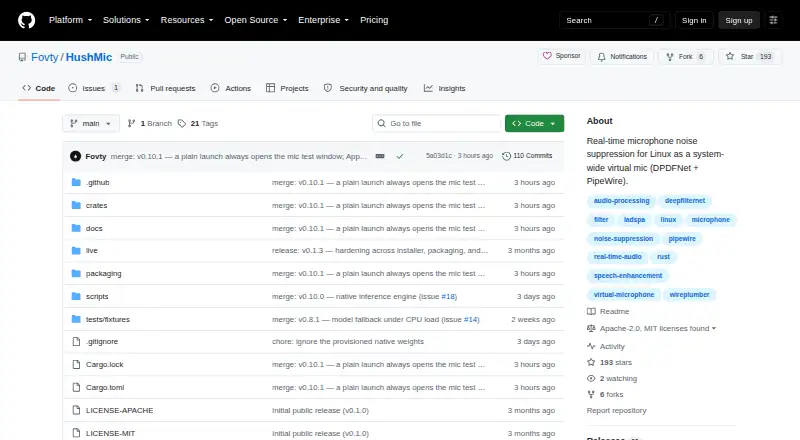
What HushMic is
HushMic is a free, open-source virtual microphone for Linux that reduces background noise across the system. It uses the DPDFNet model to suppress keyboard sounds, fan noise, and background chatter from microphone audio. Processing runs on the CPU, and the maker says audio remains on the machine. The project reports 80 ms of processing latency, in addition to PipeWire buffering.
You can switch between suppression, bypass, mute, and disabling the virtual microphone, using the app or command-line controls. A microphone test can display raw and cleaned audio side by side and record a 10-second sample for playback. Apps including Discord, TeamSpeak, OBS, and browsers can select it as an input. Desktop shortcuts support mute, bypass, push to talk, and push to mute, subject to desktop and portal support.
HushMic requires Linux on x86-64 with PipeWire and WirePlumber; PulseAudio apps also need pipewire-pulse. Installation options are listed for Debian or Ubuntu, Arch, Fedora, NixOS, and AppImage. Users can choose a quality or light model, and a native engine or ONNX Runtime. The software is available under the MIT or Apache-2.0 license.
Who it suits
HushMic suits Linux users who want microphone noise suppression for calls, streaming, or recording, with local CPU processing. It also fits people who want selectable suppression modes and a microphone test before choosing the virtual input in an app.
What it does well
- Suppresses keyboard noise, fans, and background chatter.
- Audio processing stays on the machine, according to the maker.
- Offers suppression, bypass, mute, and virtual microphone controls.
- Includes a test with side-by-side audio and a 10-second sample.
- Available under MIT or Apache-2.0 licensing.
What to know first
- Requires Linux on x86-64 with PipeWire and WirePlumber.
- Reported processing latency is 80 ms plus PipeWire buffering.
- No Flathub listing is available; the host needs PipeWire 0.3.65 or newer.
Getting started
- Choose an installation option for Debian or Ubuntu, Arch, Fedora, NixOS, or AppImage.
- Use Linux on x86-64 with PipeWire and WirePlumber.
- Install pipewire-pulse as well if you use PulseAudio apps.
- Select HushMic as the microphone input in an app such as Discord, TeamSpeak, OBS, or a browser.
- Use the microphone test to compare raw and cleaned audio.
Verdict
Choose HushMic if you want an open-source Linux virtual microphone with local noise suppression and configurable controls. Look elsewhere if you need a different operating system or cannot use its PipeWire and WirePlumber requirements.
Questions
Is HushMic free?
Yes. It is free and open source.
Which operating system does it support?
It requires Linux on x86-64 with PipeWire and WirePlumber. PulseAudio apps also need pipewire-pulse.
Does it process audio locally?
Yes. Processing runs on the CPU, and the maker says audio is not uploaded.
What does HushMic cost?
The listed pricing model is free.
What licenses are available?
The project is available under either the MIT or Apache-2.0 license.
Which apps can use its virtual microphone?
Apps such as Discord, TeamSpeak, OBS, and browsers can select it as an input.
Facts from HushMic's own pages
- Audio processing
- The project states that processing adds 80 ms of latency and runs on the CPU. · github.com, 7 Oct 2026
- Controls
- Users can switch among suppression, bypass, mute, and off modes, including through command-line controls. · github.com, 7 Oct 2026
- CPU limits
- On CPUs without AVX2, the quality model can use about a third of a fast desktop core and more than a whole core on slow chips; on slow chips HushMic runs the light model on its own. · github.com, 5 Oct 2026
- Desktop shortcuts
- Global shortcuts support mute, bypass, push to talk, and push to mute, subject to desktop and portal support. · github.com, 7 Oct 2026
- Distribution
- The project lists installation options for Debian or Ubuntu, Arch Linux, Fedora, NixOS, and AppImage. · github.com, 7 Oct 2026
- Integrations
- HushMic creates a PipeWire virtual microphone that can be selected as input in Discord, TeamSpeak, OBS, or a browser. · github.com, 7 Oct 2026
- Latency
- The project reports 80 ms of processing latency, plus PipeWire's own buffering. · github.com, 5 Oct 2026
- License
- HushMic is available under either the MIT or Apache-2.0 license. · github.com, 7 Oct 2026
- Licensing
- The project is available under either the MIT or Apache-2.0 license, at the user's option. · github.com, 5 Oct 2026
- Local processing
- Audio processing runs on the CPU, and the project says audio is not uploaded. · github.com, 5 Oct 2026
- Maker
- The GitHub profile identifies the maker as Fovty (Johannes). · github.com, 7 Oct 2026
- Microphone test
- The mic test can show raw and cleaned audio side by side and record a 10-second sample for playback. · github.com, 5 Oct 2026
- Mic testing
- The mic test window can show raw and cleaned audio side by side and record a 10-second sample for playback. · github.com, 7 Oct 2026
- Noise removal
- It uses DPDFNet to remove keyboard noise, fan noise, and background chatter from microphone audio. · github.com, 7 Oct 2026
- Noise suppression
- It uses the DPDFNet model to reduce keyboard noise, fans, and background chatter from microphone audio. · github.com, 5 Oct 2026
- Notable limitation
- A Flatpak build is documented, but the maker says there is no Flathub listing yet and the host needs PipeWire 0.3.65 or newer. · github.com, 7 Oct 2026
- Performance options
- Users can choose a quality model or a lower-CPU light model, and HushMic can use a native engine or ONNX Runtime. · github.com, 7 Oct 2026
- Privacy
- The maker states that audio stays on the machine and nothing is uploaded. · github.com, 7 Oct 2026
- Purpose
- HushMic provides real-time microphone noise suppression for Linux as a system-wide virtual microphone. · github.com, 7 Oct 2026
- System requirements
- The listed requirements are Linux on x86-64 with PipeWire and WirePlumber; PulseAudio apps need pipewire-pulse. · github.com, 7 Oct 2026
- Target users
- The project describes its goal as bringing Linux users noise suppression comparable to Krisp in an app-like installation. · github.com, 5 Oct 2026
Where HushMic stands on Freedom251
- AI Noise Cancellation Software#10 of 24
- Ad Blocking Software#26 of 29