Freedom251 › File Renaming Software
Nomina
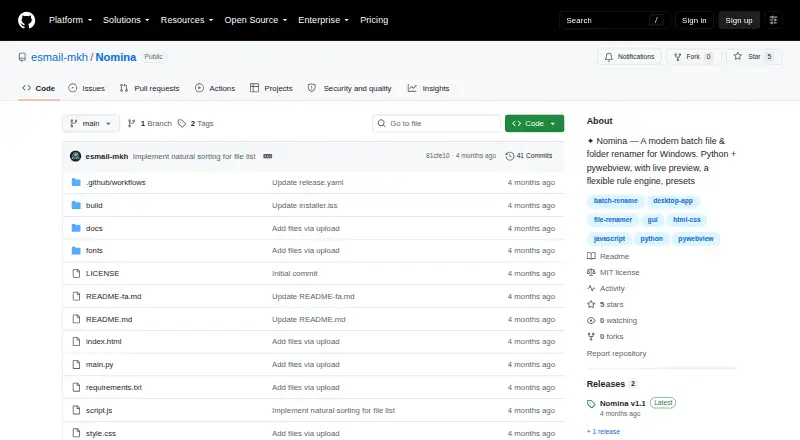
What Nomina is
Nomina is a free desktop app for renaming files and folders in bulk, with a live preview and a rule engine. Rules can add prefixes or suffixes, replace text with optional regular expressions, remove or slice name sections, change letter case, number items, and alter extensions. The app can scan folders recursively, filter results, accept drag-and-drop items, and load paths from the clipboard. Before a user commits a rename, Nomina checks for invalid characters, name conflicts, and reserved names; the last rename batch can be undone. Users can save, import, and export rule presets as JSON files, and optionally clean metadata during renaming. The interface supports English and Persian, including right-to-left layout, as well as dark and light themes. The README describes the app as having no telemetry. Prebuilt downloads are listed for Windows x64, Linux x64 and ARM64, and macOS Apple Silicon; the macOS build is stated to run on Intel through Rosetta 2. Running from source requires Python 3.10 or newer.
Who it suits
Nomina suits people who need to rename batches of files or folders using configurable rules and want to review changes before applying them. It is available for Windows, Linux, and macOS, with listed desktop requirements varying by platform.
What it does well
- Preview changes before committing a rename.
- Rules include regex replacement and numbering.
- Flags conflicts, reserved names, and invalid characters.
- Can undo the last rename batch.
- Offers English and Persian interfaces.
What to know first
- Running from source requires Python 3.10 or newer.
- Linux requirements include GTK 3 and WebKit2GTK 4.1.
- macOS requirement is version 11 or newer.
Plans
| Plan | Billed and limits | Price |
|---|---|---|
| Nomina | No paid plans or usage limits are stated | Free |
As github.com lists them, read 30 Sept 2026. The maker's own page has the final word.
Getting started
- Open the Nomina project website on GitHub.
- Choose a prebuilt download for Windows x64, Linux x64 or ARM64, or macOS Apple Silicon.
- On Intel Mac, use the macOS build through Rosetta 2.
- For source installation, use Python 3.10 or newer.
- Meet the listed desktop requirements for your operating system.
Nomina is a free desktop batch renamer for files and folders. It is best for users who need precise, repeatable naming rules on their own computers, especially when a preview and safety checks matter. The trade-off is a desktop-only workflow rather than a browser or API service.
Overview
Nomina combines a broad rule engine with controls designed to prevent accidental changes. It runs on Windows, Linux and macOS, supports folder renaming as well as files, and does not charge for its feature set. The MIT license and source-available project also suit technically minded users who prefer an inspectable utility.
Key features
Rules can add prefixes or suffixes, replace text with optional regular expressions, remove or slice characters, change case, add numbering and alter extensions. That range handles straightforward cleanup and more exact pattern-based jobs without requiring separate tools. Recursive scanning is useful for nested collections, while filters, drag and drop and clipboard path loading make it quicker to assemble a batch.
A live preview shows proposed names before anything is altered, and renaming occurs only after an explicit commit. Nomina checks for invalid characters, conflicts and reserved names, catching common failure points before they affect a folder. Undo is available for the last rename batch, which is a useful recovery path but not a multi-step history.
Presets can be saved, imported and exported as JSON files. This makes recurring rules easier to reproduce and move between installations, although JSON-based exchange is the stated integration method rather than a connection to third-party services. Optional metadata cleanup can accompany a rename. English and Persian interfaces include right-to-left layout, and dark and light themes cover different desktop preferences. The README describes the app as having no telemetry.
Pricing
Nomina costs nothing. The free plan has no stated usage limits, no paid tiers and no trial period. That makes it suitable for personal projects, archival work and professional batches where a desktop tool is acceptable, with no seat or renewal commitment described.
Platforms
Nomina supports Windows, Linux and macOS. Prebuilt downloads cover Windows x64, Linux x64 and ARM64, and macOS Apple Silicon; the macOS build is stated to run on Intel through Rosetta 2. Source installation requires Python 3.10 or newer. Desktop requirements are Windows 10 or 11, Linux with GTK 3 and WebKit2GTK 4.1, or macOS 11 and later. Each release includes SHA256SUMS.txt for download verification.
Who it's for
Choose Nomina for local, repeatable batch renaming across desktop platforms, particularly when regex replacement, recursive folders, validation and a preview are important. It also fits Persian-speaking users who need a right-to-left interface and developers or teams that want JSON presets and an MIT-licensed project. It is less suitable when renaming must happen in a browser, through an API, or through a hosted collaboration service.
Pros and cons
- Pros: broad rule coverage, including optional regex; preview-before-commit workflow; checks for invalid names and conflicts; undo for the latest batch; JSON preset import and export; Windows, Linux and macOS support; no telemetry described; MIT license.
- Cons: undo applies only to the last batch; source use requires Python 3.10+ and platform-specific desktop dependencies; there are no stated third-party service integrations or web workflow.
Alternatives
See the File Renaming Software roundup for more choices.
Renamer.ai is the better fit when you want web or API access, Magic Folders and a desktop app, but its Starter plan limits free use to 25 renames per month and its Pro plan costs $9.95 a month.
reNamerX is another free, MIT-licensed desktop batch renamer for Linux, macOS and Windows.
Advanced Renamer suits Windows and macOS users who want an occasional personal-use free tier capped at 10,000 files and five methods per batch, with a paid Personal plan priced separately.
Bulk Renamer is a free MIT-licensed option with no account, trial or watermark.
Filera is a free MIT-licensed renamer for Linux, macOS and Windows.
PBRenamer is free GPL-3.0 software with no paid tiers or stated usage limits.
Ant Renamer is a free Windows program with source code available.
Batch File Renamer is preferable for a no-install web workflow that exports renamed copies as ZIP files.
Verdict
Nomina is a strong choice for anyone needing a capable, free desktop renamer with regex rules, validation, preview and reusable presets. Pick it when local control and cross-platform support matter; look elsewhere for web-based, API-driven or multi-step undo workflows.
Verdict
Nomina combines flexible batch rules with a preview, validation, and undo. Its listed downloads cover several desktop platforms, while source builds and desktop requirements have specific dependencies.
Questions
How much does Nomina cost?
The Nomina plan is free. No paid plans or usage limits are stated.
Which operating systems does Nomina support?
It supports Linux, macOS, and Windows. Prebuilt downloads are listed for Windows x64, Linux x64 and ARM64, and macOS Apple Silicon; the macOS build is stated to run on Intel through Rosetta 2.
Can Nomina rename folders and preview changes?
Yes. It can rename files and folders in bulk, and provides a live preview before changes are committed.
Does Nomina support regular expressions or metadata-based renaming?
Text replacement can optionally use regular expressions. Metadata-based renaming is not supported, though optional metadata cleanup is available during renaming.
Is Nomina open source, and who develops it?
The repository identifies Nomina as MIT licensed and names E.MKH, a Python developer, as its developer.
Does Nomina connect to other services?
No third-party service integrations are listed. Presets can be imported and exported as JSON files.
Facts from Nomina's own pages
- Developer
- The README identifies the developer as E.MKH, a Python developer. · github.com, 30 Sept 2026
- Download integrity
- The README says every release includes a SHA256SUMS.txt file for verifying downloads. · github.com, 30 Sept 2026
- Downloads
- Prebuilt downloads are listed for Windows x64, Linux x64 and ARM64, and macOS Apple Silicon; the macOS build is stated to run on Intel via Rosetta 2. · github.com, 30 Sept 2026
- Integrations
- The README lists no third-party service integrations; it describes importing and exporting presets through JSON files. · github.com, 30 Sept 2026
- Languages
- The interface supports English and Persian, including right-to-left layout. · github.com, 30 Sept 2026
- License
- The repository identifies the project as MIT licensed. · github.com, 30 Sept 2026
- Other features
- The app supports recursive folder scanning, filtering, drag and drop, clipboard path loading, dark and light themes, and optional metadata cleanup when renaming. · github.com, 30 Sept 2026
- Presets
- Users can save, import, and export rule presets as JSON files. · github.com, 30 Sept 2026
- Privacy
- The README describes Nomina as having no telemetry. · github.com, 30 Sept 2026
- Purpose
- Nomina is a desktop app for renaming files and folders in bulk, with a live preview and flexible rule engine. · github.com, 30 Sept 2026
- Requirements
- Running from source requires Python 3.10+; the listed desktop requirements are Windows 10/11, Linux with GTK 3 and WebKit2GTK 4.1, or macOS 11+. · github.com, 30 Sept 2026
- Rule engine
- Rename rules include prefix, suffix, replace with optional regex, remove, slice, case transformations, numbering, and extension changes. · github.com, 30 Sept 2026
- Safe preview
- The README says files are not renamed until the user commits the rename, allowing a preview first. · github.com, 30 Sept 2026
- Validation and undo
- The app detects invalid characters, name conflicts, and reserved names, and can undo the last rename batch. · github.com, 30 Sept 2026
Where Nomina stands on Freedom251
- File Renaming Software#10 of 31