Freedom251 › File Renaming Software
Filera
What Filera is
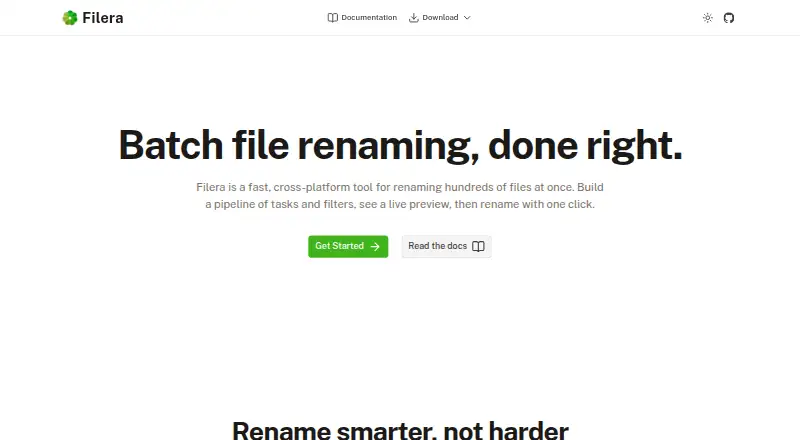
Filera is a free batch file renaming tool for Linux, macOS, and Windows. It is designed to process hundreds of files through a visual pipeline of rename tasks, including find and replace, number sequences, dates, custom text, and case conversion. A preview displays the current and proposed filenames side by side; files on disk are not changed until the rename is applied. Filters can select files by name, type, date range, or size, and filtered-out files are skipped. Filera can traverse directory trees and subfolders in one pass. Users can rename files where they are, copy renamed versions to another directory, or move them. The interface does not require scripting or regex, and the app supports metadata-based renaming. It does not support regex renaming, folder renaming, or undoing changes. Filera is built with Tauri and Rust and is MIT licensed. Linux instructions list .deb packages for Debian and Ubuntu and .rpm packages for Fedora and RHEL; the Windows installer is not yet code-signed, so Windows Defender SmartScreen may warn.
Who it suits
Filera suits people who need to rename many files in batches on Linux, macOS, or Windows, using a visual sequence of operations instead of scripts. Its preview and filters help review which filenames will change before applying the operation.
What it does well
- Preview shows old and proposed filenames side by side.
- Rename tasks include dates, sequences, and case conversion.
- Filters target files by name, type, date, or size.
- Can process subfolders in a directory tree.
- Free and MIT licensed.
What to know first
- Does not support regex renaming.
- Cannot rename folders or undo changes.
- Windows installer is not yet code-signed.
Limits
The free plan is listed as free. Filera does not support regex renaming, folder renaming, or undoing applied changes.
Plans
| Plan | Billed and limits | Price |
|---|---|---|
| Free | Download for free · MIT License | Free |
As filera.app lists them, read 7 Oct 2026. The maker's own page has the final word.
Getting started
- Visit the Filera website.
- Choose the download for Linux, macOS, or Windows.
- On Debian or Ubuntu, use the listed .deb package; on Fedora or RHEL, use the listed .rpm package.
- On Windows, be aware that SmartScreen may show a warning for the unsigned installer.
- Open files or a directory tree, set up rename tasks and filters, and review the preview.
- Apply the rename, or choose to copy or move the renamed files.
Overview
Filera is a desktop app for applying a sequence of filename changes to batches of files. It suits people who want a visual way to handle routine renaming across folders, without scripting or regex.
Its preview and flexible output modes make batch work more controlled, but the absence of undo leaves mistakes harder to recover from. It is a strong fit for file cleanup, not for workflows that require renaming folders or regex-based rules.
Key features
Build a rename workflow
Filera combines operations in a visual pipeline, including find and replace, number sequences, dates, custom text and case conversion. That suits repeatable cleanup jobs where several common changes need to be applied in order. The no-regex approach keeps the workflow accessible, but rules that depend on regular expressions call for another tool.
Preview and filter the batch
A side-by-side view shows the current and proposed filenames, and files stay unchanged until the user applies the operation. This gives users a chance to catch a bad pattern before it affects the files. It is not a recovery mechanism, however: Filera has no undo.
Filters can target files by name, type, date range or size, and files excluded by the filters are skipped. Filera can also traverse subfolders in a directory tree, which is useful when a batch spans nested folders rather than one directory.
Choose where renamed files go
Users can rename files in place, copy the renamed versions to another directory or move them. Copying or moving can help keep a reorganization separate from the originals, while in-place renaming avoids creating a second set of files. Filera processes files, not folder names.
Metadata-based renaming is supported, extending its use beyond rules based only on the visible filename. The app is built with Tauri and Rust, and its homepage identifies it as MIT licensed.
Pricing
Filera is free: its Free plan costs nothing and is offered under the MIT License. There is no paid plan or free trial to weigh against it. The free option is suited to anyone wanting the app’s batch-renaming workflow without a subscription.
Platforms
Filera runs on Linux, macOS and Windows. Linux installation instructions cover .deb packages for Debian and Ubuntu, and .rpm packages for Fedora and RHEL. Windows users may see a Defender SmartScreen warning because the installer is not yet code-signed.
Users can also build Filera from source; the documented requirements include Rust, Node.js v18 or higher, and platform-specific Tauri dependencies. That route may suit people comfortable with a development toolchain, while most users can choose the installer for their platform.
Who it's for
Filera is best for people who regularly clean up batches of filenames and want to combine common transformations, filter the target files and review changes before applying them. Its recursive folder support is useful when those files are spread through nested directories.
It is a weaker choice for anyone who needs folder renaming, regex rules or a way to undo a committed batch. Users concerned by an unsigned Windows installer may also prefer another option.
Pros and cons
Pros
- Preview before applying: Side-by-side old and new names help catch mistakes before files change on disk.
- Flexible batch selection: Filters by name, type, date or size, plus subfolder traversal, help target the intended files across a directory tree.
- Multiple output modes: Rename in place, copy or move files, depending on whether originals should remain in their current location.
- Free and MIT licensed: The price and license make it a straightforward option for a no-cost desktop workflow.
Cons
- No undo: A mistaken applied rename has no in-app reversal option.
- No folder renaming or regex: Filera cannot handle folder names or regex-dependent workflows.
- Unsigned Windows installer: SmartScreen may warn users before installation.
Alternatives
File Renaming Software is the broader category directory for comparing tools.
- Renamer.ai is worth considering for a web or API option, or if a 25-renames-per-month free Starter plan and Magic Folders suit the job; its Pro plan is $9.95 a month.
- reNamerX is another free, MIT-licensed desktop batch-renaming tool for Linux, macOS and Windows.
- Bulk Renamer is a free, open-source alternative for Linux, macOS and Windows, with no account, trial or watermark.
- Nomina is another free option for Linux, macOS and Windows, with no paid plans or usage limits stated.
- PBRenamer is a free GPL-3.0 alternative for Linux, macOS and Windows.
- Advanced Renamer may suit Windows or macOS users who need batches of up to 10,000 files and five methods on its free plan; its Personal plan allows unlimited files and methods at custom pricing.
- Ant Renamer is a free Windows program with source code available.
- Bulk Rename Utility offers Windows plans for home, academic and commercial use, including multi-computer commercial pricing.
Verdict
Choose Filera for free, visual batch renaming across Linux, macOS or Windows, especially when filters, subfolder traversal and a pre-apply preview matter. Look elsewhere if you need folder renaming, regex, or undo after a batch has been applied.
Verdict
Filera provides a visual workflow for batch file renaming, with preview, filters, and several output options. Note the lack of folder renaming and undo, and the SmartScreen warning that may appear for its unsigned Windows installer.
Questions
How much does Filera cost?
The Free plan costs nothing.
Which operating systems does Filera support?
Filera is available for Linux, macOS, and Windows.
Can I preview filename changes?
Yes. It displays old and proposed filenames side by side, and files remain unchanged until you apply the rename.
Does Filera support regex or folder renaming?
No. Regex renaming and folder renaming are not supported.
Is Filera open source?
Yes. Its homepage identifies it as MIT licensed.
How is Filera installed on Linux?
The instructions list .deb packages for Debian and Ubuntu and .rpm packages for Fedora and RHEL.
Facts from Filera's own pages
- Build from source
- The docs say users can build Filera from source and list Rust, Node.js v18 or higher, and platform Tauri dependencies as requirements. · filera.app, 7 Oct 2026
- Filters
- Users can target files by name, file type, date range, or size; filtered files are skipped during renaming. · filera.app, 7 Oct 2026
- Interface
- The app uses a visual pipeline and says no scripting or regex is required. · filera.app, 7 Oct 2026
- License
- The homepage identifies Filera as MIT licensed. · filera.app, 7 Oct 2026
- Linux packages
- Installation instructions list .deb packages for Debian/Ubuntu and .rpm packages for Fedora/RHEL. · filera.app, 7 Oct 2026
- Live preview
- The app shows old and new filenames side by side, and nothing changes on disk until the user applies the rename. · filera.app, 7 Oct 2026
- Output modes
- Users can rename files in place, copy renamed files to another directory, or move them. · filera.app, 7 Oct 2026
- Platforms
- Pre-built binaries are available for Windows, macOS, and Linux; the macOS binary supports Apple Silicon and Intel. · filera.app, 7 Oct 2026
- Purpose
- Filera is a batch file renaming tool for renaming hundreds of files at once. · filera.app, 7 Oct 2026
- Recursive folders
- Filera can open directory trees and walk subfolders to process files in one pass. · filera.app, 7 Oct 2026
- Rename tasks
- Its task pipeline includes find and replace, number sequences, dates, custom text, case conversion, and more. · filera.app, 7 Oct 2026
- Technology
- Filera is built with Tauri and Rust. · filera.app, 7 Oct 2026
- Windows installer
- The Windows installer is not yet code-signed, and Windows Defender SmartScreen may show a warning. · filera.app, 7 Oct 2026
Where Filera stands on Freedom251
- File Renaming Software#6 of 31