Freedom251 › File Renaming Software
File Renamer
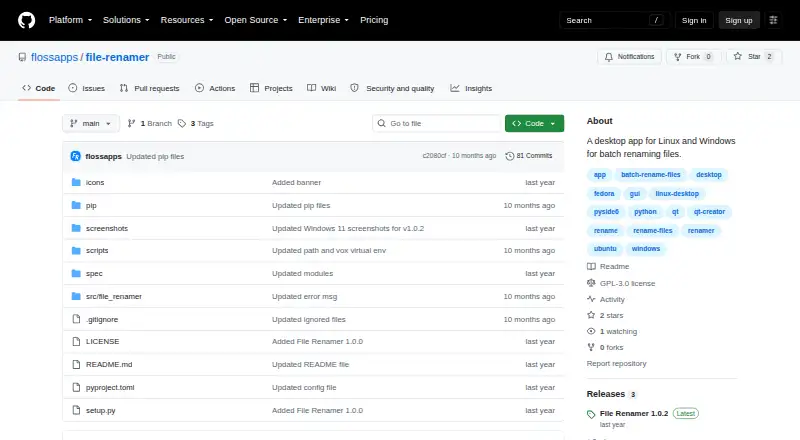
What File Renamer is
File Renamer is a desktop app for batch renaming files on Linux and Windows. It is free and describes itself as Free, Libre, Open Source Software, with a GPL-3.0 license. The project README labels screenshots for listing files, previewing changes, and viewing renamed files, and the product includes a rename preview.
The project wiki provides portable installation instructions for Linux and Windows. It says this installation route does not require root or administrator permission. Another option is to install the app with `pip install io.github.flossapps.file-renamer` and launch it with `file-renamer`. The wiki reports portable installation testing on Fedora KDE Plasma Desktop, Ubuntu Desktop, and Windows 11. For Ubuntu 24.04.4 LTS, its instructions call for installing `libxcb-cursor0`. The wiki says other desktop operating systems, including macOS, may work with the pip installation, though those systems are untested. File Renamer's listed platform coverage is Linux and Windows, so users on other systems can refer to the pip option with that qualification in mind. Its portable route and command-line installation instructions give users two documented ways to get started.
Who it suits
File Renamer suits people who need to rename groups of files on Linux or Windows and want a free, open source desktop app with a preview step. It may also suit users looking for a portable installation that does not need administrator permission.
What it does well
- Free to use, with a GPL-3.0 license.
- Batch renames files on Linux and Windows.
- Includes a rename preview.
- Portable Linux and Windows installation needs no administrator permission.
- Provides a pip installation command.
What to know first
- Portable installation testing is reported only for Fedora KDE, Ubuntu Desktop, and Windows 11.
- Other systems, including macOS, may work with pip but are untested.
- Ubuntu 24.04.4 LTS instructions require installing libxcb-cursor0.
Plans
| Plan | Billed and limits | Price |
|---|---|---|
| File Renamer | Free, Libre, Open Source Software (FLOSS) | Free |
As github.com lists them, read 11 Oct 2026. The maker's own page has the final word.
Getting started
- Visit https://github.com/flossapps/file-renamer.
- On Linux or Windows, follow the wiki's portable installation instructions if you want a no-administrator-permission setup.
- Alternatively, install with `pip install io.github.flossapps.file-renamer`.
- Run `file-renamer` to start the app.
- On Ubuntu 24.04.4 LTS, install `libxcb-cursor0` as instructed.
Verdict
Choose File Renamer if you want a free, open source desktop app for batch renaming on Linux or Windows, with a preview and portable installation instructions. Users on other desktop systems should weigh the fact that the pip route is described as potentially compatible but untested there.
Questions
Is File Renamer free?
Yes. Its plan is listed as free, and the project describes it as Free, Libre, Open Source Software.
Which operating systems are supported?
The listed platforms are Linux and Windows. The wiki says other desktop systems, including macOS, may work with pip but are untested.
What license does File Renamer use?
The project lists a GPL-3.0 license.
Can I install it without administrator permission?
The wiki says its portable installation instructions for Linux and Windows require no root or administrator permission.
How do I install it with pip?
Run `pip install io.github.flossapps.file-renamer`, then launch it with `file-renamer`.
Which systems are named as tested for portable installation?
The wiki reports testing with Fedora KDE Plasma Desktop, Ubuntu Desktop, and Windows 11.
Facts from File Renamer's own pages
- Cross-platform availability
- The wiki says other desktop operating systems, including macOS, may work with the pip installation but are untested. · github.com, 11 Oct 2026
- Installation dependency
- For Ubuntu 24.04.4 LTS, the wiki instructs users to install `libxcb-cursor0`. · github.com, 11 Oct 2026
- License
- The project describes itself as Free, Libre, Open Source Software (FLOSS) and lists a GPL-3.0 license. · github.com, 11 Oct 2026
- Permissions
- The wiki says portable installation requires no root or administrator permission. · github.com, 11 Oct 2026
- Pip installation
- The wiki gives the install command `pip install io.github.flossapps.file-renamer` and says to run the app with `file-renamer`. · github.com, 11 Oct 2026
- Portable installation
- The wiki provides portable installation instructions for Linux and Windows. · github.com, 11 Oct 2026
- Purpose
- File Renamer is a desktop app for batch renaming files. · github.com, 11 Oct 2026
- Tested systems
- The wiki says portable installation was tested with Fedora KDE Plasma Desktop, Ubuntu Desktop, and Windows 11. · github.com, 11 Oct 2026
- Usage flow
- The project README labels screenshots for listing files, previewing, and renamed files. · github.com, 11 Oct 2026
Where File Renamer stands on Freedom251
- File Renaming Software#9 of 31