Freedom251 › File Viewer Software

nomacs
What nomacs is
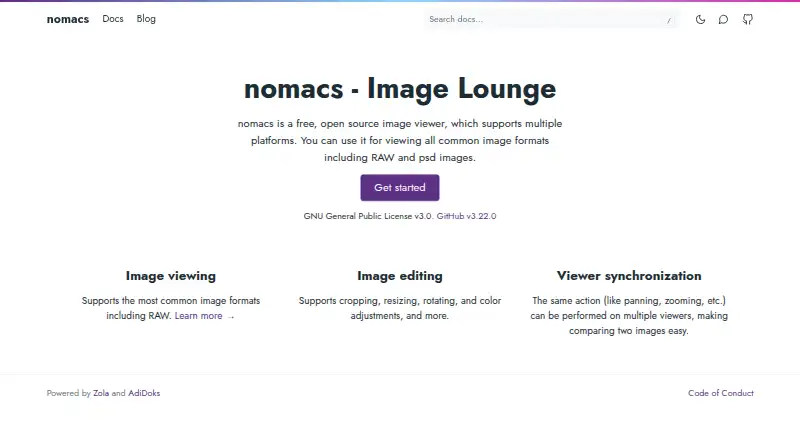
nomacs is a free image viewer for Windows, Linux, and macOS, with support for common image formats including RAW and PSD. It can show image thumbnails, metadata, and histograms in semi-transparent widgets, and users can add notes. For browsing, it can open images inside ZIP and MS Office files, preview folder contents, and filter filenames by text or regular expression. Editing controls cover brightness, contrast, saturation, hue, gamma, and exposure, with pseudo-color rendering also available. For comparison work, multiple instances can synchronize panning and zooming, and images can be overlaid at different opacity. Format availability depends partly on image plugins and optional build features. The program is licensed under GNU General Public License v3 and is free for private and commercial use. Downloads include Windows installer and portable packages, Linux packages and Flatpak/AppImage, and macOS arm64 and x86_64 builds. FreeBSD and OS/2 are also listed as supported systems.
Who it suits
nomacs suits people who need a no-cost viewer across desktop systems, especially those comparing image versions or inspecting image metadata. It also serves users who need basic image adjustments or browsing within archives and office files.
What it does well
- Free for private and commercial use
- Supports RAW image viewing
- Shows metadata and histograms
- Can synchronize image comparison views
- Offers brightness, contrast, and exposure adjustments
What to know first
- Format support can vary by build
- Windows XP and Vista lack future development support
- Some formats depend on optional features
Plans
| Plan | Billed and limits | Price |
|---|---|---|
| nomacs | Free for private and commercial use · GNU General Public License v3 | Free |
As nomacs.org lists them, read 2 Oct 2026. The maker's own page has the final word.
Getting started
- Visit the nomacs website.
- Choose the package for Windows, Linux, or macOS; FreeBSD and OS/2 are also listed as supported.
- Install a package or use a listed portable build where available.
- Open images to browse, inspect, adjust, or compare them.
nomacs is a desktop image viewer with tools for browsing, inspecting, adjusting, and comparing images. It is a strong fit for image-processing users who need to review files or compare processing stages; it is not a substitute for a full image editor.
Overview
Founded in 2011, nomacs is free for private and commercial use under the GNU General Public License v3. Its comparison tools give it a more focused role than a basic viewer, while its adjustment controls are best treated as quick corrections rather than a complete editing workflow.
It supports common image formats, including RAW and PSD, but format support can depend on Qt image plugins, KImageFormats, and optional build features. That makes it sensible to confirm support for any format central to your work before choosing a build.
Key features
Browse and inspect
Semi-transparent widgets can display thumbnails, metadata, and histograms, and users can add notes to images. Folder thumbnail previews and filename filters using text or regular expressions help with collection review. Browsing images inside ZIP or MS Office files is useful when images arrive bundled in archives or documents.
Make quick adjustments
Brightness, contrast, saturation, hue, gamma, and exposure controls cover common tonal and color changes. Pseudo-color rendering can show false-color images. These options make nomacs more useful than a read-only viewer, but they do not position it as a full image-editing suite.
Compare images
Multiple nomacs instances can synchronize panning and zooming, and images can be overlaid at different opacity levels. That is particularly useful for comparing processing stages or inspecting differences while keeping views aligned. Readers who need more extensive editing should look elsewhere.
Pricing
The nomacs plan costs nothing, with no free trial because the software is free. The GNU General Public License v3 permits private and commercial use, so there is no paid tier to unlock those use cases.
Platforms
nomacs supports Windows, Linux, macOS, FreeBSD, and OS/2. Downloads include Windows 64-bit installer and portable packages, Linux packages plus Flatpak and AppImage, and macOS arm64 and x86_64 builds. Windows XP and Vista are not supported in development since version 3.0; version 2.4.6 can be used on those systems.
Who it's for
Choose nomacs if you want a free viewer that can inspect metadata and histograms, browse image collections, make modest adjustments, and compare processing stages. Its synchronized views and opacity overlays are the clearest reason to choose it over a simple viewer. It is a weaker fit if you need a full editing suite or rely on a specific image format without first checking the build's support.
Pros and cons
- Pros: Free for private and commercial use under GPLv3, with no paid plan required.
- Pros: Synchronized panning and zooming plus opacity overlays support direct image comparison.
- Pros: Metadata, histograms, notes, collection filters, and archive or document browsing combine several review tasks in one viewer.
- Cons: Format support varies with plugins and build options, which can complicate workflows dependent on a particular format.
- Cons: Adjustment controls are basic, so users seeking a full editor should choose another kind of tool.
Alternatives
ImageGlass is another free-plan option for Windows, Linux, and macOS, with a free trial; choose it if that alternative better suits your viewer needs. XnConvert offers free use for private, educational, and non-profit use, while its company license is 6.50 EUR; consider it if those terms fit your intended use. Geeqie is a free, GPLv2 option across Windows, Linux, and macOS. Pineapple Pictures has a free MIT-licensed viewer, with a paid itch.io purchase offering experimental additional format support. qView is a free, open-source GPLv3 alternative across Windows, Linux, and macOS. ApolloOne is a macOS-only choice with a free version indefinitely and a purchase reminder after 14 days, as well as a $14.99 a year Standard subscription. FastStone Image Viewer is Windows-only, with free personal and educational use and a $34.95 a month commercial lifetime license. GNOME Remote Desktop is a free Linux and self-hosted option focused on remote desktop rather than image viewing.
Browse more options in Photo Viewer Software or File Viewer Software.
Verdict
nomacs is an easy recommendation for image reviewers who want comparison tools, basic adjustments, and broad desktop platform coverage without a usage fee. Its main limitation is the combination of modest editing depth and build-dependent format support; choose a more specialized tool if either is essential to your work.
Verdict
nomacs combines image browsing, basic adjustments, and comparison tools without a usage fee. Check the available build's format support and system compatibility before relying on it.
Questions
How much does nomacs cost?
The listed plan is free. It is free for private and commercial use.
Is nomacs open source?
Yes. It is licensed under the GNU General Public License v3.
Which systems does nomacs support?
Windows, Linux, macOS, FreeBSD, and OS/2 are listed. Downloads include Windows, Linux, and macOS packages.
Can nomacs open RAW images?
Yes, RAW support is listed. Available formats can depend on plugins and optional build features.
Can it compare images?
Yes. Separate instances can synchronize panning and zooming, and images can be overlaid at different opacity.
Does nomacs support Windows XP and Vista?
Future development has not supported those systems since nomacs 3.0. Version 2.4.6 can be used on them.
Facts from nomacs's own pages
- Downloads
- The installation page lists Windows 64-bit installer and portable packages, Linux packages and Flatpak/AppImage, and macOS arm64 and x86_64 builds. · nomacs.org, 2 Oct 2026
- Editing
- Image adjustments include brightness, contrast, saturation, hue, gamma, and exposure, as well as pseudo-color false-color images. · nomacs.org, 2 Oct 2026
- File browsing
- nomacs can browse images in ZIP or MS Office files, show a folder thumbnail preview, and filter filenames by text or regular expression. · nomacs.org, 2 Oct 2026
- Formats
- The documented format support depends partly on Qt image plugins, KImageFormats, and optional build features such as ENABLE_RAW and ENABLE_TIFF. · nomacs.org, 2 Oct 2026
- Founded
- 2011 · nomacs.org, 28 Sept 2026
- Image comparison
- Multiple nomacs instances can synchronize panning and zooming, and images can be overlaid at different opacity for comparison. · nomacs.org, 2 Oct 2026
- Image information
- Semi-transparent widgets can display thumbnails, metadata, and histograms; users can add notes to images. · nomacs.org, 2 Oct 2026
- Integrations
- The FAQ describes its original purpose as helping image-processing users compare images at different processing stages. · nomacs.org, 2 Oct 2026
- License and use
- nomacs is licensed under GNU General Public License v3 and is free for private and commercial use. · nomacs.org, 2 Oct 2026
- Other supported systems
- The introduction also lists FreeBSD and OS/2 as supported platforms. · nomacs.org, 2 Oct 2026
- Product
- nomacs is a free, open-source image viewer for viewing common image formats, including RAW and PSD images. · nomacs.org, 2 Oct 2026
- Support
- The documentation directs users to the project tracker to report bugs or request features, and invites contributions such as translations, ports, and code. · nomacs.org, 2 Oct 2026
- Windows compatibility
- The FAQ says Windows XP and Vista are not supported in future development since nomacs 3.0, though version 2.4.6 can be used on those systems. · nomacs.org, 2 Oct 2026
Where nomacs stands on Freedom251
- File Viewer Software#6 of 31
- Photo Viewer Software#9 of 34