Freedom251 › Photo Viewer Software

ImageGlass
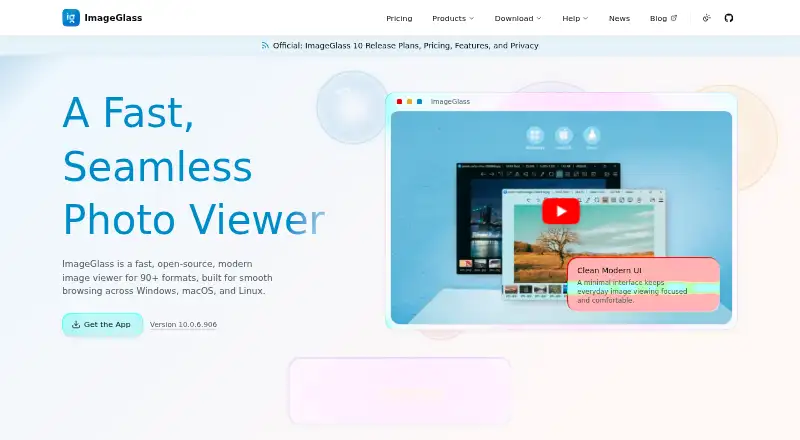
What ImageGlass is
ImageGlass is a desktop image viewer for browsing and viewing image files on Windows, macOS, and Linux. It supports more than 90 formats, including WEBP, GIF, SVG, PNG, JXL, HEIC, and RAW. Viewing tools include slideshows, thumbnails, color picking, hardware-accelerated rendering, and EXIF viewing through ExifGlass. Built-in editing covers rotation, flipping, cropping, lossless compression, and resizing. The free Classic edition is GPLv3. Paid Pro options add an HDR Tone Mapper, free and margin panning, File Watcher, custom mouse clicks, and settings and feature locks. The listed one-time prices are $14.90 for Pro Individual and $69.00 for Pro Team; Pro Business is listed at $9,917.00 per year. ImageGlass can associate external apps for editing, and developers can build extensions with its SDK. The app says it does not scan image libraries for analytics or send images, file names, or folder paths elsewhere. Pro licensing uses local verification and requires no account, online activation, or device lock. ImageGlass 10 requirements list Windows 10/11, macOS 14+ on Apple Silicon, or Linux Desktop X11 x64.
Who it suits
ImageGlass suits people who want a desktop viewer with broad image-format support and basic editing tools. Pro may suit those who need its additional viewing controls or business licensing.
What it does well
- Supports more than 90 image formats, including RAW.
- Built-in editing includes crop, resize, and rotation.
- Classic is free and licensed under GPLv3.
- Pro licensing requires no account or online activation.
What to know first
- macOS 14+ requirement specifies Apple Silicon.
- Linux requirement specifies Desktop X11 x64.
- Side-by-side comparison is not supported.
Limits
Classic is the free plan. Pro Individual covers one user or device, and Pro Team covers up to three users or devices; the free Business evaluation lasts 14 days.
Plans
| Plan | Billed and limits | Price |
|---|---|---|
| Classic | none · unlimited users · GPLv3 · all versions · community support | Free |
| Pro Individual | one-time · 1 user or device · personal use · ImageGlass 10.x · standard purchase help | $14.90, paid once |
| Pro Team | one-time · up to 3 users or devices · personal and commercial use · ImageGlass 10.x · standard purchase help | $69, paid once |
| Pro Business | from $9.99 per seat per month; yearly option from $99 per seat per year · seat-based commercial use · priority support · all versions · graduated volume pricing | $9.99 a month |
| Pro Commercial Source License | custom price · negotiated non-exclusive MIT source grant for an agreed version · future versions and support excluded unless separately agreed | On request |
As imageglass.org lists them, read 15 Oct 2026. The maker's own page has the final word.
Getting started
- Visit https://imageglass.org/.
- Choose Windows, macOS or Linux as your platform.
- Install ImageGlass for a system that meets the listed ImageGlass 10 requirements.
- Use the free Classic edition, or select a Pro license.
- Use the free 14-day Business license to evaluate Pro features across an organization.
Overview
ImageGlass is a desktop image viewer for people who browse mixed image collections and want a few useful adjustments without opening a separate editor. Its broad format support and free Classic edition make it an appealing everyday viewer; users who need Pro tools or rely on image comparison should weigh the paid options and workflow limits.
It handles more than 90 formats, including RAW, HEIC, SVG and JXL, and combines viewing with conversion, color picking and EXIF access through ExifGlass. Color management and metadata viewing are supported, but side-by-side comparison is not, a meaningful gap for anyone whose routine is judging versions against each other.
ImageGlass says it keeps image libraries local: it does not scan them for analytics or send images, filenames or folder paths elsewhere. External editing apps can be associated and reached with custom hotkeys, while developers can build extensions using the SDK. Third-party plugins require permission on first load, and a plugin is disabled if its binary signature changes unexpectedly.
Key features
- Broad file support: More than 90 formats, including WEBP, GIF, PNG, HEIC, JXL and RAW, make ImageGlass practical for collections assembled from varied cameras and sources. Conversion is included, so some format changes do not require a separate utility.
- Collection browsing: Hardware-accelerated rendering, smart caching, thumbnails and slideshows cover the essentials for moving through image files. They do not replace a comparison workflow, since side-by-side viewing is not supported.
- Basic edits: Rotate, flip, crop, resize and lossless compression handle quick corrections. These are useful finishing touches, not a substitute for a dedicated editor when a task goes beyond those operations.
- Color and metadata: Color picking and color management serve users who need more than a plain preview; EXIF viewing is provided through ExifGlass.
- Pro controls: Pro adds an HDR Tone Mapper, free and margin panning, File Watcher, custom mouse clicks, settings lock and feature lock. Those additions are most relevant to users who need the specific viewing controls or administrative restrictions; the core browsing and basic editing functions are already in Classic.
- Extensibility and privacy: External-app associations and hotkeys connect ImageGlass to other tools, and the SDK supports extensions. Plugin permission prompts and signature-change disabling are useful safeguards, while local license verification means Pro does not require an account, online activation or device lock.
Pricing
ImageGlass uses a freemium model. Classic is free, with unlimited users, GPLv3 licensing, all versions and community support channels. It is the sensible starting point for personal or shared use when the core viewer and editing tools are enough; Pro features and priority support are not part of this tier.
Pro Individual costs $14.90, paid once for one user or device and personal use, covering Pro v10.x with standard purchase help. Pro Team costs $69, paid once for up to three users or devices, commercial use and Pro v10.x, also with standard purchase help. These one-time options suit individuals and small commercial groups that need Pro capabilities, but their stated coverage is Pro v10.x rather than all versions.
Pro Business costs $9,917 a year, with monthly or yearly subscription options and seat-based commercial licensing. It includes all versions while the subscription is active, priority support and volume pricing as low as $19/seat. This is aimed at organizations needing broader version coverage and support; the subscription must remain active for all-versions access. A free 14-day Business license lets an organization evaluate Pro features. Classic support is through community channels, while Business includes priority support.
Platforms
ImageGlass supports Windows, macOS and Linux, but ImageGlass 10 has specific requirements: Windows 10/11 x64 or arm64, version 1809 or later; macOS 14 or later on Apple Silicon; and Linux Desktop X11 x64. Check those requirements before choosing it, particularly if a Mac uses an Intel processor or a Linux setup does not match the stated desktop environment.
Who it's for
ImageGlass is a strong fit for people who want one desktop viewer for varied formats, including RAW, with local privacy, metadata access and modest editing tools. Classic is particularly compelling when those capabilities are sufficient and community support is acceptable. Pro makes more sense when its additional panning, HDR, file-watching or control-lock features solve a specific need; comparison-focused users and those seeking a fuller editing workflow should look elsewhere.
Pros and cons
- Pro: Support for more than 90 formats, including RAW, HEIC and SVG, reduces format-related friction in mixed libraries.
- Pro: Classic is free with unlimited users and all versions, while the product's privacy stance keeps image files and paths from being sent elsewhere.
- Pro: Conversion, color tools, EXIF viewing and basic edits make the viewer more useful than a preview-only app.
- Con: Side-by-side comparison is absent, limiting its usefulness for reviewing alternate edits or similar shots.
- Con: ImageGlass 10's macOS requirement excludes Intel Macs, and Linux use is tied to X11 x64.
- Con: Business licensing is a subscription with a stated annual price of 9917.00 USD, while the lower-priced Pro options cover only Pro v10.x.
Alternatives
XnConvert is the better fit when conversion is the priority and a free, adware- and spyware-free option for private, educational and non-profit use is enough; company licenses are 6.50 EUR for 100 or more licenses. Geeqie suits readers who want a free GPLv2 image viewer across Linux, macOS and Windows instead of ImageGlass's paid Pro tiers.
nomacs is a reasonable alternative when a free GPLv3 viewer for private and commercial use is the deciding requirement. ApolloOne is worth considering for a macOS-only choice: its free version continues indefinitely, with a purchase reminder after 14 days, and it also offers a $14.99 a year Standard subscription.
FastStone Image Viewer is a Windows-only alternative, with a free option for personal and educational use and a commercial lifetime license. IrfanView is another Windows-only freemium choice, with private non-commercial freeware and a commercial license at $18 a month.
Ghost Commander is a free Android alternative. PhotoQt is a free, open-source image viewer for Linux and Windows. Browse more options in Photo Viewer Software.
Verdict
Choose ImageGlass if you want a format-flexible desktop viewer with local privacy, metadata tools and useful basic edits, and Classic covers your needs. Its strongest case is breadth without a mandatory purchase; look elsewhere if comparing images side by side is central, or if your device falls outside the specific ImageGlass 10 platform requirements.
Verdict
ImageGlass covers image browsing, metadata viewing, and basic edits, with a free Classic edition and paid Pro options. Check the listed platform requirements and Pro features against your needs.
Questions
Is ImageGlass free?
Yes. Classic costs nothing and is licensed under GPLv3.
How much do the paid plans cost?
Pro Individual costs $14.90 USD once for one user or device. Pro Team costs $69.00 USD once for up to three users or devices. Pro Business costs $9,917 a year, with monthly or yearly subscription options.
Which platforms does ImageGlass support?
Windows, macOS and Linux. ImageGlass 10 lists Windows 10/11 x64 or arm64 version 1809 or later, macOS 14+ on Apple Silicon, and Linux Desktop X11 x64.
Is ImageGlass open source?
The free Classic plan is licensed under GPLv3.
Who makes ImageGlass?
Its creator is Dương Diệu Pháp, who describes himself as a software engineer from Vietnam.
Does ImageGlass offer a trial?
Yes. A free 14-day Business license is offered to evaluate Pro features across an organization.
Facts from ImageGlass's own pages
- Animation support
- Animated GIF, WEBP, APNG and SVG content can be viewed, with frame controls for pausing, saving or exporting frames. · imageglass.org, 15 Oct 2026
- API examples
- The API reference includes commands for navigation, default-viewer registration, file watching and applying JSON settings. · imageglass.org, 15 Oct 2026
- Codec plugins
- Native codec plugins can add opening or saving support for formats not handled by built-in engines. · imageglass.org, 15 Oct 2026
- Color tools
- A built-in color picker supports multiple color representations. · imageglass.org, 15 Oct 2026
- Company headquarters
- LinkedIn lists headquarters in Singapore. · linkedin.com, 15 Oct 2026
- Company size
- LinkedIn lists ImageGlass as a self-employed organization with one employee. · linkedin.com, 15 Oct 2026
- Deployment limit
- The documentation says locked settings do not prevent a user who can run command-line arguments from changing file associations. · imageglass.org, 15 Oct 2026
- Editing
- Built-in editing features include rotating, flipping, cropping, lossless compression, and resizing. · imageglass.org, 3 Oct 2026
- Enterprise deployment
- Administrators can deploy MSI or MSIX packages, machine-wide policies and Pro licenses; MSI supports x64 installation for all users. · imageglass.org, 15 Oct 2026
- External tools
- The documentation describes external applications that can follow photo navigation and run host commands. · imageglass.org, 15 Oct 2026
- Format conversion
- Classic includes conversion between many common image formats. · imageglass.org, 15 Oct 2026
- Format coverage
- The product advertises support for more than 90 formats, including WEBP, GIF, SVG, PNG, JXL, HEIC and RAW. · imageglass.org, 15 Oct 2026
- Format support
- The product supports over 90 image formats, including WEBP, GIF, SVG, PNG, JXL, HEIC, and RAW formats. · imageglass.org, 3 Oct 2026
- Founded
- LinkedIn gives 2010 as the founding year. · linkedin.com, 15 Oct 2026
- Hardware rendering
- Images are rendered with hardware acceleration, including very large files. · imageglass.org, 15 Oct 2026
- Input methods
- Images can be opened by drag-and-drop or by pasting image data, files or paths from the clipboard. · imageglass.org, 15 Oct 2026
- Integrations
- External apps can be associated for editing, custom hotkeys can integrate with external apps, and developers can build extensions with the ImageGlass SDK. · imageglass.org, 3 Oct 2026
- Licence
- Classic source code is GPLv3, while the published SDK uses the MIT license. · imageglass.org, 15 Oct 2026
- Licensing privacy
- Pro uses local license verification and requires no account, online activation, or device lock. · imageglass.org, 3 Oct 2026
- Limit: editing depth
- The independent roundup said ImageGlass has fewer editing and effects options than larger competing products. · screencapture.com, 15 Oct 2026
- Limit: older independent platform assessment
- A 2025 review listed ImageGlass as Windows-only and therefore did not credit macOS or Linux support available in the later ImageGlass 10 release. · screencapture.com, 15 Oct 2026
- Limit: organization
- The G2 reviewer wanted built-in functionality for organizing or managing image collections. · g2.com, 15 Oct 2026
- Maker
- Creator Dương Diệu Pháp describes himself as a software engineer from Vietnam. · imageglass.org, 3 Oct 2026
- Maker identity
- Official copyright and licence pages identify Duong Dieu Phap as the author. · imageglass.org, 15 Oct 2026
Where ImageGlass stands on Freedom251
- Photo Viewer Software#1 of 34
- File Reader Software#1 of 24