Freedom251 › Photo Viewer Software
Pineapple Pictures
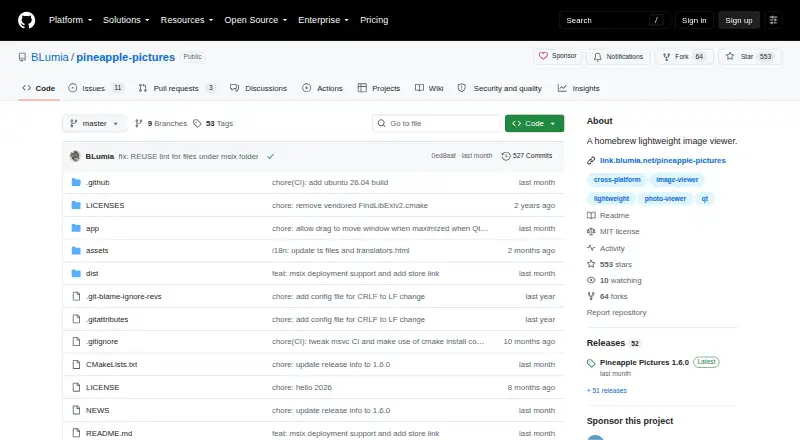
What Pineapple Pictures is
Pineapple Pictures is a lightweight image viewer for opening common image formats on Linux, macOS, and Windows. Its README names JPEG, PNG, GIF, SVG, PSD, KRA, XCF, TGA, HDR, and AVIF among supported formats, and the project also lists RAW image support. A Stay-on-Top setting can pin an image above other software, making the viewer useful when you need a reference visible while working elsewhere. A metadata viewer is listed, with optional libexiv2 support recommended for displaying more image metadata.
The viewer is free, and the project as a whole is licensed under MIT, although individual files may have other compatible licenses. Downloads are linked through GitHub Releases, SourceForge, Arch Linux AUR, itch.io, and FlatHub. The maintainer says an itch.io purchase supports development and adds experimental support for more image formats. Release 1.6.0 lists Linux with Qt 6.4 or later and a stacking window manager, Windows x64, and macOS ARM as supported systems. Available formats depend on Qt imageformats plugins; users may need to obtain those from their distribution or build them themselves on Windows. The maintainer describes the project as being in maintenance mode for the foreseeable future, with continued updates.
Who it suits
Pineapple Pictures suits people who want a free desktop viewer for common and specialist image formats across Linux, macOS, or Windows. Its Stay-on-Top setting is useful for artists, designers, or anyone who needs to keep a reference image visible beside other software.
What it does well
- Free image viewer licensed under MIT as a whole.
- Supports formats including PSD, KRA, XCF, HDR, and AVIF.
- Stay-on-Top can keep a reference image above other software.
- Available for Linux, macOS, and Windows.
- Downloads are linked through several distribution channels.
What to know first
- Image format availability depends on Qt imageformats plugins.
- Linux release requires Qt 6.4 or later and a stacking window manager.
- The maintainer describes the project as being in maintenance mode.
Plans
| Plan | Billed and limits | Price |
|---|---|---|
| Pineapple Pictures | MIT-licensed image viewer; paid itch.io purchase offers experimental additional image format support | Free |
| Free | Desktop image viewing · MIT-licensed source · Windows/Linux/macOS builds | Free |
As github.com lists them, read 7 Oct 2026. The maker's own page has the final word.
Getting started
- Choose a download route such as GitHub Releases, SourceForge, Arch Linux AUR, or FlatHub.
- Select the build for your operating system.
- On Linux, use Qt 6.4 or later and a stacking window manager.
- Install or obtain any Qt imageformats plugins required for your images.
- Open an image and enable Stay-on-Top to keep it visible above other software.
Pineapple Pictures is a free desktop image viewer for Windows, macOS, and Linux. It suits people who want to keep a reference image above other windows while they work. Its range of formats is useful, but support can depend on extra Qt plugins.
Overview
The viewer’s strongest case is practical: a pinned image can stay visible while you work in another application. That makes Pineapple Pictures a good fit for reference-led tasks, especially when you need to compare your work with an image without switching windows.
Version 1.6.0 adds controls for the bird-eye view and lets users move a maximized window by dragging its title bar. The project remains in maintenance mode, with updates expected to continue. That is a reasonable fit for a focused utility, though readers seeking an actively expanding product may prefer another tool.
Key features
- Wide format coverage: The README names JPEG, PNG, GIF, SVG, PSD, KRA, XCF, TGA, HDR, and AVIF; RAW support is also indicated. This breadth is valuable for people handling varied image files, but Qt imageformats plugins determine whether formats work. Users may need plugins from their Linux distribution, and Windows users may need to build them themselves.
- Stay-on-Top window: Pinning an image above other software is the clearest reason to choose Pineapple Pictures. It suits reference work; it is less compelling if you only need a basic viewer.
- Metadata support: Optional libexiv2 support can display more image metadata. It adds value for readers who need image details, while remaining an optional component.
- Downloads and builds: Downloads are linked through GitHub Releases, SourceForge, Arch Linux AUR, itch.io, and FlatHub. Manual builds require CMake, Qt 6 with qt6-svg and qt6-tools, and a C++ compiler; libexiv2 is optional. The release supports Linux with Qt 6.4 or later and a stacking window manager, Windows x64, and macOS ARM.
- Open licensing: Pineapple Pictures as a whole is MIT-licensed, though individual files may use other compatible licenses. The 1.6.0 release tag and commit carry the committer’s verified signature.
Pricing
The Pineapple Pictures plan costs nothing and includes the MIT-licensed image viewer. There is no paid tier needed for the core viewer, making it a straightforward choice for anyone who wants a no-cost desktop utility.
An itch.io purchase supports development and provides experimental additional image-format support. The free version’s main trade-off is that format availability depends on Qt plugins.
Platforms
Pineapple Pictures is available for Windows, macOS, and Linux. Release 1.6.0 specifies Windows x64, macOS ARM, and Linux with Qt 6.4 or later and a stacking window manager. Those system requirements matter most to Linux users, while the release architecture limits are relevant to users choosing a package for their Mac or PC.
Who it's for
Choose Pineapple Pictures if you need a free viewer that can keep a reference image visible while you work in another program, or if you want one desktop tool for a range of image formats. It is a weaker fit when you need formats to work without locating or building Qt plugins, or when you want a project outside maintenance mode. Users with build requirements can turn to GitHub Discussions or open an issue for support.
Pros and cons
- Pro: Stay-on-Top makes a reference image useful alongside other software, rather than buried behind it.
- Pro: The free, MIT-licensed viewer supports Windows, macOS, and Linux, with a broad named format range and indicated RAW support.
- Pro: Optional libexiv2 support adds a route to viewing more image metadata.
- Con: Qt imageformats plugins can require separate setup, including user-built plugins on Windows.
- Con: The project is in maintenance mode, which may disappoint readers looking for rapid feature development.
- Con: Manual builds require Qt 6, additional Qt components, CMake, and a C++ compiler.
Alternatives
For another photo-viewing option, browse Photo Viewer Software. If your search is actually for a Nintendo Switch emulator, Nintendo Switch Emulators is the relevant category; Pineapple Pictures is an image viewer.
Among the linked alternatives, Eden, NeXium, Ruzu, Hydra, MeloNX, NxEmu, Voland, and Citron NEO are Nintendo Switch emulators, so choose them only if emulation—not image viewing—is what you need.
Verdict
Pineapple Pictures is a sensible free pick for desktop users who want broad image-format coverage and a pinned reference window. Its main advantage is that focused Stay-on-Top workflow; its main drawback is that format support can take extra plugin setup. Choose it for reference viewing, and look elsewhere if you need formats to work without plugins or want a project beyond maintenance mode.
Verdict
Choose Pineapple Pictures if you need a free image viewer with a Stay-on-Top reference window and broad format support across desktop systems. Look elsewhere if you need formats to work without the required Qt imageformats plugins or want a project outside maintenance mode.
Questions
Is Pineapple Pictures free?
Yes. The viewer is listed as free. An itch.io purchase supports development and provides experimental additional image format support.
Which operating systems are supported?
Release 1.6.0 lists Linux with Qt 6.4 or later and a stacking window manager, Windows x64, and macOS ARM.
Is Pineapple Pictures open source?
The project says Pineapple Pictures as a whole is licensed under MIT. Individual files may have other compatible licenses.
Which image formats can it open?
The README lists JPEG, PNG, GIF, SVG, PSD, KRA, XCF, TGA, HDR, and AVIF, among others. Format support depends on Qt imageformats plugins.
Can it display image metadata?
A metadata viewer is listed. The project recommends optional libexiv2 support to display more image metadata.
Where can I get Pineapple Pictures?
The project links downloads through GitHub Releases, SourceForge, Arch Linux AUR, itch.io, and FlatHub.
Facts from Pineapple Pictures's own pages
- Additional formats
- The maintainer says an itch.io purchase supports development and provides experimental additional image format support. · github.com, 7 Oct 2026
- Audience
- The README describes a use case of keeping a reference image visible while working in other software. · github.com, 7 Oct 2026
- Binary availability
- The 1.6.0 release provides binaries for Windows, Ubuntu 24.04, deepin 25 and macOS, while other distributions can build from source. · github.com, 15 Oct 2026
- Build dependencies
- Manual builds require CMake, Qt6 with Qt SVG and Qt tools; libexiv2 is optional but recommended for more metadata. · github.com, 15 Oct 2026
- Build requirements
- Manual builds use CMake, Qt 6 with qt6-svg and qt6-tools, and a C++ compiler; libexiv2 is optional. · github.com, 7 Oct 2026
- Build system
- The project instructs developers to build with CMake and a normal C++ compiler, producing a ppic executable. · github.com, 15 Oct 2026
- Clipboard support
- The guide documents copying an image to the clipboard and displaying an image pasted from the clipboard. · freesoft-100.com, 15 Oct 2026
- Distribution
- The project links to GitHub Releases, SourceForge, Arch Linux AUR, itch.io, and FlatHub for downloads. · github.com, 7 Oct 2026
- Formats
- The README lists JPEG, PNG, GIF, SVG, PSD, KRA, XCF, TGA, HDR, and AVIF among supported formats. · github.com, 7 Oct 2026
- Image management
- Flathub describes the application as having no image-management functionality. · flathub.org, 15 Oct 2026
- Image plugins
- Image format support depends on Qt imageformats plugins, which users may need to obtain from their distribution or build themselves on Windows. · github.com, 7 Oct 2026
- Keyboard shortcuts
- Documented shortcuts include arrow-key navigation, mouse-wheel zoom, Ctrl+C, Ctrl+V, Ctrl+R, Delete, Ctrl+I, Ctrl+O and F11. · freesoft-100.com, 15 Oct 2026
- Latest release
- Version 1.6.0 was released on 21 August 2026. · github.com, 15 Oct 2026
- License
- The project as a whole uses the MIT license, with some individual files under compatible licenses. · github.com, 15 Oct 2026
- Limit: file association
- Independent reviews report that the portable build does not conveniently register image-file associations. · xiaoyi.vc, 15 Oct 2026
- Limit: format gaps
- Appinn commenters report missing APNG and HEIC support in their testing. · appinn.com, 15 Oct 2026
- Limit: missing slideshow
- A 2020 review lists the lack of slideshow playback and configurable shortcuts as shortcomings. · xiaoyi.vc, 15 Oct 2026
- Limit: portable setup
- A Japanese software site says users must manually associate ppic.exe with images because only a portable version is supplied. · pc.mogeringo.com, 15 Oct 2026
- Limit: workflow friction
- Appinn commenters criticize unclear folder opening and slower startup than a competing viewer. · appinn.com, 15 Oct 2026
- Linux requirement
- The 1.6.0 release requires at least Qt 6.4 on Linux and recommends a stacking window manager, preferably X11. · github.com, 15 Oct 2026
- Maintenance
- The maintainer says Pineapple Pictures will remain in maintenance mode for the foreseeable future and will continue to receive updates. · github.com, 7 Oct 2026
- Maintenance status
- The maintainer says Pineapple Pictures is entering maintenance mode while updates will continue. · github.com, 15 Oct 2026
- Maker
- Flathub identifies the maker as Gary (BLumia) Wang and contributors. · flathub.org, 15 Oct 2026
- Maker location
- Gary Wang's public Stack Overflow profile lists China as his location. · stackoverflow.com, 15 Oct 2026
Where Pineapple Pictures stands on Freedom251
- Photo Viewer Software#2 of 34
- Nintendo Switch Emulators#3 of 20