Freedom251 › Photo Viewer Software
feh
What feh is
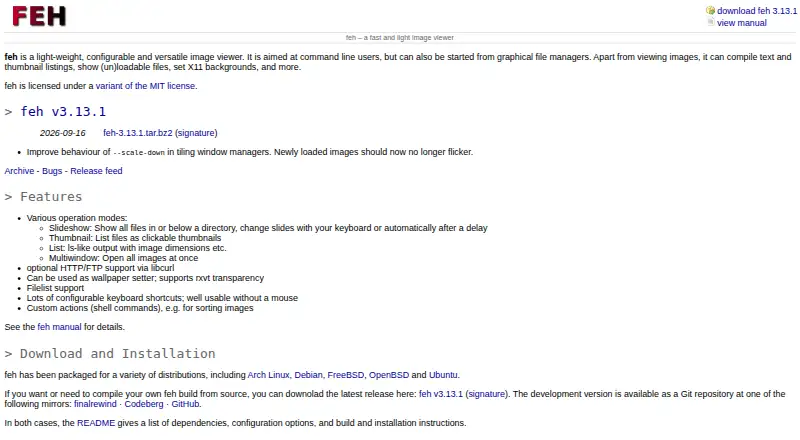
feh is a free, lightweight image viewer for Linux, FreeBSD, and OpenBSD. It is aimed at command-line users and can also be launched from graphical file managers. Its viewing modes include slideshows, clickable thumbnails, file listings, and opening images in multiple windows. It can also compile text and thumbnail listings, identify files it can or cannot load, and set X11 backgrounds.
Keyboard shortcuts and custom shell-command actions can be configured, allowing use without a mouse. feh opens formats supported by imlib2, including JPEG, PNG, PNM, TIFF, and BMP; its GIF support is limited to static images. The documented build includes builtin EXIF support, and tags can also be accessed through exiv2 or exifgrep. Optional HTTP and FTP file access is available via libcurl. The project describes its license as a variant of MIT. Packages are listed for Arch Linux, Debian, FreeBSD, OpenBSD, and Ubuntu, alongside source releases and Git repository mirrors. The manual notes that feh cannot set wallpaper on GNOME Shell desktops.
Who it suits
feh suits Linux, FreeBSD, and OpenBSD users who want a configurable viewer with command-line controls, thumbnail and listing modes, or X11 background setting. It can also fit workflows that rely on keyboard shortcuts, shell commands, or image metadata.
What it does well
- Free software with no stated usage limits.
- Works on Linux, FreeBSD, and OpenBSD.
- Offers slideshows, clickable thumbnails, file listings, and multiple windows.
- Configurable shortcuts and shell actions support mouse-free use.
- Optional HTTP and FTP access is available through libcurl.
- Documented build includes builtin EXIF support.
What to know first
- GIF support is limited to static images.
- Cannot set wallpaper on GNOME Shell desktops.
- Automatic reload and libmagic are disabled in the documented build.
Plans
| Plan | Billed and limits | Price |
|---|---|---|
| feh | No paid plans or usage limits stated | Free |
As feh.finalrewind.org lists them, read 7 Oct 2026. The maker's own page has the final word.
Getting started
- Visit the feh website.
- Choose an available package for Arch Linux, Debian, FreeBSD, OpenBSD, or Ubuntu, or use a source release or Git repository mirror.
- Launch feh from the command line or a graphical file manager.
Verdict
Choose feh if you want a free, configurable image viewer with command-line workflows, multiple viewing modes, and X11 background setting. Look elsewhere if setting wallpaper on GNOME Shell is essential or you need animated GIF support.
Questions
How much does feh cost?
The listed plan is free. No paid plans or usage limits are stated.
Which platforms does feh support?
Supported platforms are Linux, FreeBSD, and OpenBSD.
Is feh open source?
The project describes feh as licensed under a variant of the MIT license.
What image formats can feh open?
It can open formats supported by imlib2, including JPEG, PNG, PNM, TIFF, and BMP. GIF support is limited to static images.
Can feh display image metadata?
The documented build includes builtin EXIF support. EXIF tags can also be accessed through exiv2 or exifgrep.
Can feh set desktop wallpaper?
It can set X11 backgrounds, but the manual says it does not support setting wallpaper on GNOME Shell desktops.
Facts from feh's own pages
- Availability
- The project lists packages for Arch Linux, Debian, FreeBSD, OpenBSD, and Ubuntu, and provides source releases and Git repository mirrors. · feh.finalrewind.org, 7 Oct 2026
- Build-dependent features
- The documented build has libcurl remote-file support and builtin EXIF support enabled, while inotify-based automatic reload and libmagic are disabled. · man.finalrewind.org, 7 Oct 2026
- Controls
- It offers configurable keyboard shortcuts and custom shell-command actions, and is described as usable without a mouse. · feh.finalrewind.org, 7 Oct 2026
- EXIF
- The documented build includes builtin EXIF support, and EXIF tags can also be accessed through exiv2 or exifgrep. · man.finalrewind.org, 7 Oct 2026
- Formats
- It can open formats supported by imlib2, including JPEG, PNG, PNM, TIFF, and BMP; GIF support is limited to static images. · man.finalrewind.org, 7 Oct 2026
- License
- The project says feh is licensed under a variant of the MIT license. · feh.finalrewind.org, 7 Oct 2026
- Other uses
- It can compile text and thumbnail listings, identify loadable or unloadable files, and set X11 backgrounds. · feh.finalrewind.org, 7 Oct 2026
- Product
- feh is a lightweight, configurable image viewer aimed at command-line users that can also be launched from graphical file managers. · feh.finalrewind.org, 7 Oct 2026
- Remote files
- Optional HTTP and FTP support is available via libcurl. · feh.finalrewind.org, 7 Oct 2026
- Support
- The project prefers bug reports and feature requests through its GitHub issue tracker, and also lists an email contact. · feh.finalrewind.org, 7 Oct 2026
- Viewing modes
- Its modes include slideshow, clickable thumbnails, file listings, and opening images in multiple windows. · feh.finalrewind.org, 7 Oct 2026
- Wallpaper limitation
- The manual says feh does not support setting wallpaper on GNOME Shell desktops. · man.finalrewind.org, 7 Oct 2026
Where feh stands on Freedom251
- Photo Viewer Software#6 of 34