Freedom251 › Photo Viewer Software

Free Photo Viewer
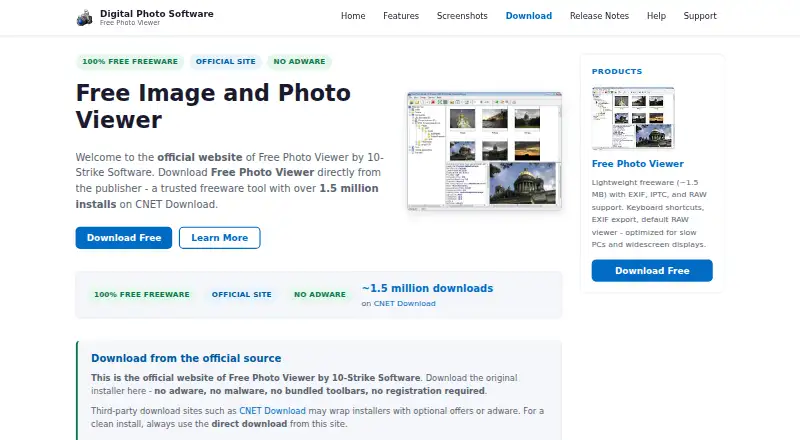
What Free Photo Viewer is
Free Photo Viewer is a Windows application for browsing JPEG images and RAW files. Users can view images in windowed or full-screen mode and run slideshows; the product also describes browsing disks and viewing thumbnails. For images with EXIF data, it displays details such as aperture, shutter speed, ISO, camera model, focal length, date and time, and flash settings. The product description also says it can show IPTC comments, and the site says users can save EXIF information. The maker describes the viewer as lightweight and fast, with support for slow CPUs and wide-screen monitors. It is presented as a free application, and its listed plan costs nothing. The homepage mentions EXIF and IPTC searching and photo cataloging software as coming soon, but presents those as separate planned products rather than features of this viewer. Its listed capabilities focus on image viewing and metadata, including RAW support and an EXIF metadata viewer.
Who it suits
It suits Windows users who want to browse JPEG and RAW images and inspect image metadata. It may also fit users who need slideshows or thumbnail browsing.
What it does well
- Views JPEG images and RAW files.
- Displays EXIF camera and exposure details.
- Supports full-screen viewing and slideshows.
- The listed plan costs nothing.
What to know first
- Listed platform is Windows only.
- EXIF and IPTC search software is still described as coming soon.
Plans
| Plan | Billed and limits | Price |
|---|---|---|
| Free Photo Viewer | — | Free |
As exifsoftware.com lists them, read 4 Oct 2026. The maker's own page has the final word.
Getting started
- Visit https://www.exifsoftware.com/.
- Download the Windows application from the website.
- Open the viewer and browse disks for photos or thumbnails.
Verdict
Free Photo Viewer focuses on viewing images and their metadata, with RAW support, slideshows and IPTC comments. The listed plan is free and the application is for Windows.
Questions
How much does Free Photo Viewer cost?
The listed Free Photo Viewer plan costs nothing, and the maker describes it as absolutely free.
Which operating system does it support?
The listed platform is Windows.
Can it display RAW images?
Yes. It supports browsing and viewing RAW files as well as JPEG images.
What photo metadata can it show?
It displays EXIF details such as aperture, shutter speed, ISO, camera model, focal length, date and time, and flash settings. The product description also says it can show IPTC comments.
Can I save EXIF information?
Yes. The site says users can save EXIF information.
Facts from Free Photo Viewer's own pages
- EXIF details
- It displays EXIF parameters including aperture, shutter speed, ISO, camera model, focal length, date and time, and flash settings. · exifsoftware.com, 4 Oct 2026
- IPTC comments
- The product description says it can view IPTC comments. · exifsoftware.com, 4 Oct 2026
- Other planned software
- The homepage lists EXIF and IPTC searching and photo cataloging software as coming soon. · exifsoftware.com, 4 Oct 2026
- Performance
- The site describes the viewer as lightweight and fast, and says slow CPUs are supported. · exifsoftware.com, 4 Oct 2026
- Photo browsing
- The viewer lets users browse and view JPEG images and RAW files. · exifsoftware.com, 4 Oct 2026
- Price
- The maker describes Free Photo Viewer as absolutely free. · exifsoftware.com, 4 Oct 2026
- Save EXIF information
- The site says users can save EXIF information. · exifsoftware.com, 4 Oct 2026
- Thumbnails
- The screenshots page describes browsing disks and viewing photo thumbnails. · exifsoftware.com, 4 Oct 2026
- Viewing modes
- It supports full-screen and windowed modes, plus slideshows. · exifsoftware.com, 4 Oct 2026
- Wide monitors
- The site says wide screen monitors are supported. · exifsoftware.com, 4 Oct 2026
Where Free Photo Viewer stands on Freedom251
- Photo Viewer Software#7 of 34