Freedom251 › File Viewer Software
HFSExplorer
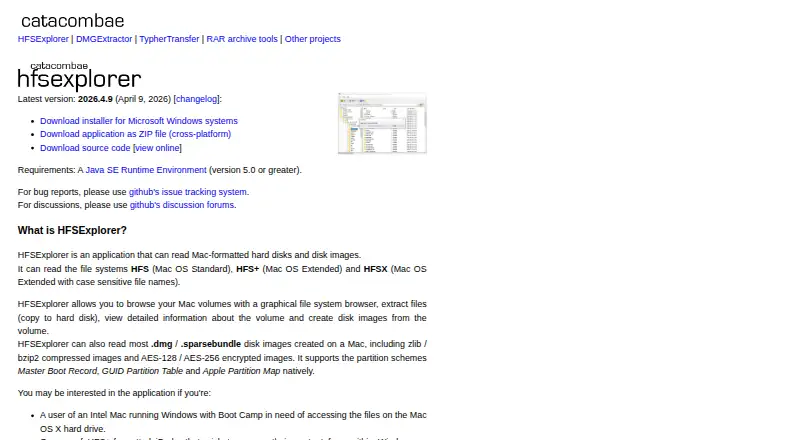
What HFSExplorer is
HFSExplorer is a free, read-only desktop program for opening Mac-formatted hard disks and disk images on Linux, macOS, and Windows. It supports HFS, HFS+, and HFSX file systems. Its graphical browser lets users inspect volumes, view volume information, extract files, and create disk images. It can read most Mac .dmg and .sparsebundle images, including zlib- or bzip2-compressed files and AES-128- or AES-256-encrypted images. Supported partition schemes are Master Boot Record, GUID Partition Table, and Apple Partition Map. HFSExplorer is released under GPL version 3 and is provided without warranties. It requires Java SE Runtime Environment version 5.0 or later; the product page says OpenJDK works. Access to physical disks requires administrator or equivalent privileges. The page also describes a minimal text-mode program that is unmaintained and supports HFS+ only. Bug reports and discussions are directed to GitHub. The listed latest release is version 2026.4.9, dated April 9, 2026.
Who it suits
HFSExplorer suits desktop users who need to browse or extract files from Mac-formatted volumes or images. Physical disk access requires administrator or equivalent privileges.
What it does well
- Supports HFS, HFS+, and HFSX.
- Reads most .dmg and .sparsebundle images.
- Can extract files and create disk images.
- Runs on Linux, macOS, and Windows.
- Free under GPL version 3.
What to know first
- Operates in read-only mode.
- Requires Java SE Runtime Environment 5.0 or later.
- Physical disk access requires administrator privileges.
- Text-mode program is unmaintained and HFS+ only.
Limits
HFSExplorer operates in read-only mode. Its separate minimal text-mode program is unmaintained and supports HFS+ only.
Plans
| Plan | Billed and limits | Price |
|---|---|---|
| HFSExplorer | Free software · GPL version 3 · Read-only | Free |
As catacombae.org lists them, read 7 Oct 2026. The maker's own page has the final word.
Getting started
- Install Java SE Runtime Environment version 5.0 or later; the website says OpenJDK works.
- Get HFSExplorer from its website for desktop use.
- Run it on Linux, macOS, or Windows.
- Provide administrator or equivalent privileges if accessing physical disks.
HFSExplorer is a desktop utility for opening HFS-family disks and images. It is a strong fit when the job is to inspect a Mac volume and retrieve files, not to change them. Its broad image support is useful; the Java requirement and read-only boundary make it a specialist tool rather than an everyday file manager.
Overview
HFSExplorer supports HFS, HFS+ and HFSX, and handles Master Boot Record, GUID Partition Table and Apple Partition Map partition schemes. Its graphical browser can inspect volumes, display volume information, extract files and create disk images. That combination makes it useful for recovering or accessing files from Mac-formatted storage on a desktop computer.
The key trade-off is that it never writes to a volume. That keeps its role focused on browsing and extraction, but rules it out for anyone who needs to edit files in place or manage a disk. It is also not a general-purpose file previewer: archive and office-file previews are not supported.
Key features
Disk images
It reads most Mac .dmg and .sparsebundle images, including zlib- and bzip2-compressed images and AES-128- or AES-256-encrypted images. This makes HFSExplorer a practical choice when the storage arrives as an image, including compressed or encrypted ones, rather than as a physical drive.
Graphical and text modes
The graphical browser is the fuller option for browsing and extracting across the supported HFS-family formats. A minimal text-mode program is also described, but it is unmaintained and supports HFS+ only, so it is a limited choice for users who need a command-line route.
Access requirements
HFSExplorer requires Java SE Runtime Environment 5.0 or later; OpenJDK works. Accessing a physical disk also requires administrator or equivalent privileges. Those prerequisites are manageable for occasional recovery work, but add setup and permission steps that image-only users can avoid.
Pricing
HFSExplorer is free software under GPL version 3, with no warranties. The HFSExplorer plan costs nothing and is read-only. There is no free trial because the software is already free. The zero price removes a purchasing decision, but the read-only limit is not a cheaper-tier restriction: it defines what the program does.
Platforms
HFSExplorer is available for desktop use on Linux, macOS and Windows. Its Java runtime requirement applies across those platforms, while physical-disk access requires elevated privileges.
Who it's for
Choose HFSExplorer when you need to browse or extract files from an HFS, HFS+ or HFSX volume, especially if the source is a Mac disk image. It is less suitable for users who need write access, broad file-preview features or a maintained text-mode workflow.
Pros and cons
- Pro: Supports three HFS-family file systems and three partition schemes, giving it useful coverage for Mac-formatted storage.
- Pro: Reads most .dmg and .sparsebundle images, including compressed and AES-encrypted images.
- Pro: Free under GPL version 3, with browsing, extraction, volume information and disk-image creation in the graphical browser.
- Con: Read-only operation prevents editing or writing to volumes.
- Con: Requires Java, and physical-disk access requires administrator or equivalent privileges.
- Con: The text-mode program is unmaintained and HFS+ only.
Alternatives
ViewAnyFile.app is another free option, with a free plan and support across Android, iOS, Linux, macOS, the web and Windows. Consider it when broader platform coverage matters more than HFSExplorer's specific HFS-disk and image focus.
Okular is free software under GPLv2+ for Linux, macOS and Windows. Choose it instead if you need a free option outside HFSExplorer's disk-browsing niche.
XnConvert is free for private, educational and nonprofit use, with a paid company license option. It is an alternative to consider for image-conversion needs rather than HFS-volume access.
Geeqie is free open software under GPLv2 for Linux, macOS and Windows; consider it as another free option.
nomacs is free for private and commercial use under GPLv3 and runs on Linux, macOS and Windows; consider it as another free option.
Universal File Opener has a free plan and a trial, for Android and Windows. Its free plan reads supported files without a file-count limit, expiry, watermark, ads or account, though file-size and compatibility limits apply.
Evince is free software for Linux; consider it if Linux is your target platform.
FastStone Image Viewer offers free personal and educational use and a commercial lifetime license; consider it as another option.
See File Viewer Software for more options.
Verdict
HFSExplorer is a clear choice for people who need free, read-only access to HFS-family disks or Mac images across Linux, macOS or Windows. Its image-format coverage and extraction tools are the main reasons to choose it. Look elsewhere if you need to write to a volume, avoid Java, or rely on a maintained command-line program.
Verdict
HFSExplorer can browse and extract from a range of Mac-formatted disks and images, but it does not write to them. Users need a compatible Java runtime, and physical disk access requires elevated privileges.
Questions
How much does HFSExplorer cost?
It is free under GPL version 3. The listed plan is free.
Which platforms does it support?
Linux, macOS, and Windows.
Which file systems and disk images can it read?
It supports HFS, HFS+, and HFSX. It reads most Mac .dmg and .sparsebundle images, including the listed compressed and encrypted formats.
Can HFSExplorer modify a disk?
No. It operates in read-only mode.
Does it require Java?
Yes. It requires Java SE Runtime Environment version 5.0 or later; the website says OpenJDK works.
Who is the maker or contact?
The page identifies Erik Larsson as the contact for bug reports and feedback. It directs bug reports and discussions to GitHub.
Facts from HFSExplorer's own pages
- Browse and extract
- It provides a graphical file system browser to browse volumes, extract files, view volume information and create disk images. · catacombae.org, 7 Oct 2026
- Command line
- The page describes a minimal, unmaintained text-mode program that supports HFS+ only. · catacombae.org, 7 Oct 2026
- Disk images
- It reads most Mac .dmg and .sparsebundle images, including zlib- or bzip2-compressed images and AES-128- or AES-256-encrypted images. · catacombae.org, 7 Oct 2026
- File systems
- It supports HFS, HFS+ and HFSX file systems. · catacombae.org, 7 Oct 2026
- Latest version
- The page lists version 2026.4.9, dated April 9, 2026, as the latest release. · catacombae.org, 7 Oct 2026
- License and cost
- It is released under GPL version 3 and provided for free with no warranties. · catacombae.org, 7 Oct 2026
- Maker
- The HFSExplorer page identifies Erik Larsson as the contact for bug reports and feedback. · catacombae.org, 7 Oct 2026
- Partition schemes
- It supports Master Boot Record, GUID Partition Table and Apple Partition Map schemes. · catacombae.org, 7 Oct 2026
- Physical disks
- Accessing physical disks requires administrator or equivalent privileges. · catacombae.org, 7 Oct 2026
- Platforms
- The Windows installer is offered alongside a cross-platform ZIP distribution; the page describes ZIP use on Linux, macOS and FreeBSD. · catacombae.org, 7 Oct 2026
- Purpose
- HFSExplorer reads Mac-formatted hard disks and disk images. · catacombae.org, 7 Oct 2026
- Read-only
- The program operates in read-only mode. · catacombae.org, 7 Oct 2026
- Requirements
- It requires Java SE Runtime Environment version 5.0 or greater; the page says OpenJDK works fine. · catacombae.org, 7 Oct 2026
- Support
- The page directs bug reports to GitHub issue tracking and discussions to GitHub discussion forums. · catacombae.org, 7 Oct 2026
Where HFSExplorer stands on Freedom251
- File Viewer Software#5 of 31