Freedom251 › File Viewer Software
Bitberry File Opener
What Bitberry File Opener is
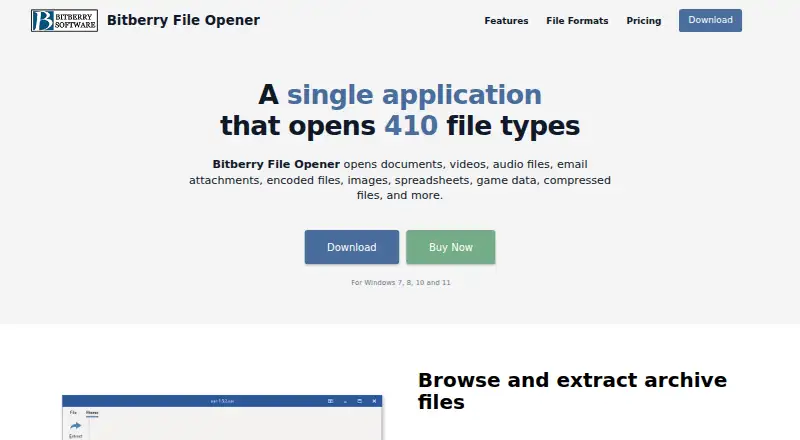
Bitberry File Opener is a Windows desktop application for opening 410 file formats, including documents, media, images, spreadsheets, archives and encoded files. It brings several file tasks into one application: browse archive contents and extract selected files or folders, or extract an entire archive; edit, print, resize, crop and adjust image colors; and convert images to other formats. It can edit and print Word documents and Excel spreadsheets without Microsoft Word or Excel. Its built-in player handles video and audio formats without separately installed system codecs, and its PDF tools let users view, print, rotate and copy text without Adobe Reader. For an unsupported file, the application can show a hex dump and copy a chosen portion as hexadecimal text or binary data.
The free version opens all supported formats without a time limit for personal tasks at home, though some features are limited. Use beyond personal tasks at home requires a license. The Licensed plan costs $49, paid once and includes all features, two years of updates, non-personal use and a license that never expires. Purchases through Bitberry’s website have a 30-day money-back guarantee. Listed system requirements cover Windows 7, 8, 10 and 11.
Who it suits
Bitberry File Opener suits Windows users who want to open many kinds of files and handle common archive, image, document, media and PDF tasks in one desktop application. Its free version is intended for personal tasks at home; use beyond that requires a license.
What it does well
- Opens 410 file formats.
- Browses archives and extracts selected contents or entire archives.
- Edits and prints Word documents and Excel spreadsheets without Microsoft Office.
- Plays media without separately installed system codecs.
- Includes tools to view, rotate, print and copy PDF text.
What to know first
- The free version limits some features.
- Use beyond personal tasks at home requires a license.
- The listed platform is Windows.
Limits
The free version has no time limit and opens all supported formats for personal tasks at home, but some features are limited. Use beyond personal tasks at home requires a license; the Licensed plan costs $49, paid once.
Plans
| Plan | Billed and limits | Price |
|---|---|---|
| Licensed | Pay once, own it forever · All features · 2 years of updates · Non-personal use allowed · License never expires | $49, paid once |
As bitberry.com lists them, read 7 Oct 2026. The maker's own page has the final word.
Getting started
- Visit the Bitberry File Opener website.
- Install the desktop application on Windows 7, 8, 10 or 11.
- Use the free version for personal tasks at home, or choose the Licensed plan for broader use and all features.
- Purchase through Bitberry’s website to receive the stated 30-day money-back guarantee.
Verdict
Choose Bitberry File Opener if you want one Windows desktop application for opening a broad range of file types and handling archives, images, office files, media and PDFs. The free version covers personal tasks at home, while broader use and all features require the paid license.
Questions
Is Bitberry File Opener free?
Yes. Its free version opens all supported formats without a time limit for personal tasks at home, with some features limited.
How much does the Licensed plan cost?
The Licensed plan costs $49, paid once. It includes all features, two years of updates, non-personal use and a license that never expires.
Which platforms does it support?
It is a Windows desktop application. Listed system requirements cover Windows 7, 8, 10 and 11.
Can I use it for business?
Use beyond personal tasks at home requires a license. Bitberry offers multi-user licenses with volume discounts.
Does the purchase include a refund guarantee?
Purchases made through Bitberry’s website have a 30-day money-back guarantee.
Facts from Bitberry File Opener's own pages
- Archive handling
- Users can browse archive contents and extract all or selected files and folders. · bitberry.com, 7 Oct 2026
- Binary inspection
- Unsupported files can be displayed as a hex dump, and users can copy part of the file as a hex string or binary data. · bitberry.com, 7 Oct 2026
- Business use
- Use beyond personal tasks at home requires a license, and the maker offers multi-user licenses with volume discounts. · bitberry.com, 7 Oct 2026
- Document and spreadsheet tools
- The application can edit and print Word documents and Excel spreadsheets without requiring Microsoft Word or Excel. · bitberry.com, 7 Oct 2026
- Free version
- The free version opens all supported file formats without a time limit and is free for personal tasks at home, with some features limited. · bitberry.com, 7 Oct 2026
- Headquarters
- Holbaek, Denmark · bitberry.com, 28 Sept 2026
- Image tools
- Image features include editing, printing, resizing, cropping, color adjustment and conversion to other formats. · bitberry.com, 7 Oct 2026
- License and refund terms
- The website license includes two years of updates, never expires, and has a 30-day money-back guarantee for purchases made through Bitberry’s website. · bitberry.com, 7 Oct 2026
- Media playback
- The built-in player supports video and audio formats without requiring separately installed system codecs. · bitberry.com, 7 Oct 2026
- PDF support
- Users can view, print, rotate and copy text from PDF files without installing Adobe Reader. · bitberry.com, 7 Oct 2026
- Privacy
- Bitberry’s privacy policy says it does not store payment card information and uses a payment processor for online transactions; the policy was last updated May 25, 2018. · bitberry.com, 7 Oct 2026
- Purpose
- Bitberry File Opener is a desktop application that opens 410 file types, including documents, media, images, spreadsheets, archives and encoded files. · bitberry.com, 7 Oct 2026
- System requirements
- The product page lists Windows 7, 8, 10 and 11. · bitberry.com, 7 Oct 2026
Where Bitberry File Opener stands on Freedom251
- File Viewer Software#1 of 31