Freedom251 › Infographic Software

Napkin AI
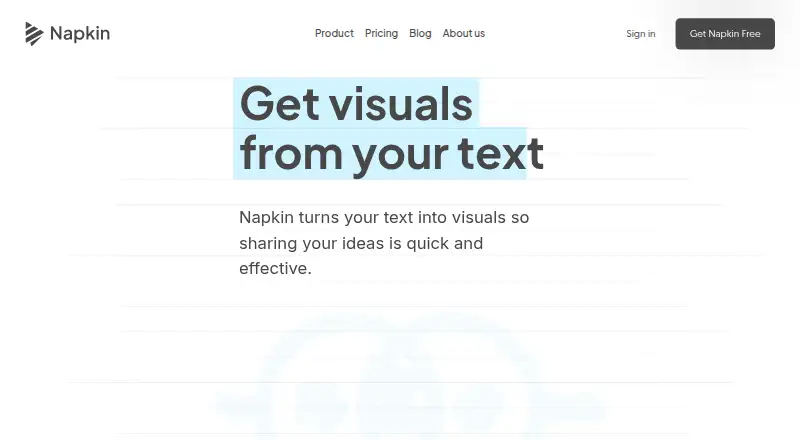
What Napkin AI is
Napkin AI turns text and ideas into visuals and presentations, including diagrams, flowcharts, mind maps, infographics, and data charts. It can work from written, pasted, or imported text, and generated visuals can be adjusted by changing colors, fonts, layouts, icons, or individual elements. Exports include PPT, PDF, PNG, and SVG files. Napkin Slides creates editable presentation decks and is available on Free, Plus, and Pro while in beta. The site presents Napkin visuals for use with tools including PowerPoint, Google Slides, Canva, Keynote, Google Docs, Word, Notion, and Confluence. Creation is supported in more than 60 languages; the interface is available in English, French, Spanish, Italian, Korean, and Portuguese. On mobile, users can view existing work and create or edit presentations, but visual generation is not available. The API generates visuals from text using the account plan’s credits and limits, but does not accept PDFs or documents as input. Free costs nothing and includes 500 AI credits per week; Plus costs $9 a month and Pro costs $22 a month. Napkin is based in Los Altos, California, USA.
Who it suits
Napkin AI suits people who want to turn text into editable visuals or presentation decks, including users working with the listed presentation and document tools. Teams may also find its brand styles and team management options relevant on paid plans.
What it does well
- Generates several kinds of visuals from text
- Exports visuals as PPT, PDF, PNG, or SVG
- Supports creation in 60+ languages
- Free plan includes 500 AI credits per week
- API can generate visuals programmatically
What to know first
- Mobile visual generation is not available yet
- API does not accept PDFs or documents
- Free-plan visuals include Napkin branding
Limits
Free includes 500 AI credits per week and adds Napkin branding to visuals. Free exports are unlimited for PNG and PDF; unlimited PPT and SVG export are listed for Plus. API use draws on account-plan credits and limits.
Plans
| Plan | Billed and limits | Price |
|---|---|---|
| Free | Forever · 500 AI credits per week · Unlimited editing and file import · Unlimited PNG and PDF export · Napkin branding on visuals | Free |
| Pro | Monthly; annual billing saves 25% · 30,000 AI credits per month · Exclusive designs · Unlimited custom branding · Upload fonts · Optional credit top ups | $22 a month |
| Plus | Monthly; annual billing saves 25% · 10,000 AI credits per month · Unlimited PPT and SVG export · 3 Brand Styles · Remove Napkin branding · Team management and billing | $9 a month |
As napkin.ai lists them, read 7 Oct 2026. The maker's own page has the final word.
Getting started
- Visit the Napkin AI website.
- Create visuals from written, pasted, or imported text.
- Customize the generated visual's colors, fonts, layout, icons, or individual elements.
- Export as PNG or PDF on Free, or choose Plus or Pro for additional export formats.
- Use Napkin Slides to create editable decks; it is available on Free, Plus, and Pro while in beta.
- For programmatic generation, use the API with text content and the credits and limits of your plan.
Napkin AI turns written ideas into editable visuals and presentations, making it a strong fit for people who need diagrams or charts for documents and decks. Its flexible editing and export options are useful, but mobile users cannot generate visuals and Napkin Slides is still in beta.
Overview
Napkin generates diagrams, flowcharts, mind maps, infographics, and data charts from written, pasted, or imported text. Users can change colors, fonts, layouts, and icons, as well as reshape individual elements. That combination makes it more useful than a generator that leaves users with a fixed result: it gives communicators room to tailor a visual to its purpose.
Visuals export as PPT, PDF, PNG, or SVG. Napkin also presents them for use with PowerPoint, Google Slides, Canva, Keynote, Google Docs, Word, Notion, and Confluence. Napkin Slides creates editable, ready-to-present decks on Free, Plus, and Pro, but its beta status makes it a less certain foundation for teams that need a settled presentation workflow.
Key features
Creation, editing, and sharing
Generating visuals from text can help users move from an idea to a diagram or chart without building every element from scratch. The ability to reshape elements and adjust styling is a practical strength when the first result needs refinement. Free users get unlimited PNG and PDF exports, while PPT and SVG exports require Plus or Pro; that distinction matters for anyone who needs editable slide or vector files.
Languages, API, and data
Napkin supports creating visuals and presentations in more than 60 languages. Its interface is available in English, French, Spanish, Italian, Korean, and Portuguese, a narrower choice than its content-language support.
The API enables programmatic visual generation and draws on the credits and limits of the account’s plan. It accepts text, not PDFs or documents, so teams automating work from source files will need to supply text instead. Napkin says data is encrypted and private, and that opting out of data sharing prevents it from using data to train its models. It also says AI subprocessors handling service information are contractually prohibited from training on customer data.
Pricing
Napkin is freemium, with paid plans starting at $9 a month per user. The paid plan prices below are monthly; annual billing saves 25% on Plus and Pro.
- Free: free, billed Forever. It includes 500 AI credits per week, unlimited editing and file import, unlimited PNG and PDF exports, and Napkin branding on visuals. This is a workable starting point for occasional use, but the weekly credit cap and branding constrain heavier or client-facing work.
- Plus: $9 a month, billed Monthly. It includes 10,000 AI credits per month, unlimited PPT and SVG exports, three Brand Styles, removal of Napkin branding, and team management and billing. It is the sensible step up for regular individual or team use that needs presentation-ready or vector exports.
- Pro: $22 a month, billed Monthly. It raises the monthly allowance to 30,000 AI credits and adds exclusive designs, unlimited custom branding, font uploads, and optional credit top-ups. It suits brand-conscious users with greater generation needs; those who mainly need standard exports may find Plus sufficient.
All three plans include Napkin Slides while it is in beta. The plan choice hinges less on basic editing, which is unlimited even on Free, than on monthly generation volume, branding, and file formats. API generation also consumes plan credits and limits.
Platforms
Napkin is available on Android, iOS, and the web, and offers an API. On mobile, users can view existing work and create or edit presentations, but cannot generate visuals. That makes mobile useful for review and presentation edits, not a complete substitute for desktop visual creation.
Who it's for
Napkin is best for people who regularly turn text into diagrams, charts, or presentation material and want to revise the result rather than accept a static generated image. Teams can benefit from its brand controls, shared team management and billing, and compatibility with familiar document and presentation tools. It is a weaker fit for mobile-first creation, workflows that send PDFs or documents directly through the API, or teams unwilling to depend on a beta slide feature.
Pros and cons
- Pro: It generates several useful visual formats from text, then lets users change styling and individual elements, giving them more control than a one-shot output.
- Pro: Free includes unlimited editing, file import, and PNG and PDF exports, so users can explore and share work without a paid subscription.
- Pro: Plus and Pro remove branding and unlock PPT and SVG exports, while Pro adds custom branding and font uploads for more tailored output.
- Con: Free generation is capped at 500 AI credits per week and exported visuals carry Napkin branding.
- Con: Visual generation is unavailable on mobile, limiting phone and tablet users to existing work and presentation tasks.
- Con: Slides is still in beta, and API users cannot submit PDFs or documents as input.
Alternatives
For a broader comparison, browse Infographic Makers and Infographic Software.
- Animaker is another freemium option with a free plan and watermarked exports; consider it when animation tools are the priority.
- Visme has a free plan with 500MB storage and a limit of 50 slides or pages per project; it is worth considering when those project limits suit the work.
- Drawtify offers a free plan with limited templates and design elements, 40 MB image uploads, and SD image exports; it may suit users whose needs fit those constraints.
- Infografix is a free option with no usage limits stated, making it an alternative to consider for users seeking a free infographic tool.
- GetInfographic offers a free plan with starter credits and a $9 a month Creator plan; consider it if that plan structure better suits your needs.
- Graficto has a free plan capped at five visuals, with limited palettes and fonts; it may suit users comfortable with those limits.
- GraphMake offers a free plan with editable templates and PNG, PDF, and JSON project exports; it is an option for users who want those resources without a paid plan.
- Infogiph provides five lifetime AI generations on its free plan and unlimited exports; it may appeal when export volume matters more than repeated generation.
Verdict
Choose Napkin AI if you need to turn text into editable diagrams, charts, or deck material and value export flexibility and brand controls. Its free plan is a useful way to start, while Plus is the practical choice for recurring work that needs PPT or SVG files. Look elsewhere if visual creation on mobile, document-based API input, or a fully established presentation workflow is essential.
Verdict
Napkin AI combines text-to-visual generation with editing, export, and presentation features. Check the plan limits and mobile generation restriction if those affect your workflow.
Questions
Does Napkin AI have a free plan?
Yes. Free includes 500 AI credits per week, unlimited editing and file import, and unlimited PNG and PDF export. Visuals have Napkin branding.
How much do the paid plans cost?
Plus is $9 a month, and Pro is $22 a month. Annual billing saves 25% on both plans.
Which platforms does Napkin AI support?
The listed platforms are Android, API, iOS, and web. On mobile, users can view existing work and create or edit presentations, but visual generation is unavailable.
Can I generate visuals through the API?
Yes. The API generates visuals from text and uses the credits and limits of the account’s plan. It does not accept PDFs or documents as input.
What file formats can I export?
Visuals can be exported as PPT, PDF, PNG, or SVG. Free includes unlimited PNG and PDF export; Plus includes unlimited PPT and SVG export.
What languages are supported?
Napkin supports creating visuals and presentations in 60+ languages. Its interface is available in English, French, Spanish, Italian, Korean, and Portuguese.
Facts from Napkin AI's own pages
- AI subprocessors
- Napkin says information used to provide the service is shared with AI subprocessors under contractual terms prohibiting them from training on customer data. · napkin.ai, 7 Oct 2026
- API
- Napkin provides an API for generating visuals programmatically, and API use draws on the credits and limits of the account’s plan. · api.napkin.ai, 7 Oct 2026
- API limitation
- The API accepts text content and does not accept PDFs or documents as input. · napkin.ai, 7 Oct 2026
- Data protection
- Napkin says data is encrypted and private, and it will not use data to train its models if users opt out of data sharing. · napkin.ai, 7 Oct 2026
- Editing
- Generated visuals can be customized by changing colors, fonts, layouts, and icons, or reshaping individual elements. · napkin.ai, 7 Oct 2026
- Exports
- Visuals can be exported as PPT, PDF, PNG, or SVG files. · napkin.ai, 7 Oct 2026
- Headquarters
- Los Altos, California, USA · napkin.ai, 28 Sept 2026
- Integrations
- The site presents Napkin visuals for use with PowerPoint, Google Slides, Canva, Keynote, Google Docs, Word, Notion, and Confluence. · napkin.ai, 7 Oct 2026
- Languages
- Napkin supports creating visuals and presentations in 60+ languages, and its interface is available in English, French, Spanish, Italian, Korean, and Portuguese. · napkin.ai, 7 Oct 2026
- Mobile
- On mobile, users can view existing work and create or edit presentations, but visual generation is not available yet. · napkin.ai, 7 Oct 2026
- Slides
- Napkin Slides creates editable, ready-to-present decks and is available on Free, Plus, and Pro plans while in beta. · napkin.ai, 7 Oct 2026
- Support
- The site directs users with questions to contact Napkin through its help link, and API documentation issues can be reported to [email protected]. · napkin.ai, 7 Oct 2026
- Visual generation
- Napkin generates diagrams, flowcharts, mind maps, infographics, and data charts from written, pasted, or imported text. · napkin.ai, 7 Oct 2026
- What it does
- Napkin is a visual communication platform that turns text and ideas into visuals and presentations. · napkin.ai, 7 Oct 2026
Where Napkin AI stands on Freedom251
- Infographic Software#19 of 42
- Infographic Makers#14 of 26