Freedom251 › Minecraft Mod Development Tools
Minecraft Development MCP Server
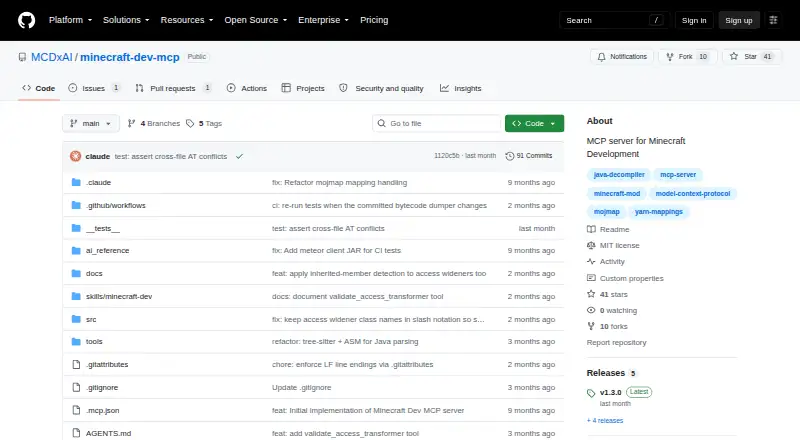
What Minecraft Development MCP Server is
Minecraft Development MCP Server gives AI assistants tools for retrieving, searching, and analyzing Minecraft source code and mods. It can download, remap, decompile, and cache Minecraft versions on first use, then index source for full-text search. Its 21 tools cover source, mappings and registry data, analysis and validation, and mod analysis. Developers can validate mixins and loader-specific access rules against source or bytecode, inspect mod JAR metadata and dependencies, and compare versions at class and AST levels. Mapping namespaces include Yarn, Mojmap, Intermediary, and obfuscated; Yarn is available for Minecraft 1.14–1.21.11, while 26.1 and later use Mojmap and do not have Yarn support. Setup is documented for Claude Desktop and Claude Code, with HTTP transport and a standalone CLI also available. The MIT-licensed project is free and runs on Windows, macOS, or Linux/WSL. Decompilation and remapping require Node.js 18 or newer and Java 17 or newer. Its local cache uses about 400–500 MB per Minecraft version.
Who it suits
This suits Minecraft mod developers who want to inspect third-party mods, validate mixins, or check changes between versions. It supports Fabric, Quilt, Forge, and NeoForge workflows.
What it does well
- Free, MIT-licensed software.
- Analyzes mods for four supported loaders.
- Compares versions at class and AST levels.
- Standalone CLI returns JSON output.
What to know first
- Requires Node.js 18 or newer.
- Java 17 or newer is required for decompiling and remapping.
- Cache uses about 400–500 MB per Minecraft version.
- Yarn is unavailable for versions 26.1 and later.
Limits
The listed plan is Open source at no cost. The project requires Node.js 18+ and Java 17+ for decompilation and remapping, and its cache uses about 400–500 MB per Minecraft version. Yarn is supported for versions 1.14–1.21.11; versions 26.1 and later support Mojmap, while Yarn is unavailable.
Plans
| Plan | Billed and limits | Price |
|---|---|---|
| Open source | MIT-licensed software · Node.js 18+ and Java 17+ required | Free |
As github.com lists them, read 8 Oct 2026. The maker's own page has the final word.
Getting started
- Install globally with npm, run with npx, or build from source.
- Install Node.js 18 or newer.
- Install Java 17 or newer for decompilation and remapping.
- Configure Claude Desktop or Claude Code, use the documented HTTP transport, or invoke tools through the standalone CLI.
- Optionally relocate the local cache by setting CACHE_DIR.
Overview
Minecraft Development MCP Server connects AI assistants and other clients to tools for retrieving, searching, and analyzing Minecraft and mod source. It is best for mod developers who want source inspection, compatibility checks, and version comparisons in an AI-assisted workflow. Its breadth is compelling for that work, provided Node.js, Java, and local disk space are available.
This MIT-licensed project is a development aid, not a mod loader or build system. MCP integrations and a standalone command-line interface give developers more than one way to reach its tools, but it is not a hosted, ready-to-use service.
Key features
The project documents 21 tools grouped around source code, mappings and registry data, analysis and validation, and mod analysis. It downloads, remaps, and decompiles Minecraft versions on first use, then caches the results and creates SQLite FTS5 indexes for searching Minecraft and mod source. That lets developers look across a local code corpus; the trade-off is a cache of about 400–500 MB per Minecraft version.
Symbol translation covers Yarn, Mojmap, Intermediary, and obfuscated namespaces, but mapping availability varies by game version. Yarn supports Minecraft 1.14 through 1.21.11; versions 26.1 and later support Mojmap, while Yarn is unavailable. Developers maintaining projects across these version ranges should account for that shift.
For mod work, the server analyzes and decompiles Fabric, Quilt, Forge, and NeoForge JARs, including metadata, dependencies, entry points, and mixin configurations. It can validate Mixin code, Fabric access wideners, and Forge or NeoForge access transformers against Minecraft source or bytecode. Class-level and AST-level version comparisons can surface changes such as altered method signatures and fields, making the toolkit useful for compatibility investigations without replacing the developer’s judgment about their code.
Setup documentation covers Claude Desktop and Claude Code, as well as HTTP transport for clients or editors. Installation options include global npm installation, npx, and building from source; a standalone CLI can invoke the tools without an MCP client and returns JSON. Node.js 18 or newer is required, and Java 17 or newer is needed for decompilation and remapping. HTTP users should keep the server on loopback when possible: binding to a non-loopback host disables DNS-rebinding protection and should be limited to a trusted network, ideally behind a reverse proxy or authentication.
Pricing
The Open source plan costs nothing. It includes the MIT-licensed software, with no paid tier or usage quota described. The price is zero, but operating costs include installing the required runtimes and accommodating the local cache; each additional Minecraft version adds about 400–500 MB.
Platforms
The server supports Windows, macOS, and Linux/WSL, and is also categorized for API and self-hosted use. Its runtime prerequisites make it a developer-oriented setup rather than a turnkey desktop app.
Who it's for
Choose it if you develop Minecraft mods and need one toolkit for searching game or mod source, inspecting third-party JARs, validating loader-specific compatibility code, or comparing game versions. It is especially relevant to developers already using Claude Desktop, Claude Code, another MCP client, or a compatible editor. Look elsewhere if you need a hosted service, do not want to install Node.js and Java, or cannot spare local cache space.
Pros and cons
- Pros: Source retrieval, full-text search, mod JAR analysis, validation, and version comparison sit in one documented toolset, reducing the need to switch among separate inspection utilities.
- Pros: Fabric, Quilt, Forge, and NeoForge are covered for mod analysis, and the CLI works without an MCP client.
- Pros: MIT licensing and a free plan make the software accessible without a subscription charge.
- Cons: Node.js 18+ and Java 17+ are prerequisites, and the cache can take 400–500 MB for each Minecraft version.
- Cons: Yarn coverage ends at 1.21.11; Minecraft 26.1 and later use Mojmap support instead.
- Cons: Exposing HTTP beyond loopback disables DNS-rebinding protection, so remote access calls for network restrictions and added safeguards.
Alternatives
Blockbench is a free option to consider when a cross-platform tool for Minecraft-related project work is a better fit than source-analysis and MCP tooling. Visual Studio Code is another free alternative if you want a general editor rather than this focused source-inspection server.
Architectury Loom may suit a Gradle-centered modding setup: it is experimental, requires Gradle 8.1 or newer, and supports IntelliJ IDEA and Visual Studio Code. Quilt Loom is a free, MIT-licensed alternative to consider for Quilt-oriented development.
Eclipse IDE is a free and open-source IDE option if you need an integrated development environment rather than MCP tools for Minecraft source. Fabric is the choice to consider when the need is the Fabric Loader itself; its download is the bare minimum, and most mods also require Fabric API. ForgeGradle and Gradle are other free alternatives for readers considering different development tooling, while Minecraft Mod Development Tools collects more options.
Verdict
Minecraft Development MCP Server is a strong fit for mod developers who want AI clients or a CLI to search and analyze Minecraft and mod code, validate compatibility-sensitive changes, and compare versions. Its decisive advantage is that breadth in a free, MIT-licensed toolkit; its main costs are runtime setup, per-version disk use, and uneven mapping coverage. Choose it when those trade-offs fit your workflow, and look elsewhere for a hosted service or a conventional editor or build tool.
Verdict
The server brings source search, mod inspection, validation, and version comparison into AI-assisted development workflows. Check its runtime requirements, cache use, and mapping coverage against your setup.
Questions
How much does Minecraft Development MCP Server cost?
The Open source plan is free. The project identifies its license as MIT.
Which operating systems does it support?
It supports Windows, macOS, and Linux/WSL.
Which Minecraft versions and mappings does it support?
Yarn is supported for Minecraft 1.14–1.21.11. Versions 26.1 and later support Mojmap, while Yarn is unavailable; the project also supports Intermediary and obfuscated mapping namespaces.
Which mod loaders can it analyze?
Its mod JAR analysis supports Fabric, Quilt, Forge, and NeoForge.
What is required for decompilation and remapping?
The project requires Node.js 18 or newer and Java 17 or newer for those tasks.
How can I connect an assistant or editor?
The README documents setup for Claude Desktop and Claude Code, plus HTTP transport for clients or editors. A standalone CLI can invoke tools without an MCP client and returns JSON.
Facts from Minecraft Development MCP Server's own pages
- Features
- It can download, remap, and decompile Minecraft versions on first use, then cache the results. · github.com, 8 Oct 2026
- HTTP security
- The README says loopback binding enables DNS-rebinding protection automatically and warns that binding to a non-loopback host disables that protection. · github.com, 8 Oct 2026
- Installation
- The README recommends global npm installation and also documents running it with npx or building from source. · github.com, 8 Oct 2026
- Install options
- The README recommends global installation through npm and also documents running the package with npx or building from source. · github.com, 8 Oct 2026
- Integrations
- The README documents setup for Claude Desktop and Claude Code, and also describes an HTTP transport for clients or editors. · github.com, 8 Oct 2026
- Intended users
- The README describes the tools as supporting Minecraft mod development workflows, including analyzing third-party mods, validating mixins, and checking version changes. · github.com, 8 Oct 2026
- License
- The repository identifies its license as MIT. · github.com, 8 Oct 2026
- Local CLI
- A standalone CLI can invoke the server's tools without an MCP client and returns JSON output. · github.com, 8 Oct 2026
- Mapping coverage
- Yarn and Mojmap are supported for versions 1.14 through 1.21.11; versions 26.1 and later support Mojmap, while Yarn is unavailable. · github.com, 8 Oct 2026
- Mappings
- It supports Yarn, Mojmap, Intermediary, and obfuscated mapping namespaces for symbol translation. · github.com, 8 Oct 2026
- Minecraft source
- It can retrieve and search decompiled Minecraft Java source, with on-demand downloads and cached results. · github.com, 8 Oct 2026
- Mod loaders
- Its mod JAR analysis supports Fabric, Quilt, Forge, and NeoForge. · github.com, 8 Oct 2026
- Mod support
- It can analyze and decompile Fabric, Quilt, Forge, and NeoForge mod JARs, including metadata, dependencies, entry points, and mixin configurations. · github.com, 8 Oct 2026
- Purpose
- Minecraft Dev MCP gives AI assistants access to tools for decompiling, remapping, searching, and analyzing Minecraft source code. · github.com, 8 Oct 2026
- Requirements
- The project requires Node.js 18 or newer and Java 17 or newer for decompilation and remapping. · github.com, 8 Oct 2026
- Search
- It provides SQLite FTS5 indexes for full-text search across Minecraft and mod source. · github.com, 8 Oct 2026
- Security
- The README says loopback binding at 127.0.0.1 enables DNS-rebinding protection; binding to a non-loopback host disables that protection and should be limited to a trusted network, ideally behind a reverse proxy or authentication. · github.com, 8 Oct 2026
- Storage
- The README says its platform-specific cache uses about 400–500 MB per Minecraft version and can be relocated with CACHE_DIR. · github.com, 8 Oct 2026
- Storage and disk use
- Downloaded JARs, mappings, decompiled source, and search databases are stored in a local cache that uses about 400–500 MB per Minecraft version. · github.com, 8 Oct 2026
- Support
- The package metadata links bug reports to the project’s GitHub Issues page. · github.com, 8 Oct 2026
- Toolset
- The project documents 21 tools in four categories for source code, mappings and registry data, analysis and validation, and mod analysis. · github.com, 8 Oct 2026
- Validation
- It can validate Mixin code, Fabric access wideners, and Forge or NeoForge access transformers against Minecraft source or bytecode. · github.com, 8 Oct 2026
- Version comparison
- It offers class-level and AST-level comparisons between Minecraft versions to show changes and potential breaking changes. · github.com, 8 Oct 2026
- Version comparisons
- It compares Minecraft versions at class and AST levels to identify changes such as modified method signatures and fields. · github.com, 8 Oct 2026
Where Minecraft Development MCP Server stands on Freedom251
- Minecraft Mod Development Tools#9 of 35