
Gradle
by Gradle
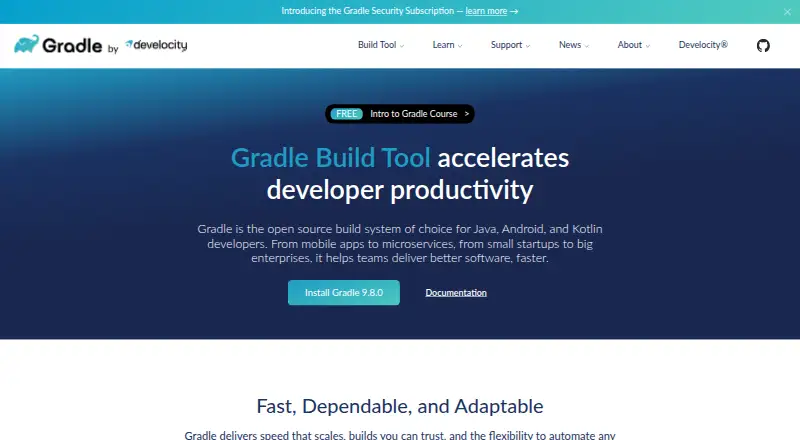
What Gradle is
Gradle is a free, open-source build system that automates software builds for projects of different types and sizes. Its build logic can be written with Kotlin DSL or Groovy DSL, and it supports incremental builds, caching, and parallel task execution. Gradle downloads and manages transitive dependencies from Maven- and Ivy-compatible repositories. Its ecosystem includes JVM, Android, C/C++, Swift, Objective-C, and assembler projects. The Gradle Wrapper can provision a build environment and select the Gradle version a project uses. Gradle runs on Windows, macOS, and Linux, and lists integrations or support for Android Studio, Ant, and tools such as Checkstyle, CodeNarc, PMD, and JaCoCo. The Tooling API lets IDEs and other tools inspect projects, run builds, receive progress events, and cancel build operations. Dependency verification is included. The maker says open-source security fixes are limited by its end-of-life policy; a Security Subscription offers prioritized fixes under SLA and extended maintenance, but does not guarantee a clean scanner report when issues come from third-party libraries.
Who it suits
Gradle suits Java, Android, and Kotlin developers, as well as teams working across its listed project ecosystems. It is available for Windows, macOS, and Linux users.
What it does well
- Free open-source build system.
- Supports Kotlin DSL and Groovy DSL.
- Incremental builds, caching, and parallel tasks.
- Wrapper can provision environments and select versions.
- Runs on Windows, macOS, and Linux.
What to know first
- Open-source security fixes follow an end-of-life policy.
- Security Subscription cannot guarantee a clean scanner report.
Plans
| Plan | Billed and limits | Price |
|---|---|---|
| Gradle Build Tool | Open-source build system | Free |
As gradle.org lists them, read 30 Sept 2026. The maker's own page has the final word.
Getting started
- Open the Gradle website and consult the user manual or free training.
- Install Gradle on Windows, macOS, or Linux.
- Use the Gradle Wrapper to provision a project’s build environment and select its Gradle version.
- Write build logic with Kotlin DSL or Groovy DSL.
- Connect supported IDEs and tools through the available integrations or Tooling API.
Overview
Gradle is an open-source build system for automating software builds, particularly for Java, Android, and Kotlin projects. It is best suited to development teams that need configurable build logic and dependency handling across varied project types. Its breadth is a strength, but teams should weigh its security-maintenance limits before adopting it for work with strict patching requirements.
Build configuration can be written in Kotlin DSL or Groovy DSL, while the Gradle Wrapper can provision the build environment and select the Gradle version a project uses. Together, these support adaptable build logic and a consistent version choice across a project.
Gradle’s scope extends beyond its core JVM audience to Android, C/C++, Swift, Objective-C, and assembler projects. That makes it a plausible common build system for mixed-language work, though the facts do not establish equal depth for every ecosystem.
For adjacent options, see Build Automation Software, Package Managers, and Minecraft Mod Development Tools.
Key features
- Build performance tools: Incremental builds, caching, and parallel task execution help avoid repeating work and enable concurrent tasks. Their practical benefit will depend on a project’s build.
- Dependency management: Gradle resolves transitive dependencies and supports Maven- and Ivy-compatible repositories. It also supports Maven, Ivy, and flat-directory package formats, plus lockfiles, private registry authentication, workspaces, and offline installation. This is a substantial toolkit for projects with varied dependency setups.
- Portable builds: The Wrapper can provision a build environment and specify a project’s Gradle version, helping teams standardize how builds are invoked.
- Tooling API: IDEs and other tools can inspect projects, run builds, receive progress events, and cancel build operations. This makes Gradle more than a command-line build engine for environments that integrate with it.
- Security: Dependency verification provides a security measure for dependencies. Gradle’s open-source security fixes are constrained by its end-of-life policy; a Security Subscription offers prioritized fixes under SLA and extended maintenance, but does not guarantee a clean scanner report because findings may originate in third-party libraries.
- Ecosystem and integrations: Gradle lists support for Android Studio, Ant, Maven and Ivy repositories, and Checkstyle, CodeNarc, PMD, and JaCoCo. This range is useful to teams already working with those tools.
Pricing
Gradle Build Tool — free. The free plan is an open-source build system, making it suitable for individuals and teams that want Gradle’s build and dependency capabilities without a software charge. No seat, quota, or trial limit is stated for this plan. Teams that need prioritized security fixes and extended maintenance can consider the Security Subscription; it is not part of the free-plan description, and its price is custom pricing.
The free plan’s key trade-off is security lifecycle coverage: open-source fixes follow the end-of-life policy, and even the paid subscription does not promise that scanners will report no findings. Teams with stringent security obligations should account for both limits.
Platforms
Gradle lists API, Linux, macOS, and Windows platforms. It also supports builds across Windows, macOS, and Linux. Offline installation can suit environments that cannot rely on network access during setup, while private registry authentication supports dependency workflows involving private repositories.
Who it's for
Gradle is a strong fit for Java, Android, and Kotlin developers, from startups to large enterprises, who need build automation alongside dependency resolution and project tooling. Teams working across JVM, C/C++, Swift, Objective-C, or assembler projects may also value its broader ecosystem coverage. It is less compelling for teams that need open-source security fixes beyond the end-of-life policy without a subscription, or that require a guaranteed clean scanner report.
Pros and cons
Pros
- Broad project coverage: Its stated ecosystem spans JVM, Android, C/C++, Swift, Objective-C, and assembler work.
- Configurable build logic: Kotlin and Groovy DSL options give teams two ways to express build configuration.
- Useful dependency controls: Lockfiles, private registry authentication, offline installation, and multiple repository formats support varied dependency workflows.
- Free open-source build system: The Gradle Build Tool costs nothing, without a stated seat cap or quota.
Cons
- Open-source security fixes have an end-of-life limit: Teams needing prioritized fixes and extended maintenance must consider the Security Subscription.
- Scanner reports are not guaranteed clean: The subscription cannot eliminate findings that arise from third-party libraries.
- Performance gains are not assured: Caching, incremental builds, and parallel execution are available, but their benefit depends on the project.
Alternatives
Choose npm for JavaScript package workflows, with a free plan for public package authors that includes unlimited public packages and public registry access. Choose uv for a free Python package-management option. Yarn is a free package manager with no paid plans or usage limits stated, while Cargo is a free Rust package manager and build tool. For Python package management, pip is another free option. Apache Maven is a free alternative with JDK 8+ required for Maven 3.10. Choose Composer for PHP dependency management. Pixi is another free option, with a package-hosting plan that includes a global CDN, 100GB of public packages, and unlimited channel users.
Verdict
Gradle is a strong choice for teams building Java, Android, or Kotlin software that want flexible build logic, dependency controls, and tooling support in an open-source system. Its wider language coverage makes it relevant to mixed-project environments too. Look elsewhere or budget for the Security Subscription if your maintenance requirements exceed the open-source end-of-life policy, and do not treat that subscription as a guarantee of clean scanner results.
Verdict
Gradle combines build automation, dependency management, and tooling for a broad range of project types. Teams should note the stated limits on open-source security fixes and scanner-report guarantees.
Questions
How much does Gradle Build Tool cost?
Gradle Build Tool is free. The listed plan is an open-source build system.
Which operating systems does Gradle support?
Gradle supports Windows, macOS, and Linux.
Which build languages can I use?
Build logic can be written with Gradle’s Kotlin DSL or Groovy DSL.
What project types does Gradle cover?
Its ecosystem covers JVM, Android, C/C++, Swift, Objective-C, and assembler projects.
Does Gradle support dependency management and lockfiles?
Yes. Gradle downloads and manages transitive dependencies, and it supports dependency resolution and lockfiles. It supports Maven- and Ivy-compatible repositories.
What does Gradle offer for security?
Gradle includes dependency verification. The maker says open-source security fixes are limited by its end-of-life policy; the separate Security Subscription offers prioritized fixes under SLA and extended maintenance, without guaranteeing a clean scanner report when findings come from third-party libraries.
Facts from Gradle's own pages
- Build languages
- Build logic can be written with Gradle’s Kotlin DSL or Groovy DSL. · gradle.org, 30 Sept 2026
- Build performance
- Gradle supports incremental builds, build caching, and parallel task execution. · gradle.org, 30 Sept 2026
- Build portability
- The Gradle Wrapper can provision the build environment and specify which Gradle version a project uses. · gradle.org, 30 Sept 2026
- Build tooling API
- The Gradle Tooling API lets IDEs and other tools inspect projects, run builds, receive progress events, and cancel build operations. · gradle.org, 30 Sept 2026
- Dependency management
- Gradle downloads and manages transitive dependencies and supports Maven and Ivy compatible repositories. · gradle.org, 30 Sept 2026
- Dependency resolution
- Yes · gradle.org, 21 Sept 2026
- Ecosystem support
- Gradle features cover JVM, Android, C/C++, Swift, Objective-C, and assembler projects. · gradle.org, 30 Sept 2026
- Free plan
- Yes · gradle.org, 21 Sept 2026
- Headquarters
- San Francisco, California, United States · gradle.org, 28 Sept 2026
- Integrations
- Gradle lists integrations or support for Android Studio, Ant, Maven and Ivy repositories, and Checkstyle, CodeNarc, PMD, and JaCoCo. · gradle.org, 30 Sept 2026
- Intended users
- Gradle describes itself as the open-source build system of choice for Java, Android, and Kotlin developers, from startups to large enterprises. · gradle.org, 30 Sept 2026
- Lockfile support
- Yes · gradle.org, 21 Sept 2026
- Offline installation
- Yes · gradle.org, 21 Sept 2026
- Package formats
- Maven,Ivy,flat directory · gradle.org, 21 Sept 2026
- Private registry auth
- Yes · gradle.org, 21 Sept 2026
- Purpose
- Gradle Build Tool automates building software of any type, size, or complexity. · gradle.org, 30 Sept 2026
- Security
- Gradle includes dependency verification; the maker says open-source security fixes are limited by its end-of-life policy, while its Security Subscription offers prioritized fixes under SLA and extended maintenance. · gradle.org, 30 Sept 2026
- Security coverage limit
- The Security Subscription does not guarantee a clean scanner report because some findings may come from third-party libraries. · gradle.org, 30 Sept 2026
- Support and learning
- The site links to community Slack, community forums, professional services, a user manual, and free Gradle training. · gradle.org, 30 Sept 2026
- Supported platforms
- Windows,macOS,Linux · gradle.org, 21 Sept 2026
- Workspace support
- Yes · gradle.org, 21 Sept 2026
Where Gradle stands on Freedom251
- Package Managers#2 of 93
- Minecraft Mod Development Tools#6 of 35
- Build Automation Software#10 of 42