Freedom251 › Build Automation Software
Apache Maven
by Apache Maven
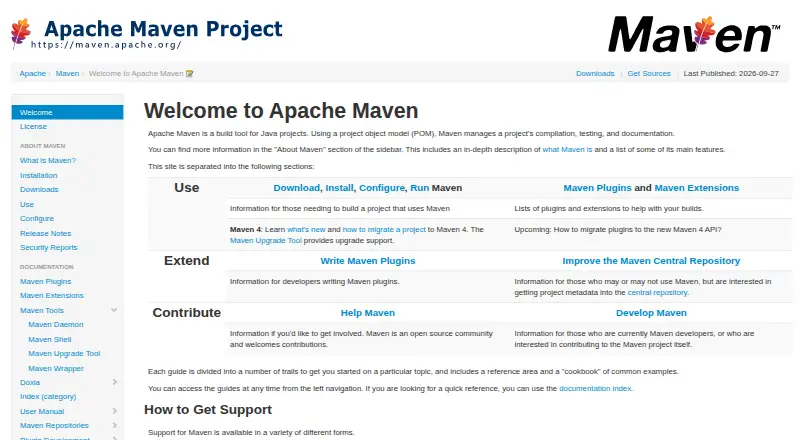
What Apache Maven is
Apache Maven is a free build tool for Java projects. It uses a project object model, or POM, together with plugins to manage compilation, testing, and documentation in a consistent build system. Maven handles dependencies, including transitive dependencies and automatic updates, and can retrieve them from a central repository. Project metadata can define outputs such as JARs, WARs, and distributions. Maven can also generate changelogs, cross-referenced source views, dependency lists, and unit test reports. Plugins written in Java or scripting languages can extend the build, and Maven can work with source control systems such as Git or Subversion to manage releases based on tags. It runs on Linux, macOS, and Windows, and supports workspace operations, private registry authentication, and offline installation. Listed package formats include POM, JAR, Maven plugin, EJB, WAR, EAR, and RAR. Maven 3.10 and later requires JDK 8 or above to run, although toolchains can target other JDK versions. Maven is distributed under Apache License 2.0. Its project layout is opinionated, which can make it a poor fit for projects with unusual structures that cannot be reorganized.
Who it suits
Maven suits Java project teams that want a consistent, POM-based build with dependency management and plugin extensions. It can also suit teams that need offline installation, private registry authentication, or project reports, provided their project can work with Maven’s layout.
What it does well
- Free to use under Apache License 2.0.
- Manages transitive dependencies and automatic updates.
- Builds JARs, WARs, and distributions from project metadata.
- Generates dependency lists and unit test reports.
- Supports offline installation and private registry authentication.
What to know first
- Maven 3.10 and later requires JDK 8 or above to run.
- Unusual project layouts may limit Maven features.
- Untrusted builds require isolation under Maven’s security model.
Plans
| Plan | Billed and limits | Price |
|---|---|---|
| Apache Maven | Apache License 2.0 · JDK 8+ required for Maven 3.10 | Free |
As maven.apache.org lists them, read 8 Oct 2026. The maker's own page has the final word.
Getting started
- Visit https://maven.apache.org/.
- Use Maven on Linux, macOS, Windows, or a self-hosted environment.
- Use JDK 8 or above to run Maven 3.10 and later.
- Build a Java project using its POM and Maven plugins.
Apache Maven is a build system for Java projects that coordinates compilation, testing, documentation, and packaging through a project object model (POM). It is strongest for teams willing to adopt a shared project layout and plugin-based workflow, rather than for codebases whose structure cannot be changed.
Overview
Maven gives each project a metadata-driven build model. The POM describes the project, while plugins perform build tasks, creating a consistent process across Maven projects. That consistency is valuable when several developers or services need the same commands and conventions, but it is also Maven’s main constraint: projects with unusual layouts may need substantial reorganization or may have to use another tool.
From project metadata, Maven can produce JARs, WARs, and other distributions. It can generate changelogs, dependency lists, cross-referenced source pages, and unit-test reports, so it supports project communication as well as artifact creation. Maven is released under the Apache License, version 2.0, and Apache project source releases—and binary releases when provided—are free of charge.
Key features
Dependency resolution
Maven manages direct and transitive dependencies, can update them automatically, and can download them from a central repository. This removes much of the manual package bookkeeping in Java projects. Private registry authentication, workspace support, offline installation, and dependency resolution are supported, giving teams options for controlled or disconnected environments.
Plugins and outputs
Plugins supply Maven’s build operations and can be written in Java or scripting languages. The same extension model can drive compilation, tests, documentation, and packaging, while metadata determines outputs such as JAR, WAR, EJB, EAR, RAR, and Maven-plugin packages. The benefit is a uniform build vocabulary; the cost is learning Maven’s lifecycle and accepting its conventions.
Project information and releases
Generated changelogs, dependency reports, cross-referenced sources, and unit-test reports help teams inspect a project without assembling those documents separately. Maven can integrate with Subversion and Git for releases managed from tags, which suits source-controlled release processes.
Compatibility and security
Maven 3.10 and later requires JDK 8 or newer to run, although toolchains can target other JDK versions. Its security model assumes that users trust the POM, build code, dependencies, and repositories. Building untrusted code therefore requires isolation rather than relying on Maven alone. Maven’s download guidance recommends checking release-bundle signatures against the public KEYS maintained by its developers.
Pricing
| Plan | Price | What it includes |
|---|---|---|
| Apache Maven | free | Apache License 2.0; JDK 8+ required for Maven 3.10 |
There is one free plan, with no paid tier or trial period to weigh. It suits individual developers, teams, and organizations that can run an open-source build tool and do not need a commercial subscription. The Apache license permits use without a software charge, but teams remain responsible for their own build infrastructure, dependency trust decisions, and isolation of untrusted builds.
Platforms
Maven supports Windows, macOS, and Linux. It is also self-hosted, so teams control where the build runs rather than depending on a hosted Maven workspace. Package formats include POM, JAR, Maven-plugin, EJB, WAR, EAR, and RAR.
Who it's for
Maven is a good fit for Java teams that want a repeatable, metadata-based build and centralized dependency handling. It is particularly practical when projects can follow Maven’s standard layout and when generated reports or tagged releases matter. It is a weaker choice for projects whose directory structure is unusual and cannot be reorganized, or for anyone who needs to execute untrusted builds without designing a separate isolation boundary.
Pros and cons
Pros
- Consistent POM-and-plugin model: shared conventions make builds easier to standardize across Java projects.
- Strong dependency handling: transitive resolution, automatic updates, central downloads, private-registry authentication, and offline installation reduce package administration.
- Broad Java packaging: metadata can produce JAR, WAR, EJB, EAR, RAR, distribution, and Maven-plugin outputs.
- Useful project reporting: changelogs, dependency lists, cross-referenced sources, and unit-test reports extend its value beyond compilation.
- No software charge: the Apache License 2.0 and free availability remove per-user or subscription costs.
Cons
- Opinionated layout: projects that cannot adopt Maven’s structure may lose features or need to choose another build approach.
- Trust is an explicit responsibility: Maven assumes trusted POMs, code, dependencies, and repositories, so untrusted builds need external isolation.
- JDK requirement: running Maven 3.10 or later requires JDK 8 or above, even though toolchains can target other JDK versions.
Alternatives
Gradle is the most direct alternative when you want another open-source build system rather than Maven’s POM-centered conventions.
Choose npm for JavaScript package management, uv or pip for Python, Yarn for JavaScript package workflows, Cargo for Rust, vcpkg for C and C++, or Composer for PHP dependency management.
Browse Package Managers for tools centered on package handling, or Build Automation Software for a wider build-tool comparison.
Verdict
Choose Apache Maven for Java projects that benefit from POM-based builds, dependency handling, generated reports, and plugin extensions. Its free Apache-licensed distribution and broad packaging support make it a durable standard choice. Look elsewhere when your project cannot fit Maven’s opinionated layout, or when untrusted build execution cannot be isolated safely.
Verdict
Choose Apache Maven for Java projects that benefit from POM-based builds, dependency handling, and plugin extensions. Look elsewhere if a project’s structure cannot be reorganized to fit Maven’s opinionated layout. Builds of untrusted code also need isolation.
Questions
How much does Apache Maven cost?
The listed plan is free. Apache Maven is distributed under Apache License 2.0.
Which platforms does Maven support?
Maven supports Linux, macOS, and Windows. Self-hosted is also listed as a platform.
What does Maven build?
It can produce outputs such as JARs, WARs, and distributions using project metadata.
What Java version is required?
Maven 3.10 and later requires JDK 8 or above to run. Toolchains can target other JDK versions.
Can Maven work offline or with private registries?
Yes. Offline installation and private registry authentication are listed capabilities.
What license does Maven use?
Apache Maven is distributed under Apache License, version 2.0.
Facts from Apache Maven's own pages
- Build model
- Maven builds projects using a POM and plugins, with a uniform build system across Maven projects. · maven.apache.org, 8 Oct 2026
- Compatibility
- Maven 3.10 and later requires JDK 8 or above to execute, while toolchains can target other JDK versions. · maven.apache.org, 8 Oct 2026
- Dependencies
- Maven supports dependency management, including automatic updates and transitive dependencies, and can download dependencies from a central repository. · maven.apache.org, 8 Oct 2026
- Dependency resolution
- Yes · maven.apache.org, 22 Sept 2026
- Extensions
- Maven can be extended with plugins written in Java or scripting languages. · maven.apache.org, 8 Oct 2026
- Founded
- 2002 · maven.apache.org, 28 Sept 2026
- Free availability
- The Apache Software Foundation states that Apache project source releases and, when available, binary releases are provided free of charge. · apache.org, 8 Oct 2026
- Free plan
- Yes · maven.apache.org, 22 Sept 2026
- Integrations
- Maven can integrate with source control systems such as Subversion or Git to manage releases based on tags. · maven.apache.org, 8 Oct 2026
- Licensing
- Apache Maven is distributed under the Apache License, version 2.0. · maven.apache.org, 8 Oct 2026
- Offline installation
- Yes · maven.apache.org, 22 Sept 2026
- Package formats
- pom,jar,maven-plugin,ejb,war,ear,rar · maven.apache.org, 22 Sept 2026
- Private registry auth
- Yes · maven.apache.org, 22 Sept 2026
- Project fit
- Maven uses an opinionated project layout, and projects with unusual structures that cannot be reorganized may have to forgo some Maven features or Maven altogether. · maven.apache.org, 8 Oct 2026
- Project information
- Maven can generate project information including changelogs, cross referenced sources, dependency lists, and unit test reports. · maven.apache.org, 8 Oct 2026
- Project outputs
- Maven can build projects into output types such as JARs, WARs, and distributions using project metadata. · maven.apache.org, 8 Oct 2026
- Purpose
- Apache Maven is a build tool for Java projects that uses a project object model (POM) to manage compilation, testing, and documentation. · maven.apache.org, 8 Oct 2026
- Release verification
- The download page recommends verifying release bundle signatures against the public KEYS used by Maven developers. · maven.apache.org, 8 Oct 2026
- Security
- Maven's security model assumes users trust the POM, code, dependencies, and repositories used in a build; users building untrusted code must provide isolation. · maven.apache.org, 8 Oct 2026
- Support
- The Maven site recommends its users mailing list for help and also points users to documentation, issue management, wiki resources, and Slack. · maven.apache.org, 8 Oct 2026
- Supported platforms
- Windows,macOS,Linux · maven.apache.org, 22 Sept 2026
- Workspace support
- Yes · maven.apache.org, 22 Sept 2026
Where Apache Maven stands on Freedom251
- Build Automation Software#2 of 42
- Package Managers#5 of 93