vcpkg
by vcpkg
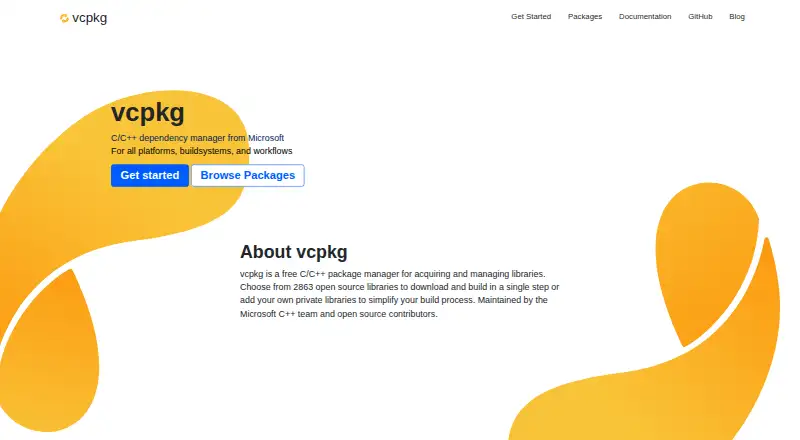
What vcpkg is
vcpkg is a free C/C++ package manager for acquiring and managing libraries across Windows, macOS, Linux, Android, and iOS. Its curated registry contains over 2,300 open-source libraries. Project manifest files can declare dependencies, optional features, and version constraints; baseline sets and individual version pins help make dependency resolution reproducible. vcpkg integrates with CMake and MSBuild, with manual integration available for other build systems. Built packages can be cached for reuse across developer machines and continuous integration runs. Asset caching can help with offline or air-gapped use by mirroring source assets and build tools. Users can also create registries for custom packages, patches, or private libraries. Documented editor integrations include Visual Studio, Visual Studio Code, CLion, and Qt Creator. The project says most ports use libraries’ original build systems and download source code and tools from official distribution locations. vcpkg collects anonymous usage data, with opt-out options through bootstrap, a command-line option, or an environment variable. Firewall access needs vary by the ports being installed.
Who it suits
It suits C and C++ developers who need to manage library dependencies across desktop and mobile platforms. Teams using CMake or MSBuild, custom registries, or cached packages for CI and offline environments may find its listed workflows relevant.
What it does well
- Curated registry lists over 2,300 open-source libraries.
- Supports Windows, macOS, Linux, Android, and iOS.
- Manifest files specify dependencies, features, and version constraints.
- Package and asset caching support reuse and offline environments.
- Custom registries can hold private libraries and patches.
What to know first
- Firewall access needs vary with installed ports.
- Anonymous usage data is collected by default.
- Other build systems require manual integration.
Plans
| Plan | Billed and limits | Price |
|---|---|---|
| Free | Free and open-source C/C++ package manager | Free |
As vcpkg.io lists them, read 9 Oct 2026. The maker's own page has the final word.
Getting started
- Visit the vcpkg website and use its documentation to begin.
- Choose the supported operating system for the project.
- Declare dependencies, optional features, and version constraints in a manifest.
- Integrate with CMake or MSBuild, or use manual integration with another build system.
- Configure package or asset caching if reuse or offline installation is needed.
Verdict
vcpkg offers dependency management, caching, and registry options for C/C++ projects across several platforms. Consider its varying firewall needs and telemetry opt-out steps when planning adoption.
Questions
Does vcpkg cost anything?
No. The listed Free plan costs nothing.
Which operating systems does vcpkg support?
It supports Windows, macOS, Linux, Android, and iOS.
Which build systems can use vcpkg?
It integrates with CMake and MSBuild. Manual integration is also supported for other build systems.
Can vcpkg work offline?
Yes. Offline installation is supported, and asset caching can mirror source assets and build tools for offline or air-gapped environments.
Can teams use private packages?
Users can create custom registries for private libraries, patches, or custom packages. Private registry authentication is supported.
Does vcpkg collect telemetry?
It collects anonymous usage data. Users can opt out through bootstrap, a command-line option, or an environment variable.
Facts from vcpkg's own pages
- Binary caching
- Built packages can be cached and reused across developer machines and continuous integration runs. · vcpkg.io, 9 Oct 2026
- Build systems
- vcpkg integrates with CMake and MSBuild and also supports manual integration with other build systems. · vcpkg.io, 9 Oct 2026
- Custom registries
- Users can create registries for custom packages, patches, or private libraries. · learn.microsoft.com, 9 Oct 2026
- Dependency management
- Manifest files let projects declare dependencies, optional features, and version constraints. · vcpkg.io, 9 Oct 2026
- Dependency resolution
- Yes · github.com, 22 Sept 2026
- Editors
- The project documents integrations for Visual Studio, Visual Studio Code, CLion, and Qt Creator. · github.com, 9 Oct 2026
- Founded
- 2016 · vcpkg.io, 28 Sept 2026
- Free plan
- Yes · github.com, 22 Sept 2026
- Notable limitation
- The project notes that firewall access requirements depend on which ports are being installed. · github.com, 9 Oct 2026
- Offline installation
- Yes · github.com, 22 Sept 2026
- Offline use
- Asset caching supports offline and air-gapped environments by mirroring source assets and build tools. · vcpkg.io, 9 Oct 2026
- Package catalog
- The overview describes a curated registry with over 2,300 open-source libraries. · vcpkg.io, 9 Oct 2026
- Package formats
- C/C++ libraries · github.com, 22 Sept 2026
- Private registry auth
- Yes · github.com, 22 Sept 2026
- Purpose
- vcpkg is a C/C++ package manager for acquiring and managing libraries. · learn.microsoft.com, 9 Oct 2026
- Security
- The project says most ports build libraries using their original build systems and download source code and tools from their official distribution locations. · github.com, 9 Oct 2026
- Support
- The project lists documentation, a development-team support contact, and community channels including Discord and Slack. · learn.microsoft.com, 9 Oct 2026
- Supported platforms
- Windows,macOS,Linux,Android,iOS · github.com, 22 Sept 2026
- Telemetry
- vcpkg collects anonymous usage data, and users can opt out through bootstrap, a command-line option, or an environment variable. · github.com, 9 Oct 2026
- Versioning
- Projects can use a baseline version set for reproducible dependency resolution and pin individual package versions. · vcpkg.io, 9 Oct 2026
Where vcpkg stands on Freedom251
- Package Managers#7 of 93