npm
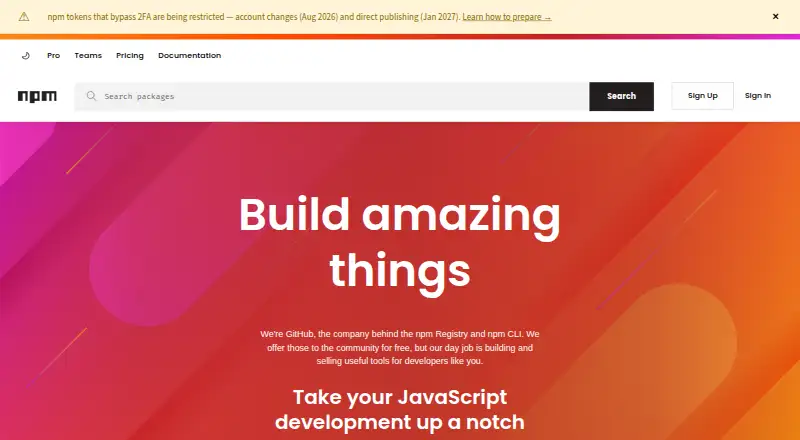
What npm is
npm is a JavaScript package registry and command-line tool for sharing code and managing packages. The free Registry and CLI support public package publishing and use, and the Free plan gives public package authors unlimited public packages. npm accepts package.json folders, gzipped tarballs, URLs, name-and-version or tag references, and Git URLs. Its documented capabilities include dependency resolution, lockfiles, workspaces, private registry authentication, and offline installation.
npm runs on macOS, Windows, Linux, and other operating systems through Node.js installers or version managers. For private publishing, the Paid user account plan costs $7 a month. Pro costs $7 a month and includes unlimited private packages and package-based permissions for individual creators. Teams costs $7 per user per month, with unlimited private packages and team-based permissions. npm also supports organizations, members, roles, permissions, and package access management. Its listed plan details say paid billing starts when card information is submitted, with the first month charged immediately. All plans include basic support and automatic security warnings.
Who it suits
npm suits JavaScript developers who need to publish or install packages, manage dependencies, or share code. Public package authors can use the free plan; individual creators and teams can choose paid plans for private packages and permissions.
What it does well
- Free plan includes unlimited public packages.
- Supports dependency resolution, lockfiles, and workspaces.
- Private packages are available in paid plans.
- Supports offline installation.
- All plans include basic support and automatic security warnings.
What to know first
- Private publishing requires a paid plan.
- Paid billing starts when card information is submitted.
- The first paid month is charged immediately.
Limits
The Free plan is for public package authors and covers public package publishing and use; it does not include private publishing. Private publishing starts with a $7-per-month paid account plan, while Teams costs $7 per user per month.
Plans
| Plan | Billed and limits | Price |
|---|---|---|
| Free | billed monthly · Public package publishing and use · Public registry access | Free |
| Paid user account | billed monthly · Install and publish private packages | $7 a month |
| Pro | $7 per month | $7 a month |
| Teams | $7 per user per month | $7 a month |
As npmjs.com lists them, read 27 Sept 2026. The maker's own page has the final word.
Getting started
- Visit the npm website.
- Use the npm Registry and CLI for public package access and publishing.
- Use a Node.js installer or version manager on Linux, macOS, Windows, or another supported operating system.
- Choose the Free plan for public packages or a paid plan for private packages.
- Submit credit card information to start paid billing; the first month is charged immediately.
npm is a package registry and command-line interface for JavaScript developers who need to publish or install shared code. It is strongest for public distribution and established JavaScript workflows; private publishing comes with a recurring fee.
Overview
GitHub operates npm’s Registry and CLI. The Registry contains more than two million packages and is relied on by more than 17 million developers worldwide, giving JavaScript projects a large pool of reusable code. The free tier supports unlimited public packages, making npm a practical choice for open distribution. Its JavaScript focus makes it less suited to teams seeking a general-purpose package ecosystem.
npm supports Linux, macOS and Windows, with other operating systems supported through Node.js installers or version managers. Dependency resolution, lockfiles and workspaces cover common project needs, while offline installation and private registry authentication extend its use beyond public packages.
For broader comparisons, browse JavaScript Package Managers, Package Managers or Package Registries.
Key features
Package distribution and project workflows
npm accepts package.json folders, gzipped tarballs, URLs, name-and-version and name-and-tag references, and Git URLs. That range is useful when a project’s dependencies come from more than one source. Lockfile and workspace support help manage dependency versions and related packages; offline installation is a further advantage when network access is unavailable.
Access and security controls
Automatic security warnings are included across Free, Pro and Teams, and npm documentation covers two-factor authentication for accounts, organizations, publishing and settings changes. Pro adds package-based permissions, while Teams provides team-based permissions and organization management for members, roles and package access. CI/CD and Docker workflows for private packages are also covered in npm documentation.
Pricing
The Free plan costs nothing, billed monthly, and is aimed at public package authors. It includes unlimited public packages, public publishing and use, public registry access, automatic security warnings and basic support. It is a strong fit for open-source publishing, but does not include private publishing.
Paid user account costs $7 a month, billed monthly, for installing and publishing private packages. Pro costs $7 a month for individual creators and includes unlimited private packages and package-based permissions. These plans suit individuals who need private distribution; the paid user account description is narrower, while Pro explicitly adds permissions.
Teams costs $7 per user per month for teams and organizations, with unlimited private packages and team-based permissions. It is the relevant tier when access needs to be managed by team rather than package alone, but per-user billing makes costs rise with team size. All plans include unlimited public packages, automatic security warnings and basic support. Paid billing begins when card information is submitted, and the first month is charged immediately.
Platforms
npm supports Linux, macOS and Windows. Other operating systems can use it through Node.js installers or version managers.
Who it's for
npm is a natural choice for JavaScript developers who want to consume dependencies, publish public packages or manage workspaces. Individual creators needing private packages can choose Pro; organizations that need team-based access controls are better matched to Teams. Developers working primarily in other language ecosystems should consider a more specialized alternative.
Pros and cons
- Pros: Unlimited public packages on the free plan make public publishing accessible without a package cap.
- Pros: Lockfiles, workspaces, dependency resolution and offline installation support varied project workflows.
- Pros: Pro and Teams both allow unlimited private packages, with distinct permission models for individual creators and organizations.
- Cons: Private publishing requires a paid plan, so the free tier does not cover private package distribution.
- Cons: Teams is priced per user, which can make it less attractive as an organization grows.
Alternatives
Choose uv instead if you want a free package manager for Python. Yarn is another free package manager with no paid plans stated. For Rust, Cargo is a free package manager and build tool; PHP developers may prefer Composer for dependency management. Gradle is a free open-source build system, while Pixi offers a free package-hosting option. Hex is another package registry with a free open-source plan. pnpm is also a free package manager.
For related tool categories, see Monorepo Management Tools.
Verdict
Choose npm for JavaScript projects that benefit from its large public Registry, broad package inputs and built-in dependency workflow. Its free public publishing is compelling, but anyone needing private packages must budget for a paid plan, and teams should account for per-user pricing.
Verdict
npm supports public package publishing for free and offers paid options for private packages and access management. Check whether an individual or team plan fits your needs, and note that billing starts when card information is submitted.
Questions
Is npm free?
The npm Registry and CLI are free for public package use. The Free plan includes unlimited public packages for public package authors.
How much do npm's paid plans cost?
The Paid user account plan costs $7 per month, and Pro costs $7 per month. Teams costs $7 per user per month.
Can I publish private packages?
Yes. The Paid user account plan enables private publishing. Pro and Teams include unlimited private packages.
Which operating systems does npm support?
npm supports Linux, macOS, and Windows, and can run on other operating systems through Node.js installers or version managers.
What is the difference between Pro and Teams permissions?
Pro offers package-based permissions for individual creators. Teams offers team-based permissions for teams and organizations.
Who makes npm?
GitHub is the company behind the npm Registry and npm CLI.
Facts from npm's own pages
- CI/CD Integration
- npm documentation covers using private packages in a CI/CD workflow. · docs.npmjs.com, 27 Sept 2026
- Dependency resolution
- Yes · docs.npmjs.com, 19 Sept 2026
- Developer Reach
- npm is relied upon by more than 17 million developers worldwide. · npmjs.com, 27 Sept 2026
- Docker Integration
- npm documentation includes Docker and private modules. · docs.npmjs.com, 27 Sept 2026
- Free plan
- Yes · docs.npmjs.com, 19 Sept 2026
- Free Plan Scope
- The Free plan is for public package authors and includes unlimited public packages. · npmjs.com, 27 Sept 2026
- Free Registry
- The npm Registry and npm CLI are offered to the community for free. · npmjs.com, 27 Sept 2026
- GitHub Ownership
- GitHub is the company behind the npm Registry and npm CLI. · npmjs.com, 27 Sept 2026
- JavaScript Focus
- npm provides a JavaScript development experience and supports JavaScript code sharing. · npmjs.com, 27 Sept 2026
- Lockfile support
- Yes · docs.npmjs.com, 19 Sept 2026
- Offline installation
- Yes · docs.npmjs.com, 19 Sept 2026
- Package formats
- package.json folders,gzipped tarballs,URLs,name@version,name@tag,Git URLs · docs.npmjs.com, 19 Sept 2026
- Package Permissions
- Pro offers package-based permissions, while Teams offers team-based permissions. · npmjs.com, 27 Sept 2026
- Paid Billing Start
- Paid billing starts when credit card information is submitted, with the first month charged immediately. · docs.npmjs.com, 27 Sept 2026
- Private Publishing Price
- The paid user account plan costs $7 per month and enables private publishing. · docs.npmjs.com, 27 Sept 2026
- Private registry auth
- Yes · docs.npmjs.com, 19 Sept 2026
- Pro Private Packages
- Pro includes unlimited private packages for individual creators. · npmjs.com, 27 Sept 2026
- Registry Scale
- The free Registry has more than two million packages and is described as the largest software registry. · npmjs.com, 27 Sept 2026
- Security Warnings
- Free, Pro, and Teams include unlimited public packages and automatic security warnings. · npmjs.com, 27 Sept 2026
- Paid from
- 7 · docs.npmjs.com, 19 Sept 2026
- Supported platforms
- macOS,Windows,Linux,and other operating systems via Node.js installers or version managers · docs.npmjs.com, 19 Sept 2026
- Basic Support
- All npm plan versions include basic support. · npmjs.com, 27 Sept 2026
- Team Management
- npm supports organizations, members, teams, roles, permissions, and package access management. · docs.npmjs.com, 27 Sept 2026
- Team Private Packages
- Teams includes unlimited private packages for teams and organizations. · npmjs.com, 27 Sept 2026
Where npm stands on Freedom251
- Package Managers#3 of 93
- JavaScript Package Managers#7 of 19
- Package Registries#13 of 28
- Monorepo Management Tools#21 of 33