pip
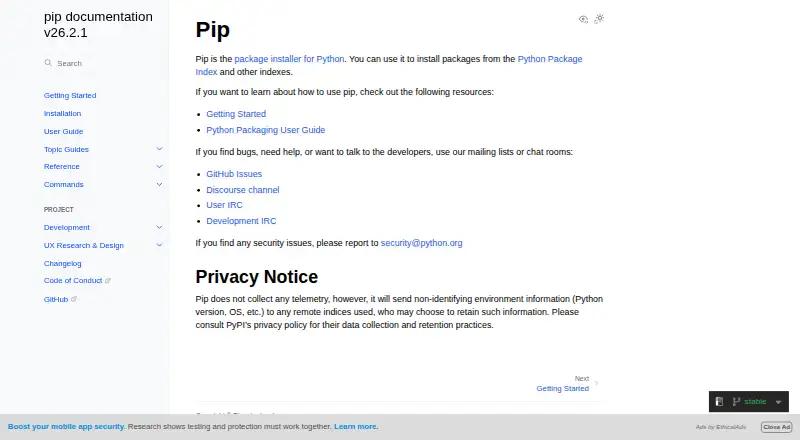
What pip is
pip is the package installer for Python. It installs packages from PyPI and other indexes, as well as from version control URLs, local project directories, and local or remote source archives. It supports source distributions and wheels, can resolve dependencies, and can use requirements files to specify an environment for installation. The install command offers an option to generate a JSON report of installed packages. pip supports lockfiles, private registry authentication, and offline installation. The current version works on Windows, Linux, and macOS, and supports CPython 3.10 through 3.15 and the latest PyPy3; maintainers do not support other operating systems or Python versions. It is commonly installed with Python downloaded from python.org and in virtual environments, and is also available through ensurepip or get-pip.py. A standalone zip application is experimental and is not intended for production use. pip is free, with no paid plans or usage limits stated. It does not collect telemetry, but sends non-identifying environment details such as Python version and operating system to remote indexes it uses. Remote tampering checks are not enabled by default; hash-checking mode and binary-only installs offer more secure installation methods.
Who it suits
pip suits Python users who need to install packages from indexes, repositories, or local sources. Its requirements-file, offline installation, and authentication support may also suit people managing repeatable or private package installs.
What it does well
- Installs from indexes, version control, and local sources.
- Supports wheels and source distributions.
- Can generate a JSON installation report.
- Supports lockfiles and offline installation.
- Free, with no usage limits stated.
What to know first
- Maintainers do not support other OSes or Python versions.
- Remote tampering checks are not enabled by default.
- Standalone zip application is experimental and not for production.
- Sends non-identifying environment details to remote indexes.
Plans
| Plan | Billed and limits | Price |
|---|---|---|
| pip | No paid plans or usage limits are stated on the opened documentation pages | Free |
As pip.pypa.io lists them, read 5 Oct 2026. The maker's own page has the final word.
Getting started
- Install Python from python.org or create a virtual environment; pip is commonly included with both.
- If needed, install pip using ensurepip or get-pip.py.
- Choose a package index, repository URL, project directory, or archive as the package source.
- Use a requirements file to install a whole environment, if applicable.
- Use the install report option to generate a JSON record of installed packages, if needed.
pip is a free, foundational tool for Python developers who want to install dependencies directly in their Python environments. Its broad range of package sources and requirements-file support make it a practical default, but its compatibility boundaries and security defaults matter for teams managing controlled deployments.
Overview
pip installs Python packages from indexes such as PyPI, version-control URLs, project directories, and source archives. That flexibility suits everyday project setup as well as installing code that has not been published to an index. It supports dependency resolution and lockfiles, while requirements files let you specify a complete environment in one place.
Many users will already have pip: it is usually included with Python from python.org and in virtual environments. For installations that need a machine-readable record, its install command can generate a JSON report of what was installed.
Key features
Flexible installation sources
pip handles source distributions and wheels, and can install from Git, Mercurial, Subversion, and Bazaar repositories alongside indexes and local or remote archives. When a source distribution needs building, pip delegates that work to a build backend. This breadth is useful for projects with mixed dependency sources, though it does not make pip a package-building tool in its own right.
Authentication and offline use
For private indexes, pip supports basic HTTP authentication, credentials from a .netrc file, and keyring credentials when configured. Offline installation is also supported, making it possible to install from local material without relying on a live connection. These options suit teams with private registries or constrained network access.
Security and privacy
Remote tampering checks are not enabled by default. Hash-checking mode and binary-only installs offer more security-conscious ways to install packages, but users must choose and configure those approaches. pip says it collects no telemetry; it does send non-identifying environment information, including Python version and operating system, to the remote indexes it uses.
Pricing
pip is free: its plan costs nothing. There is no free trial and no paid plan. That keeps the installer accessible without a subscription, and no usage limits are stated for the plan.
Platforms
The current pip version supports Windows, Linux, and macOS, with CPython 3.10 through 3.15 and the latest PyPy3. The maintainers do not support other operating systems or Python versions, so environments outside those boundaries should look elsewhere or account for the support gap. pip is commonly installed with Python, and can also be installed through ensurepip or get-pip.py. Its standalone zip application remains experimental and is not intended for production.
Who it's for
pip is a strong fit for Python developers who need a free installer that works across the major desktop operating systems and can draw dependencies from both public and private sources. Requirements files, lockfile support, offline installation, and install reports serve projects that need repeatable setup or a record of installed packages. It is a less suitable choice for users who need maintainer support on an unlisted Python version or operating system, or who expect remote tampering checks to be automatic.
Pros and cons
- Pro: Installs from indexes, version-control URLs, local projects, and archives, accommodating varied dependency workflows.
- Pro: Requirements files, lockfile support, and JSON installation reports help teams define environments and record installs.
- Pro: Private-registry authentication and offline installation cover common restricted-access scenarios.
- Con: Remote tampering checks are off by default, so security-conscious users need to opt into safer installation methods.
- Con: Maintainer support is limited to Windows, Linux, and macOS with the stated current Python versions.
- Con: The standalone zip application is experimental and unsuitable for production use.
Alternatives
For a different Python package-management workflow, compare Python Package Managers or the broader Package Managers directory. Consider ActiveState Platform if its free organization plan for public projects or paid enterprise option better fits your needs. Hatch is another free, cross-platform Python project manager; pip-tools offers free command-line tools installed per virtual environment and supports Python 3.9 and later.
Pixi may suit readers looking for package hosting alongside a free cross-platform option, with a stated 100GB public-package allowance on its open-source hosting plan. Twine is a free, cross-platform Python tool for users who want its Apache-2.0-licensed project for Python 3.10 and later. uv and Astral are also free options; conda-lock is a free, MIT-licensed tool that can be installed through pip, conda, mamba, pipx, or condax.
Verdict
Choose pip if you want a free, widely usable Python installer with flexible sources, environment files, private-registry authentication, and offline support. Its practical breadth is the main reason to make it a default. Look elsewhere if your Python or operating system falls outside maintainer support, or if your workflow requires remote tampering checks without extra configuration.
Verdict
pip provides package installation across supported Python environments, with options for requirements files, reports, authentication, and offline use. Users should note its stated platform and version support, and that remote tampering checks are not enabled by default.
Questions
Is pip free?
Yes. The listed plan is free, and no paid plans or usage limits are stated.
Which systems and Python versions does pip support?
The current version works on Windows, Linux, and macOS. It supports CPython 3.10 through 3.15 and the latest PyPy3.
Does pip collect telemetry?
It does not collect telemetry, but it sends non-identifying details such as Python version and operating system to remote indexes it uses.
Can pip install packages offline?
Yes. Offline installation is supported.
How can I get pip?
It is commonly included with Python downloaded from python.org and in virtual environments. It can also be installed using ensurepip or get-pip.py.
Is pip open source?
The listed facts do not state its licensing or open-source status.
Facts from pip's own pages
- Authentication
- pip supports basic HTTP authentication, credentials from a .netrc file, and credentials stored in keyring when configured. · pip.pypa.io, 5 Oct 2026
- Dependency resolution
- pip resolves dependencies and selects the latest version that satisfies the given constraints. · pip.pypa.io, 5 Oct 2026
- Experimental format
- The standalone zip application is experimental and the documentation says it should not be used in production environments. · pip.pypa.io, 5 Oct 2026
- Free plan
- Yes · pip.pypa.io, 22 Sept 2026
- Installation
- pip is usually installed automatically in virtual environments and with Python downloaded from python.org. · pip.pypa.io, 5 Oct 2026
- Installation options
- pip is commonly installed with Python and can also be installed using ensurepip or get-pip.py. · pip.pypa.io, 5 Oct 2026
- Installation report
- The install command offers a report option to generate a JSON report of what pip installed. · pip.pypa.io, 5 Oct 2026
- Lockfile support
- Yes · pip.pypa.io, 22 Sept 2026
- Offline installation
- Yes · pip.pypa.io, 22 Sept 2026
- Package building
- pip delegates building source distribution packages to a build backend when needed. · pip.pypa.io, 5 Oct 2026
- Package formats
- sdist,wheel · pip.pypa.io, 22 Sept 2026
- Package sources
- pip looks at PyPI by default and can install packages from other Python package repositories. · pip.pypa.io, 5 Oct 2026
- Platform support
- The current pip version works on Windows, Linux, and macOS. · pip.pypa.io, 5 Oct 2026
- Privacy
- pip says it does not collect telemetry, but it sends non-identifying environment information such as Python version and OS to remote indexes it uses. · pip.pypa.io, 5 Oct 2026
- Private registry auth
- Yes · pip.pypa.io, 22 Sept 2026
- Purpose
- pip is the package installer for Python and can install packages from PyPI and other indexes. · pip.pypa.io, 5 Oct 2026
- Python compatibility
- The current version supports CPython 3.10 through 3.15 and the latest PyPy3; other operating systems and Python versions are not supported by pip’s maintainers. · pip.pypa.io, 5 Oct 2026
- Requirements files
- pip supports requirements files as a way to specify a whole environment to install. · pip.pypa.io, 5 Oct 2026
- Security
- The documentation says pip does not check for remote tampering by default, but hash-checking mode and binary-only installs can provide a more secure installation method. · pip.pypa.io, 5 Oct 2026
- Security contact
- The documentation says security issues should be reported to [email protected]. · pip.pypa.io, 5 Oct 2026
- Security reporting
- The documentation directs users to report security issues to [email protected]. · pip.pypa.io, 5 Oct 2026
- Standalone option
- pip is available as an experimental standalone zip application, which the documentation says should not be used in production environments. · pip.pypa.io, 5 Oct 2026
- Support
- The documentation directs users seeking help to GitHub Issues, the Discourse channel, and User IRC. · pip.pypa.io, 5 Oct 2026
- Supported platforms
- The current pip version is supported on Windows, Linux, and macOS, and maintainers do not support other operating systems. · pip.pypa.io, 5 Oct 2026
Where pip stands on Freedom251
- Package Managers#12 of 93
- Python Package Managers#12 of 27