
Nix
by Nix
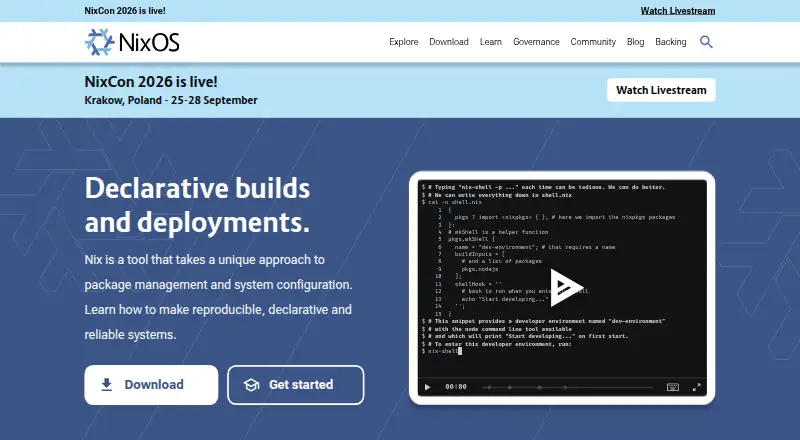
What Nix is
Nix is a free package manager and system configuration tool for building reproducible, declarative systems. It builds packages in isolation to avoid undeclared dependencies, helping make builds consistent across machines. Users can define and share development and build environments across projects and programming languages, install software from URLs or source code, and use virtual machines for integration testing. Nix supports dependency resolution, lockfiles, workspaces, and offline installation; its package formats include Nix expressions, derivations, and flakes. The Nix Packages collection offers over 140,000 packages. The wider ecosystem supports remote builds and deployments, binary caches, cross compilation, atomic upgrades, and rollbacks. Nix runs on Linux and macOS, and on Windows through WSL2; multi-user installation on Windows requires WSL systemd support. Documentation includes guides for GitHub Actions, Docker images, Terraform deployment, SSH provisioning, and distributed builds. The project is aimed at people comfortable with command-line interfaces and plain-text editors, including developers, test engineers, system administrators, and students.
Who it suits
Nix suits developers, test engineers, DevOps engineers, system administrators, data scientists, students, and open-source enthusiasts who are familiar with command-line interfaces and plain-text editors. It can also suit teams seeking reproducible environments across projects.
What it does well
- Builds packages in isolation to avoid undeclared dependencies.
- Supports lockfiles, workspaces, and offline installation.
- Package collection offers over 140,000 packages.
- Supports atomic upgrades and rollbacks.
- Free, with no paid plan listed.
What to know first
- Windows support is through WSL2.
- Windows multi-user installation requires WSL systemd support.
- Documentation targets command-line and plain-text editor users.
Limits
The free plan is listed as free, with no paid plan listed. Windows availability is through WSL2, and multi-user installation requires WSL systemd support.
Plans
| Plan | Billed and limits | Price |
|---|---|---|
| Nix | Open source package manager; no paid plan listed | Free |
As nixos.org lists them, read 4 Oct 2026. The maker's own page has the final word.
Getting started
- Visit the Nix website for download instructions.
- Choose an installation route for Linux or macOS, or use WSL2 on Windows.
- On Windows, provide WSL systemd support if using multi-user installation.
- Use Nix expressions, derivations, or flakes to define package and environment configurations.
- Use the free plan; no trial is offered.
Nix is a package manager and system-configuration tool for people who want to define software environments in text and recreate them across machines. It best suits developers and operations teams comfortable with command-line work. Its appeal is consistency and control; the technical workflow is a poor match for people seeking a graphical-first tool.
Overview
Nix manages packages and system configuration through declarative environments. Rather than relying on each machine’s manually assembled setup, users can describe an environment and share it across projects and languages. That makes Nix particularly useful when development, testing and build systems need to stay aligned.
Its scope goes beyond package installation: the ecosystem supports remote builds and deployments, binary caches, cross compilation, atomic upgrades and rollbacks. That breadth is valuable to technical teams managing repeatable workflows, but it also means Nix is a tool to learn and operate, not a lightweight graphical app.
The Nix Packages collection contains over 140,000 packages. Users can also install software from URLs or source code and run integration tests with virtual machines, giving the tool a useful role in both development environments and system configuration.
Key features
- Isolated, reproducible builds: Nix builds packages in isolation to avoid undeclared dependencies. For teams, this reduces the chance that a build depends on software present only on one machine.
- Declarative environments: Shared environments can span projects and programming languages. This suits developers who need a consistent setup across workstations and build environments.
- Rollbacks and atomic upgrades: Users can return to previous package versions, while atomic upgrades help avoid inconsistent states. These controls matter when changing a system carries operational risk.
- Integration options: Documentation covers GitHub Actions, Docker images, Terraform deployment, SSH provisioning and distributed builds. These guides make Nix relevant to existing development and operations workflows.
- Security choices: Multi-user installation provides better build isolation and security, but requires root for the daemon and is harder to uninstall. That tradeoff deserves consideration before choosing an installation model.
Pricing
Nix is free: the Nix plan costs nothing and is described as an open source package manager. There is no paid plan or free trial. Its capabilities are not divided into cheaper and higher-priced tiers, so the decision is whether its technical approach fits the user, rather than which plan to buy.
Platforms
Nix supports Linux and macOS, along with Windows through WSL2. On Windows, multi-user installation requires WSL systemd support, so it is not a native Windows package-management route. It also supports self-hosted use. Dependency resolution, lockfiles, workspaces and offline installation are supported, useful properties for managing repeatable projects and constrained environments.
Who it's for
Nix is aimed at developers, test engineers, DevOps engineers, system administrators, data scientists, students and open source enthusiasts. It is most compelling for people who need reproducible development or build environments, controlled upgrades, or deployment and testing workflows that can be described and repeated.
The central caveat is the working style: Nix expects familiarity with command-line interfaces and plain-text editors. Teams seeking a GUI-led experience, or Windows users unable to meet the WSL2 requirements, should look elsewhere. Community help is available through the official forum and Matrix space; consulting companies are also listed for professional support.
Pros and cons
Pros
- Build consistency: Isolated builds help prevent undeclared dependencies from undermining reproducibility across machines.
- Broad package coverage: A collection of over 140,000 packages, plus installation from URLs or source, gives technical users multiple ways to obtain software.
- Recovery controls: Rollbacks and atomic upgrades help users manage changes without being left in an inconsistent package state.
- Wide workflow reach: Remote builds, deployment, cross compilation, binary caches and virtual-machine integration testing support more than local installation.
- Security support: The NixOS community has a security team and channels for private vulnerability reporting.
Cons
- Technical learning curve: The command-line and plain-text-editor orientation makes Nix a poor fit for users who want graphical package management.
- Windows setup constraints: Windows use runs through WSL2, and multi-user installation also needs WSL systemd support.
- Multi-user installation tradeoff: Better isolation and security come with a root-requiring daemon and harder uninstallation.
Alternatives
For users comparing system software and package tools, Operating Systems, Development Environment Management Tools, Package Managers, IT Configuration Management Software and Development Environment Managers are useful category starting points.
- AlmaLinux OS is a free enterprise Linux distribution with separate commercial support available; choose it when the priority is a Linux distribution rather than Nix’s package and environment management approach.
- OPNsense has a free Community Edition and paid Business Edition plans; consider it when those editions better match your needs.
- pfSense offers a free, open-source Community Edition as well as pfSense Plus Software; consider it when those editions are a better fit.
- Rocky Linux is a free, community-supported Linux option with a 10-year support lifecycle; choose it when that lifecycle is the priority.
- Ubuntu Server offers a free Ubuntu Pro Community plan for up to 50 machines; consider it when that plan’s machine cap suits your use.
- CentOS Stream is a free software distribution available for download.
- Debian is a free operating system whose official distribution packages can be used and redistributed.
- Fedora Linux is free; most variants recommend 40GB of disk space and 4GB of RAM.
Verdict
Choose Nix if you are comfortable working at the command line and need reproducible environments, extensive package access and controlled upgrades across machines. Its free, broad toolset is compelling for development and operations workflows, but the technical orientation and WSL2 requirement on Windows are strong reasons to choose another approach if they do not suit your setup.
Verdict
Nix offers package management, system configuration, and a broad set of reproducible-build and deployment capabilities at no listed cost. Its command-line orientation and Windows WSL2 requirements are important considerations before adopting it.
Questions
How much does Nix cost?
The Nix plan is free. The pricing model is free, and no paid plan is listed.
Is there a free plan or trial?
Yes, Nix has a free plan. There is no free trial.
Which platforms does Nix support?
Nix supports Linux and macOS, and Windows through WSL2. The listed platforms also include self-hosted use.
Is Nix open source?
The listed plan describes Nix as an open source package manager.
What package formats does Nix use?
Its listed package formats are Nix expressions, derivations, and flakes.
Who makes Nix?
The maker is Nix, headquartered in Utrecht, Netherlands.
Facts from Nix's own pages
- Build and deployment features
- The Nix ecosystem supports remote builds and deployments, binary caches, cross compilation, atomic upgrades, and rollbacks. · nix.dev, 4 Oct 2026
- Declarative environments
- Nix lets users share development and build environments across projects and programming languages. · nixos.org, 4 Oct 2026
- Dependency resolution
- Yes · nixos.org, 22 Sept 2026
- Development uses
- Nix supports reproducible development environments, software installation from URLs or source code, and integration testing with virtual machines. · nix.dev, 4 Oct 2026
- Free plan
- Yes · nixos.org, 22 Sept 2026
- Headquarters
- Utrecht, Netherlands · nixos.org, 28 Sept 2026
- Integrations
- The official documentation includes guides for GitHub Actions, Docker images, Terraform deployment, SSH provisioning, and distributed builds. · nix.dev, 4 Oct 2026
- Intended users
- The documentation identifies developers, test engineers, DevOps engineers, system administrators, data scientists, students, and open source enthusiasts as likely users. · nix.dev, 4 Oct 2026
- Lockfile support
- Yes · nixos.org, 22 Sept 2026
- Notable requirements
- The documentation says Nix is aimed at people familiar with command line interfaces and plain text editors. · nix.dev, 4 Oct 2026
- Offline installation
- Yes · nixos.org, 22 Sept 2026
- Package collection
- The Nix Packages collection offers over 140,000 packages. · nixos.org, 4 Oct 2026
- Package formats
- Nix expressions,derivations,flakes · nixos.org, 22 Sept 2026
- Purpose
- Nix is a tool for package management and system configuration that supports reproducible, declarative, and reliable systems. · nixos.org, 4 Oct 2026
- Reproducible builds
- Nix builds packages in isolation to avoid undeclared dependencies and make builds reproducible across machines. · nixos.org, 4 Oct 2026
- Rollbacks
- Nix allows users to roll back to previous package versions and avoids inconsistent package states during upgrades. · nixos.org, 4 Oct 2026
- Security
- The NixOS community has a security team and provides private vulnerability reporting and security information channels. · nixos.org, 4 Oct 2026
- Security tradeoff
- The download page says multi-user installation provides better build isolation and security, but requires root for the daemon and is harder to uninstall. · nixos.org, 4 Oct 2026
- Support
- The project provides community help through its official forum and Matrix space, and lists consulting companies for professional support. · nixos.org, 4 Oct 2026
- Supported platforms
- The Nix reference manual lists Linux on i686, x86_64, and aarch64, and macOS on x86_64 and aarch64. · nix.dev, 4 Oct 2026
- Windows availability
- The download instructions cover Windows through WSL2, with multi-user installation requiring WSL systemd support. · nixos.org, 4 Oct 2026
- Workspace support
- Yes · nixos.org, 22 Sept 2026
Where Nix stands on Freedom251
- Package Managers#13 of 93
- App Installation#4 of 24
- Server Operating System#6 of 29
- Operating Systems#13 of 42
- Cli Tools#12 of 32
- Development Environment Managers#20 of 50
- IT Configuration Management Software#12 of 27
- Development Environment Management Tools#13 of 26