Freedom251 › 3D modeling software

Blockbench
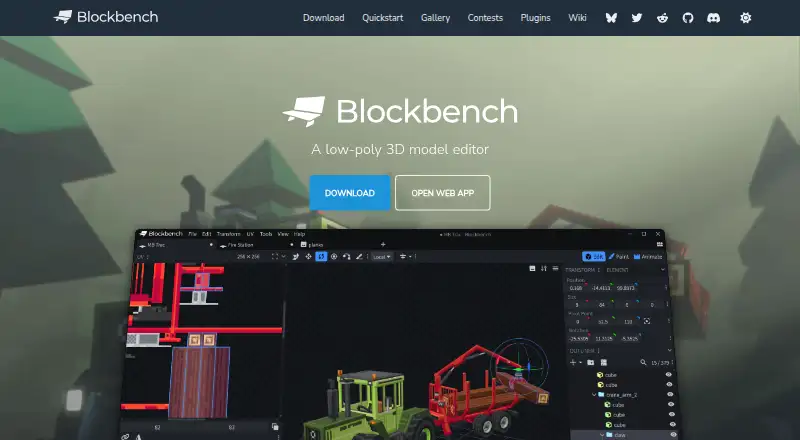
What Blockbench is
Blockbench is a free, open-source editor for creating low-poly 3D models. Its modeling tools support cuboid and mesh shapes, while the texturing tools let users create, edit, and paint textures. It can generate a model's UV map and template, and connect to an external image editor or pixel-art program. The animation editor supports rigging, position, rotation, and scale keyframes, with a graph editor. A built-in plugin store offers extensions such as tools, export formats, and model generators, and users can make their own plugins. Blockbench is available as a web app and on Windows, macOS, Linux, iOS, and Android, and the project is licensed under the GPL. Its privacy policy says it does not knowingly collect personally identifiable data, though it may collect anonymized usage data such as installation count. Local storage and cookies support functions such as remembering preferences. When users share a model, its data is stored for the duration they select, and they can request earlier removal.
Who it suits
Blockbench suits people making low-poly models who want modeling, texturing, and animation tools in a web app or on desktop and mobile platforms. It also suits users who want to extend the editor with plugins or use their own plugins.
What it does well
- Free to use for any type of project.
- Supports cuboid and mesh modeling.
- Can generate UV maps and templates.
- Animation includes rigging and keyframes.
- Available on web, desktop, iOS, and Android.
What to know first
- Privacy policy says anonymized usage data may be collected.
- Shared model data is stored for the selected duration.
- Data security is not guaranteed to be absolute.
Plans
| Plan | Billed and limits | Price |
|---|---|---|
| Blockbench | Free to use for any type of project · no strings attached | Free |
| Free | all users · any purpose · no paid edition required | Free |
As blockbench.net lists them, read 28 Sept 2026. The maker's own page has the final word.
Getting started
- Open the Blockbench website.
- Launch the web app at web.blockbench.net or use a listed platform.
- Use the visual editor to create models and textures.
- Explore the built-in plugin store for extensions.
Blockbench is a low-poly 3D editor best suited to creators building Minecraft assets and other stylized models. It brings geometry, textures, animation, and extensions into one visual workspace, though its low-poly focus makes it a poor fit for general-purpose high-detail modeling.
Overview
Blockbench combines cuboid and mesh modeling with texture editing and animation. That breadth is useful when a project needs more than a model: you can generate a UV map and template, paint on the model, then add rigging and keyframes in the same editor. External image and pixel-art editors can also be connected, so the texture workflow need not stay entirely in Blockbench.
Its Minecraft-oriented tools include resource-pack support, custom entity tools, HD skins, slim (Alex) models, and multiple version targeting. The project, founded in 2017, is open source under the GPL license. The visual editor is available in a browser as well as desktop and mobile platforms.
Key features
Modeling and textures
Cuboid and mesh tools cover low-poly shapes, giving creators two approaches to building geometry. The built-in texture tools can create, edit, and paint textures, while UV maps and templates help organize a model's surfaces. Painting directly on the 3D model is supported; for pixel-art work or other preferred workflows, an external editor can be connected.
Animation and plugins
The animation editor supports rigging and position, rotation, and scale keyframes, with a graph editor for working with animation. This makes Blockbench more useful for assets that need motion than a modeling-only tool, though the supplied feature set is centered on low-poly work rather than broad 3D production.
The plugin store offers tools, export formats, and model generators, and users can create their own plugins. That extensibility can tailor the editor to a project, but scripting support is marked as unavailable, so it is not the choice for workflows that depend on scripting within the editor.
Pricing
Blockbench costs nothing. The free plan is described as usable for any type of project with no strings attached, and there is no free trial because no paid plan is needed to access the product. For individuals and teams considering Blockbench, that removes a subscription decision; the trade-off is that the available feature set remains focused on low-poly modeling and the listed Minecraft-oriented workflows.
Platforms
Blockbench is available on web, Windows, macOS, Linux, iOS, and Android. The web app provides a browser-based route, while desktop and mobile options suit users who prefer an installed app or want access across device types. The privacy policy says preferences can be stored locally through Local Storage and Cookies. It says the project does not knowingly collect personally identifiable data and may collect anonymized usage data, such as installation count.
Model Sharing stores model data for the duration the user selects, with an option to contact Blockbench to request earlier removal. The policy says it strives to protect data using commercially acceptable means but cannot guarantee absolute security. Anyone sharing models should weigh that retention period and security limitation before uploading.
Who it's for
Blockbench is a strong fit for Minecraft creators making resource packs, custom entities, or skins, and for low-poly artists who want modeling, texturing, and animation in a visual editor. It is less suitable for users who need scripting support or a wider-ranging 3D modeling toolset.
Pros and cons
- Pros: Modeling, texture creation, UV maps, and animation sit in one editor, reducing the need to switch tools for core low-poly asset work.
- Pros: Minecraft-specific support, including resource packs, custom entity tools, HD skins, and slim (Alex) models, makes it directly relevant to that community.
- Pros: The free plan covers any type of project, while web, desktop, and mobile availability offers several ways to use it.
- Cons: Its stated focus is low-poly modeling, so creators seeking a broader or high-detail 3D workflow should look elsewhere.
- Cons: Scripting support is not available, limiting its fit for users who need that capability in their editor.
- Cons: Model Sharing retains uploaded model data for a selected duration, and absolute security is not guaranteed.
Alternatives
For software-development work rather than 3D asset creation, Visual Studio Code is a free option available on Linux, macOS, web, and Windows. Retrom is another free alternative for users seeking software available on desktop, web, or self-hosted platforms.
Architectury Loom is a free experimental project for users working with Gradle 8.1 or newer; it supports IntelliJ IDEA and Visual Studio Code. Eclipse IDE is a free, open-source option for readers seeking an IDE. Gradle is a free open-source build system, while IntelliJ IDEA offers free core Java and Kotlin functionality and a paid Ultimate subscription at $100 a year.
Minecraft Forge is free to use and modify, and Recaf is a free option for readers evaluating other software in this group.
For category browsing, see Minecraft Mod Development Tools, Minecraft Skin Editors, Minecraft Add-on Editors, Game 3D Modeling Software, Game Character Creation Software, and 3D modeling software.
Verdict
Choose Blockbench if you make Minecraft assets or low-poly models and want modeling, texturing, animation, and plugins in a free, cross-platform editor. Look elsewhere if you need scripting or a broader 3D workflow, and consider the Model Sharing retention and privacy terms before uploading project files.
Verdict
Blockbench offers modeling, texture painting, animation, and plugins across web, desktop, and mobile platforms. Consider its model-sharing retention and privacy terms if you plan to use those features.
Questions
Is Blockbench free?
Yes. Blockbench is free to use for any type of project, with no strings attached.
Which platforms support Blockbench?
Blockbench is available on the web, Windows, macOS, Linux, iOS, and Android.
Is Blockbench open source?
Yes. The project is licensed under the GPL.
Can I animate models in Blockbench?
Yes. Its animation editor supports rigging, position, rotation, and scale keyframes, plus a graph editor.
Does Blockbench support scripting?
No. Scripting support is listed as unavailable.
What data does Blockbench collect?
Its privacy policy says it does not knowingly collect personally identifiable data, but may collect anonymized usage data. Local storage and cookies are used for functions such as remembering preferences.
Facts from Blockbench's own pages
- Animation
- Its animation editor supports rigging, position, rotation and scale keyframes plus a graph editor. · blockbench.net, 14 Oct 2026
- Asset ownership
- The repository states that models, textures, animations and screenshots made with Blockbench belong to their creators. · github.com, 14 Oct 2026
- Block Wizard integration
- The Block Wizard generates resource and behavior pack files and lets creators test custom blocks in Bedrock. · minecraft.net, 14 Oct 2026
- Company identity
- Microsoft identifies the creator as Jannis Petersen and says Blockbench is supplied by external contributors rather than Microsoft or Mojang. · learn.microsoft.com, 14 Oct 2026
- Data security
- The privacy policy says Blockbench strives to use commercially acceptable means to protect data but cannot guarantee absolute security. · blockbench.net, 28 Sept 2026
- Desktop systems
- Microsoft lists downloadable desktop applications for Windows, Linux and macOS. · learn.microsoft.com, 14 Oct 2026
- Documentation depth
- The wiki includes guides, format references, plugin tutorials, URL parameters, utility APIs and automatically generated API classes. · blockbench.net, 14 Oct 2026
- Export formats
- Documented exports include Java and Bedrock JSON, Java, JEM, JPM, OBJ, glTF and BBModel. · blockbench.net, 14 Oct 2026
- External editors
- Texture work can be connected to an external image editor or pixel-art application. · blockbench.net, 14 Oct 2026
- Founded
- 2017 · blockbench.net, 28 Sept 2026
- Free plan
- Yes · blockbench.net, 21 Sept 2026
- Licence
- The source code is GPL version 3, while plugins and themes using the API may be open, proprietary or paid. · github.com, 14 Oct 2026
- License
- The project is open source under the GPL license. · blockbench.net, 28 Sept 2026
- Limit: advanced 3D production
- The independent review says it is less suited to detailed sculpting, cloth simulation and elaborate rendered scenes. · 3dprinterworld.com, 14 Oct 2026
- Limit: export compatibility
- The independent review warns that a convincing preview does not ensure a usable Minecraft or game-engine export unless the project format is chosen carefully. · 3dprinterworld.com, 14 Oct 2026
- Limit: mobile interaction
- A GitHub issue reported touch navigation problems including hard-to-use visibility controls and drag-sensitive scrolling in the mobile outliner. · github.com, 14 Oct 2026
- Limit: UV controls
- A Minecraft Forum reviewer praised the streamlined workflow but called UV control complicated. · minecraftforum.net, 14 Oct 2026
- Local storage
- The privacy policy says Local Storage and Cookies are used for functionality such as remembering preferences and are stored locally on the user's device. · blockbench.net, 28 Sept 2026
- Low-poly modeling
- The editor supports cuboids and mesh modeling for simple Minecraft-style or more complex low-poly shapes. · blockbench.net, 14 Oct 2026
- Maker location
- The JannisX11 GitHub profile lists Germany. · github.com, 14 Oct 2026
- Minecraft formats
- Built-in formats cover Minecraft Java and Bedrock models, including block, item, entity and armor workflows. · blockbench.net, 14 Oct 2026
- Minecraft wizards
- Microsoft documents Entity, Item and Block Wizard plugins that provide project starters for Minecraft add-ons. · learn.microsoft.com, 14 Oct 2026
- Mobile delivery
- Mobile access is provided as a progressive web app installed from a browser rather than an APK or app-store listing. · blockbench.net, 14 Oct 2026
- Modeling
- It supports cuboid modeling and mesh modeling tools for creating low-poly shapes. · blockbench.net, 28 Sept 2026
Where Blockbench stands on Freedom251
- 3D modeling software#4 of 147
- Minecraft Mod Development Tools#1 of 35
- Game 3D Modeling Software#1 of 26
- Minecraft Add-on Editors#1 of 26
- Game Character Creation Software#1 of 22
- Minecraft Skin Editors#1 of 10